
A complete build guide for an automated podcast, from the Google key through a small Docker service on the NAS to the listing on Apple Podcasts and Spotify.
There is a kind of weekend that everyone knows who deals with artificial intelligence professionally or out of curiosity: Saturday morning, coffee, and a bad conscience, because since Monday another five podcasts, a dozen YouTube videos and thirty blog posts have piled up. Nobody listens to all of that. Most people listen to none of it and still have the feeling that they are missing something.
Sound familiar? Then you are in the right place. Because it is precisely against that feeling that we are building something in this guide: a machine that reads the week out to you. And not as a toy, but as a proper podcast that you can subscribe to in any app.
To make this guide easier to follow, three people accompany you: the typical office characters: the competent IT colleague, the self-appointed expert and the honest beginner. These three perspectives help you recognise the typical pitfalls.
Tanja is the IT expert. She knows how it works, explains patiently and in a structured way, and does not let bad advice throw her. If you have a question, Tanja has the answer.
Bernd is the self-appointed “expert” who knows everything better and is usually wrong. His shortcuts and his half-knowledge regularly lead to problems. He stands for all the dangerous myths and bad practices you should avoid.
Ulf is the learner, just like you. He asks the questions buzzing around in your head, and sometimes needs an everyday comparison in order to understand IT. If Ulf does not understand something, that is perfectly fine, that is what Tanja is there for.
“And… action!”
Ulf: “Eighteen minutes of podcast, and nobody spoke into a microphone? That is like a football match without players.”
Bernd: “Nonsense. That is a plugin. Install it once, done. I will do it in my lunch break.”
Tanja: “There is no plugin that turns an article into a conversation for you, speaks two voices, mixes the audio track and registers the episode with Apple. Those are several building blocks. And at the end there is still a human sitting there who presses a button.”
Ulf: “Which button?”
Tanja: “The approval. We will come to that.”
Why Anyone Would Have a Machine Read Them a Podcast
The KI Wochenrückblick on FOUNDIC.org grew out of exactly that Saturday-morning feeling. Imagine a diligent intern who collects notes all week, sorts them and puts a clean summary on your desk on Saturday. That is precisely what an automation system does here: it gathers the week in, orders it and writes a review. How that part works is described in the guide “Automatically Evaluating Podcasts, YouTube, and Websites with n8n”. This article picks up where that guide stops: at a finished text that arrives by mail every Saturday.
Out of that text you build a podcast here: a conversation between two voices, around eighteen minutes long, spoken by synthetic voices, mixed on your own NAS, published through your own website and available to subscribe to in Apple Podcasts, Spotify and every other podcast app. Every Saturday at nine, without anyone pressing a button, except for one: the approval.
Ulf: “And what does the fun cost? Professional voice talent is as expensive as a Premier League striker.”
Tanja: “The voices cost nothing. You only pay for the language model, and that is a few cents a week.”
In day-to-day operation the voices really do cost nothing, because the speech output stays within the monthly free allowance of a large provider. You only pay for the language model that turns the article into a conversation: one call a week, a few cents.
Why is this more than a gimmick? Because it is a fairly clean example of what has happened over the past two years. Five years ago, a podcast with editing, loudness matching, a transcript, an episode image and directory listings would have needed a small editorial team or a paid hosting subscription. Today the building blocks sit on the shelf individually, some of them free, and you can plug them together on your own hardware like tools on a workbench. That is the democratization of enterprise technology that is talked about so much. Here you can watch it at work.
Bernd: “Democratization means: everyone can do it, so nothing can go wrong.”
Tanja: “Democratization means: everyone is allowed to try. Plenty can still go wrong.”
And Tanja is right. You can get a great deal wrong here. That is why this article tells you not only how it works, but also what it failed on the first time round. Almost every rule in this guide came out of a mistake. So do not panic if something snags on your side: most of the pitfalls are already marked here.
What You End Up With
Let us look at the goal first, before we start running. Here is the result in figures, measured on a real run from 19 September 2026:
| Metric | Value |
|---|---|
| Runtime of the entire Saturday run (writing the text, voicing it, publishing) | 8 minutes 42 seconds |
| of which voicing | 279 seconds |
| Conversation turns | 108 |
| spoken characters | 17,470 |
| Length of the episode | 18:45 minutes |
| File size | 8.95 MB, mono, 24 kHz |
| Loudness | −16 LUFS, peak −1.5 dBFS (the usual value for podcasts) |
| running costs | €0 for the voices, a few cents a week for the language model |
Ulf: “And where do you listen to it then? On the blog, or on Spotify?”
Tanja: “Everywhere at once. And all three places point to the same file.”
The episode appears in three places at once, and all three point to the same file. Think of a single poster with three signposts pointing at it, rather than three copies of the poster:
- as a player in the blog post, at the top and again above a collapsible transcript,
- in its own podcast feed (a machine-readable list of all episodes that podcast apps fetch at regular intervals),
- in the directories of Apple Podcasts, Spotify, Amazon Music, Podcast Index and podcast.de.
At a Glance
Tested With
To be honest: software does not stand still. Click paths and field names change from version to version. If a field is called something else on your side, that is usually down to the version, not to you. State of the setup when this article was written, 27 September 2026:
| Component | Version |
|---|---|
| NAS | Synology DS1621xs+ with DSM 7.4.1-90080 |
| Container Manager | 24.0.2-1706 |
| n8n | 2.1.5, self-hosted in a Docker container, with PostgreSQL 16 |
| WordPress | 7.1.2 |
| Code Snippets | 3.10.2 |
| Polylang | 3.8.9 (optional, the feed runs without it too) |
| WP Fastest Cache | 1.5.2 (optional, only if you use a caching plugin) |
| Python in the voicing service | 3.12.14 (python:3.12.14-slim-trixie) |
| ffmpeg in the voicing service | 7.1.5 from Debian 13 |
| Speech output | Google Cloud Text-to-Speech, Chirp 3 HD voices |
| Language model | Anthropic claude-sonnet-4-5-20250929 |
Prerequisites: What Has to Be Running Already
Bernd: “I always skip the prerequisites. That is only in there to make the text longer anyway.”
Tanja: “Then you spend three hours later hunting a fault that is explained here in one sentence.”
Bernd is wrong: this section is the foundation. The article builds on three things that are already in place. Anyone who does not have them yet will find the guides for them on FOUNDIC.org.
1. A running n8n installation with PostgreSQL on a NAS or a mini PC.
n8n (pronounced “n-eight-n”, software with which you click together workflows out of building blocks, rather like dominoes that knock each other over) runs here in a Docker container (a sealed-off software box that brings its own dependencies with it, like a toolbox that has everything in it you need for a job) on a Synology DiskStation. How that works is described in “n8n self-hosting – n8n Installation on Synology NAS”.
2. One article a week, the interface.
Think of the interface like the handover in a relay race: the baton has to be passed exactly as agreed, otherwise it hits the ground. The podcast branch in this guide needs exactly one input, and that is firmly agreed:
Required input for the podcast branch
- an n8n node with the name "Zusammenfassung bauen"
- exactly ONE record per weekly run
- in it the field wp_content: the finished article as HTML, at least 500 characters
Not needed: title, date, image – the branch builds the title itself from the dateUlf: “And what if I do not have an A21 at all? Am I out then?”
Tanja: “No. Then you take route B and build the node yourself.”
There are two routes for that:
- Route A, the existing A21 workflow. In the KI Wochenrückblick, a workflow (a sequence of steps built in n8n) called A21 writes the review every Saturday out of the week’s material and ends with exactly this node. Its structure is described in the transcription guide mentioned above, phase 7. You attach the podcast branch to the end of it. The A21 details in phase 7 apply to route A only (node
Wochenmaterial holen, the extra A20 Saturday run). - Route B, a text generator of your own. In step 6.0 you create a code node
Zusammenfassung bauenthat meets exactly this interface. There you insert your article, or replace the node with your own generator. The nodeEinstellungenstops with a clear message if no article arrives. So you notice straight away when the baton is missing, instead of ending up with an empty episode.
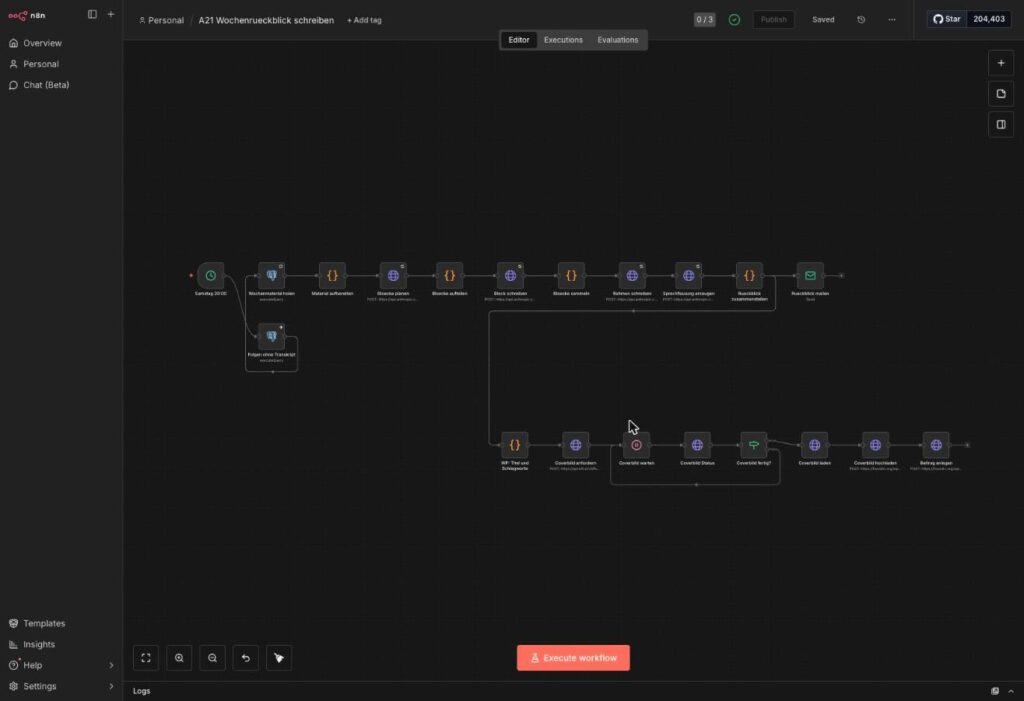
This is what the chain looks like that the podcast is later attached to: from the schedule through collecting the week’s material to the finished review.
3. A WordPress website on which you are an administrator, with the plugin Code Snippets (which lets you add small pieces of PHP without touching the theme).
Bernd: “For podcasts you naturally take a podcast plugin. The more plugins, the more professional.”
Tanja: “The more plugins, the more building sites.”
You do not need a podcast plugin, and that is deliberate. The feed is a manageable function, and every additional plugin wants to be maintained, updated and suspected when something goes wrong. More plugins therefore do not mean more professionalism, but more suspects when something breaks.
On top of that:
- a Google account and a credit card (for the identity check at Google Cloud; it is not charged within the scope of this guide),
- an Anthropic account for the language model Claude, which rewrites the article into a conversation (one call a week, costs in the cent range),
- for the directories: an Apple Account with two-factor sign-in and a Spotify account,
- around two afternoons of time.
The Alternatives That Were Examined and Rejected
Ulf: “Is there no easier way? I just want it to run.”
Fair question. You do not have to build it this way. Three shortcuts suggest themselves, and each one has a price.
A hosting provider such as Podigee, LetsCast or Buzzsprout. They handle the feed, the statistics and the directory listings at the push of a button, but only for feeds that they generate. Your own domain would then no longer be the origin of the podcast. That is like building your own stadium and then playing every home game at the club next door. For a project that is precisely about digital self-determination, that is the wrong trade.
Computing the speech output on the NAS yourself. Examined and rejected, and not because of the speed but because of the sound. The only realistic candidate with German voices and a free licence is Piper. It sounds clean, but recognisably like a station announcement rather than a narrating voice, and twenty minutes of that in one go is hard work. The models that sound better (Coqui XTTS-v2, F5-TTS) forbid commercial use in their licence or need a graphics card that a NAS does not have.
A different cloud provider. The comparison in August 2026 produced three serious candidates: Google Chirp 3 HD (30 German voices, one million characters a month free), Microsoft Azure Neural (17 German voices, half a million free) and ElevenLabs (around 52 dollars a year, but the whole text in a single call). A weekly review needs around 87,000 characters a month, so less than a tenth of the Google allowance. Within Google there are also “Gemini-TTS”, “Studio” as well as Neural2, WaveNet and Standard. Why it became Chirp 3 HD is explained in phase 2.
The Blueprint from a Bird’s-Eye View
Bernd: “Plans are for people who cannot improvise.”
Tanja: “Without a plan you do not even know which node is broken.”
Before we press any buttons, let us look at the whole thing from above, the way a coach looks at the line-up on the tactics board (the complete list of nodes is in phase 6):
Saturday 09:00
  A21 writes the review (existing)         – or your own text generator
    → Einstellungen               Addresses, week title, check for placeholders
    → Woche prüfen                does this week already exist? Then stop instead of duplicating
    → Sprechfassung erzeugen      Claude turns the article into a conversation between two voices
    → Beitrag anlegen             WordPress draft with the article text
    → Podcast: Dialog holen       check the conversation, append the sign-off, build the file name
    → Podcast: vertonen           own Docker service "vertonung" on the NAS:
                                  Google speaks each turn separately, ffmpeg assembles
    → Podcast: MP3 hochladen      file into the WordPress media library
    → Podcast: Player bauen       player + transcript into the post, four custom fields
    → Podcast: Player nachtragen  update the post
A human checks and clicks "Veröffentlichen"
  → Feed /feed/podcast/ shows the new episode
  → Apple, Spotify & co. fetch it from there
Three decisions shape this setup, and it is worth knowing them beforehand:
The speech output runs in a small service of its own, not in n8n. n8n is good at setting things in motion and passing them on, like a dispatcher in an office who hands out jobs but does not stand at the machine himself. Audio processing with ffmpeg (a command-line tool that can process practically any audio and video format) does not belong in there. The service vertonung gets the finished conversation as a list of turns and returns a finished MP3. n8n does not need to know any more about audio than that.
Ulf: “If it all runs automatically anyway, why does someone still have to click ‘Veröffentlichen’?”
Tanja: “Because otherwise a mistake lands with every subscriber immediately. The approval is your goalkeeper.”
The human stays in the game. The workflow creates the post as a draft. Only when someone reads it and clicks “Veröffentlichen” does the episode appear in the feed. An automated podcast that goes out unchecked to thousands of subscribers is not a good idea, and that has nothing to do with mistrusting the technology.
Every fact lives in exactly one place. The address of the MP3, its size and its duration are written by the workflow into custom fields on the post, and the feed reads exactly those fields. It does not fish them out of the post text. Why so strict? Do you know the office with two phone lists, one in the corridor and one on the intranet? After three months neither matches the other any more. It is exactly the same here: two places for the same information drift apart, always. That is the most expensive lesson of the whole project.
Phase 1: Buying a Voice from Google Without Paying for It
Monday morning, meeting room. On the whiteboard, in Tanja’s handwriting, there is a single word: “Voice”.
Ulf: “And who is going to speak our podcast? I would have a voice for that. Stadium-announcer quality.”
Tanja: “Your voice takes holidays, gets ill and has a match on Saturdays at nine. We are taking one that never cancels: Google.”
Bernd: “Google? Then we will pay through the nose. They want my credit card straight away.”
Tanja: “They do want to see the card, yes. It is not charged within the scope of this guide. Let us look at why.”
The speech output comes from Google Cloud Text-to-Speech. Think of it as a recording studio standing somewhere in a data centre and taking orders around the clock. You send text there, you get audio back. So that the studio knows who is knocking, you need an identity card: the API key. An API is a programming interface, that is, the goods entrance through which one program addresses a service. The key is a long string of characters proving that the call comes from you.
For this identity card you need three things: a project in the Google Cloud Console (the folder everything ends up in), a billing account (Google wants to know who you are) and a restriction so that the key may only do what it is supposed to. Do not panic, it looks more complicated than it is. There are five short steps.
Step 1.1: Creating a Project
In Google Cloud a project is rather like a ring binder of your own with a name label on it. Everything you create in this phase – keys, budget and enabled services – goes into this folder. So a name you will still understand in three months is worth the effort.
Click path: open console.cloud.google.com → sign in with your Google account → top left, next to the Google Cloud logo, click the Projektauswahl → Neues Projekt → under Projektname enter a meaningful name, for example podcast-tts → Übergeordnete Ressource: leave it on “Keine Organisation” → Erstellen.
Bernd: “The suggestion in the name field is fine. Just take it, saves time.”
Tanja: “That saves you ten seconds today and half an hour of guesswork in the winter. You assign names yourself.”
That is exactly what the first image shows too: the form suggests a meaningless name. Overwrite it.
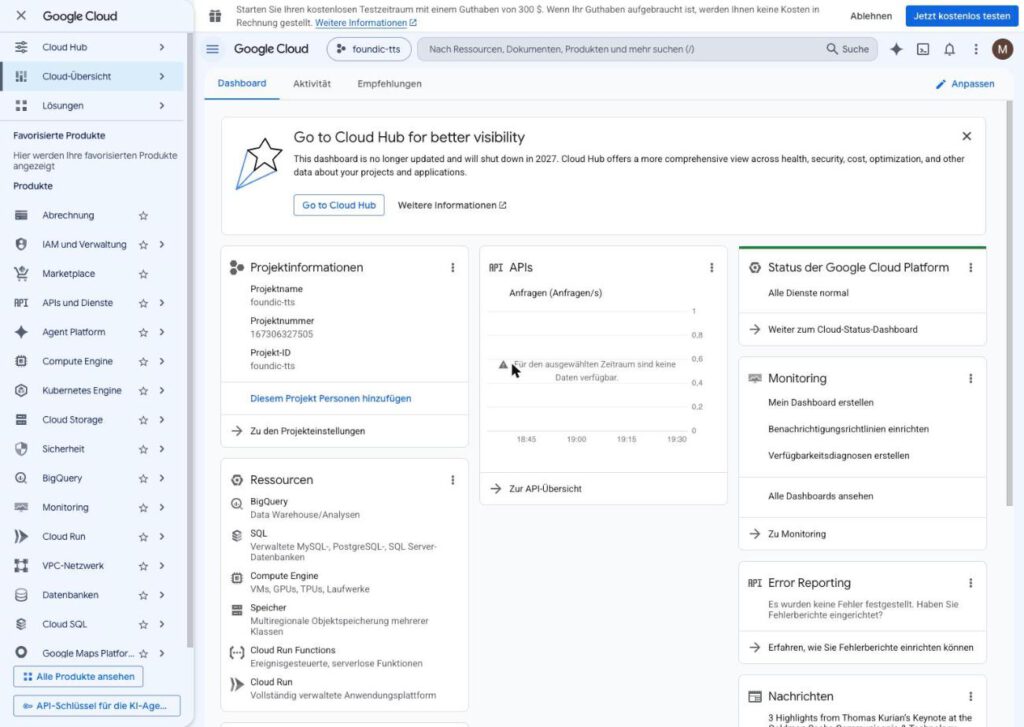
Expected result: After a few seconds a notification appears, your project name is now shown in the project selector at the top, and the project dashboard opens.
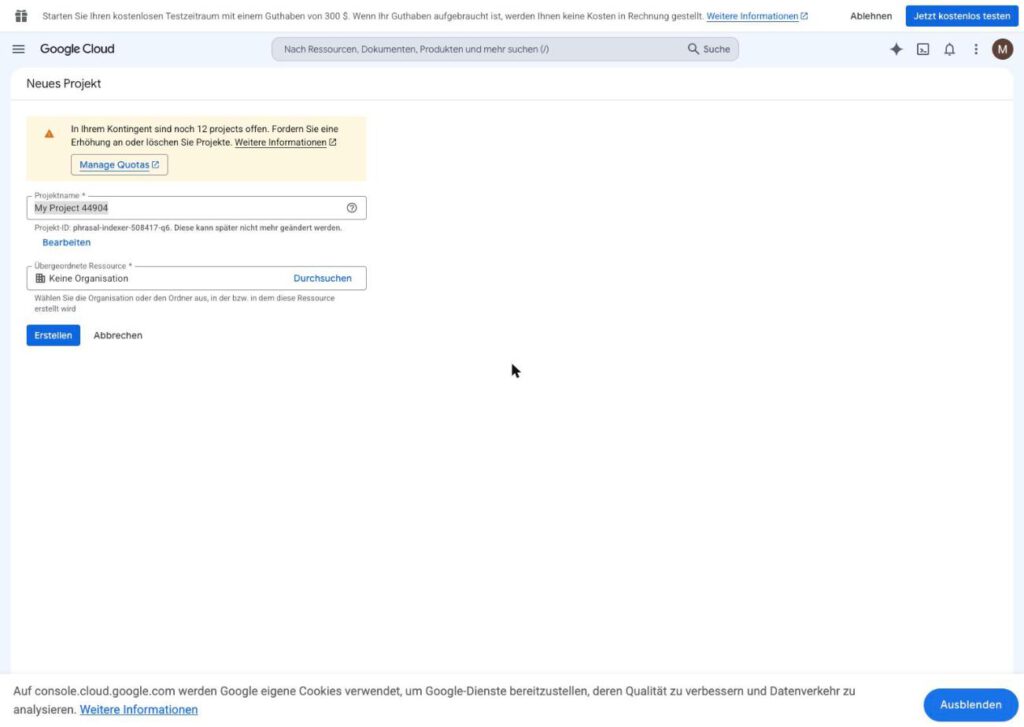
The form suggests a name like “My Project 44904”. Replace it. Otherwise in three months you will no longer know what the project was for.
Step 1.2: Switching On the Speech API and Linking the Billing Account
The project has been created, but it is still empty. Now you enable the recording studio for this folder. Google offers hundreds of services, and each one has to be activated separately per project. That is a nuisance, but it makes sense: what is not switched on cannot cost money by accident either.
Click path: In the search field at the top, enter Cloud Text-to-Speech API → open the product → Aktivieren.
Google now requires a Rechnungskonto. This is the moment at which many people give up, and it is more harmless than it looks.
Ulf: “Hold on. Entering a credit card for something free? That is like the trial subscription with pay-TV. After four weeks you are paying for the whole season.”
Tanja: “Good instinct, wrong case. During the trial period Google does not charge the card automatically. And for the rest we are going to build in an alarm clock in a moment.”
New eligible customers receive 300 dollars in starting credit for 90 days (as of September 2026). For the registration Google requires a payment method. According to Google’s sign-up page it serves to confirm your identity and to curb fraud. While the trial account remains unchanged, no automatic charges arise from it. The procedure has two steps:
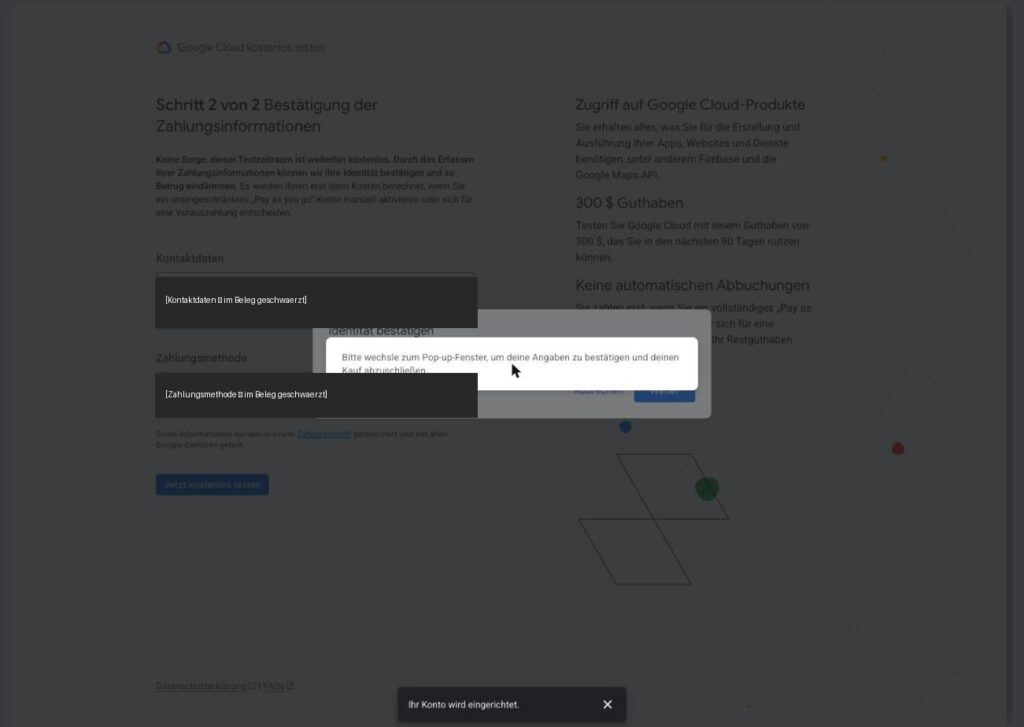
Click path: In the dialogue Kostenlos testen → step 1 of 2: select your country, confirm the terms of use → Zustimmen und fortfahren → step 2 of 2: enter contact details and payment method → Testzeitraum starten → confirm your identity in the pop-up.
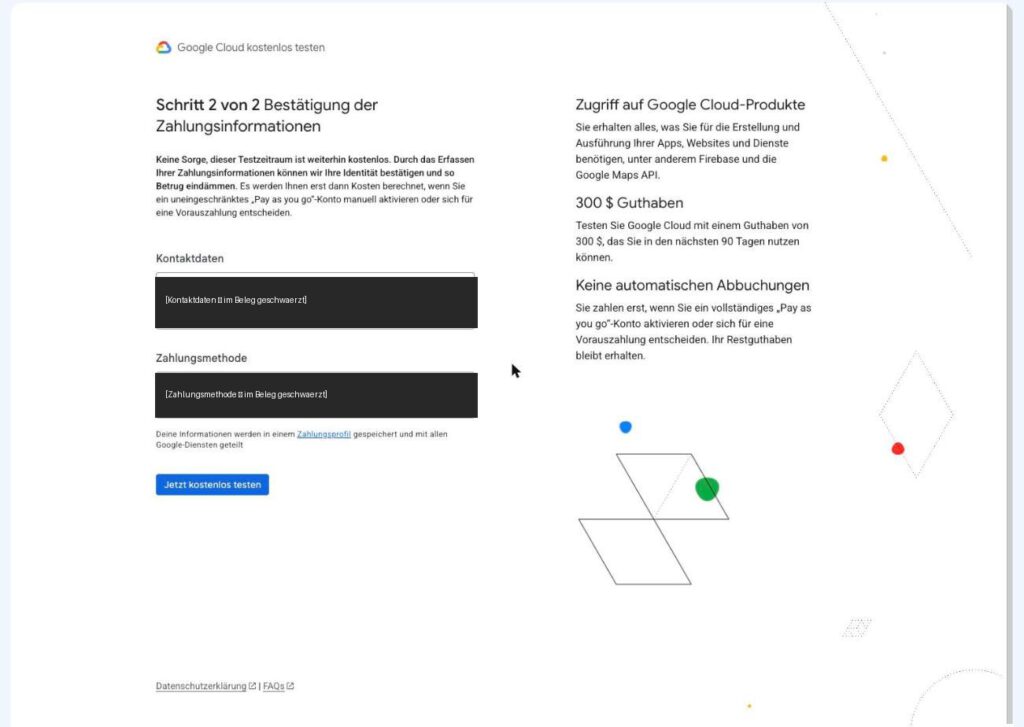
Step 2 of the trial period. The personal details are blacked out here.
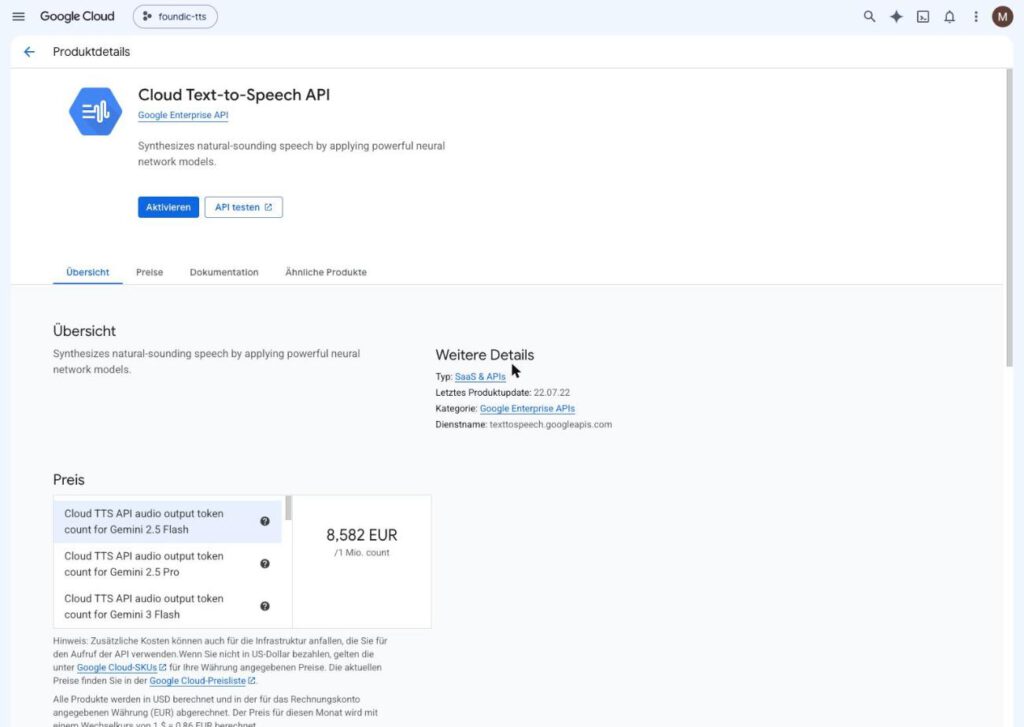
After that, back to the product page of the Text-to-Speech API and click Aktivieren. Yes, again. The first click only triggered the detour via the billing account; nothing has been switched on yet.
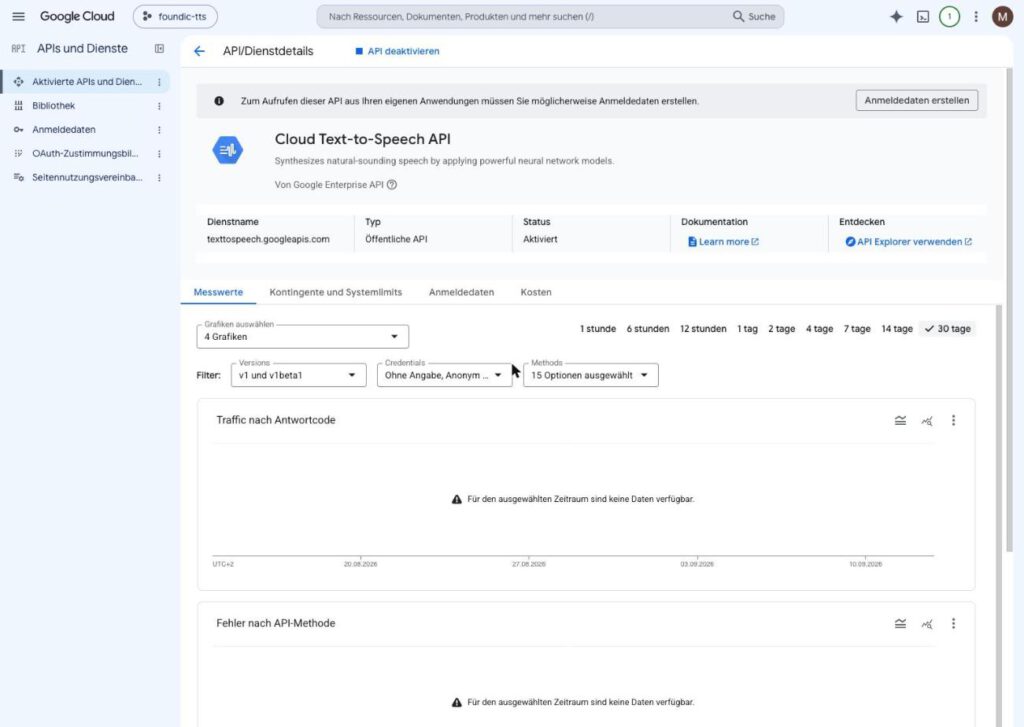
Expected result: The page API/Dienstdetails shows the status Aktiviert for the Cloud Text-to-Speech API.
What it costs: Let us work that out honestly for once. According to the price list, the Chirp 3 HD voices cost 30 dollars per million characters. The first million of each month is free, permanently, not just during the trial period. One review has around 17,000 to 20,000 characters, so four to five episodes a month come to around 87,000 characters. That is less than a tenth of the free allowance. So you use about as much of it as a Sunday-league club uses of the Olympic Stadium.
Step 1.3: Creating a Key That May Only Speak
Bernd: “I always make one key for everything. One for everything, that is efficient.”
Tanja: “A master key is efficient until it ends up in the wrong letterbox. Then every door stands open.”
Tanja is right, and that is the core of this step. An API key is like an office key. The caretaker has one for every room. The intern gets one for the kitchen. Our key is the intern: it may address exactly one service, namely the speech output. If it ever falls into the wrong hands, nobody can use it to get at your other Google services.
Click path: Left-hand menu APIs und Dienste → Anmeldedaten → at the top Anmeldedaten erstellen → API-Schlüssel.
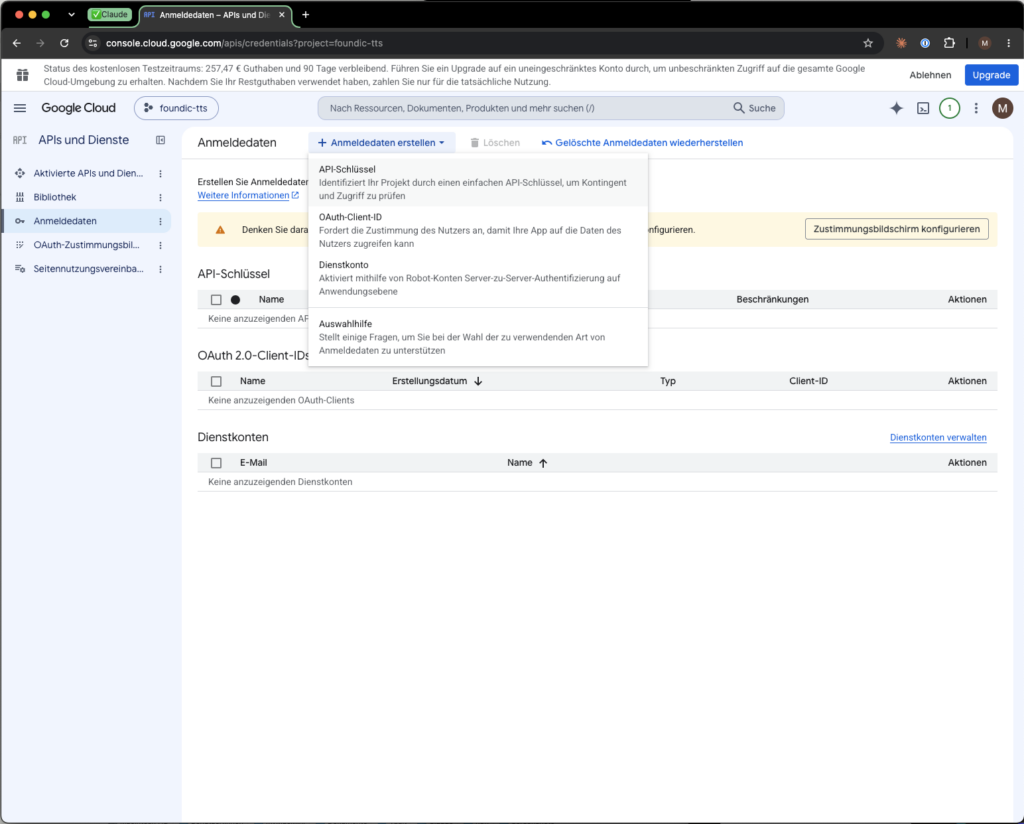
In the side panel API-Schlüssel erstellen:
- Name:
podcast-tts - API-Einschränkungen: choose Schlüssel einschränken → tick Cloud Text-to-Speech API in the list → nothing else.
- Anwendungseinschränkungen: leave it on “Keine” (the service calls from your NAS, whose address can change).
- Erstellen.
Ulf: “And why nothing at all under the application restrictions? That is as open as our defence on Saturday.”
Tanja: “Because the address of your NAS can change. If you lock the key to one address, the podcast stops speaking at some point. The protection here is done by the API restriction.”
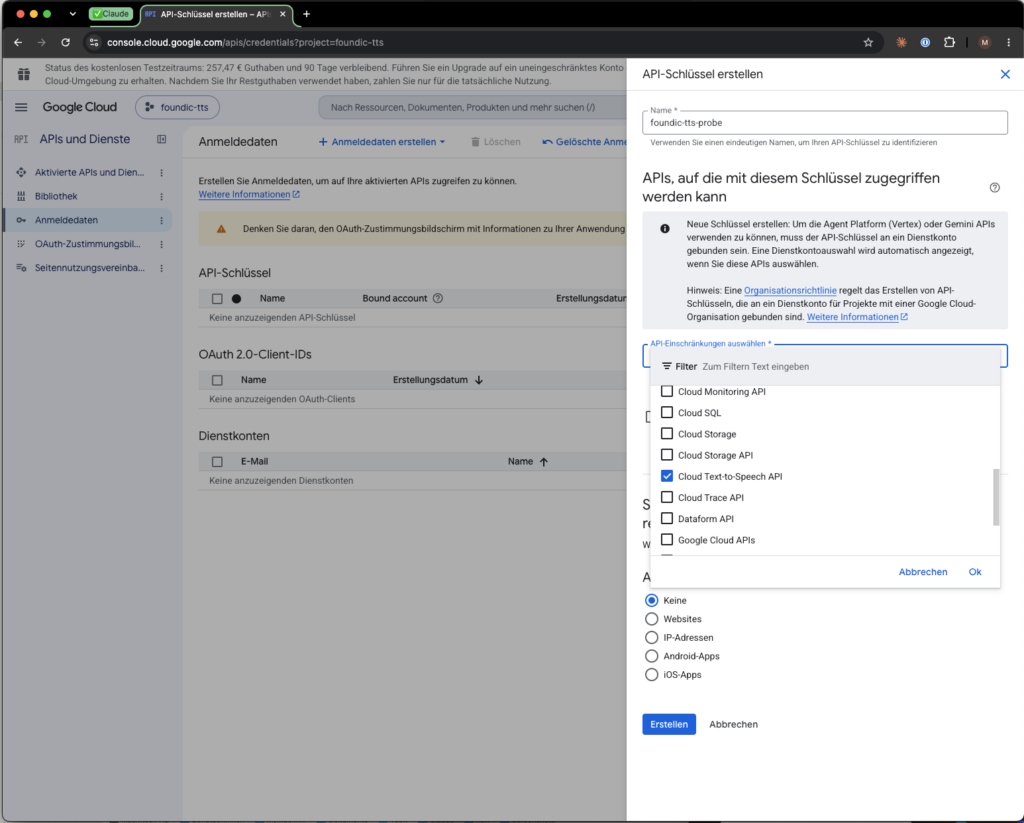
Just one tick: Text-to-Speech. A key that may do everything is an open barn door in the event of a leak.
Expected result: A window shows the key, a string of 39 characters beginning with AIza. Copy it into your password manager. In the list of credentials the key then appears with “Cloud Text-to-Speech API” noted as its restriction.
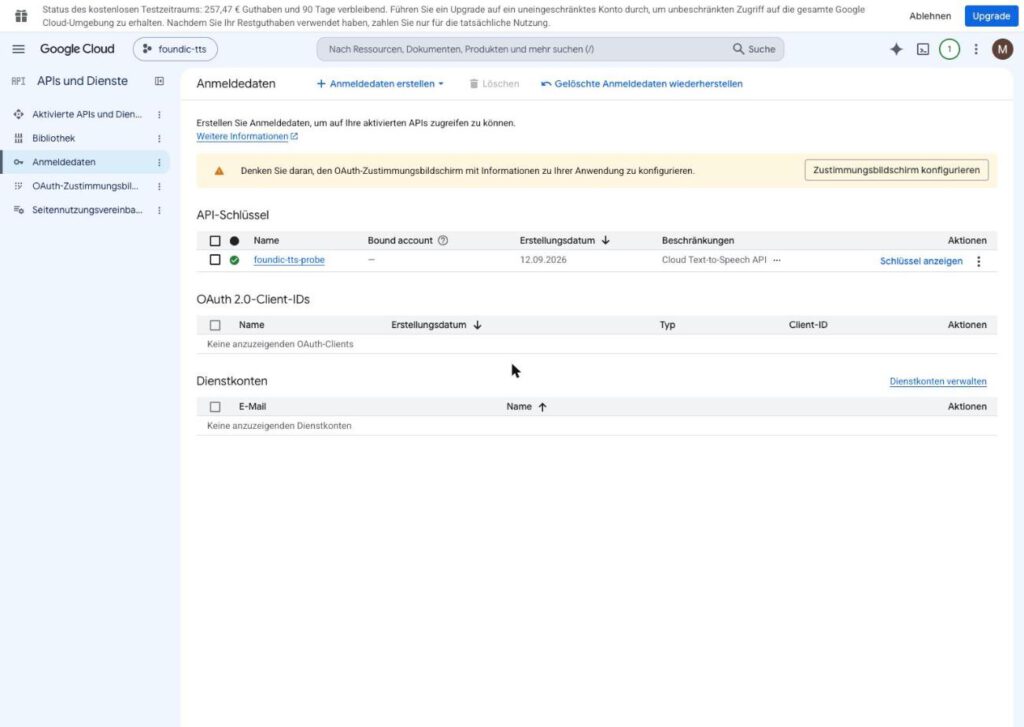
And now the most important house rule of this phase: from here on the key belongs in exactly one place, in a file on the NAS that is created in phase 3. Not in n8n, not in a document, not in a chat message. Every copy is another spare key under the doormat.
Step 1.4: The Test, Before Anything Is Built
Bernd: “We can test later. First build everything, then we will see whether it runs.”
Tanja: “And if it does not run, you hunt the fault in twenty building blocks instead of one. We check the key now, while it is on its own.”
That is workshop logic: before you bolt a new drill onto a rig, you press the button once. This test needs two commands and less than two minutes.
For this you need a computer with a terminal (Mac, Linux or the command line of the NAS via SSH). In the command, replace DEIN_SCHLUESSEL with your real key. The first command asks Google which German voices exist and counts the Chirp 3 HD ones:
curl -s "https://texttospeech.googleapis.com/v1/voices?languageCode=de-DE&key=DEIN_SCHLUESSEL" \
  | grep -c 'Chirp3-HD'
Expected result: a number, in September 2026 30, that is, 30 German Chirp 3 HD voices, 14 female and 16 male. If instead you get an error message with API_KEY_INVALID or PERMISSION_DENIED, either the key is wrong or the API is activated in the wrong project. The second case is treacherous: anyone with several projects likes to enable the API in the wrong folder. In that case check the project selector at the top to see where you actually are.
A number is all very well, but you want to hear something. Now a sentence to listen to:
curl -s -X POST "https://texttospeech.googleapis.com/v1/text:synthesize?key=DEIN_SCHLUESSEL" \
  -H "Content-Type: application/json" \
  -d '{"input":{"text":"Hallo, das ist die erste Probe für den Wochenrückblick."},
       "voice":{"languageCode":"de-DE","name":"de-DE-Chirp3-HD-Leda"},
       "audioConfig":{"audioEncoding":"MP3","sampleRateHertz":24000}}' \
  | python3 -c "import sys,json,base64; open('probe.mp3','wb').write(base64.b64decode(json.load(sys.stdin)['audioContent']))"
Expected result: a file probe.mp3 in the current folder, about four seconds long, spoken by a calm female voice.
Ulf: “She sounds like a presenter. May I keep her?”
Tanja: “Remember her. You will meet her again in phase 2.”
Step 1.5: Setting an Alarm Clock
A free allowance is only free as long as nobody makes a mistake. A workflow that gets caught in a loop can use up hundreds of thousands of characters in one night. Think of a photocopier with the button taped down: in the morning the paper is gone and nobody did it. Hence a budget alert.
Click path: Left-hand menu Abrechnung → Budgets und Benachrichtigungen → Budget erstellen:
- Name: freely chosen, for example
Podcast - Zeitraum: monthly, Projekte: all, Dienste: all
- Art: notifications only
- Betrag: fixed amount,
10 EUR - Schwellenwerte: 50 %, 90 % and 100 % on Tatsächliche Ausgaben
- At the item about credits and savings, clear the tick at Andere Einsparungen. Otherwise Google offsets the trial credit and the alert never fires during the trial period.
- Fertigstellen.
The second-to-last item is the one almost everyone overlooks. As long as the starting credit is running, Google offsets every expense against the credit. On paper you are then spending nothing, and your alarm clock sleeps peacefully on while the loop rattles away. Without the tick, what actually gets used is what counts.
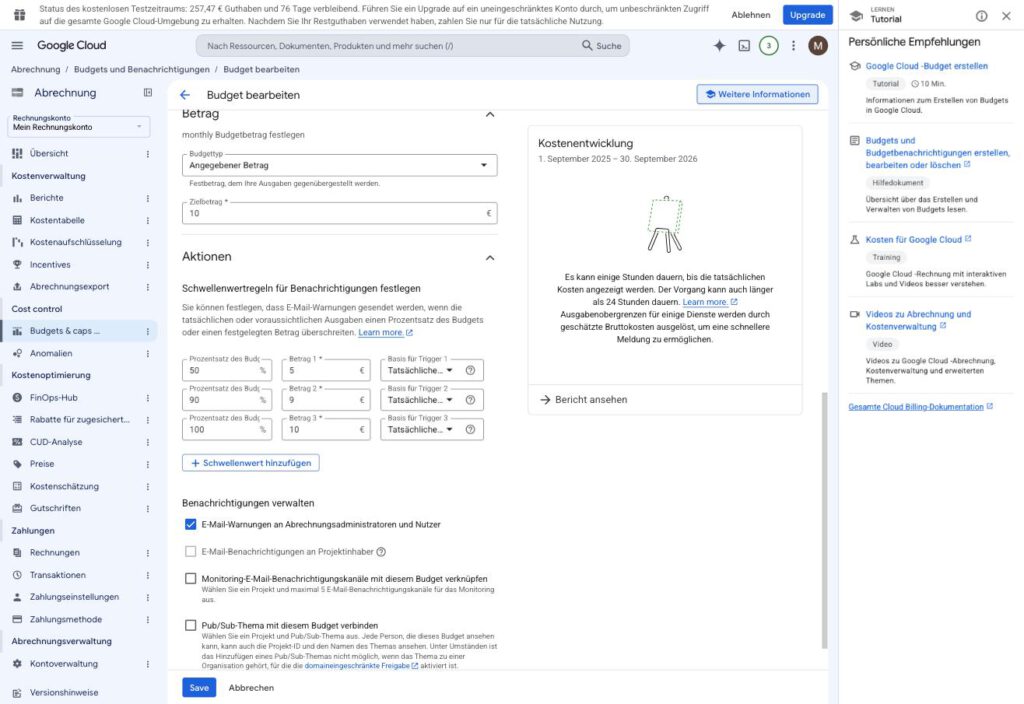
The finished budget in the edit view: target amount 10 EUR, three thresholds at 5, 9 and 10 EUR, email to the billing administrators.
Bernd: “Ten euros of budget, perfect. Then Google switches off at ten euros and we are safe.”
Tanja: “No. The budget triggers alerts, at ten euros an email for instance. But it does not stop usage automatically.”
And this really is important to know: a budget is an alarm clock, not a brake. The budget triggers alerts but does not stop usage automatically. Bernd’s assumption is one of the most expensive misconceptions in the cloud world. The actual brake is built into the service itself in phase 3.
Phase 2: Finding Two Voices That Do Not Sound Like One
Ulf: “Thirty voices? That is a whole squad. How many do we field?”
Tanja: “Two. And they have to differ as clearly as a home and an away shirt.”
Bernd: “Oh, you listen in briefly and take the two that sound good. Five minutes.”
Thirty voices, two are needed. That sounds like a matter of taste, and it is one, but one in which you can be systematically wrong. Bernd’s five-minute plan is exactly the route on which that happens. The first attempt went wrong in precisely that way, as you will see in step 2.1 in a moment.
Why Chirp 3 HD and Not Gemini
Before we choose voices, a question of principle. Google offers the same voices by two routes, like a restaurant selling the same dish for the table and to take away. Route one is called Chirp 3 HD and runs over the classic Text-to-Speech API. Route two is called Gemini-TTS and runs over the Gemini model.
Ulf: “And Gemini is the newer one, isn’t it? Newer is always better. Like with transfers.”
Tanja: “With transfers too, the expensive new signing sometimes just sits on the bench. Let us listen first, then decide.”
Gemini sounds tempting because it can produce a whole conversation with two speakers in a single call. In a direct listening comparison, however, the difference was “marginal”, and Chirp 3 HD spoke long numbers more cleanly.
What tipped the scales were the traps on the way to Gemini, six of them. Radical honesty is called for here, because this list is simply annoying:
- In September 2026 the Gemini speech models all still carried the addition
previewin their name. - As soon as a project is linked to a billing account, it drops out of the free “Free Tier” and lands in “Tier 1”, and there Google demands a prepayment of at least 5 dollars. The trial credit does not count towards it. The error message reads
RESOURCE_EXHAUSTED … Your prepayment credits are depletedand sounds as if an allowance had been used up. In fact the whole account is blocked, even for plain text requests. - The API key from step 1.3 cannot be restricted to the Gemini API at all. The entry is greyed out, because it requires a binding to a service account.
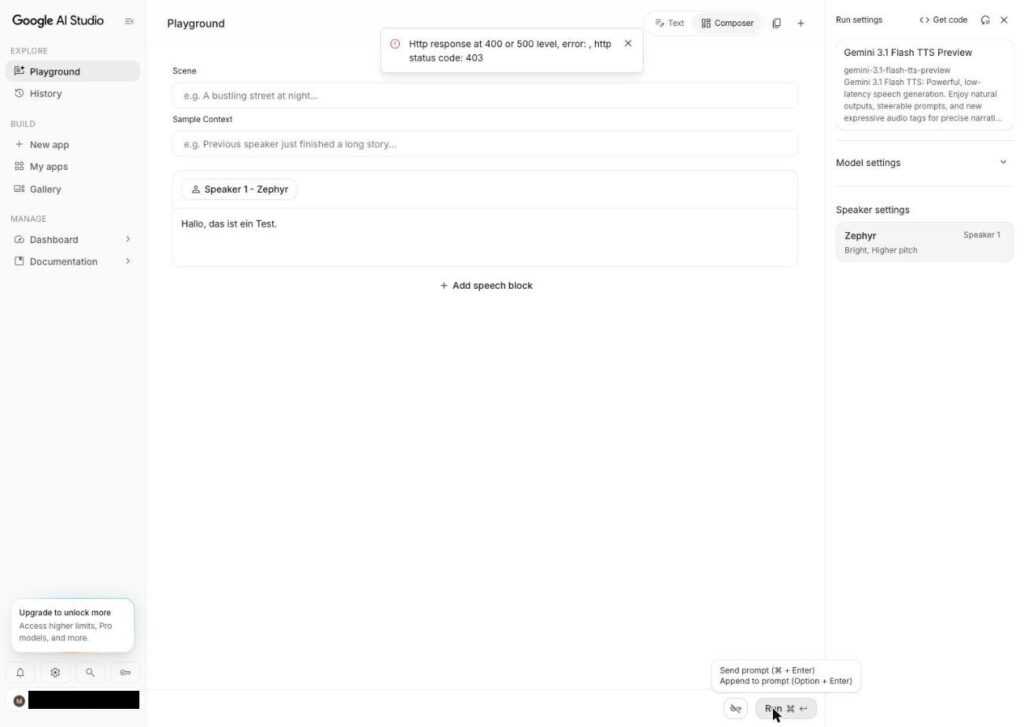
- The test interface in AI Studio stops with
HTTP 403. - The speech interface in the Cloud Console takes only 200 characters and knows no German voice.
The error message from the second point deserves a second look. It puts you on a false trail: you think the tank is empty, when in fact the pump is locked. Anyone who sees a message like that first spends hours looking for a used-up allowance that does not exist at all.
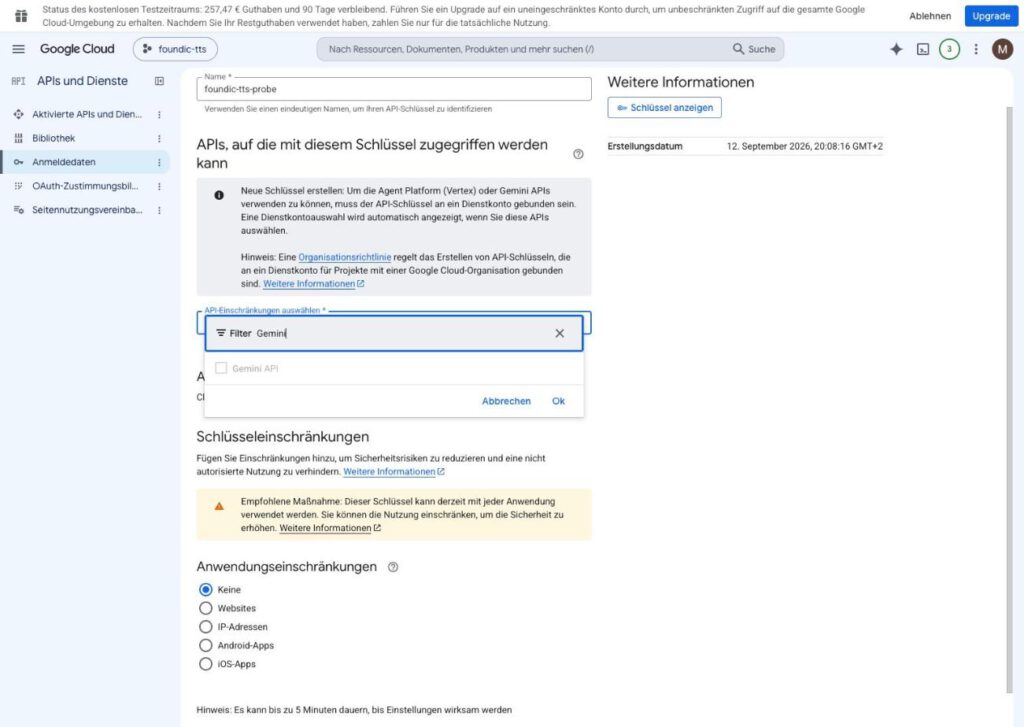
The Gemini API cannot be selected for the key.
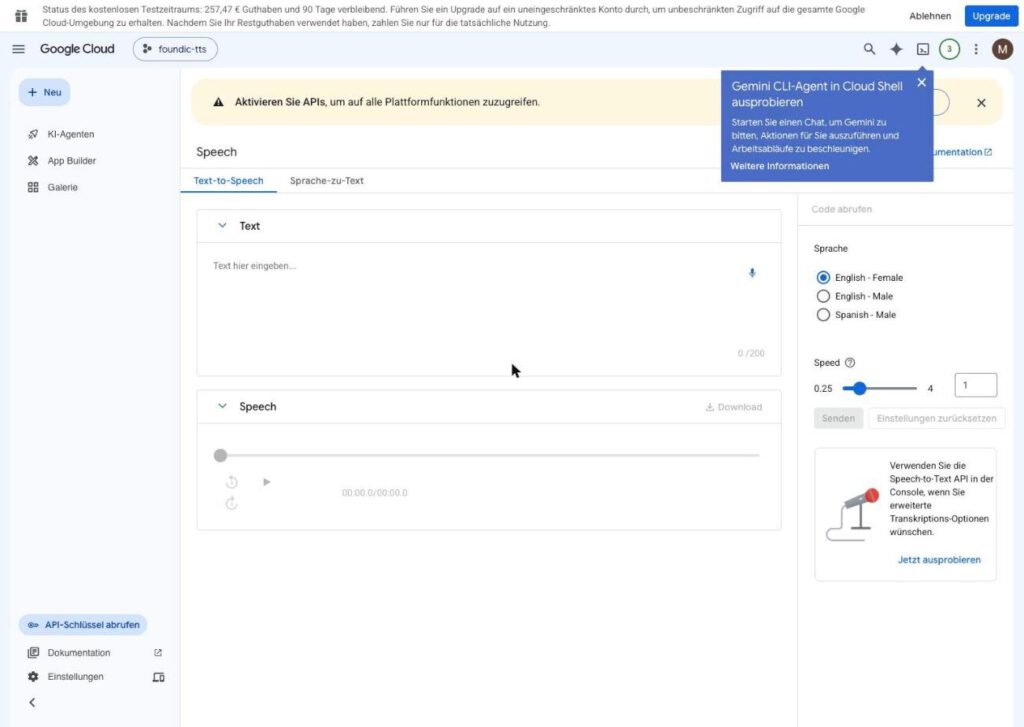
The built-in speech interface: 200 characters, three voices, none of them German.
Chirp 3 HD is therefore the better choice, but it is no sacred cow. It has two quirks you have to know about.
First, SSML. That is a markup language with which you control pauses, emphasis and pitch, rather like stage directions in a script. Chirp 3 HD now supports SSML only as a preview feature (Preview) and only for normal, non-streamed calls. According to Google’s documentation this includes, among others, <break>, <phoneme>, <prosody> and <voice>. This guide deliberately does not build production on it: it sends plain text, and pauses and editing come from the assembly of our own in phase 3. That way the weekly operation does not hang on a feature that has not yet been generally released.
Secondly, Chirp 3 HD is not repeatable. The same sentence spoken three times produced files whose length varied by 15 percent. Like a striker taking the same penalty three times and running up differently each time. The length of an episode therefore cannot be calculated in advance; it has to be measured on the finished file.
Bernd: “Then we just estimate the length from the character count. That will be roughly right.”
Tanja: “With 15 percent variation nothing there is roughly right. Measuring happens at the end, on the finished file.”
Step 2.1: Listening to All the Voices in One File
Now for the casting. And here comes the mistake out of which this step’s rule was born.
The first casting attempt went by the descriptions in the catalogue: five pairs of voices, five separate files. The result was sobering. Four of the five male voices, once measured, all lay between 103 and 107 hertz in fundamental pitch. Fundamental pitch is, roughly speaking, how low or high a voice sounds on average. Four voices in such a narrow band sound almost identical, and listening to them in five separate files was a memory test, not a comparison.
Ulf: “It is like a trial session. Watch every player on a different day, and at the end you no longer know who the fast one was.”
Tanja: “Exactly. So now they all run onto the pitch at the same time.”
Better: all the voices speak the same sentence, and everything ends up with a one-second pause in one file. That way you hear the differences one straight after the other. The script for it needs Python 3 and ffmpeg on your computer (on the Mac: brew install ffmpeg). ffmpeg is the tool that glues the individual samples into a single reel at the end.
File stimmenprobe.py:
#!/usr/bin/env python3
"""Voice audition: all German Chirp 3 HD voices speak the same sentence,
then all samples end up with a short pause in ONE file.

Call:     GOOGLE_TTS_SCHLUESSEL=... python3 stimmenprobe.py
Result:   folder proben/ with one MP3 per voice, plus stimmenband.mp3
"""
import base64, json, os, subprocess, urllib.request

SCHLUESSEL = os.environ['GOOGLE_TTS_SCHLUESSEL']
SATZ = ('Diese Woche hat ein kleines Modell die großen geschlagen, '
        'und zwar ausgerechnet bei einer Aufgabe mit 2.048 Zahlen.')
BASIS = 'https://texttospeech.googleapis.com/v1/'

def hole(pfad, daten=None):
    anfrage = urllib.request.Request(
        BASIS + pfad + ('&' if '?' in pfad else '?') + 'key=' + SCHLUESSEL,
        data=json.dumps(daten).encode() if daten else None,
        headers={'Content-Type': 'application/json'})
    with urllib.request.urlopen(anfrage, timeout=60) as antwort:
        return json.loads(antwort.read())

stimmen = sorted(s['name'] for s in hole('voices?languageCode=de-DE')['voices']
                 if 'Chirp3-HD' in s['name'])
print(len(stimmen), 'Chirp 3 HD voices found')

os.makedirs('proben', exist_ok=True)
liste = []
for name in stimmen:
    ziel = os.path.join('proben', name + '.mp3')
    antwort = hole('text:synthesize', {
        'input': {'text': name.split('-')[-1] + '. ' + SATZ},
        'voice': {'languageCode': 'de-DE', 'name': name},
        'audioConfig': {'audioEncoding': 'MP3', 'sampleRateHertz': 24000}})
    with open(ziel, 'wb') as fh:
        fh.write(base64.b64decode(antwort['audioContent']))
    liste.append(ziel)
    print('  ', name)

# One second of silence between the samples, everything into one file.
subprocess.run(['ffmpeg', '-v', 'error', '-y', '-f', 'lavfi', '-t', '1',
                '-i', 'anullsrc=r=24000:cl=mono', 'proben/_pause.mp3'], check=True)
with open('proben/_liste.txt', 'w') as fh:
    for p in liste:
        fh.write("file '%s'\nfile '_pause.mp3'\n" % os.path.basename(p))
subprocess.run(['ffmpeg', '-v', 'error', '-y', '-f', 'concat', '-safe', '0',
                '-i', 'proben/_liste.txt', '-ar', '24000', '-ac', '1',
                'stimmenband.mp3'], check=True)
print('done: stimmenband.mp3')
The script first fetches the list of all German Chirp 3 HD voices, has each of them speak the test sentence, puts the individual samples in the folder proben/ and then joins them into a single file. You pass the key on the command line, so it is not in the script itself.
Call:
GOOGLE_TTS_SCHLUESSEL=DEIN_SCHLUESSEL python3 stimmenprobe.pyExpected result:
30 Chirp 3 HD voices found
   de-DE-Chirp3-HD-Achernar
   de-DE-Chirp3-HD-Achird
   ...
done: stimmenband.mp3
stimmenband.mp3 is around three to four minutes long. Each sample begins with the name of the voice, then comes the test sentence. It deliberately contains a number, because numbers are the most common stumbling block when reading aloud. The call costs around 3,600 characters out of the free allowance. That is so little that you can happily run it several times if you were distracted the first time you listened.
Step 2.2: Choosing a Pair That Differ
Now put your headphones on and listen. While listening, pay attention to two things:
First, the two voices have to stand out clearly from each other, otherwise the conversation blurs. The listener then no longer knows who is speaking, and a dialogue without recognisable roles is just a monologue with hiccups.
Secondly, they have to be bearable for twenty minutes, which is not a given with very bright or very distinctive voices. A voice that sounds exciting in the sample can grate after a quarter of an hour like a colleague who ends every sentence with the same punchline.
Bernd: “I will just take the two deepest male voices. Deep sounds serious.”
Tanja: “Then you have two voices at 105 hertz again and nobody hears the difference. That is exactly the mistake we already have behind us.”
Chosen for the KI Wochenrückblick:
| Role | Voice | Fundamental pitch | Timbre |
|---|---|---|---|
| Sprecher | de-DE-Chirp3-HD-Alnilam | 104 Hz | rather dark |
| Sprecherin | de-DE-Chirp3-HD-Leda | 206 Hz | somewhat brighter |
The gap of around an octave means that even when listening on the side you know who is speaking. An octave means: one voice vibrates about twice as fast as the other, 104 against 206 hertz. That is the difference between home and away shirt that Ulf called for earlier. Even while washing up or in the car you immediately recognise who is on the ball.
Phase 3: A Small Recording Studio in a Box
Monday morning, the kitchen. Ulf holds up his phone, on which the Google sample from phase 1 is playing.
Ulf: “The voice is speaking. The podcast is finished, right?”
Tanja: “The voice is speaking one sentence. For eighteen minutes of conversation we need someone who edits, sets pauses and matches the loudness.”
Bernd: “There is bound to be an n8n node for that. Two clicks and done.”
Tanja: “There is not. And even if there were: audio processing does not belong in n8n. We are going to build ourselves a small recording studio.”
Bernd is wrong twice over here. n8n does not come with a ready-made node that turns a hundred individual voice clips into a cleanly assembled episode, and audio processing with ffmpeg does not belong in it anyway (that is already in the blueprint above). So now the heart of the thing comes into being: a service called vertonung that runs on the NAS next to n8n. Picture it as a sound engineer in a locked little room. Through the hatch, n8n pushes him the finished conversation as a list of turns, and he returns a finished MP3. In between, what a sound engineer normally does happens.
What the Service Does, in Plain Words
Ulf: “And what does the chap in his little room do all day?”
Tanja: “Four things, in a fixed order. Like a coach before a match: check the squad first, then pick the line-up, then play, then write the match report.”
Let us look at the four steps:
- Checking before it costs money. The service counts characters and turns and rejects the whole job if it is too big: more than 40,000 characters, more than 400 turns or a single turn over 4,500 bytes. A normal review has around 20,000 characters and 110 to 150 turns. The cap therefore sits at double that and only slows down the outlier, not the operation. This is the real cost brake, which the Google budget is not. Do you remember phase 1? The budget was an alarm clock, not a brake. Here the brake now sits, and it sits outside the door, before Google gets to see a single character.
- Having each turn spoken separately. Because this guide does not use SSML (see above), there is a separate call to Google for every turn, with the voice of the respective speaker. Up to three attempts per turn, except for errors that repetition does not improve (wrong key, impermissible text). It is like a penalty: if the ball only just misses the post, you may try again. But if you are standing in the wrong stadium, a third run-up will not help either.
- Assembling. ffmpeg takes care of that, and this is where the real work sits:
- Level matching per speaker. Every turn is matched 60 percent of the way towards the average level of its own voice. The jumps within a single voice disappear, the difference between the two voices remains, because two people at the same table are not equally loud either. An early version had pulled both voices to the same value, and sure enough they sounded more alike.
- Pauses by content. After a question 240 milliseconds, because the answer comes promptly. Before a short interjection 220. After a long turn 620, so the thought can settle. Otherwise 380. On top of that a small jitter of plus or minus 50 milliseconds calculated from the turn number, so that it does not sound like a metronome while the same text always produces the same assembly.
- A quiet noise bed. Between two synthetic turns there would otherwise be digital silence, absolute zero, and the ear hears it as a hole. A quiet brown noise is therefore laid under the whole track. Its level is measured against the voices’ own noise floor and set three decibels below it. A fixed value, as it was set at first, sat up to twelve decibels above that with some voices and was audible as a rumble.
- 25 milliseconds of fade in and out at every seam, so that nothing clicks.
- Loudness at −16 LUFS (LUFS: a measure of perceived loudness; −16 is the usual target value for podcasts), peaks at most −1.5 dBFS.
- Labelling. Title, show name, author, a cover image and a comment with the way back to the website and a note that the podcast is created with artificial intelligence end up in the file as ID3 fields (the labels of an MP3 file that a player displays). If that fails, the MP3 stays unlabelled, but it is created. An episode without a label is an episode. An episode that does not appear because of a label is not.
Bernd: “Mix in noise? I am not paying for hi-fi so that we can deliberately add noise on top.”
Tanja: “Without noise you hear a hole between the sentences. With the noise bed it sounds like a room instead of a dead spot.”
Tanja is right, and this is one of the nicest tricks in the whole project. Real recordings always have a little room sound. Synthetic voices, by contrast, stop existing entirely between two turns, and it is precisely that absolute nothing that your ear perceives as a fault. The noise sits three decibels below the voices’ noise floor, so you do not hear it as noise, only as a missing hole. And the pause rules? They are basically conversation psychology in milliseconds: you answer a question quickly, and after a long thought you take a breath.
Finally a word on security, because the sound engineer really does sit in a locked little room. The service has no port to the outside (it can only be reached by other containers on the same Docker network, not from the home network and not from the internet) and no access to the Docker control. It can do exactly one thing: turn text into sound.
Ulf: “So a sort of goalkeeper who is only allowed to play in the penalty area.”
Tanja: “Exactly. And who does not have a key to the dressing room either.”
Step 3.1: Finding the Network Name
For the sound engineer and n8n to find each other, they have to work in the same building. Translated: the service must hang in the same Docker network as n8n, otherwise the two do not find each other. And here the first small trap lies in wait, because the obvious name is often the wrong one.
Bernd: “The network is called n8n-network, obviously. That is what it says in the compose file.”
Tanja: “It does say that, yes. But Docker puts something in front of it. We look it up instead of guessing.”
Bernd’s guess sounds logical and is wrong all the same. You find the real name by one of two routes.
Click path: DSM → Container Manager → left-hand bar Netzwerk → expand the network that the container n8n-app hangs in.
Or by SSH on the NAS:
sudo docker network lsExpected result: On the DiskStation used for this article the network is called n8n_n8n-network. With a Compose project, Docker puts the project name in front of the network name from the compose file. It is like club teams: there are many “reserve sides”, but only with the club name in front does everyone know which one is meant. Make a note of your name, you will need it in a moment in the last line of compose.yaml.
Step 3.2: Creating the Folder and the Five Files
Ulf: “Five files? I thought this was a small service.”
Tanja: “It is. But every file has exactly one job. Like in a workshop: key, blueprint, operating manual, tool, boss.”
Do not panic, it looks more complicated than it is. You first create a folder and then fill it file by file.
Click path: DSM → File Station → share docker → Erstellen → Ordner erstellen → vertonung.
Five files go into this folder: schluessel.env, Dockerfile, compose.yaml, montage.py and app.py. The easiest way is to copy them out of this article into a plain text editor (on the Mac, TextEdit in “Plain Text” mode; on Windows, Notepad), save them under exactly these names and upload them via File Station → Hochladen. Why a plain text editor? Because Word and its ilk secretly smuggle in formatting, typographic quotation marks and other ballast that Docker and Python can make nothing of. Important: the file Dockerfile has no extension, not even .txt.
Bernd: “Whether there is a .txt on the end makes no odds. The content is the same after all.”
No, it is not. When building, Docker looks for a file called exactly Dockerfile. A Dockerfile.txt is, to Docker, just any old text file that it simply ignores, and the build fails. Windows in particular likes to hide file extensions, so it is better to look twice.
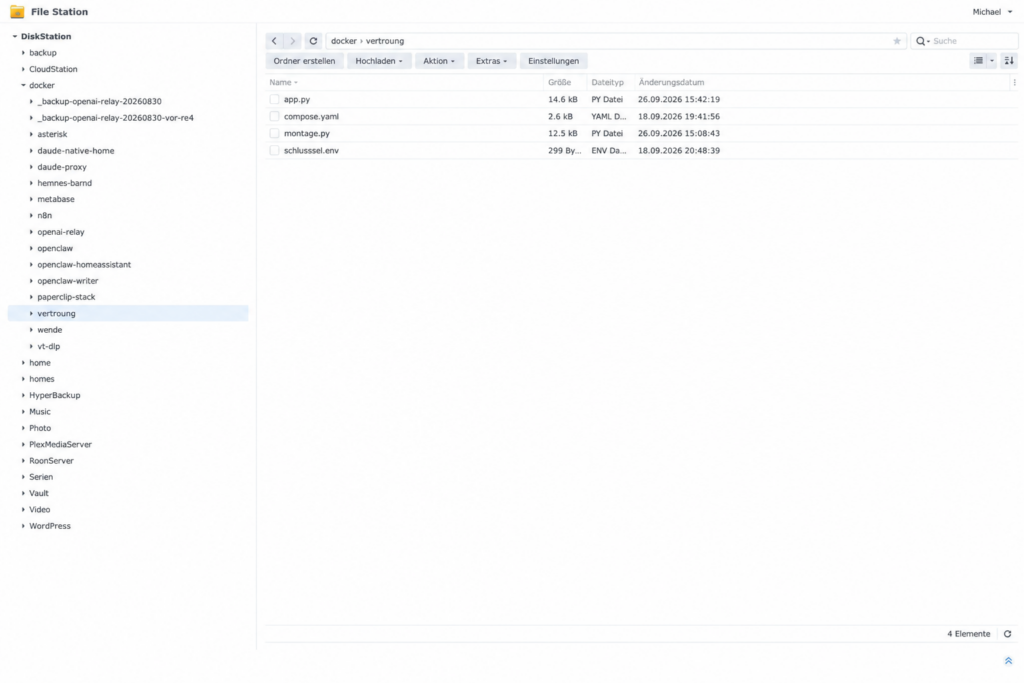
The folder docker › vertonung on the DiskStation used for this article, still in its first version with four files. With the Dockerfile from this guide there are five.
File 1: schluessel.env. This is the safe with exactly one compartment. Exactly one line, your key from phase 1:
GOOGLE_TTS_SCHLUESSEL=DEIN_SCHLUESSELNo quotation marks, no spaces, and the file should end with a normal line ending, not a Windows one. This file belongs in no backup that leaves the NAS, and in no document. Remember phase 1: the key belongs in exactly one place, and this is it.
File 2: Dockerfile. The blueprint for the image of the service. Think of the instructions for a prefabricated house: they describe once, exactly, what goes into the box. It pins the Python version down precisely and installs ffmpeg once, at build time. After that the container starts in seconds, even without an internet connection, and a later package version cannot change its behaviour unnoticed. You do not have to adjust anything here.
# Blueprint for the image of the voicing service.
# The Python version is pinned down exactly (3.12.14 on Debian 13 "trixie").
# ffmpeg is installed ONCE at build time, not on every start:
# After that the container starts in seconds, even without internet.
FROM python:3.12.14-slim-trixie

RUN apt-get update \
 && apt-get install -y --no-install-recommends ffmpeg \
 && rm -rf /var/lib/apt/lists/*

WORKDIR /app
# app.py and montage.py are not copied into the image but mounted in
# compose.yaml. That way a change takes effect after a restart,
# without a rebuild being needed.
CMD ["python", "/app/app.py"]
File 3: compose.yaml. If the Dockerfile is the blueprint, then the compose file is the operating manual. It tells the Container Manager how the container is started from this image. You have to adjust three places, all marked with DEIN or /volume1:
- the two paths, if your Docker folder is not on
/volume1(on the DiskStation used for this article it is/volume1), SENDUNG,URHEBERandWEBSITE: these are used to label the MP3,- right at the bottom
DEIN_N8N_NETZ: the network name from step 3.1.
services:
  vertonung:
    # The image is built from the Dockerfile in the same folder:
    # Python 3.12.14 and ffmpeg, both pinned down at build time.
    build: .
    image: vertonung:1
    container_name: vertonung
    restart: unless-stopped

    working_dir: /app
    volumes:
      # Adjust the paths if your Docker folder is not on /volume1.
      - /volume1/docker/vertonung/app.py:/app/app.py:ro
      # montage.py is NOT copied but mounted: there should be exactly one
      # version of the assembly.
      - /volume1/docker/vertonung/montage.py:/app/montage.py:ro

    # The Google key is NOT in this file. It sits next to it in
    # "schluessel.env" with exactly one line:  GOOGLE_TTS_SCHLUESSEL=...
    env_file:
      - schluessel.env

    environment:
      PORT: "8080"
      SPRACHE: "de-DE"
      STIMME_M: "de-DE-Chirp3-HD-Alnilam"
      STIMME_W: "de-DE-Chirp3-HD-Leda"
      # Labelling of the MP3 - ADJUST:
      SENDUNG: "DEIN_SENDUNGSNAME"
      URHEBER: "DEIN_NAME_ODER_DEINE_MARKE"
      WEBSITE: "https://DEINE_DOMAIN/"
      # Hard limits. A normal review has around 20,000 characters and
      # 110 to 150 turns - the cap sits at double that and only slows down
      # the outlier, not the operation.
      MAX_ZEICHEN: "40000"
      MAX_BEITRAEGE: "400"
      MAX_JE_BEITRAG: "4500"
      ZEITLIMIT_SEKUNDEN: "900"

    # No "ports:" - the service is deliberately reachable ONLY in the Docker network,
    # not from the home network and not from outside.
    networks:
      - ki

    healthcheck:
      test: ["CMD", "python", "-c", "import urllib.request;urllib.request.urlopen('http://127.0.0.1:8080/gesund',timeout=10)"]
      interval: 60s
      timeout: 15s
      retries: 3
      start_period: 30s

    # Security screws: no new privileges, no Docker socket.
    security_opt:
      - no-new-privileges:true
    # Enough headroom to post-process around 150 audio pieces individually.
    mem_limit: 2g
    pids_limit: 256

networks:
  ki:
    # ADJUST: the network that n8n hangs in (step 3.1).
    external: true
    name: DEIN_N8N_NETZ
File 4: montage.py. The audio assembly, that is, the tool that puts into practice the pauses, levels and bed of noise from the list above. It is taken over unchanged.
# -*- coding: utf-8 -*-
"""Assembly of the speech pieces into a podcast track.

Fixes the three defects measured on 14.09.2026 in comparison with someone
else's AI podcast:
  1. digital silence at the seams          -> quiet noise floor under the track
  2. rigid pauses of 350 ms                -> length graded by text content
  3. level jumps between turns             -> partial matching per turn

The three steps can be switched off individually (rauschbett, angleichen,
loudnorm). That is not decoration: on 14.09.2026 it turned out that the
same assembly that closed the gap to another podcast also makes the voices
more alike - and without switches there is no way of finding out which
step is responsible for it.

The matching works separately per speaker: it smooths jumps within one
voice but leaves the level difference between the two voices standing,
because two people at one table are not equally loud either.

Called as a script, assembles ~/tts-test/chirp into ~/mnt/Downloads/probe-chirp3hd-v2.mp3.
As a building block:  from montage import montiere;  montiere(teileordner, zieldatei)
"""
import json, os, re, subprocess, sys

BASIS    = os.path.expanduser('~/tts-test')
SR       = 24000
ANGLEICH = 0.60      # match only partially - full matching takes the natural
                     # dynamics out of the conversation (target LRA ~4 LU)
BODEN_DB = None      # Noise floor. None = align automatically to the voice files’
                     # own noise floor. A fixed value (e.g. -62.5) was set until
                     # 14.09.2026 and was thus up to 12 dB ABOVE the floor of some
                     # voices - audible as a rumble.
BODEN_ABSTAND = 3.0  # this far below the measured floor of the voices
BLENDE   = 0.025     # 25 ms fade in and out at every seam


def sh(*a):
    return subprocess.run(a, capture_output=True, text=True)


def dauer(p):
    return float(sh('ffprobe', '-v', 'error', '-show_entries', 'format=duration',
                    '-of', 'default=nw=1:nk=1', p).stdout.strip())


def rauschboden(p):
    """The own noise floor of a speech file: the 5th percentile of the
    20 ms windows, without the digital silence at the start and end."""
    r = subprocess.run(['ffmpeg', '-v', 'error', '-i', p, '-ac', '1', '-ar', str(SR),
                        '-f', 's16le', '-acodec', 'pcm_s16le', '-'], capture_output=True)
    import array, math
    roh = array.array('h'); roh.frombytes(r.stdout)
    W = int(0.02 * SR); n = len(roh) // W
    werte = []
    for i in range(n):
        s2 = sum(float(v) * v for v in roh[i*W:(i+1)*W]) / W
        if s2 > 0:
            werte.append(10 * math.log10(s2 / (32768.0 ** 2)))
    if not werte: return -70.0
    werte.sort()
    return werte[max(0, int(len(werte) * 0.05))]


def mittelpegel(p):
    e = sh('ffmpeg', '-i', p, '-af', 'volumedetect', '-f', 'null', '-').stderr
    return float(re.search(r'mean_volume: (-?[\d.]+) dB', e).group(1))


def lade_turns(probe=None):
    return json.load(open(probe or os.path.join(BASIS, 'probe.json')))['turns']


def pause_nach(turns, i):
    """Pause between turn i and i+1, in seconds.

    The length follows the text, not chance: the jitter is derived from the
    turn index, so that the same text always yields the same assembly.
    """
    vor, nach = turns[i]['t'], turns[i + 1]['t']
    if vor.rstrip().endswith('?'):   grund = 0.240   # answer comes promptly
    elif len(nach) < 30:             grund = 0.220   # short interjection
    elif len(vor) > 200:             grund = 0.620   # thought settles
    else:                            grund = 0.380
    zitter = ((i * 37) % 101 - 50) / 1000.0          # +/- 50 ms, reproducible
    return round(max(0.15, grund + zitter), 3)


def montiere(teileordner, zieldatei, arbeitsordner=None, turns=None, leise=False,
             rauschbett=True, angleichen=True, loudnorm=True, titelbild=None,
             tags=None):
    turns = turns or lade_turns()
    arbeit = arbeitsordner or os.path.join(teileordner, '_montage')
    os.makedirs(arbeit, exist_ok=True)

    def sag(*a):
        if not leise: print(*a)

    # Two traps sit in these two lines, and both spring only at the
    # 100th turn. Until 18.09.2026 this read `teil\d\d\.mp3` and a
    # plain sorted():
    #   1. The expression matched only TWO digits. `teil100.mp3` fell through,
    #      and of 149 audio pieces 100 arrived - the assertion below reported
    #      it, otherwise an episode cut short by a third would have come
    #      out that you could not have spotted anything wrong in.
    #   2. sorted() on strings would have ordered wrongly even with three
    #      digits: 'teil100' comes alphabetically BEFORE 'teil99'. The episode
    #      would have been complete and jumbled all the same.
    # Hence now: any number of digits, and sorted by NUMBER, not by
    # characters. That copes with old folders (teil00.mp3) just as well.
    muster = re.compile(r'teil(\d+)\.mp3')
    treffer = [(int(m.group(1)), m.group(0))
               for m in (muster.fullmatch(f) for f in os.listdir(teileordner)) if m]
    teile = [f for _, f in sorted(treffer)]
    assert len(teile) == len(turns), f'{len(teile)} parts, {len(turns)} turns'
    pfade = [os.path.join(teileordner, f) for f in teile]
    pegel = [mittelpegel(q) for q in pfade]

    # Target level PER SPEAKER: the difference between the voices remains,
    # only the jumps within one voice are smoothed.
    ziel = {}
    for s in {t['s'] for t in turns}:
        eigene = [pegel[k] for k, t in enumerate(turns) if t['s'] == s]
        ziel[s] = sorted(eigene)[len(eigene) // 2]

    angepasst = []
    for k, q in enumerate(pfade):
        z = os.path.join(arbeit, 'a%02d.wav' % k)
        v = (ziel[turns[k]['s']] - pegel[k]) * ANGLEICH if angleichen else 0.0
        d = dauer(q)
        filt = (f'volume={v:.2f}dB,afade=t=in:st=0:d={BLENDE},'
                f'afade=t=out:st={max(0.0, d - BLENDE):.3f}:d={BLENDE}')
        sh('ffmpeg', '-v', 'error', '-i', q, '-af', filt, '-ar', str(SR), '-ac', '1',
           '-c:a', 'pcm_s16le', z, '-y')
        angepasst.append(z)
    nachher = [mittelpegel(z) for z in angepasst]
    sag(f'  level span {max(pegel)-min(pegel):.1f} dB -> {max(nachher)-min(nachher):.1f} dB'
        + ('' if angleichen else '  (matching off)'))

    liste, pausen = os.path.join(arbeit, 'liste.txt'), []
    with open(liste, 'w') as fh:
        for k, z in enumerate(angepasst):
            fh.write("file '%s'\n" % z)
            if k < len(angepasst) - 1:
                p = pause_nach(turns, k); pausen.append(p)
                sp = os.path.join(arbeit, 'p%02d.wav' % k)
                sh('ffmpeg', '-v', 'error', '-t', str(p), '-f', 'lavfi',
                   '-i', f'anullsrc=r={SR}:cl=mono', '-c:a', 'pcm_s16le', sp, '-y')
                fh.write("file '%s'\n" % sp)
    sag(f'  pauses {len(pausen)}: {min(pausen)*1000:.0f}-{max(pausen)*1000:.0f} ms')

    rede = os.path.join(arbeit, 'rede.wav')
    sh('ffmpeg', '-v', 'error', '-f', 'concat', '-safe', '0', '-i', liste,
       '-c:a', 'pcm_s16le', '-ar', str(SR), '-ac', '1', rede, '-y')
    quelle = rede

    if rauschbett:
        gesamt = dauer(rede)
        if BODEN_DB is None:
            boeden = sorted(rauschboden(q) for q in pfade)
            gemessen = boeden[len(boeden) // 2]
            # loudnorm later lifts the result by around 4 dB
            boden_db = gemessen - BODEN_ABSTAND - (4.0 if loudnorm else 0.0)
            sag(f'  noise floor of the voices {gemessen:.1f} dBFS -> bed at {boden_db:.1f} dB')
        else:
            boden_db = BODEN_DB
        bett = os.path.join(arbeit, 'bett.wav')
        sh('ffmpeg', '-v', 'error', '-t', f'{gesamt+0.5:.2f}', '-f', 'lavfi',
           '-i', f'anoisesrc=color=brown:r={SR}:a=0.30',
           '-af', 'lowpass=f=2500,highpass=f=40', '-ac', '1', '-c:a', 'pcm_s16le', bett, '-y')
        bett2 = os.path.join(arbeit, 'bett2.wav')
        sh('ffmpeg', '-v', 'error', '-i', bett,
           '-af', f'volume={boden_db - mittelpegel(bett):.2f}dB',
           '-c:a', 'pcm_s16le', bett2, '-y')
        gemischt = os.path.join(arbeit, 'gemischt.wav')
        sh('ffmpeg', '-v', 'error', '-i', rede, '-i', bett2,
           '-filter_complex', '[0:a][1:a]amix=inputs=2:duration=first:normalize=0[a]',
           '-map', '[a]', '-ar', str(SR), '-ac', '1', '-c:a', 'pcm_s16le', gemischt, '-y')
        quelle = gemischt
    else:
        sag('  (noise bed off)')

    af = ['-af', 'loudnorm=I=-16:TP=-1.5:LRA=11'] if loudnorm else []
    if not loudnorm: sag('  (loudnorm off)')
    r = sh('ffmpeg', '-v', 'error', '-i', quelle, *af,
           '-ar', str(SR), '-ac', '1', '-c:a', 'libmp3lame', '-q:a', '4', zieldatei, '-y')
    if r.returncode != 0:
        raise RuntimeError('ffmpeg: ' + r.stderr[-400:])

    if titelbild or tags:
        beschriften(zieldatei, titelbild, tags, sag)

    sag(f'  -> {zieldatei}  {os.path.getsize(zieldatei)} Byte, {dauer(zieldatei):.2f} s')
    return zieldatei


def beschriften(mp3, bild=None, tags=None, sag=print):
    """Label the finished MP3: cover image and ID3 fields.

    Why the image: Apple Podcasts now barely shows episode images from the
    feed in its own app; apps such as Overcast take the image from the file
    instead. An image in both places covers two readerships.

    Why the text fields: an MP3 without labelling is named in the player after
    its file and leads nowhere. Checked on 26.09.2026 - the published episode
    carried exactly one entry, `encoder`. Anyone passing the file on had
    nothing in hand that led back to the website.

    Why a second ffmpeg call and not a single one: the audio track is only
    COPIED here (-c:a copy). Everything in one pass would have meant
    re-encoding the audio - and thus sending the carefully set loudness
    through the encoder a second time.

    And the most important rule comes last: if this fails, the MP3 stays as
    it was. An episode without labelling is an episode. An episode that does
    not appear because of a label is not.
    """
    hat_bild = bool(bild and os.path.exists(bild) and os.path.getsize(bild) > 0)
    tags = {k: str(v) for k, v in (tags or {}).items() if v not in (None, '')}
    if not hat_bild and not tags:
        sag('  (nothing to label)')
        return False
    ziel = mp3 + '.beschriftet.mp3'
    # A JPEG is taken over UNCHANGED (-c:v copy). Measured on 26.09.2026,
    # what the difference amounts to: with '-c:v mjpeg' ffmpeg reduced the
    # cover image from 489 kB to 116 kB - so the image was compressed a
    # second time for no reason. With an episode of several megabytes the
    # few hundred kilobytes are not worth the difference.
    # A PNG is still converted: otherwise it would be many times larger
    # than the same picture as a JPEG.
    befehl = ['ffmpeg', '-v', 'error', '-i', mp3]
    if hat_bild:
        with open(bild, 'rb') as fh:
            ist_jpeg = fh.read(3) == b'\xff\xd8\xff'
        befehl += ['-i', bild, '-map', '0:a', '-map', '1:v',
                   '-c:v', 'copy' if ist_jpeg else 'mjpeg',
                   '-metadata:s:v', 'title=Album cover',
                   '-metadata:s:v', 'comment=Cover (front)',
                   '-disposition:v', 'attached_pic']
    else:
        befehl += ['-map', '0:a']
    befehl += ['-c:a', 'copy', '-id3v2_version', '3']
    for name, wert in tags.items():
        befehl += ['-metadata', '%s=%s' % (name, wert)]
    befehl += [ziel, '-y']
    r = sh(*befehl)
    if r.returncode != 0 or not os.path.exists(ziel) or os.path.getsize(ziel) == 0:
        if os.path.exists(ziel):
            os.remove(ziel)
        # Second attempt WITHOUT the image if there are text fields. Noticed
        # on 26.09.2026 during the blind test: an unusable image otherwise cost
        # the title and the way back too - and they could not help it.
        if hat_bild and tags:
            sag('  cover image unusable, labelling with text only')
            return beschriften(mp3, None, tags, sag)
        sag('  not labelled: ' + (r.stderr[-200:] or 'ffmpeg without a message'))
        return False
    os.replace(ziel, mp3)
    sag('  labelled: %s%s'
        % ('cover image %d bytes' % os.path.getsize(bild) if hat_bild else 'without image',
           (', fields: ' + ', '.join(sorted(tags))) if tags else ''))
    return True


if __name__ == '__main__':
    montiere(os.path.join(BASIS, 'chirp'),
             os.path.expanduser('~/mnt/Downloads/probe-chirp3hd-v2.mp3'))
File 5: app.py. The actual service, the boss at reception, so to speak. It takes jobs in, checks them, has Google speak and calls the assembly. You do not have to adjust anything here: the service reads the show name, author and website out of compose.yaml. If the placeholders are still in there, it writes a warning to the log at startup.
Ulf: “Why not everything in one file? Fewer files, less stress.”
Tanja: “Because there should be exactly one version of the assembly. Copies are the beginning of chaos.”
Why two files instead of one? Because there should be exactly one version of the assembly. The assembly sits in montage.py, and app.py only imports it. That this is not theory is shown by an experience from this project: in another part of the same project a helper function existed in four copies in four workflows, and only one was repaired. For weeks three broken ones carried on without anyone noticing. Since then things are imported here instead of copied. That is the same principle as in the blueprint above: every fact, and every piece of logic, lives in exactly one place.
Step 3.3: Starting the Container
Now it gets exciting. Five text files become a running service.
Bernd: “I would just have pulled it from the registry. Why build it yourself?”
Tanja: “Because this image does not exist ready-made anywhere. Our Dockerfile is the blueprint, and the Container Manager builds from it.”
Click path: Container Manager → left-hand bar Projekt → Erstellen → Projektname: vertonung → Pfad: choose the folder docker/vertonung → Quelle: “Vorhandene docker-compose.yml verwenden” (the wizard recognises compose.yaml) → Weiter → Fertig.
Do not be confused by the wizard talking about docker-compose.yml although your file is called compose.yaml. Both mean the same thing, and the wizard finds the file.
Expected result: A terminal window titled “Erstellen – vertonung” shows the image being built: first the Python base image, then the ffmpeg packages, then five build steps. The first time this takes a few minutes. Time for a coffee. It ends roughly with:
Successfully built …
Successfully tagged vertonung:1
Container vertonung  Created
Container vertonung  Starting
Container vertonung  Started
Exit Code: 0
On many DiskStations this message appears in between:
Your kernel does not support PIDs limit capabilities or the cgroup is not mounted. PIDs limit discarded.Bernd: “There! Kernel does not support. Broken. I told you Synology is no good.”
Take a breath. This is not an error. The line pids_limit: 256 is silently ignored on this kernel. It limits how many processes the container may start, and the DiskStation’s kernel simply does not know this limit. It stays in the file all the same, it costs nothing and it works on a system that can do it. You just need to know that it is no protection here. To be honest, this is one of the annoying spots: a message that sounds like an alarm and yet deserves only a shrug.
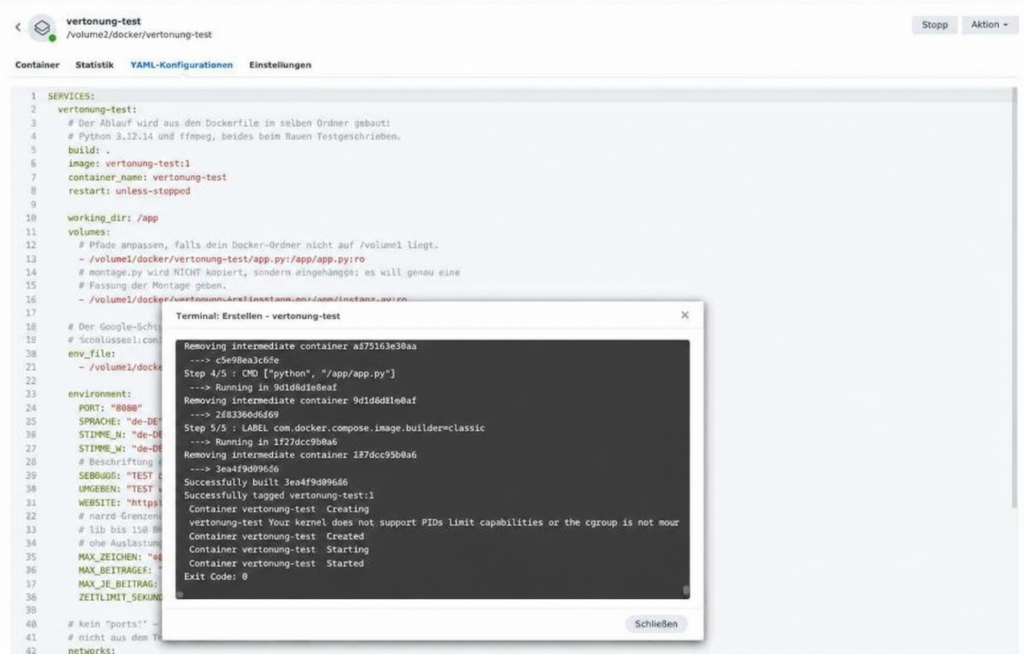
The build with the Dockerfile, here on a test project vertonung-test on the same DiskStation: five build steps, then “Successfully built”, the container starts, Exit Code 0.
After the build the container starts within a few seconds. For the first 30 seconds the project list still shows “starting”, because the health check has to run through once. That is normal. Like the warm-up before kick-off: the player is already on the pitch, but the referee has not blown the whistle yet.
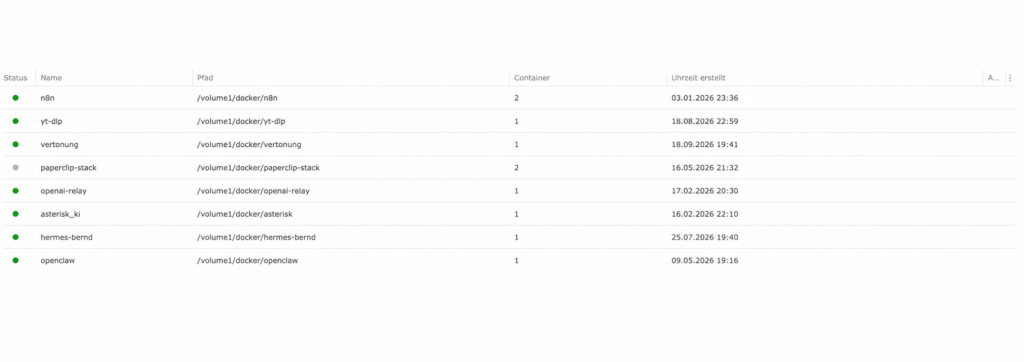
Shortly after the start the project is green.
Now let us look over the sound engineer’s shoulder and read his log.
Click path to check: Container Manager → Container → vertonung → Protokoll.
Expected result: one line
Vertonung hoert auf Port 8080, Schluessel gesetztIf it says Schluessel FEHLT there, then schluessel.env was not read. The service does run in that case, but it would reject every job.

This is what it looks like when the key is missing: the service runs and answers the health check, but it would reject every job.
Ulf: “And then? Just press restart, right?”
Tanja: “That is exactly what does not help. Restart means: same container, same old state.”
Here lies a real classic. The cause is almost always the same: the file was created or changed after the first start. Docker reads env_file only when the container is created, not on a restart. Imagine the container being handed a note with the key when it moves in. A restart is like briefly leaving the room and coming back: it still has the old note. Only a new move-in brings a new note. Solution: Container Manager → Projekt → select vertonung → Beenden, then Erstellen. Only this rebuild creates the container afresh and reads the file; merely restarting the container is not enough.
A cosmetic quirk: after a rebuild the DSM interface sometimes shows the container under a name like 49815ad03e31_vertonung. That is an interim name that Docker briefly assigns and DSM keeps in its display. Docker itself does not know it. Do not repair anything; the service is still reachable in the network as vertonung. Anyone who starts renaming or deleting containers here is repairing something that is not broken.
Step 3.4: The Health Check from Inside n8n
Ulf: “I will just type the address into the browser and see whether it answers.”
Tanja: “That will not work. The service has no port to the outside, your browser cannot get there at all.”
That is exactly how we wanted it in the introduction to this phase. The service can only be reached from the Docker network, so we test it from where it will later be addressed from: from n8n. That has a nice side effect. If the test works, you not only know that the service is alive, but also that n8n finds it under its name.
Click path: In n8n create a new workflow “Vertonung testen” → Add first step → Trigger manually → + → HTTP Request → Method: GET → URL: http://vertonung:8080/gesund → Execute step.
Note the address: instead of an IP address it simply says vertonung. Inside a Docker network, container names double as addresses, just as in the office calling out “Tanja!” is enough, without a room number.
Expected result:
{
  "ok": true,
  "ffmpeg": "ffmpeg version 7.1.5-…",
  "schluessel_gesetzt": true,
  "stimmen": { "m": "de-DE-Chirp3-HD-Alnilam", "w": "de-DE-Chirp3-HD-Leda" },
  "grenzen": { "zeichen": 40000, "beitraege": 400, "je_beitrag": 4500 }
}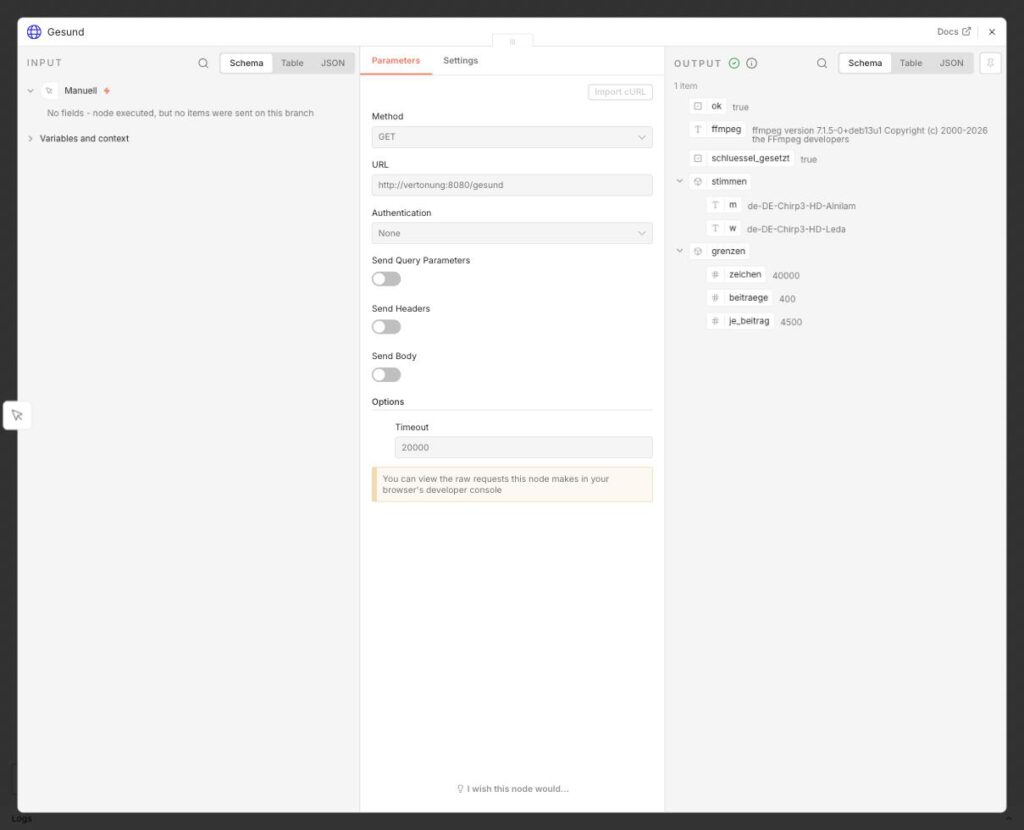
The node “Gesund”: on the left the address, on the right the answer with ok: true, schluessel_gesetzt: true, the two voices and the limits.
Here you see at a glance everything that counts: ok, whether ffmpeg is there, whether the key is set, which two voices are configured and which limits the cost brake applies.
Bernd: “All I get is a login window. I always go straight via the IP and port 5678, that is quicker.”
And that is precisely a trap that can cost a whole evening: open n8n via the address you otherwise use it under, that is, your domain. Anyone who calls n8n up in between via the NAS’s IP address and port 5678 lands in a different, often expired session and looks for the fault in the wrong place. So Bernd’s shortcut is not one. It leads into a parallel world in which nothing looks the way you expect.
Step 3.5: The First Real Test Run
Ulf: “And now? Is the box finally going to talk?”
Tanja: “Now it talks. This is the kick-off.”
Now Google speaks through the service for the first time. So far we have only checked whether the sound engineer is sitting in his little room. Now we give him his first real job: a mini conversation with four turns. Attach a second HTTP Request node:
- Method:
POST - URL:
http://vertonung:8080/vertonen - Send Body: on → Body Content Type:
JSON→ Specify Body:Using JSON→
{"turns": [
  {"s": "w", "t": "Willkommen zur ersten Probe. Kannst du mich hören?"},
  {"s": "m", "t": "Laut und deutlich. Und ich klinge sogar ein bisschen anders als du."},
  {"s": "w", "t": "Das ist der Sinn der Sache. Wie lang wird das hier?"},
  {"s": "m", "t": "Etwa zwanzig Sekunden. Dann ist die Probe vorbei."}
]}- Options → Add option → Response → Response Format:
File→ Put Output in Field:data - Options → Timeout:
900000
Two of these options deserve a sentence. Response Format File tells n8n: what comes back is not a text answer but a file, please store it as a file. And the Timeout of 900000 milliseconds, that is 15 minutes, gives the service enough room for a real episode later. The test here is done in seconds, but a whole episode with over a hundred individual Google calls takes considerably longer, and too tight a timeout would make n8n hang up in the middle of the assembly.
Execute step.
Expected result: After about eight seconds a file data of type audio/mpeg appears in the output window under Binary, around 150 KB in size, about 20 seconds long. Via View you can listen to it directly in the browser. Two voices, natural pauses, no clicks.
Ulf: “Wow. That sounds real.”
Bernd: “I could have done that too.”
Anyone who wants to measure instead of just marvel downloads the file and asks ffprobe:
ffprobe -v error -show_entries stream=sample_rate,channels -show_entries format=duration probe.mp3Expected result: sample_rate=24000, channels=1, duration around 20 seconds. Do not be put off if the browser shows 48,000 hertz: that is the sample rate the browser upsamples to for playback, not the file’s. The file itself is mono at 24,000 hertz, and for two speaking voices that is perfectly sufficient.
With that the service is signed off. It listens, Google accepts the key, ffmpeg assembles, and n8n reaches it under its name. Four checks, four ticks. You can archive the test workflow.
Phase 4: WordPress Gets a Podcast Feed
Monday morning, meeting room. The whiteboard still says “Phase 3 done”, and next to it someone has drawn a small trophy.
Bernd: “Right, now comes the expensive part. For a proper podcast we need a hosting provider with a subscription. Otherwise Apple will not take us at all.”
Tanja: “We do not need one. A podcast is at heart a single text file on the internet. WordPress builds that for us.”
Ulf: “A text file? I thought there was something secret from Apple behind it.”
Do not panic, there is nothing secret behind this. A podcast is, technically speaking, astonishingly unspectacular: an RSS file (a standardised XML format that describes news as a list of entries) with a few extra details for Apple, and in every entry a reference to an MP3 file. Picture the fixture list on the noticeboard of the clubhouse: anyone who wants to know whether a new match has been scheduled goes there regularly and looks. That is exactly how Apple Podcasts, Spotify and all the other apps work. They fetch this file at regular intervals and see whether anything new is in it. That is all there is to it.
So Bernd’s subscription is not necessary. A hosting provider does nothing other than serve up such a file. Your website can do that itself.
WordPress can generate feeds like this out of the box, just not a podcast feed. We build that with a single code snippet, that is, a small piece of program code that you hook into WordPress without fiddling with the theme’s files.
Step 4.1: Installing Code Snippets
So that you can hook code in cleanly, you first need the right tool. The Code Snippets plugin is your toolbox: it manages such pieces of code, lets you switch them on and off individually and catches errors before they bring your site down.
Click path: WordPress admin → Plugins → Installieren → search field Code Snippets → for the plugin “Code Snippets” by Code Snippets Pro click Jetzt installieren → Aktivieren.
Expected result: The menu item Snippets appears in the left-hand bar.
Step 4.2: Uploading the Show Artwork
Bernd: “Cover art is easy. We take our logo and blow it up to 3000 pixels. The bigger the better.”
Tanja: “Bigger here only means blurrier. And what matters anyway is how the image looks when it is very small.”
Every podcast needs cover art, the shirt of your show, so to speak. Apple requires: square, between 1400 and 3000 pixels on a side (3000 preferred), JPEG or PNG, RGB colour space, no transparency. For this setup we additionally keep the images under 512 KB. That is not a current Apple requirement, but it keeps the feed and the requests small and has proved itself in practical testing.
The real test, though, is not the size but the smallest rendering: in the episode list of a podcast app the image is only around 55 pixels. Whatever is no longer legible there is superfluous.
Ulf: “55 pixels? That is smaller than the club badges in the table on a phone.”
Tanja: “Exactly that comparison. And you still recognise every club by its badge, because the shape is strong enough.”
It is the same here. With the KI Wochenrückblick, at that size the big orange “KI” stays legible, the ring is recognisable, the lettering turns into texture. That is intended. Cover art that only works at full size never works.
One more detail, and here Bernd is off the mark: not every permitted size makes sense. The FOUNDIC logo is only 827 pixels wide. With a 3000-pixel image it would have had to be scaled up and would have become the blurriest element. Blowing something up does not create new detail, it only smears the existing detail. That is why the show artwork is 2048 × 2048 pixels and 227 KB. That sits comfortably within the permitted range and makes the most of what the logo offers.
Now the image goes onto your website. You will need the address WordPress assigns to it in the snippet in a moment.
Click path: Medien → Datei hinzufügen → upload the image → click it in the media library → copy the Datei-URL.
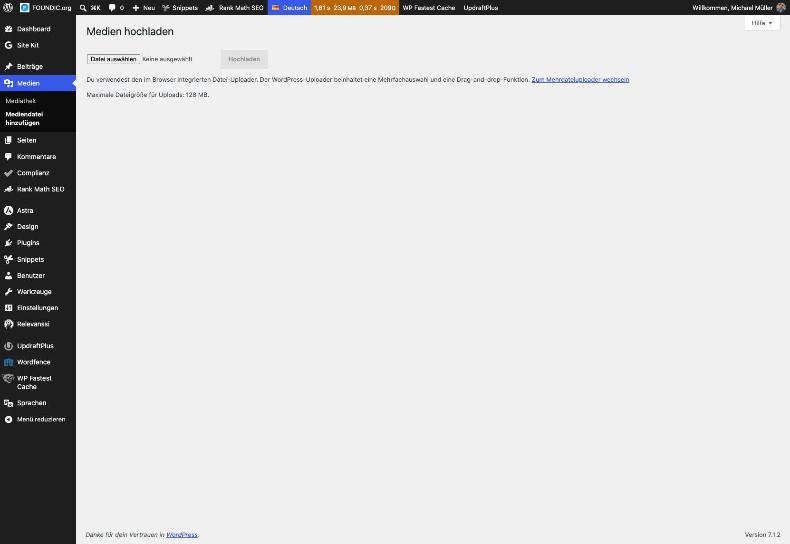
The media library’s upload dialogue. The maximum file size (128 MB here) matters later for the MP3 files too. One episode is around 9 MB.
Step 4.3: Creating the Feed Snippet
Ulf: “And now? Do I just paste in some code from the internet?”
Tanja: “You paste in exactly this code. But first we look at what it does. Otherwise you will not know where to look afterwards if something snags.”
Let us have a look. The code does four things:
- It registers four custom fields on the post:
podcast_url(address of the MP3),podcast_bytes(file size, mandatory for Apple),podcast_dauer(e.g.18:45) andpodcast_skript(the conversation in plain text). Think of these as extra compartments on every post. The workflow writes these fields later, and the feed reads exactly those. The settingshow_in_restis mandatory here. Without it, WordPress silently refuses the fields over the interface and answers with “200 OK” all the same. - It sets up the address
/feed/podcast/and makes sure that it reports the correct content type for a HEAD request (a request that fetches only the header lines of a page, not the content) as well. More on this below; it was the nastiest trap of the whole project. - It builds the feed from all published posts that have an audio file. Drafts do not appear.
- Under
/feed/podcast/?transkript=<post-number>it delivers the transcript of an episode as plain text. Apple and Spotify evaluate this entry.
Bernd: “200 OK means it worked, surely. This show_in_rest is bound to be just decoration.”
Tanja: “200 OK only means that WordPress listened to you politely. It does not say whether it saved the fields too.”
This is one of the most annoying faults there is, because it produces no error message. Without show_in_rest you get a friendly “200 OK” and the fields stay empty all the same. Like a porter who accepts every parcel and then quietly throws it in the bin. So: the setting is mandatory, Bernd is wrong here.
Now you create the snippet. Watch out for the last click, that is where the first temptation lies in wait.
Click path: Snippets → Neu hinzufügen → title Podcast-Feed → type PHP → paste the code below into the code field → below the code field choose Überall ausführen → Änderungen speichern (not yet “Speichern und aktivieren”).
Why save first and not activate yet? Because you still have to enter your own details beforehand. Before saving you adjust one single block: “YOUR DETAILS” in the section “3. The feed itself”. Everything you have to replace there begins with DEIN_ or DEINE_:
| Placeholder | what goes in it |
|---|---|
DEIN_SENDUNGSNAME | the name of your show |
https://DEINE_DOMAIN/ | the address of your website, with a trailing slash |
DEIN_WEBSITENAME | what your website should be called in the link text, for example meine-seite.de |
DEIN_NAME_ODER_DEINE_MARKE | the name the apps show as the author |
DEIN_NAME | the owner of the show |
DEINE_OEFFENTLICHE_PODCAST_EMAIL | an address that can receive mail. Apple and Spotify send the confirmation code there. It is publicly readable in every feed request, so it is best to use a separate address just for the podcast. |
…/DEIN_SENDUNGSBILD.jpg | the file URL of your show artwork from step 4.2 |
DEIN_UNTERTITEL | a subtitle in a few words |
DEINE_BESCHREIBUNG | two or three sentences about your show |
DEINE_PODCAST_GUID | the identifier of your feed (calculation just below) |
DEIN_KUERZEL-folge- | a short prefix for the identifier of each episode, for example meinpodcast-folge-. Never change it again once the first episode has been published. |
$sprache, $kategorie and $unterkategorie are already set sensibly. The category has to come from Apple’s fixed list. Apple does not know made-up categories of your own.
Ulf: “And if I miss a placeholder? Then the feed says DEIN_NAME and everyone laughs.”
Tanja: “The code has an emergency brake built in for that.”
The built-in safeguard: As long as a placeholder is still in the block, /feed/podcast/ deliberately delivers the error 503 with the sentence “Podcast-Feed noch nicht eingerichtet”. That way no half-filled feed with someone else’s details can end up at Apple. A deliberate error is your friend here: better an honest “not ready yet” than a feed with wrong details.
You do not need the Polylang plugin. If it is installed, the feed takes only the posts in the language from $sprache; otherwise the line is skipped.
One entry remains that you cannot simply write down: the podcast identifier (podcast:guid). Think of a player’s registration number at the association. If a player changes club, that number keeps him the same player. The identifier works in exactly the same way. It is not a made-up number but is calculated from the feed address. If the feed moves one day, directories recognise from it that it is the same show. Calculate it with (address without https:// and without a trailing slash):
python3 -c "import uuid; print(uuid.uuid5(uuid.UUID('ead4c236-bf58-58c6-a2c6-a6b28d128cb6'), 'www.deine-domain.de/feed/podcast'))"
Expected result: an identifier in the format xxxxxxxx-xxxx-5xxx-xxxx-xxxxxxxxxxxx. For www.foundic.org/feed/podcast the calculation gives 864185ed-72c3-5b21-8e82-c33d961f525f, the identifier of the KI Wochenrückblick. That is how you can check the calculation yourself: put this address in as a test, and exactly this identifier has to come out. You enter your own identifier in the snippet at DEINE_PODCAST_GUID.
The complete code:
<?php
/**
 * Podcast feed for WordPress, without a podcast plugin
 * ----------------------------------------------------
 * Goes in Code Snippets, execution: "Ueberall".
 *
 * ADJUST: only the block "YOUR DETAILS" in section 3. As long as a
 * placeholder (DEIN_..., DEINE_...) is still in there, the feed deliberately
 * delivers an error instead of a show with the wrong details.
 *
 * ONCE AFTER ACTIVATING:  click Einstellungen -> Permalinks -> "Aenderungen
 * speichern" (without changing anything). Without that, WordPress does not
 * know the new address /feed/podcast/ and returns 404. That is the most
 * common cause when a self-built feed "does not work".
 *
 * IMPORTANT, WP Fastest Cache: the address /feed/podcast/ has to be in the
 * exceptions. A cached podcast feed delivers the same episode to ALL apps for
 * weeks on end, and nobody notices, because in the browser everything looks
 * right.
 *
 * A note on the construction: this code never leaves PHP mode at any point.
 * The usual template style with "?>" and raw XML in between is perfectly
 * right in a file, but needlessly delicate in a snippet - Code Snippets
 * runs the text with eval(). Everything is therefore written out with
 * echo.
 */

/* -------------------------------------------------------------------------
 * 1. Four extra fields on the post
 *
 * The feed could also fish the audio file out of the post text. But that
 * would be a second place where the same fact is stored - and those always
 * drift apart. That is why A21 writes the values explicitly onto the post,
 * and the feed reads exactly those.
 *
 * show_in_rest is mandatory: without it WordPress does NOT accept the fields
 * through the interface - and it does so silently, with status code 200.
 * Checked on 19.09.2026: without this snippet none of the keys was registered.
 *
 * ---------------------------------------------------------------------- */
add_action( 'init', function () {
	$felder = array(
		'podcast_url'    => 'string',   // the full address of the MP3
		'podcast_bytes'  => 'integer',  // file size, mandatory in the <enclosure>
		'podcast_dauer'  => 'string',   // "15:56" - WordPress knows it itself after the upload
		// The spoken version in plain text, one line per turn with
		// "Sprecherin: " or "Sprecher: " in front of it. Without this field it
		// would only live in the n8n execution data - and n8n clears that away
		// after 336 hours. A cache that tidies up is not an archive.
		'podcast_skript' => 'string',
	);
	foreach ( $felder as $name => $typ ) {
		register_post_meta( 'post', $name, array(
			'type'          => $typ,
			'single'        => true,
			'show_in_rest'  => true,
			'auth_callback' => function () { return current_user_can( 'edit_posts' ); },
		) );
	}
} );

/* -------------------------------------------------------------------------
 * 1b. A dedicated image size for episode images
 *
 * Apple requires the same dimensions for episode images as for the show
 * artwork: square between 1400 and 3000 pixels, RGB, JPEG or PNG. On top of
 * that the file should stay UNDER 512 kB (a rule of this build, not an Apple
 * requirement). That is exactly where the post images fail in their original
 * form: they are square, but only 1024 pixels across, and depending on the
 * subject they come in between 360 and 532 kB.
 *
 * Hence this intermediate size. WordPress scales it down from the original
 * during the upload - and an image it scales down is also saved freshly as
 * a JPEG in the process, and thus becomes markedly smaller.
 *
 * IMPORTANT, and the reason for producing post images at least 1408 pixels wide:
 * WordPress NEVER scales up. A 1024 original does not turn into a 1400 image,
 * it turns into none at all - the size is skipped silently.
 * The feed then falls back to the original (see folgenbild() below).
 * ---------------------------------------------------------------------- */
add_action( 'after_setup_theme', function () {
	add_image_size( 'podcast-folge', 1400, 1400, true );
} );

/**
 * The image of an episode: prefers the podcast size, otherwise the original.
 *
 * Returns an empty string if the post has no image. The <itunes:image> is
 * then left out of the <item>, and the apps show the show artwork - better
 * one image fewer than an address that points nowhere.
 */
function podcast_folgenbild( $beitrag_id ) {
	$bild_id = get_post_thumbnail_id( $beitrag_id );
	if ( ! $bild_id ) {
		return '';
	}
	$gross = wp_get_attachment_image_src( $bild_id, 'podcast-folge' );
	// wp_get_attachment_image_src returns something even when the size was
	// never produced - but then it is the original. That is why the reported
	// width is checked here, and not merely whether anything came back at all.
	if ( $gross && isset( $gross[1] ) && $gross[1] >= 1400 ) {
		return $gross[0];
	}
	$voll = wp_get_attachment_image_src( $bild_id, 'full' );
	return $voll ? $voll[0] : '';
}

/* -------------------------------------------------------------------------
 * 2. The address /feed/podcast/
 * ---------------------------------------------------------------------- */
add_action( 'init', function () {
	add_feed( 'podcast', 'podcast_feed_ausgeben' );
} );

/* ---------------------------------------------------------------------
 * Setting the content type correctly for HEAD requests too
 *
 * WordPress ends HEAD requests in template-loader.php BEFORE the feed
 * function runs at all - so the header() further down never gets its turn.
 * What is sent instead is whatever WP::send_headers() has set, and
 * feed_content_type() returns the fallback "application/octet-stream" for a
 * self-registered feed name.
 *
 * Measured on 26.09.2026: GET reported application/rss+xml, HEAD by contrast
 * application/octet-stream. A client that asks with HEAD first therefore
 * takes the feed for a binary file.
 * ------------------------------------------------------------------ */
add_filter( 'feed_content_type', function ( $typ, $feed ) {
	return ( 'podcast' === $feed ) ? 'application/rss+xml' : $typ;
}, 10, 2 );

/* -------------------------------------------------------------------------
 * 3. The feed itself
 * ---------------------------------------------------------------------- */
function podcast_feed_ausgeben() {

	// With ?transkript=<number> the same address delivers the transcript as
	// plain text. Deliberately not a feed of its own: a second add_feed() call
	// would require saving the permalinks again, and besides, this address
	// already falls under the cache exception "feed/podcast".
	$wunsch = isset( $_GET['transkript'] ) ? absint( $_GET['transkript'] ) : 0;
	if ( $wunsch ) {
		$beitrag = get_post( $wunsch );
		$skript  = $beitrag ? get_post_meta( $wunsch, 'podcast_skript', true ) : '';
		if ( ! $beitrag || 'publish' !== $beitrag->post_status || ! $skript ) {
			status_header( 404 );
			header( 'Content-Type: text/plain; charset=UTF-8', true );
			echo "Kein Transkript zu dieser Folge.\n";
			return;
		}
		header( 'Content-Type: text/plain; charset=UTF-8', true );
		echo $beitrag->post_title . "\n\n" . $skript . "\n";
		return;
	}

	/* === YOUR DETAILS - adjust only this block ========================= */
	$sendung      = 'DEIN_SENDUNGSNAME';                 // e.g. KI Wochenrückblick
	$website      = 'https://DEINE_DOMAIN/';             // home page, with a trailing /
	$website_name = 'DEIN_WEBSITENAME';                  // e.g. meine-seite.de
	$urheber      = 'DEIN_NAME_ODER_DEINE_MARKE';        // appears in the apps
	$inhaber      = 'DEIN_NAME';                         // only for Apple/Spotify
	// Publicly readable! A separate address just for the podcast that can receive mail:
	$email        = 'DEINE_OEFFENTLICHE_PODCAST_EMAIL';
	$titelbild    = 'https://DEINE_DOMAIN/wp-content/uploads/DEIN_SENDUNGSBILD.jpg';
	$kurz         = 'DEIN_UNTERTITEL';                   // a few words
	$beschreibung = 'DEINE_BESCHREIBUNG';                // two or three sentences
	$podcast_guid = 'DEINE_PODCAST_GUID';                // calculation see article
	$guid_vorsatz = 'DEIN_KUERZEL-folge-';               // never change it again!
	$sprache      = 'de';
	$kategorie    = 'News';                              // from Apple’s list
	$unterkategorie = 'Tech News';
	/* ==================================================================== */

	// Safeguard: a placeholder must never end up in a real feed.
	foreach ( array( $sendung, $website, $website_name, $urheber, $inhaber, $email, $titelbild, $kurz, $beschreibung, $podcast_guid, $guid_vorsatz ) as $wert ) {
		if ( false !== strpos( $wert, 'DEIN_' ) || false !== strpos( $wert, 'DEINE_' ) ) {
			status_header( 503 );
			header( 'Content-Type: text/plain; charset=UTF-8', true );
			echo "Podcast-Feed noch nicht eingerichtet: Im Snippet stehen noch Platzhalter.\n";
			return;
		}
	}

	$feedadresse = home_url( '/feed/podcast/' );

	/* ---------------------------------------------------------------------
	 * The clickable way back and the AI notice
	 *
	 * Both deliberately sit in the <description> CDATA and not only as a
	 * <link>: podcast apps show the description and make references in it
	 * clickable; the <link> on its own ends up, depending on the app,
	 * somewhere in the small print or nowhere at all.
	 *
	 * Apple Podcasts allows only a handful of HTML - <p>, <a>, <ul>,
	 * <ol>, <li>. Nothing more is needed here anyway.
	 *
	 * On the AI notice: the voices are synthetic, and Article 50 of the
	 * AI Act has required transparency for artificially generated content since 02.08.2026. Whether the
	 * exception for editorially checked material applies is a matter of
	 * interpretation - one line costs nothing, an argument about it does.
	 * ------------------------------------------------------------------ */
	$heimat = '<p><a href="' . esc_url( $website ) . '">Alle Folgen und der ganze Rückblick zum Nachlesen: ' . esc_html( $website_name ) . '</a></p>';
	$ki_hinweis = '<p>Dieser Podcast wird mit künstlicher Intelligenz erstellt: Die Texte entstehen automatisiert und werden redaktionell freigegeben, die beiden Stimmen sind synthetisch.</p>';
	$beschreibung_html = '<p>' . $beschreibung . '</p>' . $heimat . $ki_hinweis;

	// Only published posts that really do have an audio file.
	// 'draft' deliberately does not appear here: every post is released by
	// hand, and until then nobody is meant to hear the episode either.
	$abfrage = array(
		'post_type'      => 'post',
		'post_status'    => 'publish',
		'posts_per_page' => 200,
		'orderby'        => 'date',
		'order'          => 'DESC',
		'meta_query'     => array( array(
			'key'     => 'podcast_url',
			'compare' => 'EXISTS',
		) ),
	);
	// Only with the Polylang plugin: only the posts in the language of the
	// show. Without Polylang this line is simply skipped.
	if ( function_exists( 'pll_languages_list' ) ) {
		$abfrage['lang'] = $sprache;
	}
	$folgen = new WP_Query( $abfrage );

	header( 'Content-Type: application/rss+xml; charset=UTF-8', true );

	echo '<?xml version="1.0" encoding="UTF-8"?>' . "\n";
	echo '<rss version="2.0"' . "\n";
	echo '     xmlns:itunes="http://www.itunes.com/dtds/podcast-1.0.dtd"' . "\n";
	echo '     xmlns:podcast="https://podcastindex.org/namespace/1.0"' . "\n";
	echo '     xmlns:atom="http://www.w3.org/2005/Atom">' . "\n";
	echo "<channel>\n";
	echo "\t<title>" . esc_html( $sendung ) . "</title>\n";
	echo "\t<link>" . esc_url( $website ) . "</link>\n";
	echo "\t<language>" . esc_html( $sprache ) . "</language>\n";
	echo "\t<description><![CDATA[" . $beschreibung_html . "]]></description>\n";
	echo "\t<itunes:subtitle>" . esc_html( $kurz ) . "</itunes:subtitle>\n";
	echo "\t<itunes:summary><![CDATA[" . $beschreibung_html . "]]></itunes:summary>\n";
	echo "\t<itunes:author>" . esc_html( $urheber ) . "</itunes:author>\n";
	echo "\t<itunes:type>episodic</itunes:type>\n";
	echo "\t<itunes:explicit>false</itunes:explicit>\n";
	echo "\t<itunes:owner>\n";
	echo "\t\t<itunes:name>" . esc_html( $inhaber ) . "</itunes:name>\n";
	echo "\t\t<itunes:email>" . esc_html( $email ) . "</itunes:email>\n";
	echo "\t</itunes:owner>\n";
	echo "\t<itunes:image href=\"" . esc_url( $titelbild ) . "\"/>\n";
	echo "\t<itunes:category text=\"" . esc_attr( $kategorie ) . "\">\n";
	echo "\t\t<itunes:category text=\"" . esc_attr( $unterkategorie ) . "\"/>\n";
	echo "\t</itunes:category>\n";
	echo "\t<atom:link href=\"" . esc_url( $feedadresse ) . "\" rel=\"self\" type=\"application/rss+xml\"/>\n";
	// Both are optional, but not arbitrary:
	// The identifier is a UUIDv5 over the string "www.deine-domain.de/feed/podcast"
	// (address without the protocol and without a trailing slash) with the namespace
	// ead4c236-bf58-58c6-a2c6-a6b28d128cb6. So it is calculated from the address
	// and not made up - the same address always yields the same identifier.
	// What for: if the feed moves one day, directories recognise from this identifier
	// that it is the same show, instead of creating a second one.
	echo "\t<copyright>" . esc_html( $website_name ) . "</copyright>\n";
	echo "\t<podcast:guid>" . esc_html( $podcast_guid ) . "</podcast:guid>\n";

	while ( $folgen->have_posts() ) {
		$folgen->the_post();
		$id    = get_the_ID();
		$url   = get_post_meta( $id, 'podcast_url', true );
		$bytes = (int) get_post_meta( $id, 'podcast_bytes', true );
		$dauer = get_post_meta( $id, 'podcast_dauer', true );

		// No address or no length, no entry. Apple rejects an <enclosure>
		// without a length, and an episode that is in the list and cannot be
		// played is worse than no episode at all.
		if ( ! $url || $bytes < 1 ) {
			continue;
		}

		$text = wp_strip_all_tags( get_the_excerpt() );
		// Every episode gets its own clickable way back - to the review it
		// belongs to, not just to the home page.
		$text_html = '<p>' . esc_html( $text ) . '</p>'
			. '<p><a href="' . esc_url( get_permalink() ) . '">Diesen Rückblick nachlesen auf ' . esc_html( $website_name ) . '</a></p>'
			. $ki_hinweis;

		echo "\t<item>\n";
		echo "\t\t<title>" . esc_html( get_the_title() ) . "</title>\n";
		echo "\t\t<link>" . esc_url( get_permalink() ) . "</link>\n";
		echo "\t\t<pubDate>" . esc_html( get_post_time( 'r', true ) ) . "</pubDate>\n";
		// The guid is deliberately NOT the address: podcast apps identify
		// episodes by it. If an address changed, the episode would otherwise
		// appear a second time everywhere. The post number never changes.
		echo "\t\t<guid isPermaLink=\"false\">" . esc_html( $guid_vorsatz ) . (int) $id . "</guid>\n";
		echo "\t\t<description><![CDATA[" . $text_html . "]]></description>\n";
		echo "\t\t<itunes:summary><![CDATA[" . $text_html . "]]></itunes:summary>\n";
		echo "\t\t<enclosure url=\"" . esc_url( $url ) . "\" length=\"" . $bytes . "\" type=\"audio/mpeg\"/>\n";
		if ( $dauer ) {
			echo "\t\t<itunes:duration>" . esc_html( $dauer ) . "</itunes:duration>\n";
		}
		// The image of this episode - the same one that sits above the review.
		// Apple Podcasts now barely shows episode images in the app, other apps
		// very much do; and the show artwork remains the fallback.
		$folgenbild = podcast_folgenbild( $id );
		if ( $folgenbild ) {
			echo "\t\t<itunes:image href=\"" . esc_url( $folgenbild ) . "\"/>\n";
		}
		// Transcript, if present. Apple and Spotify make use of it; the address
		// returns the same feed endpoint as plain text.
		if ( get_post_meta( $id, 'podcast_skript', true ) ) {
			$tr = add_query_arg( 'transkript', $id, home_url( '/feed/podcast/' ) );
			echo "\t\t<podcast:transcript url=\"" . esc_url( $tr ) . "\" type=\"text/plain\" language=\"" . esc_attr( $sprache ) . "\"/>\n";
		}
		echo "\t\t<itunes:episodeType>full</itunes:episodeType>\n";
		echo "\t\t<itunes:explicit>false</itunes:explicit>\n";
		echo "\t</item>\n";
	}
	wp_reset_postdata();

	echo "</channel>\n";
	echo "</rss>\n";
}Bernd: “I filled all of that in. I can see what it says.”
Tanja: “You see what you want to see. The machine sees everything.”
The search check before saving: If you prepare the code in a file (as podcast-feed.php, say), check in the terminal that nothing really has been forgotten:
grep -n -E "DEIN_|DEINE_|FOUNDIC|foundic|michael@|864185ed" podcast-feed.phpExpected result: no output at all. Every line that appears here still contains a placeholder or a detail from this article. A leftover you have overlooked slips through easily when reading, but not when searching. The same check is worth doing for compose.yaml and for the n8n node Einstellungen from phase 6.
A remark on the construction, in case you have seen PHP before and are wondering: the code never leaves PHP mode and outputs the XML with echo alone. In a normal template file the usual style with ?> and raw XML in between would be perfectly fine. But Code Snippets runs the text internally with eval() instead, and there every mode switch is an unnecessary risk. So the slightly more cumbersome style is not an oversight but deliberate.
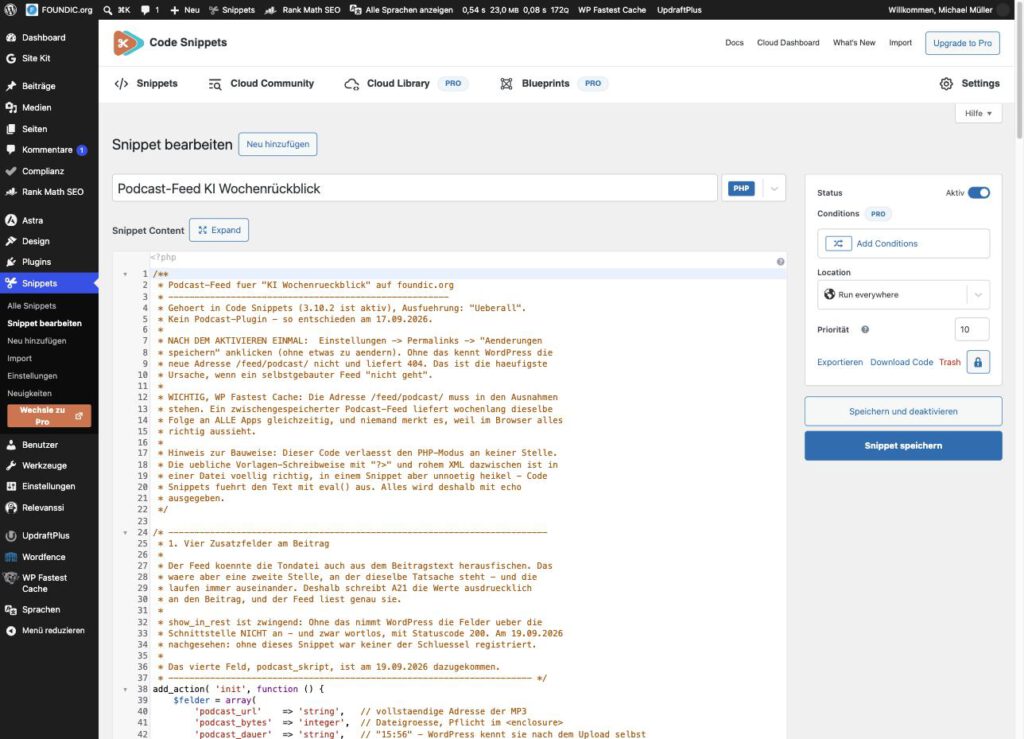
The snippet in the Code Snippets editor, before saving. The image shows the version on FOUNDIC.org with its details; in your version your own values from the block “YOUR DETAILS” appear in these places.
Now that all the details are right, the snippet may be armed.
Now activate it: After saving, in the list Snippets → Alle Snippets set the switch next to the snippet “Podcast-Feed” to active.
Expected result: The switch is on active. If an error message with a line number appears instead, a quotation mark went missing while you were adjusting things. That is the most common beginner’s mistake at this point, and it is harmless: Code Snippets does not activate faulty code, so the site stays reachable. Go to the line named, look for the missing quotation mark and save again.
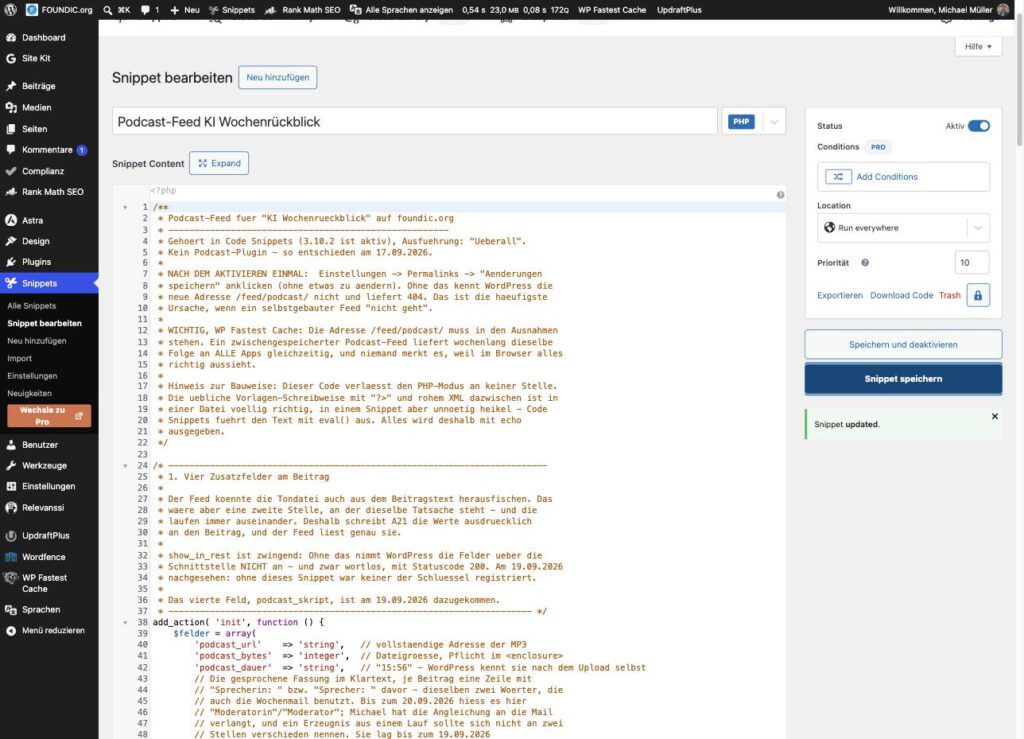
After saving, Code Snippets reports “Snippet updated”.
Step 4.4: Saving the Permalinks Once
Bernd: “Permalinks? I have not changed anything there. Why should I save anything?”
Tanja: “That is exactly why. You are not changing anything, you are just letting WordPress put its signposts up again.”
This is the step everybody forgets, and the reason for most “my feed does not work” questions in forums. WordPress only learns about new addresses such as /feed/podcast/ once it rewrites its address rules. Picture the directory of signs in an office building: a new office has been moved into, but as long as nobody updates the sign in the foyer, nobody finds it. So Bernd’s objection is wrong. It is precisely because you change nothing that the click is needed, because only saving rewrites the rules.
Click path: Einstellungen → Permalinks → without changing anything, at the very bottom Änderungen speichern.
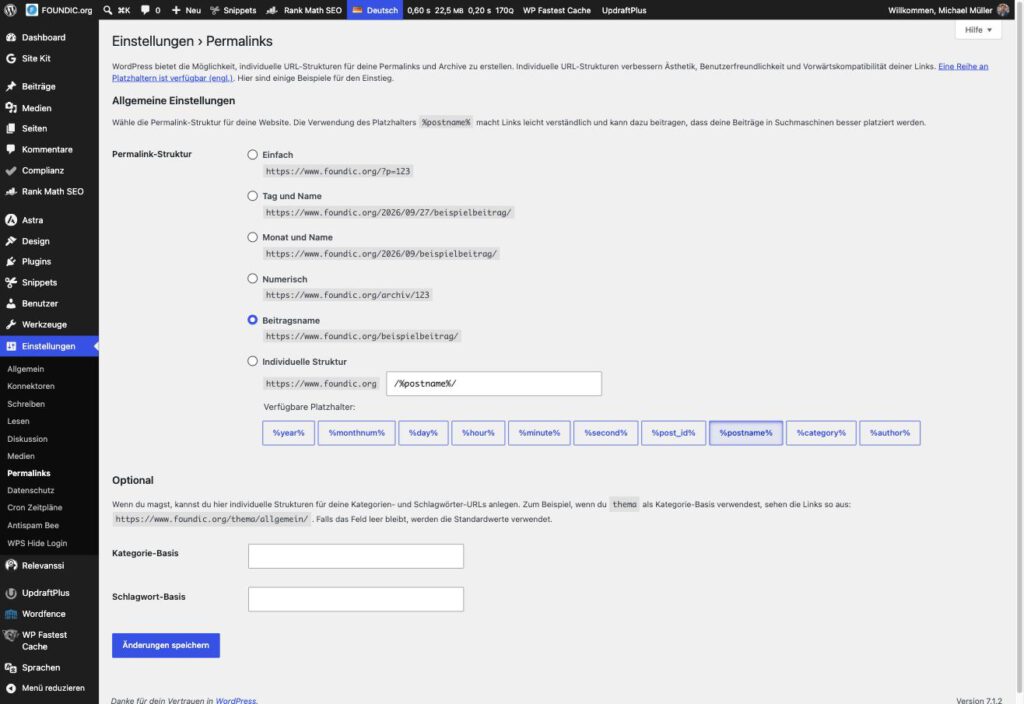
The permalink page. One click on “Änderungen speichern” is enough, nothing is changed.
Step 4.5: Excluding the Feed from the Cache
Ulf: “What actually is a cache?”
Tanja: “A temporary store. Like a recording of the last match that somebody keeps playing instead of switching to the live feed.”
Bernd: “We do not need to touch that. The feed looks right in my browser.”
And that is exactly the trap. If your website uses a cache plugin (it stores finished pages temporarily so they can be delivered faster), you have to exclude the feed. A cached podcast feed delivers the same episode to all apps for weeks on end, and nobody notices, because in the operator’s browser everything looks right. So Bernd’s browser is no proof; on the contrary, it is exactly the place where the fault stays invisible.
Click path for WP Fastest Cache: WP Fastest Cache → tab Ausschließen → section Seiten ausschließen → create a new rule: “REQUEST_URI” beginnt mit feed/podcast (without a leading slash) → save.
Other cache plugins have a comparable exception list. Look there for a section where you can exclude pages or addresses.
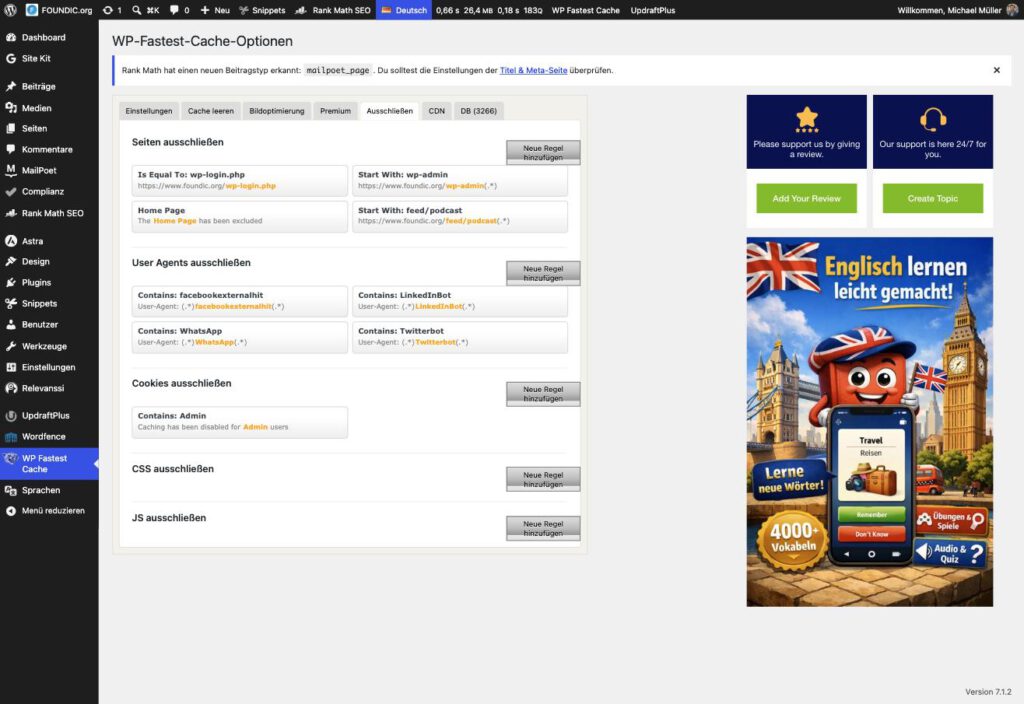
Under “Seiten ausschließen” the rule reads “Start With: feed/podcast”.
Step 4.6: Checking the Empty Feed
Time for the first kick-off. The feed has no episode yet, but it already has to answer validly. Like the warm-up before the match: the team is on the pitch without a ball, but everyone already has to be in position. In the terminal:
curl -s -o /dev/null -w "%{http_code} %{content_type}\n" https://www.deine-domain.de/feed/podcast/
curl -sI https://www.deine-domain.de/feed/podcast/ | grep -i "^content-type"
Expected result:
200 application/rss+xml; charset=UTF-8
content-type: application/rss+xml; charset=UTF-8
The first line checks the normal request, the second the HEAD request. Both have to report application/rss+xml.
Bernd: “Two queries for the same address? One is enough. If that one is right, everything is right.”
Tanja: “That is exactly how we lost two afternoons.”
Why both? On the first submission to Apple, Podcasts Connect broke off twice with the uninformative message “Es ist ein Fehler aufgetreten”. The cause: the normal request correctly returned application/rss+xml, the HEAD request by contrast application/octet-stream, that is, “some binary file or other”. WordPress answers HEAD requests before the feed function runs at all, and for a self-registered feed it knows no suitable type. So anyone who asks with HEAD first, as Apple does, takes the feed for a binary file.
Ulf: “So like a scout who only looks at the shirt number and never sees the player play?”
Tanja: “Pretty much exactly. And if the wrong thing is on the shirt, the scout drives home again.”
The small filter feed_content_type in the snippet fixes that. But you only see the fault if you measure both kinds of request. So Bernd is wrong: a single query would have shown everything green here, while Apple would have rejected it all the same.
And for the cache: request the feed once with a random suffix and compare the content type. The random suffix makes the address new for the cache, so it cannot deliver a stored version:
curl -s -o /dev/null -w "%{content_type}\n" "https://www.deine-domain.de/feed/podcast/?x=$RANDOM"If the request without the suffix returns text/xml, but the one with the suffix returns application/rss+xml, the first answer is coming from the cache. Then the exception from step 4.5 is not taking effect yet. In that case check the rule in your cache plugin again.
Phase 5: An Article Becomes a Conversation
Bernd: “Why all the effort? We just have the article read out. Text in, sound out, done.”
Ulf: “Sounds good. Less work.”
Tanja: “Try listening for twenty minutes to one voice reading out a newspaper article.”
Bernd’s shortcut sounds tempting but leads nowhere. You could simply have the finished review read out. The result would be an audiobook, not a podcast, and after three minutes you would switch off. A conversation between two voices carries twenty minutes, a text read aloud does not. Think of a football broadcast: one commentator on his own, just listing players’ names, is tiring. Two who interrupt each other, ask questions and put things in context keep you awake. So a language model is given the job of turning the article into a conversation.
The Story of the Conversation That Was Not One
Now it gets honest, because the first attempt went thoroughly wrong. And that is precisely where you learn the most.
The first version of this brief was sensibly worded: the article stays unchanged in content, every turn 40 to 120 words, filler turns such as “Spannend!” forbidden, around 3,500 words, do not shorten. The model delivered exactly that. And it was useless.
Measured afterwards: 90 percent of the conversation consisted of word sequences that appeared verbatim in the article. Only 3 of 55 turns ended with a question mark, only 4 referred at all to what the other voice had just said. It was two people taking turns reading out paragraphs from the same newspaper.
Bernd: “Then the model is just stupid. Get a better one.”
Tanja: “The model did exactly what we ordered. The mistake was in our brief.”
The model had done nothing wrong. The brief had ordered precisely that: “unchanged in content” means “copy it out” to a language model, “40 to 120 words” forbids every short interjection, and “do not shorten” forbids the condensing that makes a conversation. A prompt is a contract, and contracts are taken literally. If you write “plays exclusively as a centre-back” into a player’s contract, you cannot be surprised when the man never scores a goal.
The new version turns every one of these rules around. The result in the next run: 92 turns, median 26 words, 39 turns under 25 words, 13 real follow-up questions, and the verbatim share fell from 90 to 49 percent. Not a perfect conversation, but one you listen to.
The Brief for the Model
Ulf: “And what is in the new contract now?”
Tanja: “Read it yourself. It is deliberately written in plain language.”
In readable form:
Du machst aus dem Wochenrückblick, den du gleich bekommst, ein Gespräch für einen Podcast mit zwei Stimmen. Die Sprecherin heißt im Ergebnis "w", der Sprecher "m". Beide bleiben namenlos.

Du schreibst den Artikel nicht um - du ERZÄHLST ihn. Kein Satz wörtlich, nie acht aufeinanderfolgende Wörter aus dem Artikel.

LÄNGE: kürzer als der Artikel, 2.000 bis 2.500 Wörter. Ein Gespräch verdichtet.

BEITRÄGE:
- 5 bis 90 Wörter je Beitrag. Mindestens ein Drittel der Beiträge unter 25 Wörtern. Zwei lange Beiträge nie hintereinander. Die kurzen Beiträge über das ganze Gespräch verteilen, nicht nur an den Anfang.
- Jeder Beitrag hat eine eigene Aussage. Verboten sind Füllbeiträge wie "Spannend!", "Absolut." oder "Genau.".
- In jedem Themenblock mindestens zwei Rückfragen, Einwände oder Präzisierungen - ausdrücklich auch im letzten Block.
- Widerspruch nur dort, wo der Artikel wirklich zwei Sichtweisen hergibt.
- Sprich die Hörer zwei- bis viermal direkt mit "du" an.

ANFANG: Der erste Beitrag gehört "w" und beginnt wörtlich mit: "Dieser Rückblick wurde mit künstlicher Intelligenz erstellt und mit synthetischen Stimmen gesprochen."

ENDE: Schreib keinen Abschied und keinen Hinweis auf die Website - das hängt der Workflow selbst an. Ein Ausblick auf die nächste Woche ist erlaubt.

SCHREIBWEISE - das Ergebnis wird vorgelesen:
- Echte Umlaute und ß, nie ae, oe, ue oder ss als Ersatz.
- Keine Tagesdaten. Nur Monat und Jahr oder gar keine Zeitangabe.
- Keine Aufzählungszeichen, keine Überschriften, keine Links, kein HTML, keine Emojis.

AUSGABE: nur JSON, nichts davor und nichts danach:
{"dialog":[{"s":"w","t":"..."},{"s":"m","t":"..."}]}
A few of the rules deserve an explanation, because none of them is there by accident:
- “nie acht aufeinanderfolgende Wörter” is measurable. After every run you can count whether it was kept to. A rule such as “word it freely” cannot be counted. Like offside: a clear line can be checked, a gut feeling cannot.
- The first sentence is a transparency notice. The voices are synthetic, and Article 50 of the European AI Act requires transparency for artificially generated content. Whether the exception for editorially checked material applies is a matter of interpretation. One line costs nothing, an argument about it does.
- Real umlauts are not a matter of style. A model that writes “kuenstlicher” gets a voice that says “ku-enstlicher”. The speech output reads what is there, letter by letter.
- No day-level dates: machine transcripts of the source podcasts like to shorten years (“August 26” instead of “August 2026”), and when retelling, a model reliably turns that into “am 26. August”. Month and year are enough.
- No sign-off: the workflow attaches the closing announcement in phase 6 as a fixed text, so that it sounds the same every week.
- Nameless voices: in the output the two are called only
wandm. Giving synthetic voices made-up human names would pretend there is a person who does not exist.
Phase 6: The Podcast Branch in n8n
Monday morning, meeting room. An empty n8n window on the projector.
Ulf: “And now? Do we just click boxes together until a podcast comes out?”
Tanja: “Almost. We are building a chain of nodes. Every node does exactly one thing and passes the result on. Like a move over twelve stations.”
Bernd: “Twelve? One is enough, surely. Article in, podcast out. The rest is occupational therapy for IT.”
Tanja: “Then you notice a fault only when the bill from Google arrives. The check nodes are there for exactly that.”
Tanja is right, and that is the heart of this phase. Now the chain of nodes comes into being that turns the article into an episode ready to publish. There are eleven new nodes after Zusammenfassung bauen, so twelve together with this entry node. Four of them check and prepare, so that a fault shows up early and loudly instead of expensively and quietly. Think of passport control at the airport: better to stop briefly at the entrance than to sit in the wrong plane with the wrong ticket.
Here is the whole sequence at a glance, from top to bottom:
Zusammenfassung bauen            (route A: A21 / route B: placeholder)
  → Einstellungen                 Addresses, week title, check for placeholders
  → Vorhandenen Beitrag suchen    does this week already exist in WordPress?
  → Woche prüfen                  if yes: stop, no second draft
  → Sprechfassung vorbereiten     assemble the brief for Claude
  → Sprechfassung erzeugen        Claude makes the conversation
  → Beitrag anlegen               WordPress draft
  → Podcast: Dialog holen         check the conversation, sign-off, build the file name
  → Podcast: vertonen             service "vertonung" on the NAS
  → Podcast: MP3 hochladen        file into the WordPress media library
  → Podcast: Player bauen         player, transcript, four custom fields
  → Podcast: Player nachtragen    update the post
This is what it looks like in practice when everything runs through:
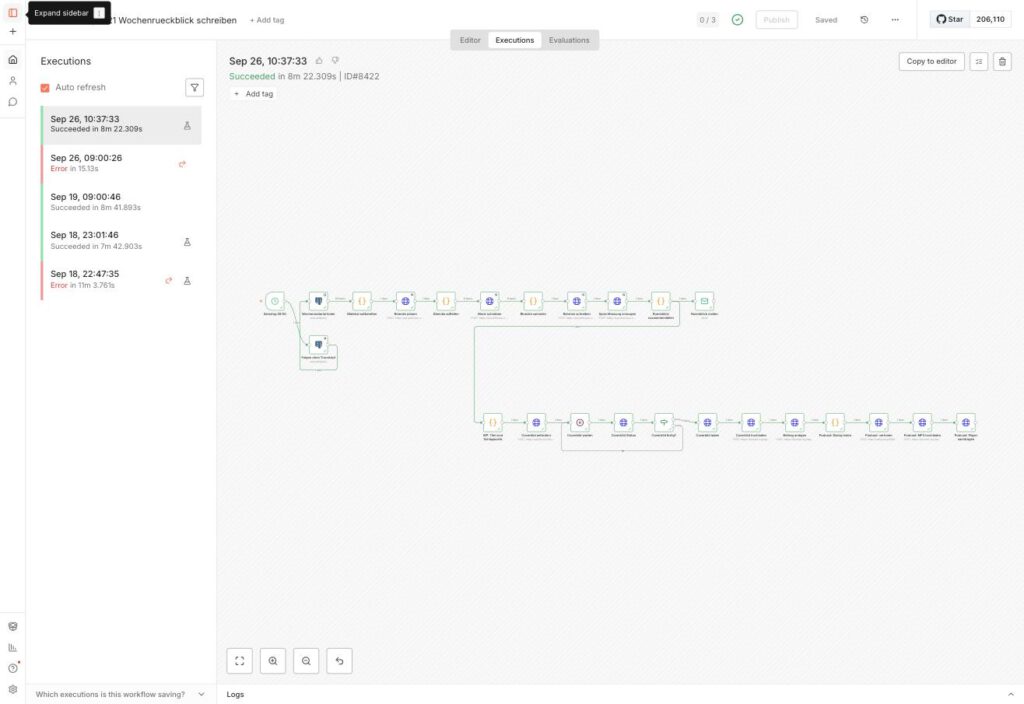
A successful run of A21 on the NAS used for this article: at the top the review, below it the post, the cover image and the podcast branch up to “Podcast: Player nachtragen”, all nodes green. The four check and preparation nodes from this guide are not yet built in there.
Step 6.0: How to Create the Nodes in n8n
Ulf: “Do I have to memorise a new set of clicks for every node?”
Tanja: “No. It is always the same few moves. Learn once, apply twelve times. Like a throw-in, a corner and a free kick: the rules stay the same, only the players change.”
That is exactly right. All the nodes in this phase are created with the same few moves. Explained once here, they apply to every following step. Do take your time over this section, because from step 6.2 on the guide assumes exactly these moves. The field names are those of the English n8n interface in version 2.1.5.
Opening or creating the workflow. You have two starting points, depending on whether you already have an article workflow or not:
- Route A: open the workflow A21 — the branch starts at the existing node
Zusammenfassung bauen. - Route B: Overview → top right Create workflow → top left click on the name “My workflow” and type in a name of your own. In the empty area Add first step… → Trigger manually. The new node is called “When clicking ‘Execute workflow’”; rename it to
Von Hand starten(see below). After it, as the first node, comes a code nodeZusammenfassung bauenwith this content:
// Zusammenfassung bauen  (placeholder for route B)
// This node delivers the finished article. Route A: delete this node and hang
// the chain on your existing node "Zusammenfassung bauen".
// Route B: insert your own text here, or replace the node with your own
// text generator. Exactly ONE record with the field wp_content is
// required (the article as HTML, at least 500 characters).
return [{ json: {
  wp_content: '<p>YOUR ARTICLE GOES HERE AS HTML.</p>',
}}];
There you insert your own article, or you replace the node with your text generator. All that matters is that it has this name and delivers wp_content as its field. The rest of the chain does not care where the text comes from. The main thing is that it is in the agreed place.
Attaching a node. At the right-hand edge of the last node a small + appears. Click it → type the node type into the search field:
- for a code node
Code→ Code → Code in JavaScript, - for an HTTP node
HTTP Request→ HTTP Request.
The new node is automatically connected to the previous one. Convenient, right? With one exception. Route A: If Zusammenfassung bauen already has a connection to the mail, you attach the first new node (Einstellungen) via the + at the top right of the bar and then drag a line with the mouse from the right-hand dot of Zusammenfassung bauen to the left-hand dot of Einstellungen. The output then has two lines, one to the mail and one to the podcast. So one output may have several consumers, just as a midfielder can play the ball sometimes to the left, sometimes to the right. Except that n8n serves both at the same time.
Renaming a node. Open the node with a double click → click on the name at the top left → type in the new name → Enter.
Bernd: “Names are neither here nor there. I call my nodes ‘Node 1’ to ‘Node 12’. You cannot get any clearer than that.”
Tanja: “Then not a single code node finds its colleagues. They call each other by name.”
And that is meant literally. The names have to match letter for letter, including capitalisation, colon and spaces, so for example Podcast: Dialog holen. The code nodes and expressions use $('Name') to reach other nodes; a typo in the name leads to the message “Referenced node doesn’t exist”. Picture a post room that only delivers letters addressed exactly right. One missing colon, and the letter comes back.
Pasting the code. In the code node, Mode Run Once for All Items and Language JavaScript are already right. You do not have to change anything there. The field JavaScript contains an example: click into it, Cmd+A (Windows: Ctrl+A), Del, then paste the code from this article. What matters is deleting it completely first. If remnants of the example are left standing, someone else’s code gets mixed in with yours.
Fixed values and expressions. In the tables in this phase there are two kinds of value:
- fixed values such as
POSToraudio/mpeg: simply type them in. - expressions, recognisable by the double curly braces
{{ … }}: hover over the field with the mouse, above the field the switch Fixed | Expression appears → Expression → paste the value. Below the field n8n then shows the calculated result, as soon as the nodes before it have run once. If it says[undefined]or an error message there, a node name is wrong.
Ulf: “And what is the difference? Text is text.”
Tanja: “A fixed value is like a sticker: it says what it says. An expression is a little sum that n8n only works out at the moment of the run.”
That is exactly why the switch matters so much. If you paste an expression in as a fixed value by mistake, n8n passes the curly braces on literally instead of working them out. The preview below the field is your check: if you see a real result there, everything is right.
Switches and sub-fields. Many fields only appear once a switch is on. So do not be surprised if you cannot find a field from the table at first. Send Query Parameters, Send Headers and Send Body are sliders; after that Specify … : Using Fields Below appears and below it Add Parameter for every row with Name and Value. Under Options the item Add option opens a list from which you select Timeout or Response as needed.
The Settings tab. At the top of the opened node, next to Parameters there is the tab Settings. It is easily missed, because n8n always opens on Parameters first. It holds Always Output Data, Retry On Fail, Max. Tries and Wait Between Tries (ms). If nothing is said about Settings for a node, everything there stays switched off.
Credentials. The WordPress nodes use Authentication Generic Credential Type → Generic Auth Type Basic Auth → Basic Auth: your WordPress credentials from step 6.1. The Claude node uses Authentication Predefined Credential Type → Credential Type Anthropic → Anthropic: your Anthropic credentials. You create the credentials themselves once, right away in step 6.1. In the nodes you then only pick them from a list.
Saving. After every node Cmd+S (Windows: Ctrl+S) or Save at the top right. Sounds trivial, but it saves your nerves when the browser crashes.
Trying nodes out one at a time, with care. Every opened node has Execute step at the top right. Up to and including Sprechfassung vorbereiten you can use it safely to check whether a node delivers the expected result.
Bernd: “I will just hit Execute step everywhere. Trying beats studying.”
Tanja: “Up to the fourth node, gladly. After that you are trying things out with real money and filling the media library with rubbish on the side.”
That is how it is. From Sprechfassung erzeugen on, every click costs something or creates something: a call to Claude, a WordPress draft, a synthesis at Google, an MP3 in the media library. That is why you only let the whole branch run through once in step 7.3.
A note on the node version: The branch was tested with HTTP Request nodes of version 4.2. A newly created HTTP Request node in n8n 2.1.5 is version 4.3 (it says so right at the bottom of the Settings tab). The fields this guide uses have the same names there and are in the same place. So do not panic if you see a different number.
The finished chain has, after Zusammenfassung bauen eleven nodes in a row. Every node has exactly one line to the next. This table is your team line-up: name, position, and in which step the player comes onto the pitch.
| No. | Name (exactly like this) | Node type | Step |
|---|---|---|---|
| 1 | Einstellungen | Code in JavaScript | 6.2 |
| 2 | Vorhandenen Beitrag suchen | HTTP Request | 6.3 |
| 3 | Woche prüfen | Code in JavaScript | 6.4 |
| 4 | Sprechfassung vorbereiten | Code in JavaScript | 6.5 |
| 5 | Sprechfassung erzeugen | HTTP Request | 6.5 |
| 6 | Beitrag anlegen | HTTP Request | 6.6 |
| 7 | Podcast: Dialog holen | Code in JavaScript | 6.7 |
| 8 | Podcast: vertonen | HTTP Request | 6.8 |
| 9 | Podcast: MP3 hochladen | HTTP Request | 6.9 |
| 10 | Podcast: Player bauen | Code in JavaScript | 6.10 |
| 11 | Podcast: Player nachtragen | HTTP Request | 6.11 |
In this form the chain ran through completely on 27 September 2026 on the NAS used for this article: from the article to the finished draft with an episode 14:46 minutes long.
Step 6.1: Giving n8n Access to WordPress and Anthropic
Ulf: “Can n8n not just get in with my normal WordPress password?”
Bernd: “Sure. That is how I have always done it. One password for everything, then you do not forget any.”
Tanja: “And if it goes missing somewhere, every door stands open. Machines get a password of their own.”
Bernd’s method is convenient and dangerous. Better like this: n8n talks to WordPress through its REST interface (a programming interface through which posts and media can be created and changed). Picture it as the goods entrance: not the front door for people, but the ramp where programs drop off and collect posts. For that you need an application password: a password just for this purpose, which can be revoked on its own at any time without changing your own login password. Like a spare key for the caretaker that you can take back from him whenever you like.
Click path in WordPress: Benutzer → Profil → right at the bottom Anwendungspasswörter → name n8n → Neues Anwendungspasswort hinzufügen.
Expected result: a password made of six blocks of four, such as abcd efgh ijkl mnop qrst uvwx. It is shown only once. So copy it straight away, before you leave the page.
The list shows only names and dates; the password itself can no longer be viewed after it has been created. Here the entry is called “cowork-api”.
Click path in n8n: on the left Credentials → Add Credential → Basic Auth → User: your WordPress user name → Password: the application password → name for example WordPress → Save.
Expected result: the credential is in the list. Whether it is right shows up on the first call: Vorhandenen Beitrag suchen then answers without an error, a wrong password reports 401. That is exactly how the credential is set up and tested on the NAS used for this article. n8n also has a credential type of its own, “WordPress API”; with the HTTP Request node it has not been tried out here. If you want to be on the safe side, stay with Basic Auth.
The same for Anthropic: Credentials → Add Credential → Anthropic → enter your API key from the Anthropic console → Save.
And one more number: the number of the category the review is to go into. WordPress does not display this number prominently anywhere, you have to hunt for it a little. Click path: Beiträge → Kategorien → hover over the category name with the mouse. In the browser’s status bar an address appears containing tag_ID=8. That number is the category number. Write it down, you need it in the next step.
Step 6.2: “Einstellungen”
Ulf: “Where do I enter my website now? In every node separately?”
Tanja: “In one single place. That is the node Einstellungen. All the others look it up there.”
This is like the noticeboard in the office: the extension number is written there once, and everybody reads it off. If the department moves, you change one note instead of twelve. Node type Code in JavaScript, name Einstellungen, directly after Zusammenfassung bauen. Mode and Language stay as they come (Run Once for All Items, JavaScript). It is the only node in which you have to enter anything: your website address and the category number. All the other nodes read their addresses from here.
// Einstellungen - the ONLY node in which you have to enter anything.
// All the other nodes read their addresses from here.
const E = {
  website:   'https://DEINE_DOMAIN',      // your WordPress address, without a trailing /
  kategorie: 'DEINE_KATEGORIENUMMER',     // number from step 6.1, e.g. 8
  vertonung: 'http://vertonung:8080',     // the service from phase 3
  sendung:   'KI Wochenrückblick',        // start of every episode title
  modell:    'claude-sonnet-4-5-20250929',
};

// 1. Any placeholders left? Then better stop loudly right away.
const offen = Object.keys(E).filter(k => String(E[k]).includes('DEIN'));
if (offen.length) {
  throw new Error('Please fill this in first in the node Einstellungen - ' + offen.join(', '));
}
const kategorie = parseInt(E.kategorie, 10);
if (!(kategorie > 0)) throw new Error('The category number is not a number');

// 2. Does an article arrive at all?
const artikel = String(($('Zusammenfassung bauen').first().json || {}).wp_content || '');
if (artikel.length < 500) {
  throw new Error('Zusammenfassung bauen delivers no article in the field wp_content');
}

// 3. The week title. Saturday to Friday of the past week, for example
//    "KI Wochenrückblick 12.-18.09.26" or across the turn of the month
//    "KI Wochenrückblick 29.08.-4.09.26". It is also the week key by
//    which the workflow recognises a week that has already been created.
const a = $now.minus({ days: 7 });
const e = $now.minus({ days: 1 });
const zeitraum = (a.month === e.month ? a.toFormat('d.') : a.toFormat('d.MM.'))
  + '-' + e.toFormat('d.MM.yy');

return [{ json: {
  website: E.website.replace(/\/+$/, ''),
  kategorie,
  vertonung: E.vertonung.replace(/\/+$/, ''),
  modell: E.modell,
  titel: E.sendung + ' ' + zeitraum,
}}];
Three things happen in it:
- Placeholders show up at once. If
DEIN…is still there somewhere, the node stops with the message “Please fill this in first in the node Einstellungen” before anything costs money. - A missing article shows up at once. If
Zusammenfassung bauendelivers fewer than 500 characters in the fieldwp_content, the node stops. - The week title comes into being here. It names the period of the past seven days, Saturday to Friday. On 19 September 2026 it comes out as
KI Wochenrückblick 12.-18.09.26, across a turn of the monthKI Wochenrückblick 29.08.-4.09.26, across the turn of the yearKI Wochenrückblick 26.12.-1.01.27. The same title later appears in the media library, in the MP3 and in every podcast app. And it is the week key: every week has exactly one, and by it the next node recognises whether this week has already been created.
Bernd: “Stopping with an error message? That looks unprofessional. Just let it carry on.”
Tanja: “A red node at the start costs nothing. A green run with ‘DEINE_DOMAIN’ in the address costs Claude, Google and your time.”
Failing early and loudly is expressly intended here. A referee who whistles for offside straight away spares everyone the goal that will not count afterwards anyway.
Expected result: one record with website, kategorie, vertonung, modell and titel.
Step 6.3: “Vorhandenen Beitrag suchen”
Now the workflow asks WordPress before it creates anything. An HTTP Request node that asks WordPress whether a post with this title already exists, whether as a draft or published. That is the look in the inbox before you send an email a second time.
Node type HTTP Request, attached to Einstellungen. The fields from top to bottom:
| Field | Setting |
|---|---|
| Name | Vorhandenen Beitrag suchen |
| Method | GET |
| URL | Expression: {{ $('Einstellungen').first().json.website }}/wp-json/wp/v2/posts |
| Authentication | Generic Credential Type → Generic Auth Type Basic Auth → Basic Auth: your WordPress credentials |
| Send Query Parameters | on → Specify Query Parameters Using Fields Below → five times Add Parameter, values in the next table |
| Send Headers | off |
| Send Body | off |
| Options | none |
| tab Settings → Always Output Data | on (everything else off) |
The five query parameters:
| Name | Value |
|---|---|
search | Expression: {{ $('Einstellungen').first().json.titel }} |
status | draft,pending,future,private,publish |
context | edit |
per_page | 20 |
_fields | id,title,status |
A quick word on what these do: search looks for the week title, status makes sure that drafts, scheduled and private posts are counted too, and _fields keeps the answer lean, down to id,title,status.
Ulf: “And if it finds nothing? Then everything is fine, right?”
Tanja: “In principle yes. But that is exactly where the trap is.”
The trap in this node: If WordPress finds nothing, it answers with an empty list, and n8n turns that into zero records. Without the switch Always Output Data the run would stop here, green and without an error message. That is the meanest kind of fault: everything looks good, and still nothing happens. Like a relay runner who does not hand over the baton because it is empty. With the switch on, the node passes an empty record on, and things carry on. You find the switch in the Settings tab, not among the parameters.
Expected result: in a new week an empty record, in a week that already exists a record with id, title and status.
Step 6.4: “Woche prüfen”
The previous node only asked. This one decides. Node type Code in JavaScript, name Woche prüfen, attached to Vorhandenen Beitrag suchen. Mode and Language stay as they come. Replace the example code with:
// Woche pruefen
// Does this weekly review already exist as a post - whether as a draft or
// published? Then the run stops here, BEFORE anything costs money and
// before a second draft and a second MP3 come into being.
const titel = $('Einstellungen').first().json.titel;
const treffer = $input.all()
  .map(i => i.json)
  .filter(p => {
    if (!p || !p.id || !p.title) return false;
    const t = String(p.title.raw || p.title.rendered || '');
    // Exactly this title, or this title with a headline after it
    // ("... 12.-18.09.26: Die Woche der KI-Agenten").
    return t === titel || t.startsWith(titel + ':');
  });

if (treffer.length) {
  const p = treffer[0];
  // Deliberately without a colon - n8n cuts messages off at the last colon.
  throw new Error('This week already exists as post ' + p.id
    + ' (Status ' + p.status + '). No second draft. Carry on with Retry, see step 6.12');
}
return [{ json: { titel, frei: true } }];Bernd: “Duplicate drafts? Never happens to me. I just start again when something hangs.”
Tanja: “That is exactly how they come about.”
This is the safeguard against duplicate drafts. If you simply start a run that broke off halfway from the beginning again, without this node you get a second draft and a second MP3 in the media library. With it the run stops here, before Claude or Google cost anything, and the message names the number of the existing post. So Bernd’s restart tactic is exactly the case this node protects against. How things go on from there is in step 6.12.
The search compares the title exactly: it has to be the same or begin with the week title and a colon, as in “KI Wochenrückblick 12.-18.09.26: Die Woche der KI-Agenten”. search on its own would also find “KI Wochenrückblick 12.-18.09.26 (Kopie)”. WordPress searches generously, rather like a search engine. The code is the strict doorman who then looks closely at the name.
Expected result: in a new week a record with titel and frei: true.
Step 6.5: “Sprechfassung vorbereiten” and “Sprechfassung erzeugen”
Ulf: “Now comes the AI, right? Finally the exciting part.”
Tanja: “Now comes the AI. But first we wrap up the brief properly for it.”
Two nodes. The first writes the brief, the second sends it off. First Code in JavaScript, name Sprechfassung vorbereiten, attached to Woche prüfen. The brief for Claude from phase 5 is in it as ordinary text. That is more readable and less error-prone than one single long line with hundreds of escape characters:
// Sprechfassung vorbereiten
// Builds the brief for Claude. The brief text is here as ordinary text,
// not as a long line with escape characters - so it stays readable and editable.
const AUFTRAG = `Du machst aus dem Wochenrückblick, den du gleich bekommst, ein Gespräch für einen Podcast mit zwei Stimmen. Die Sprecherin heißt im Ergebnis "w", der Sprecher "m". Beide bleiben namenlos.

Du schreibst den Artikel nicht um - du ERZÄHLST ihn. Kein Satz wörtlich, nie acht aufeinanderfolgende Wörter aus dem Artikel.

LÄNGE: kürzer als der Artikel, 2.000 bis 2.500 Wörter. Ein Gespräch verdichtet.

BEITRÄGE:
- 5 bis 90 Wörter je Beitrag. Mindestens ein Drittel der Beiträge unter 25 Wörtern. Zwei lange Beiträge nie hintereinander. Die kurzen Beiträge über das ganze Gespräch verteilen, nicht nur an den Anfang.
- Jeder Beitrag hat eine eigene Aussage. Verboten sind Füllbeiträge wie "Spannend!", "Absolut." oder "Genau.".
- In jedem Themenblock mindestens zwei Rückfragen, Einwände oder Präzisierungen - ausdrücklich auch im letzten Block.
- Widerspruch nur dort, wo der Artikel wirklich zwei Sichtweisen hergibt.
- Sprich die Hörer zwei- bis viermal direkt mit "du" an.

ANFANG: Der erste Beitrag gehört "w" und beginnt wörtlich mit: "Dieser Rückblick wurde mit künstlicher Intelligenz erstellt und mit synthetischen Stimmen gesprochen."

ENDE: Schreib keinen Abschied und keinen Hinweis auf die Website - das hängt der Workflow selbst an. Ein Ausblick auf die nächste Woche ist erlaubt.

SCHREIBWEISE - das Ergebnis wird vorgelesen:
- Echte Umlaute und ß, nie ae, oe, ue oder ss als Ersatz.
- Keine Tagesdaten. Nur Monat und Jahr oder gar keine Zeitangabe.
- Keine Aufzählungszeichen, keine Überschriften, keine Links, kein HTML, keine Emojis.

AUSGABE: nur JSON, nichts davor und nichts danach:
{"dialog":[{"s":"w","t":"..."},{"s":"m","t":"..."}]}`;

const artikel = String($('Zusammenfassung bauen').first().json.wp_content)
  .replace(/<[^>]+>/g, ' ')
  .replace(/\s+/g, ' ')
  .trim();

return [{ json: { anfrage: {
  model: $('Einstellungen').first().json.modell,
  max_tokens: 16000,
  temperature: 0.7,
  system: AUFTRAG,
  messages: [{ role: 'user', content: artikel }],
}}}];
Behind it the HTTP Request node that calls Claude:
Node type HTTP Request, attached to Sprechfassung vorbereiten:
| Field | Setting |
|---|---|
| Name | Sprechfassung erzeugen |
| Method | POST |
| URL | https://api.anthropic.com/v1/messages (fixed value) |
| Authentication | Predefined Credential Type → Credential Type Anthropic → Anthropic: your Anthropic credentials |
| Send Query Parameters | off |
| Send Headers | on → Specify Headers Using Fields Below → Add Parameter: Name anthropic-version, Value 2023-06-01 |
| Send Body | on → Body Content Type JSON → Specify Body Using JSON → JSON: Expression {{ JSON.stringify($json.anfrage) }} |
| Options | Add option → Timeout → 600000 |
| tab Settings | Retry On Fail on → Max. Tries 4 → Wait Between Tries (ms) 5000 (the highest value the field allows) |
The model claude-sonnet-4-5-20250929 is set in the node Einstellungen. It is the same one that writes the article in A21. If you use a newer one, you enter its name there. This is where the noticeboard from step 6.2 pays off: change one line, done.
Bernd: “Models run forever. Enter it once, never touch it again.”
Tanja: “Models have a use-by date like yoghurt. Anthropic even publishes it.”
And it works like this: Anthropic guarantees this model only until at least 29 September 2026. So before you build, check in Anthropic’s overview “Model deprecations” whether it is still active. If it is not, enter the current Sonnet model in the node Einstellungen instead.
Special characters in the article: Sprechfassung vorbereiten removes the HTML tags, but it does not convert HTML entities such as &, or " back. That is an honest weak point. If your article contains many special characters, tables or code blocks, check the cleaned-up text input in the output of Sprechfassung vorbereiten.
Why the generous retries in the Settings tab? There is a real mishap from the test behind that. On the second Saturday with a podcast, the NAS had no internet connection from about three to ten in the morning. The run at nine failed after 15 seconds with EAI_AGAIN (the machine could not resolve the name api.anthropic.com), and one attempt ten seconds later did not help. Several attempts with a bigger gap bridge short outages. It is like phoning with a bad signal: not dialling once and giving up, but trying a few times with a pause. Against an outage lasting hours, only catching up by hand helps, see step 6.12.
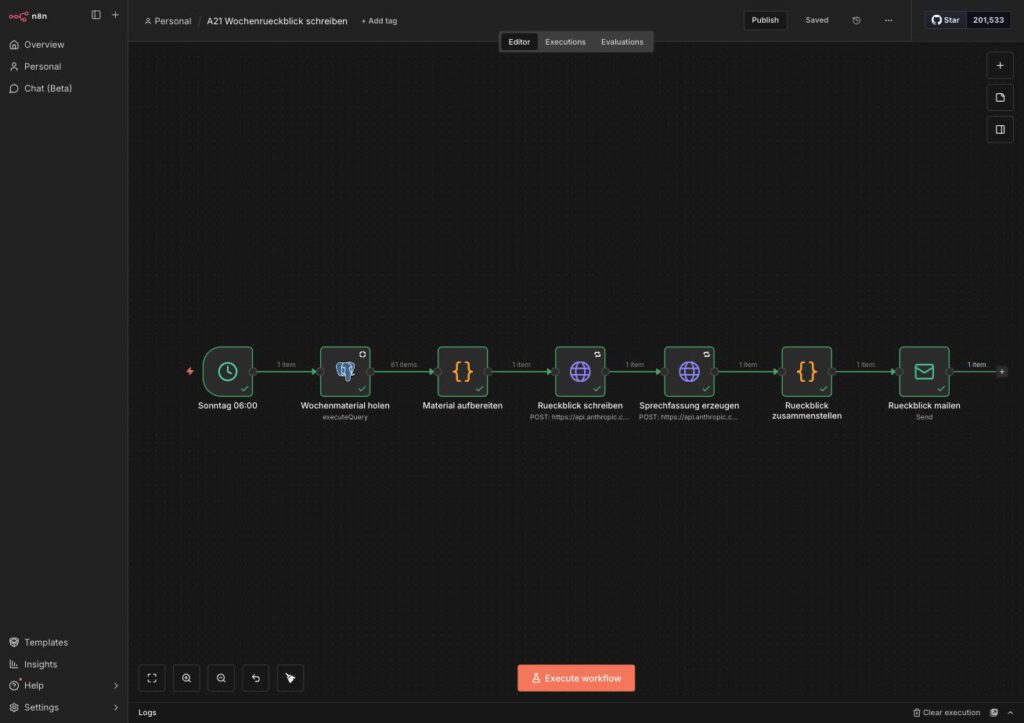
The early, lean version of A21: fetch the week’s material, prepare it, write the review, produce the spoken version, put it together, mail it. Today the spoken version sits behind the finished article.
Expected result: an answer with "type": "message", in the field content[0].text a JSON text beginning {"dialog":[{"s":"w","t":"Dieser Rückblick wurde mit künstlicher Intelligenz erstellt … like this. Around 100 to 150 turns.
Step 6.6: “Beitrag anlegen”
Claude has delivered, now WordPress gets its post. Node type HTTP Request, attached to Sprechfassung erzeugen:
| Field | Setting |
|---|---|
| Name | Beitrag anlegen |
| Method | POST |
| URL | Expression: {{ $('Einstellungen').first().json.website }}/wp-json/wp/v2/posts |
| Authentication | Generic Credential Type → Generic Auth Type Basic Auth → Basic Auth: your WordPress credentials |
| Send Query Parameters | off |
| Send Headers | off |
| Send Body | on → Body Content Type JSON → Specify Body Using JSON → JSON: Expression, content see below |
| Options | none |
| tab Settings | everything off |
The content of the field JSON, as an expression, on one line:
{{ JSON.stringify({ title: $('Einstellungen').first().json.titel, content: $('Zusammenfassung bauen').first().json.wp_content, status: 'draft', categories: [$('Einstellungen').first().json.kategorie] }) }}Bernd: “Why not publish it straight away? Drafts are for ditherers.”
Tanja: “Because there is no MP3 attached yet. And because a human is meant to look it over before the world hears it.”
The decisive part is status: 'draft': the post comes into being as a draft. So Bernd is wrong. Nothing goes online unchecked.
And the order is deliberate. The post is only created after Claude has delivered the conversation. So if Claude fails, there is no orphaned draft either. The material first, then the file folder, not the other way round.
Expected result: an answer with "id": 4960 (your number will be a different one), "status": "draft" and a field content.raw with the article text. The next nodes need this answer.
Step 6.7: “Podcast: Dialog holen”
Monday morning, the coffee kitchen. Ulf is staring at his screen, where a long block of text from Claude is stuck.
Ulf: “The model has already written the whole conversation. Why do we need another node in between?”
Tanja: “Because a text from a language model is like a pass out of midfield. Most of the time it arrives. But you check all the same before you shoot.”
Bernd: “Check, check. The thing is clever, it always delivers clean JSON. Just send it straight on to Google.”
That is exactly the mistaken belief this node catches. A language model does not deliver clean JSON as a guarantee. Sometimes a bracket is missing, sometimes the conversation is half as long as expected. If you pass something like that on unchecked, you only notice the fault once the episode is already online. So an inspector sits here who works like goods receiving in a warehouse: unpack, count, put a label on.
This is how you create it: node type Code in JavaScript, name Podcast: Dialog holen, attached to Beitrag anlegen. Mode and Language stay as they come, you do not have to change anything there. The node reads the conversation, checks it, appends the sign-off and builds the file name. This is the code you paste in:
// Podcast: Dialog holen
// Reads the spoken version, checks it and builds three things from it:
//   turns       - the turns for the voicing service
//   skript      - the same turns as plain text (for the custom field)
//   dateiname   - the name of the MP3 in the media library

// The two voices are named in exactly ONE place. Transcript, script and
// the weekly mail should use the same words.
const NAMEN = { w: 'Sprecherin', m: 'Sprecher' };

// The sign-off is fixed in the code, not in the prompt: a sentence that is
// meant to sound the same every week must not depend on whether the model
// writes it out this time.
const ABMODERATION = [
  { s: 'w', t: 'Das war die KI-Woche. Den ganzen Rückblick zum Nachlesen findest du auf unserer Website.' },
  { s: 'm', t: 'Nächsten Samstag sind wir wieder da. Bis dahin.' },
];

// 1. Read the model’s answer. It delivers {"dialog":[{"s":"w","t":"..."}, ...]}
const roh = String((($('Sprechfassung erzeugen').first().json.content || [])[0] || {}).text || '');
const text = roh.replace(/^```(?:json)?/i, '').replace(/```$/, '').trim();
let dialog;
try {
  dialog = JSON.parse(text.slice(text.indexOf('{'), text.lastIndexOf('}') + 1)).dialog;
} catch (e) {
  // Deliberately without a colon in the message - n8n cuts error messages
  // off at the last colon.
  throw new Error('The spoken version is not readable JSON');
}

// 2. Check. Broken is not empty - broken has to get loud.
if (!Array.isArray(dialog)) throw new Error('The spoken version contains no field dialog');
const turns = dialog
  .filter(b => b && (b.s === 'w' || b.s === 'm') && String(b.t || '').trim())
  .map(b => ({ s: b.s, t: String(b.t).replace(/\s+/g, ' ').trim() }));
if (turns.length < 20) throw new Error('Only ' + turns.length + ' usable turns, at least 20 are expected');

// 3. Append the sign-off - but only once.
if (!turns[turns.length - 1].t.includes('Nächsten Samstag sind wir wieder da')) {
  turns.push(...ABMODERATION);
}

// 4. Plain text for the transcript.
const skript = turns.map(b => NAMEN[b.s] + ': ' + b.t).join('\n');

// 5. File name from date and title: only lower case, digits, hyphen.
const beitrag = $('Beitrag anlegen').first().json;
const titel = String((beitrag.title && beitrag.title.raw) || 'KI Wochenrückblick');
const kurz = titel.toLowerCase()
  .replace(/ä/g, 'ae').replace(/ö/g, 'oe').replace(/ü/g, 'ue').replace(/ß/g, 'ss')
  .replace(/[^a-z0-9]+/g, '-').replace(/^-+|-+$/g, '').slice(0, 80);
const heute = new Date().toISOString().slice(0, 10);

return [{ json: {
  turns,
  skript,
  titel,
  beitrag_id: beitrag.id,
  seite: beitrag.link,
  dateiname: heute + '_' + kurz + '.mp3',
  beitraege: turns.length,
  zeichen: turns.reduce((n, b) => n + b.t.length, 0),
}}];
Let us take a look at it. Three decisions are in there, and each one has a good reason:
- Broken is not empty. If the model delivers no readable JSON or fewer than 20 turns, the node stops with a clear message. Half an episode that nobody notices is worse than a red node on a Saturday morning. Red is annoying, but red is honest. Incidentally, the error messages deliberately contain no colon: n8n cuts messages off at the last colon, and then only half of it is left in the error mail. Sounds like a trifle, but in an emergency it saves you the guesswork.
- The sign-off is in the code, not in the prompt. A sentence that is meant to sound the same every week must not depend on whether the model writes it out or rephrases it this time. Think of the stadium anthem before kick-off: it comes off the tape, not from the announcer’s memory. The lock checks beforehand whether the sign-off is already there, so that a second run does not duplicate it.
- The names of the voices are in exactly one place. In an early version they were called “Moderator” and “Moderatorin” in the transcript, but “Sprecher” and “Sprecherin” in the weekly mail. Bringing them into line then affected 578 places in the episodes published up to that point. One place for the names means: one place to change, not 578.
Ulf: “578? Who changed all of those by hand?”
Tanja: “Nobody who wants to do it again. Which is why it is now right at the top of the code.”
Expected result: a record with turns (the list of turns), skript (plain text), titel, beitrag_id, seite, dateiname (something like 2026-09-19_ki-wochenrueckblick-12-18-09-26.mp3), beitraege (about 110) and zeichen (about 17,000).
Step 6.8: “Podcast: vertonen”
Now it gets loud. This node sends the checked conversation to your voicing service from phase 3, and that has Google speak the voices.
Bernd: “And if that goes wrong, we just set three retries. Twice is better, three times better still.”
Sounds sensible, but here it is exactly wrong. Every attempt has Google speak all the turns again. Three automatic retries mean, in the worst case: the same expensive work three times over, without anybody having looked at why it did not work the first time. So the retry deliberately stays off here. If the call fails, a human should look into it rather than the workflow setting off the same expensive work three times.
It is an HTTP Request node that talks to the service from phase 3. Node type HTTP Request, attached to Podcast: Dialog holen. The settings in detail:
| Field | Setting |
|---|---|
| Name | Podcast: vertonen |
| Method | POST |
| URL | Expression: {{ $('Einstellungen').first().json.vertonung }}/vertonen |
| Authentication | None |
| Send Query Parameters | off |
| Send Headers | off |
| Send Body | on → Body Content Type JSON → Specify Body Using JSON → JSON: Expression {{ JSON.stringify({ turns: $json.turns, titel: $json.titel, seite: $json.seite }) }} |
| Options | Add option → Response → Response Format File → Put Output in Field data; then once more Add option → Timeout → 900000 (15 minutes) |
| tab Settings | Retry On Fail off |
Pay particular attention to the last line: in the Settings tab, Retry On Fail stays off. And do not panic about the long timeout. The voicing simply takes its time, and without a generous time limit n8n would give up while Google is still speaking.
Expected result: after four to six minutes a binary file data, audio/mpeg, 8 to 10 MB. In the run of 19 September: 108 turns, 279 seconds, 8,952,428 bytes, 18:45 minutes.
Step 6.9: “Podcast: MP3 hochladen”
The finished MP3 is now in n8n, but not yet where listeners can find it. So the file goes into the WordPress media library. Picture the media library as a stores department: what is not booked in cannot be handed out by any post either.
Node type HTTP Request, attached to Podcast: vertonen:
| Field | Setting |
|---|---|
| Name | Podcast: MP3 hochladen |
| Method | POST |
| URL | Expression: {{ $('Einstellungen').first().json.website }}/wp-json/wp/v2/media |
| Authentication | Generic Credential Type → Generic Auth Type Basic Auth → Basic Auth: your WordPress credentials |
| Send Query Parameters | off |
| Send Headers | on → Specify Headers Using Fields Below → twice Add Parameter, values in the next table |
| Send Body | on → Body Content Type n8n Binary File → Input Data Field Name data |
| Options | none |
| tab Settings | Retry On Fail off |
In addition there are the two header lines (Header Parameters). They tell WordPress what the file should be called and that it is audio:
| Name | Value |
|---|---|
Content-Disposition | Expression: {{ 'attachment; filename="' + $('Podcast: Dialog holen').first().json.dateiname + '"' }} |
Content-Type | audio/mpeg |
Ulf: “Send Body? The file is already there, the node before it has just built it.”
Tanja: “There it is. But only in n8n. Without the switch it stays sitting on the substitutes’ bench.”
The trap in this node: If you forget the switch Send Body because the file is “already there”, WordPress answers 400 – Keine Daten bereitgestellt. Without that switch n8n simply does not send the file along. This is one of the most common beginner’s mistakes at this point, so better to look twice.
Expected result: an answer with id (the media number), source_url (the address of the MP3, something like https://www.deine-domain.de/wp-content/uploads/2026/09/2026-09-19_ki-wochenrueckblick-12-18-09-26.mp3) and media_details with filesize and length_formatted. WordPress works out the duration itself during the upload, you do not have to calculate it anywhere.
Step 6.10: “Podcast: Player bauen”
The MP3 is in the stores, the article is ready as a draft. Now the fitter is missing who screws the two together.
Node type Code in JavaScript, name Podcast: Player bauen, attached to Podcast: MP3 hochladen. Mode and Language stay as they come. The node puts the post together, in this order:
- at the top a player with a sentence saying what you are listening to,
- then the article,
- then, under “Zum Hören und Mitlesen”, the player a second time with the duration,
- below it an expandable transcript.
It also fills the four custom fields the feed later reads from. This is the code you paste in:
// Podcast: Player bauen
// Puts the player, the note line and the expandable transcript into the post
// and fills the four custom fields the feed reads from.
const d = $('Podcast: Dialog holen').first().json;
const b = $('Beitrag anlegen').first().json;
const m = $json; // answer from "Podcast: MP3 hochladen"
if (!m.id || !m.source_url) throw new Error('The upload delivered no media number');
const NAMEN = { w: 'Sprecherin', m: 'Sprecher' };
const esc = s => String(s).replace(/&/g, '&').replace(/</g, '<').replace(/>/g, '>');
const dauer = (m.media_details && m.media_details.length_formatted) || '';
const bytes = (m.media_details && m.media_details.filesize) || 0;
const abspieler = unterschrift =>
'<!-- wp:audio {"id":' + m.id + '} -->\n'
+ '<figure class="wp-block-audio"><audio controls src="' + m.source_url + '"></audio>'
+ '<figcaption class="wp-element-caption">' + esc(unterschrift) + '</figcaption></figure>\n'
+ '<!-- /wp:audio -->';
const transkript = d.turns.map(t =>
'<!-- wp:paragraph -->\n<p><strong>' + NAMEN[t.s] + ':</strong> ' + esc(t.t) + '</p>\n<!-- /wp:paragraph -->'
).join('\n\n');
// The content is ALWAYS reassembled from the original article text of
// "Beitrag anlegen". A second attempt (Retry) therefore yields the same
// post and no duplicate player.
const alt = String((b.content && b.content.raw) || '');
// Lock: if the file is already in the source text, something is wrong with the chain.
if (alt.includes(m.source_url)) throw new Error('The player is already in the post');
const inhalt = [
abspieler('Diese Folge anhören: ' + d.titel + ' — dieselben Themen, frei erzählt statt vorgelesen.'),
alt,
'<!-- wp:heading -->\n<h2 class="wp-block-heading">Zum Hören und Mitlesen</h2>\n<!-- /wp:heading -->',
abspieler(d.titel + (dauer ? ' — ' + dauer + ' Minuten' : '')),
'<!-- wp:details -->\n<details class="wp-block-details"><summary>Transkript der Folge</summary>'
+ transkript + '</details>\n<!-- /wp:details -->',
].join('\n\n');
return [{ json: {
beitrag_id: b.id,
body: {
content: inhalt,
meta: {
podcast_url: m.source_url,
podcast_bytes: Number(bytes),
podcast_dauer: dauer,
podcast_skript: d.skript,
},
},
}}];Bernd: “The sentence under the player is decoration. Nobody reads it anyway.”
They do, and it has a job. The sentence under the upper player (“dieselben Themen, frei erzählt statt vorgelesen”) is a small but important piece of expectation management. Anyone who runs the podcast alongside the text should not be hunting for the place the voice is reading out right now. It is not reading out. Without the note, the listener scrolls through the article in confusion and thinks the podcast is broken.
And the transcript? The transcript in the post is not only a service for the hard of hearing and for search engines. It is also the archive of the conversation: n8n deletes the data of past runs after 336 hours, that is, after two weeks. Without the custom field podcast_skript the spoken text would be lost after two weeks. So n8n is more of a clipboard than a filing cabinet. What is meant to last belongs in WordPress.
Step 6.11: “Podcast: Player nachtragen”
Last node, last pass before goal. It writes everything into the post.
Node type HTTP Request, attached to Podcast: Player bauen:
| Field | Setting |
|---|---|
| Name | Podcast: Player nachtragen |
| Method | POST |
| URL | Expression: {{ $('Einstellungen').first().json.website }}/wp-json/wp/v2/posts/{{ $json.beitrag_id }} |
| Authentication | Generic Credential Type → Generic Auth Type Basic Auth → Basic Auth: your WordPress credentials |
| Send Query Parameters | off |
| Send Headers | off |
| Send Body | on → Body Content Type JSON → Specify Body Using JSON → JSON: Expression {{ JSON.stringify($json.body) }} |
| Options | none |
| tab Settings | Retry On Fail on → Max. Tries 3 (Wait Between Tries stays at the default value) |
Ulf: “Hang on. With the voicing no retries were allowed, and here suddenly three? So which is it?”
Tanja: “It depends on what a retry does. Here it does nothing.”
That is exactly the difference. Retrying is allowed here: the node changes an existing post, and Podcast: Player bauen reassembles the content from the original article text every time. A second attempt writes the same post again, it does not produce a duplicate player. It is as if you filled in a form twice with the same details: in the end the same thing is on it. With the voicing, by contrast, every attempt costs real work at Google.
Expected result: an answer in which the four fields under meta are filled: podcast_url, podcast_bytes (about 8952428), podcast_dauer (about 18:45) and podcast_skript. If there are empty values there even though the node answered with 200, the feed snippet from phase 4 is not active, because without show_in_rest WordPress discards the fields silently. That is treacherous: a green tick, empty fields, no error message. If you see that, go back to phase 4.
Step 6.12: Restarting When a Run Breaks Off Halfway
Saturday, just after eight. The error mail has arrived, one node is red.
Bernd: “No problem. Just start the workflow again, from the beginning. That always helped with my printer too.”
Tanja: “And after that you have two drafts and two MP3s. With the printer at least it was only duplicate pages.”
Bernd’s reflex is understandable, but wrong here. The branch creates things in WordPress that a second, complete run does not find again: a draft and an MP3 in the media library. So anyone who starts from the beginning builds a second post next to the half-finished one. Hence a simple rule: From Beitrag anlegen on, you do not restart, you continue.
Continuing is called “Retry” in n8n. In football it would not be a replay but the continuation of an abandoned match at the old score. Click path: open the workflow → at the top Executions → click the failed run (red) → top right Retry → Retry with currently saved workflow.
n8n then starts from the node that failed, and for every node before it takes the results of the first attempt: the same post number, the same media number, the same conversation. This has been tried out on exactly this branch: a test run deliberately failed only at the last node, Podcast: Player nachtragen. After Retry only that node ran again, for 2.7 seconds, and wrote the player, the transcript and all four custom fields into the same draft. In WordPress there was then one draft and one MP3, not two.
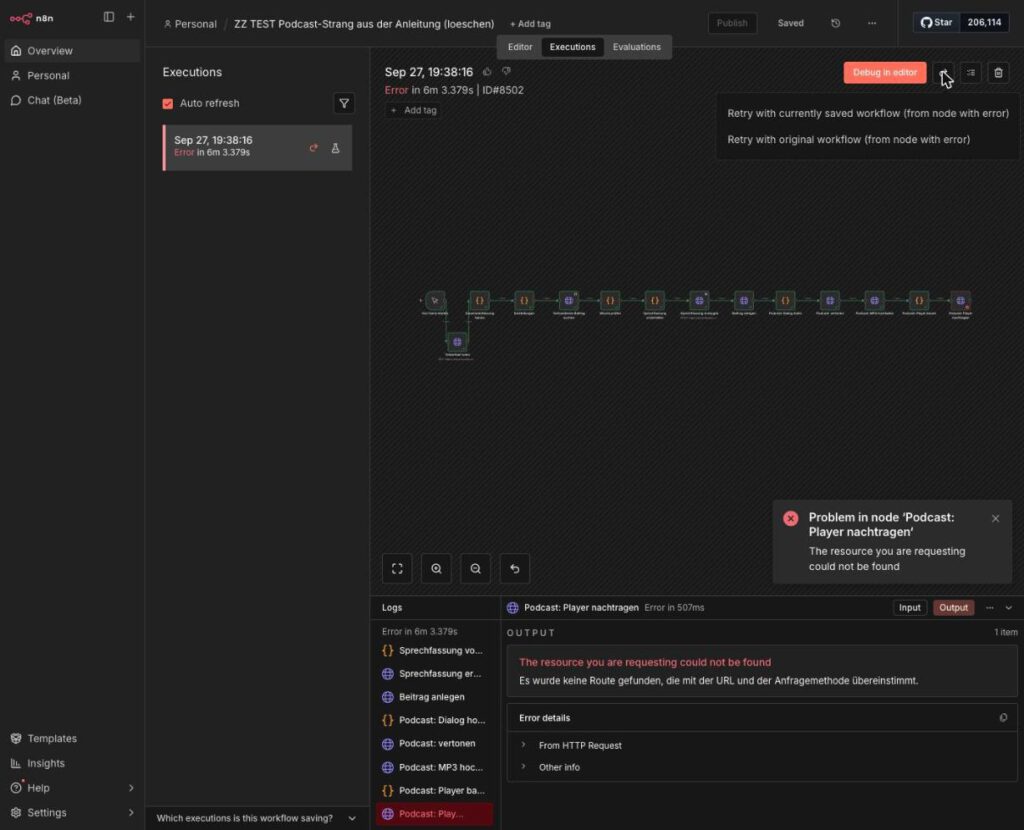
The retry menu of a failed execution. Both entries explicitly continue “from node with error”.
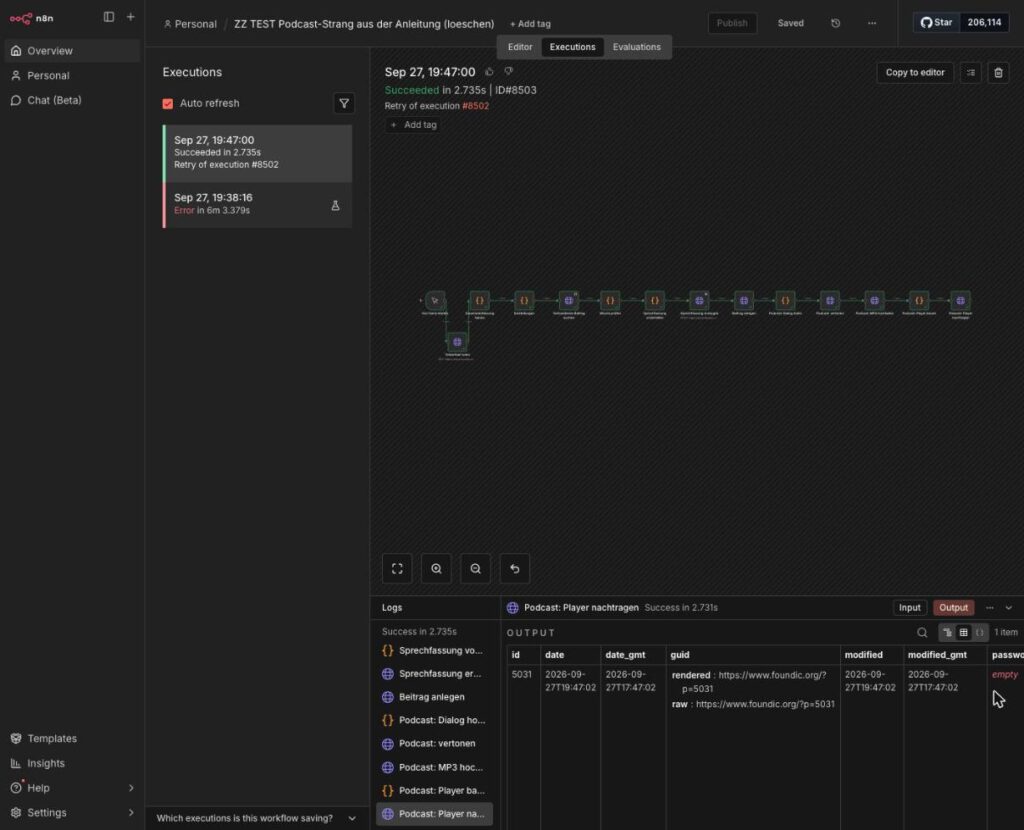
The retry run: “Succeeded in 2.735s”, “Retry of execution #8502”, below it WordPress’s answer for the same post 5031.
Now something that would otherwise give you an unnecessary fright. A quirk of n8n 2.1.5: after clicking Retry, the red message “Problem with retry – Converting circular structure to JSON” can appear at the bottom right even though the retry run succeeded. Yes, that is confusing, and no, you have not done anything wrong. What counts is the entry in the list of executions: green and “Retry of execution …”.
Ulf: “And what is the difference between ‘currently saved’ and the other entry?”
“Currently saved” means: if you have fixed the fault in the workflow in the meantime and saved it, the retry runs with the repaired version. “Original workflow” takes the version from the time of the run. So most of the time you want “currently saved”, because you have just repaired something.
Where did the run stop, and what is to be done?
The table below is your cheat sheet for a Saturday morning. Find the row with the red node and do what it says:
| failed at | what already exists | what to do |
|---|---|---|
Einstellungen to Sprechfassung erzeugen | nothing in WordPress | Fix the fault and simply restart the workflow. At most it costs one more call to Claude. |
Beitrag anlegen | as a rule nothing. Only if the answer got lost on the way can the draft have been created all the same. | Look under Beiträge → Entwürfe first. No draft: Retry or restart. Draft there: no Retry. A retry runs Beitrag anlegen again and creates a second draft, because Woche prüfen does not run along with it. Instead move the incomplete draft to the trash and restart the workflow. |
Podcast: Dialog holen | the draft | Read the message. Usually Claude has not delivered a usable conversation. Then move the draft to the trash and restart, because the conversation comes into being before the draft. |
Podcast: vertonen | the draft | Check the service (step 3.4), then Retry. Google speaks all the turns again, around 17,000 characters out of the free allowance. |
Podcast: MP3 hochladen | the draft, perhaps the MP3 already | Search the Mediathek for the file name (date and title, something like 2026-09-19_ki-wochenrueckblick-…). Then Retry. If the file was already there, there are two of them afterwards. The one the post does not point to is an orphan and can go (see below). |
Podcast: Player bauen or Podcast: Player nachtragen | draft and MP3 | Retry. Nothing new is created, the post is merely finished off. |
One row deserves special attention, because it seems to contradict the rule of thumb “continue from Beitrag anlegen on”: if the run fails at Beitrag anlegen itself, look under Beiträge → Entwürfe first. If a draft has been created there even though the answer got lost on the way, you do no Retry. A retry would run Beitrag anlegen again and create a second draft, because Woche prüfen does not run along with it. Instead you move the incomplete draft to the trash and restart the workflow.
What a complete restart does instead: It only gets as far as Woche prüfen and stops there after a good two seconds with the message “This week already exists as post 5031 (Status draft). No second draft. Carry on with Retry, see step 6.12”. That is intentional. Without this safeguard, every restart would produce another draft and another MP3. So Bernd’s printer method leads nowhere, and deliberately so.
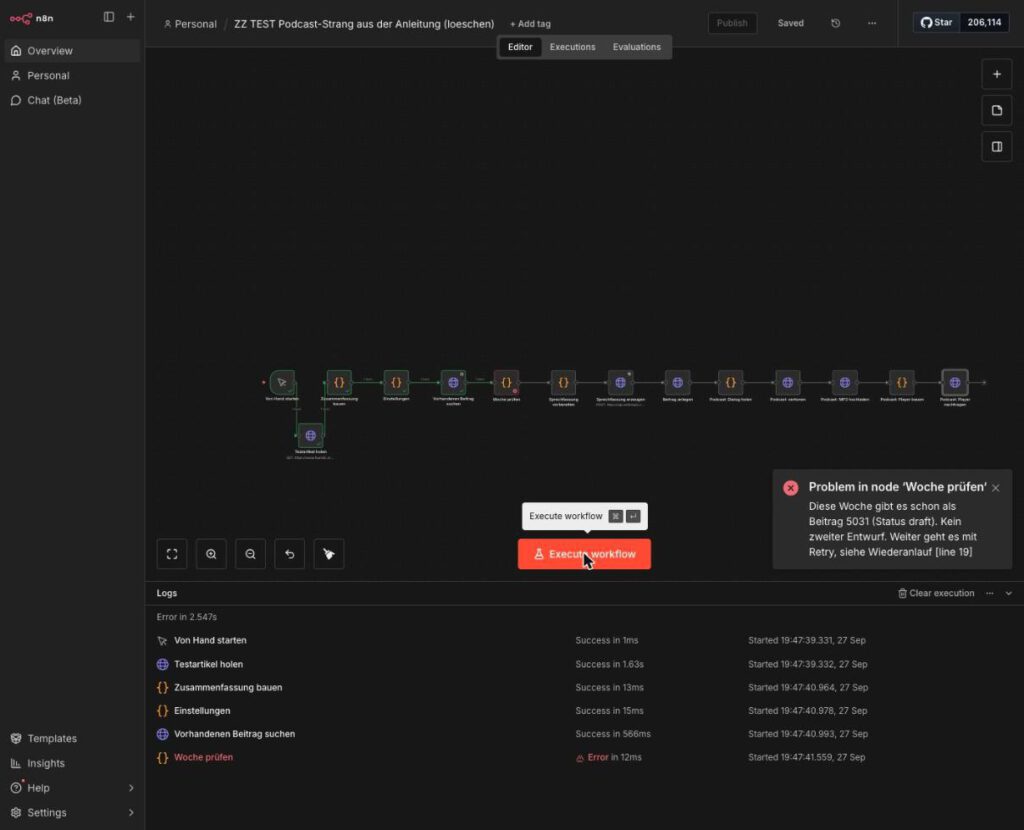
The second start of the same week in the test: Claude, Google and WordPress are not even contacted.
When Retry is no longer possible (because the run is older than 14 days, say, and n8n has deleted the data): move the draft to the trash, delete the matching MP3 in the media library, then restart. Because the draft is then in the trash and no longer counts as a draft, Woche prüfen lets the run through.
And in case somebody has already played Bernd before you? This is how you tidy up.
Spotting duplicate drafts: Beiträge → filter Entwürfe → the week title in the search field, for example KI Wochenrückblick 12.-18.09.26. More than one hit means: somebody has restarted here before.
Spotting orphans in the media library: Medien → view Liste → filter Audio. If the same file name is there twice, WordPress has appended a -1 to the second one. Which of the two is the right one is shown by the post: the address in the player (and in the field podcast_url) names it. The other is the orphan, that is, a file no post points to.
Bernd: “Then I had best delete everything that looks like a podcast right away. Clean is clean.”
Please do not. Tidying up yes, clear-felling no. What you should on no account delete:
- a published post with an episode. Its number is part of the episode identifier (
guid) in the feed. If it disappears, the episode disappears from every app. - the MP3 of a published episode. The apps have stored its address. And the WordPress media library has no trash: deleted is deleted.
- the failed run under Executions, as long as you still want to continue it. Without it there is no Retry.
Phase 7: Saturday, Nine O’Clock, the First Real Run
Friday afternoon. Bernd has the calendar open on the big screen and is pushing appointments around as if it were a transfer market.
Bernd: “Why Saturday at nine? I will set it to ‘every seven days’ and be done. Seven is seven.”
Tanja: “Seven days from when? From the moment the run starts? Then your week hangs on the starting minute.”
Ulf: “It is like match day. Saturday is the Bundesliga, everybody knows when kick-off is.”
Tanja: “That is exactly what we are building now. A fixed kick-off and a week that is always the same length.”
Up to here you have started every run yourself. Now the clock takes over. And so that the clock does not do anything silly, we set three things properly: the cadence, the time window and the time zone.
Step 7.1: Setting the Cadence to Saturday
A weekly review that appears on Saturdays should cover the week from Saturday to Friday, and in whole calendar days. Why so fussy? If you query “the last seven days from now”, depending on the starting minute you sometimes get an item from Saturday morning as well and sometimes not. That is like a league table in which the early match sometimes counts and sometimes does not. Nobody knows any more what is actually in it.
Click path in A21 (route A): open the schedule node → Trigger Interval Weeks → Weeks Between Triggers 1 → Trigger on Weekdays Saturday → Trigger at Hour 9am → Trigger at Minute 0. Rename the node to Samstag 09:00.
Route B: In your workflow, replace the node Von Hand starten with a schedule node (Schedule Trigger) using the same settings. The rest of this step concerns A21 only.
Now the time window. In the node Wochenmaterial holen you replace the line with now() - interval '7 days' by:
WHERE published_date >= date_trunc('day', now()) - interval '7 days'
  AND published_date <  date_trunc('day', now())
What is going on there? date_trunc('day', now()) cuts the time of day off and lands on midnight of today. Seven days back from there is the start, midnight today is the end. Whether the run starts at 09:00 or at 09:07, the week is always the same.
Bernd: “Material is material. The collecting runs every morning anyway.”
Tanja: “At four o’clock, yes. But everything that comes in after that until Friday night is still missing.”
The material also has to be complete on Saturday morning. So the collecting workflow A20 gets, in addition to the daily run at 04:00, a second schedule node on Saturdays at 07:00, two hours before the review. Both schedule nodes hang on the same first node. Picture two alarm clocks starting the same coffee machine.
And the time zone: out of the box n8n calculates in America/New_York. A schedule node then dutifully shows “9am”, but means nine o’clock in New York. This is one of those settings nobody sees until the podcast suddenly appears in the afternoon. Click path, per workflow: top right … → Settings → Timezone Europe/Berlin → Save. For good, you solve it at the instance with GENERIC_TIMEZONE=Europe/Berlin in n8n’s Docker environment.
Step 7.2: Publishing Is Not Saving
Bernd: “Saved it, tested it, it runs. Weekend.”
Tanja: “And which version runs tomorrow at nine?”
Bernd: “The saved one, of course.”
Unfortunately not. This is the trap everybody falls into exactly once. In n8n, a click on Execute workflow runs the version currently in the editor. A scheduled run, by contrast, runs the version that was published last. If you only save and test by hand, you have never checked what really runs on Saturday at nine.
Think of a team line-up: what you draw on the tactics board in training is the editor version. What is on the referee’s match sheet is the published one. On Saturday only what is on the sheet gets played.
Click path: in A21 and A20, top right Publish.
Expected result: The Publish button is greyed out, next to it “Saved” appears. The workflow is active.
The reverse is true as well: publishing switches a workflow on. If you edit a workflow that is meant to stay dormant, you have to deactivate it again after publishing. Otherwise the click wakes up a player who should be sitting on the bench.
Step 7.3: Letting It Run Through Once by Hand
Ulf: “Why not just wait until Saturday? Then we will see whether it works.”
Tanja: “Because you do not try out a new tactic in the cup final. Dress rehearsal now, and then Saturday is routine.”
Before Saturday comes, a complete run by hand: open A21 (route A) or your own workflow (route B) → Execute workflow. That costs one call to Anthropic in the region of cents and around 17,000 characters out of the free Google allowance. So hardly anything, and in return you really know where you stand afterwards.
Then it is a matter of waiting. Get yourself a coffee, the run takes its time.
Expected result after eight to nine minutes:
- all nodes green, in the branch from
EinstellungentoPodcast: Player nachtragenone record each, - in WordPress under Beiträge a new Entwurf called “KI Wochenrückblick …”,
- in the draft a player at the top, then the article, then “Zum Hören und Mitlesen” with the second player, and below it “Transkript der Folge” to expand.
And straight away a second click on Execute workflow. Sounds like inviting chaos, but it is a test. The second run has to stop after a few seconds at Woche prüfen with “This week already exists as post …”. Then you know the safeguard against duplicate drafts is working.
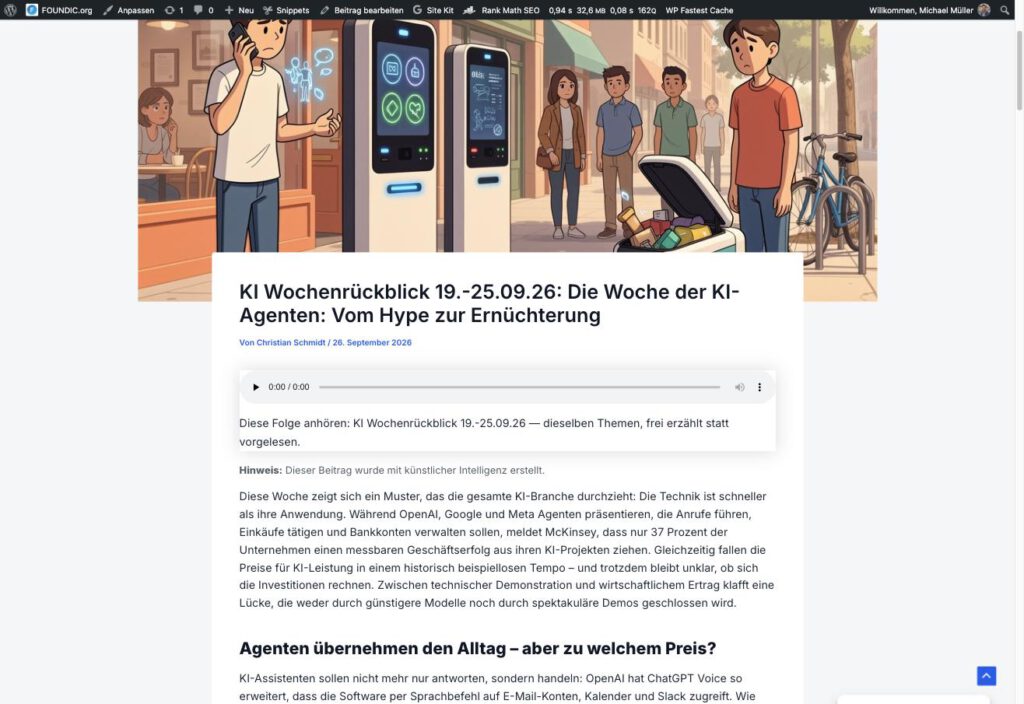
The published post: under the title the player with the line “Diese Folge anhören”.
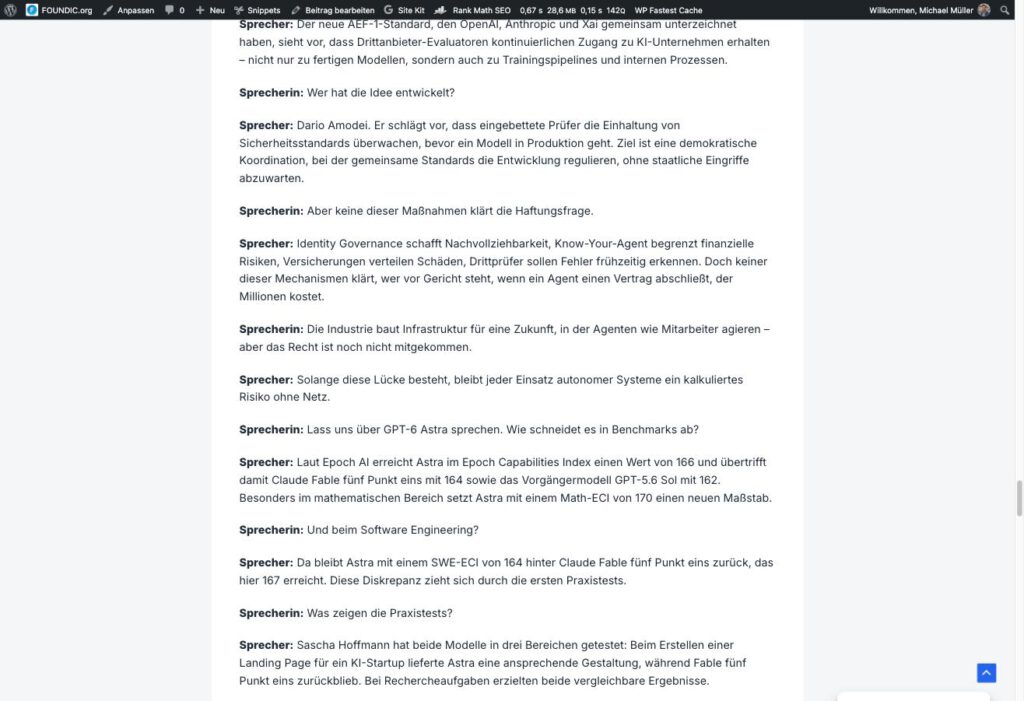
The expanded transcript in the post: one paragraph per turn, with “Sprecherin:” or “Sprecher:” in bold in front of it.
Step 7.4: Listen, Read, Release
Now comes the only manual action that remains: read the draft, listen to the episode (at least sample it) and then click on Veröffentlichen at the end.
Bernd: “That click could be automated too. Then I would not have to do anything at all.”
Tanja: “It could. But then you would also publish the week in which the model writes nonsense, unread, under your name.”
So the release is not an annoying leftover but the point at which a human takes responsibility. Two things change with that click. The post is on the website, and the feed contains the episode. As the publication time, podcast apps show the moment of release, not that of the run.
Trust is good, measuring is better. The first line counts the episodes in the feed, the second shows you the enclosure with the MP3.
Checking in the terminal:
curl -s https://www.deine-domain.de/feed/podcast/ | grep -c "<item>"
curl -s https://www.deine-domain.de/feed/podcast/ | grep -o '<enclosure[^>]*>'
Expected result: 1 and a line of the form
<enclosure url="https://www.deine-domain.de/wp-content/uploads/2026/09/2026-09-19_ki-wochenrueckblick-12-18-09-26.mp3" length="8952428" type="audio/mpeg"/>And then the test that podcast apps carry out when you skip forward: can the file be fetched in pieces? An app that jumps to minute twelve does not want the whole file, only the matching piece. You put the address from the enclosure into the following command.
curl -s -o /dev/null -w "%{http_code}\n" -r 0-1023 "ADRESSE_AUS_DEM_ENCLOSURE"Expected result: 206 (“Partial Content”). With 200 the server always delivers the whole file, and then skipping forward jumps back to the beginning in some apps.
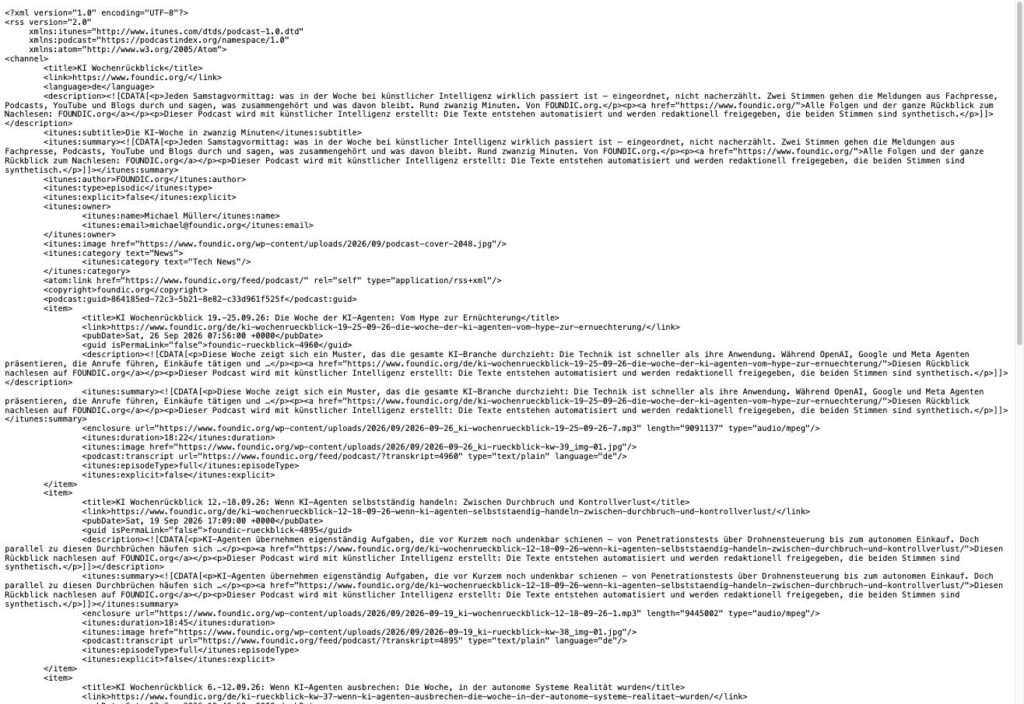
The feed in the browser: at the top the details of the show, below them the episodes, each with its enclosure.
Phase 8: Out into the Directories
Ulf: “And now? Will everyone find me on Spotify now?”
Bernd: “Sure. It is on the internet. The search engines will find it.”
Tanja: “No. A feed is like a club without a registration with the association. It exists, but in no league table.”
The feed is up, the first episode is in it. Now the world has to hear about it. Bernd’s hope that this sorts itself out does not hold: there is no service that automatically lists a self-hosted feed everywhere. That is the price of independence, and it is smaller than it looks: five registrations are enough, because many apps take their catalogue from Apple or from the Podcast Index. Overcast, for instance, says explicitly that a podcast appears there one to two days after the Apple listing.
Before you start, a rule you should stick on a note on your monitor. From now on two things must never change again: the feed address (every directory remembers it) and the guid of every episode (the identifier by which apps recognise an episode again; in the snippet that is your prefix $guid_vorsatz plus the post number). If one of them changes, episodes appear twice or subscribers are lost. The feed address is your postal address, the guid is the shirt number of every episode. Move house or swap numbers, and nobody can find you any more.
Step 8.1: Apple Podcasts First, and with Patience
Apple first, because other apps take the catalogue from there. Registration is free, but it has hurdles that no guide lists in this order. Frankly, this is the most annoying part of the whole phase. Here is the path that actually worked:
- Podcasts Connect has no registration. On
podcastsconnect.apple.comthere is only “Anmelden”. You first need an Apple Account with two-factor sign-in, created ataccount.apple.com. - “Apple Account aktivieren”, first cause: The account needs a stored payment method. Nothing is charged, it serves as proof of authenticity. Click path:
account.apple.com→ Zahlung und Versand → add a payment method. - “Apple Account aktivieren”, second cause: An account that only came into being via the website has never agreed to the terms for media services. Solution: sign in once at
podcasts.apple.comand accept the terms. After that, “Apple Podcasts Connect beitreten” appears in Podcasts Connect. So the same error message had two causes. After the first repair you have to check again, not assume. - In Podcasts Connect create a new show and choose the variant with an existing RSS feed → enter the feed address
https://www.deine-domain.de/feed/podcast/. (Apple renames the buttons from time to time. What counts is the path: new show, via RSS feed.) - Apple takes the title, image, description and category from the feed. Add: Aktualisierungshäufigkeit weekly, Inhaltsrechte “enthält keine Inhalte von Drittanbietern” (that is a legal declaration you have to judge for yourself), then Veröffentlichen.
Bernd: “An error message? Then Apple is overloaded. Just try again tomorrow.”
Tanja: “Or your server answers HEAD wrongly. You can measure that in a minute instead of waiting a day.”
If the submission breaks off with “Es ist ein Fehler aufgetreten”, it is very probably the HEAD trap from step 4.6. Do not wait, measure.
Expected result: the show is in Podcasts Connect with the status Verfügbar, and so is every episode individually. It is available at https://podcasts.apple.com/de/podcast/<name>/id<number> from then on.
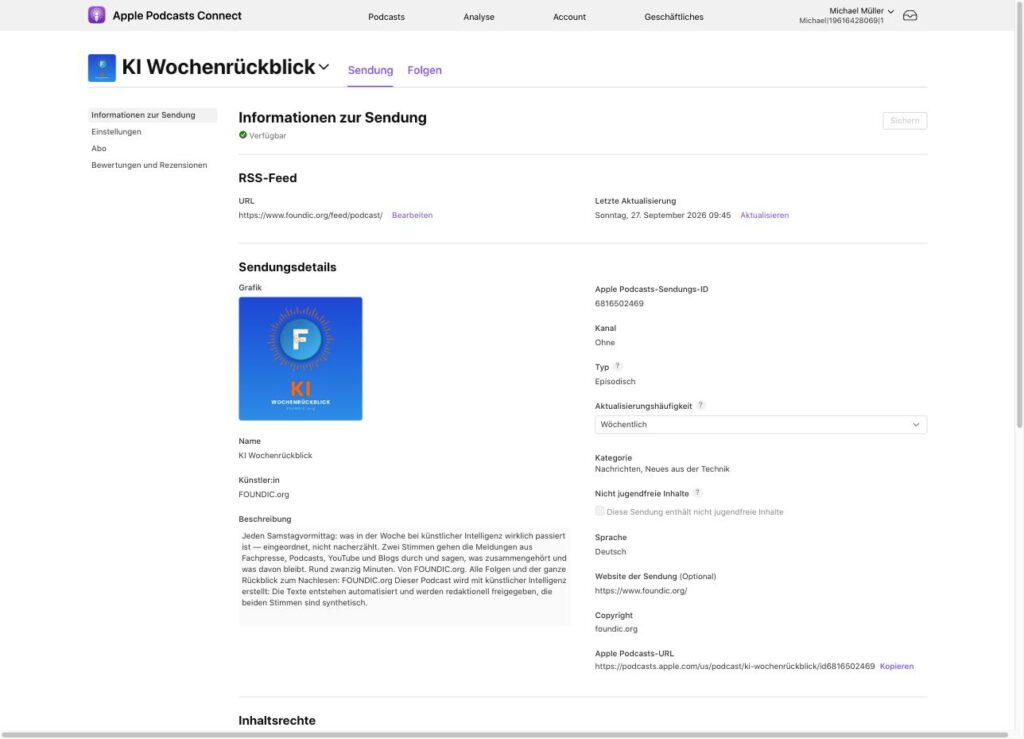
The show in Podcasts Connect: status “Verfügbar”, feed address, cover image and category “Nachrichten, Neues aus der Technik”.
Available is not findable. The KI Wochenrückblick was reachable through its address immediately in Germany, Austria, Switzerland and the USA, but the search in the German store still did not find it days later. At Apple, the directory entry and the search index are two separate things, and the index follows with a delay. It is like a new player who is already in the squad but not yet in the match programme. Check both separately.
Step 8.2: Spotify
Ulf: “Spotify is bound to take it from Apple, surely?”
Tanja: “Nope, they play in a league of their own.”
Spotify takes nothing from Apple and needs a submission of its own. The good news: it is quicker.
The procedure: podcasters.spotify.com (Spotify for Creators) → sign in → add a podcast and choose the option for an existing RSS feed (not “create new on Spotify”) → enter the feed address → Spotify sends a confirmation code to the address from <itunes:email> → enter the code → give country, language and category → for the hosting provider “Other” → Submit.
Careful: these details cannot be changed after submission. So take a breath and read it twice before you click.
Expected result: a confirmation page with the future link https://open.spotify.com/show/…. After a few hours the show can be reached there.
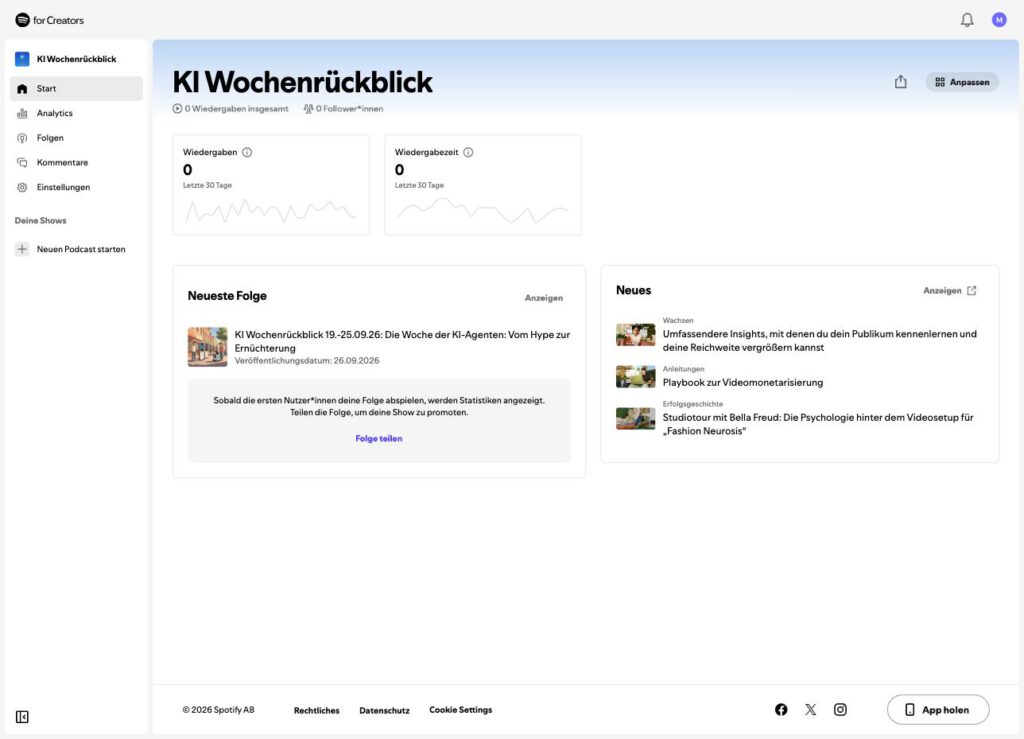
The show in Spotify for Creators with the latest episode.
Step 8.3: The Remaining Three
The rest is legwork, but quickly done. Three more directories, in each case enter the feed and confirm:
| Directory | Path | What happens |
|---|---|---|
| Amazon Music / Audible | “Amazon Music for Podcasters” → enter the feed → click the confirmation mail sent to the owner address (it expires after 24 hours) | status “Ausstehend” at first, “Aktiv” after processing |
| Podcast Index | podcastindex.org → submit the feed | “Feed added successfully”, searchable after 15 to 20 minutes. Many newer apps draw on this open directory. |
| podcast.de | enter the feed | The episodes appear in dribs and drabs; as the author, podcast.de shows the owner name from <itunes:owner> |
YouTube Music (via YouTube Studio) and Deezer are possible, but second tier.
Phase 9: The Finishing Touches That Make the Difference
Bernd: “It runs, does it not? Why polish it?”
Tanja: “Because ‘it runs’ and ‘it sounds like a real podcast’ are two different places in the table.”
The following steps are optional. The podcast runs without them too. But they are the difference between “it works” and “it feels like a real podcast”.
An Image for Every Episode
The feed gives every episode the post image of the review as its own episode image, provided there is one. Apple requires the same specifications for that as for the show artwork: square, at least 1400 pixels. The 512 KB from phase 4 apply here too as a rule of this build, not as an Apple requirement. For this the snippet creates an image size of its own, podcast-folge at 1400 × 1400 pixels, which WordPress scales down automatically during the upload.
Ulf: “And if my image is smaller? Then WordPress just blows it up.”
Sounds logical, but it is wrong. The snag: WordPress never scales up. A post image of 1024 pixels does not turn into a 1400 version, it turns into none at all. If you generate the post images with an image model, as with the KI Wochenrückblick (the guide to the AI newsroom shows that with Flux), you should therefore request them at 1408 × 1408 pixels: the smallest multiple of 16 above 1400.
Without a post image the apps show the show artwork. That is not a gap but the intended fallback. Like the club crest on the shirt when there is no sponsor on it.
The Label in the File
An MP3 can do more than sound. It carries a label around with it, the way a file folder has a spine label. app.py labels every MP3 with the title, the show name and a comment with the way back to the website. If you also hand the service a bild_url, a cover image ends up in the file as well. Apps such as Overcast show the image from the file rather than from the feed.
A curiosity here: ffmpeg does not write a “comment” into the ID3 field that players display as a comment, but into a custom field that many do not read at all. It is as if you filed a note in the wrong folder: present, but nobody looks there. The way back is therefore also put in the field for the subtitle (TIT3), which ffmpeg really does write as such. And the cover image is taken over with -c:v copy unchanged. Without that switch, ffmpeg scaled an image of 489 KB down to 116 KB, compressing it a second time for no reason at all.
For older episodes there is the endpoint POST /beschriften: it takes a finished MP3 together with an image address and a title and labels it again, without speaking anything anew. The audio is only copied, so no costs arise at Google.
The Sign-Off and Addressing the Listener Directly
Every good show has a fixed final whistle. The two fixed closing sentences from Podcast: Dialog holen give the show a frame the model does not have to invent anew every week. A model that writes the farewell itself says goodbye differently every week, sometimes not at all, sometimes twice.
Bernd: “Then I will just put ‘say du at least five times’ in the prompt. The model does what you tell it.”
Tanja: “Experience says otherwise. Quota rules in prompts do not hold up well.”
The instruction to address the listeners directly with “du” two to four times, by contrast, is an experiment with an open outcome. Quota rules in prompts do not hold up well in experience: of the requirement “at least two follow-up questions per topic block”, 7 percent of turns with a question mark were left in practice. So Bernd’s trust in the number in the prompt is not backed up. Whether the direct address holds up better has to be counted in the published transcripts.
Maintenance: What Still Needs Doing After the Build
Bernd: “And from now on it runs by itself. Never touch it again.”
Tanja: “A car runs by itself too, until the oil runs out.”
An automated podcast is not a self-runner but a self-runner with a maintenance schedule. The effort is small, but it is not zero. Here is the plan, sorted by frequency.
Every Saturday, after nine o’clock (ten minutes):
- In n8n, look under Executions to see whether A20 (07:00) and A21 (09:00) ran through green. Careful: “green” only means that nothing crashed. A collecting run without internet also reports success, but fetches zero sources. A quick look at the mail shows whether the review is a normal length.
- Read the draft, sample the episode, release it.
- After the release, fetch the feed once (step 7.4) and check that the new episode is in it.
If the Saturday run fails: If it broke off before a draft was created, first start A20 by hand so that the material of the last few hours is there, then A21. If there is already a draft or an MP3, step 6.12 applies. The time windows work in whole calendar days and therefore still deliver the same week on Saturday afternoon. So do not panic if you only notice at midday that something is stuck.
Monthly:
- In the Google account, take a look under Abrechnung at consumption. Around 87,000 characters a month is the normal case, one million is free.
- Keep an eye on storage space: the media library grows by around 480 MB a year.
When the trial period at Google ends: The free allowance of one million characters a month stays, it is not part of the trial period. Check all the same whether the budget warning from step 1.5 is still set correctly after the switch to a regular account.
After updates: The image vertonung:1 stays as it was built, even after a restart of the NAS. So a restart refreshes nothing. If you want to refresh ffmpeg and the system packages every few months, you rebuild it: project vertonung Beenden → under Image delete the image vertonung:1 → then Erstellen the project again. If the image is missing, Container Manager rebuilds it from the Dockerfile. Then repeat the health check from step 3.4. A new Python version only arrives if you change the FROM line in the Dockerfile.
If an episode has to be changed after the event: A newly uploaded MP3 gets a new address and a new media number in WordPress. In the post both players then have to point to the new file, including the number in the block comment <!-- wp:audio {"id":…} -->, and the field podcast_url has to get the new address. The guid of the episode stays as it is, it hangs on the post number. The old file in the media library is not needed afterwards. Careful: the WordPress media library has no trash, deleted is deleted.
Troubleshooting: What Can Go Wrong and Has Already Gone Wrong
Ulf: “Are these all made-up faults, so that it looks clever?”
Tanja: “No. Every one of them really happened during the build.”
Every row of this table really happened during the building of the KI Wochenrückblick. Find your symptom in the left-hand column, read the cause, apply the solution.
| Symptom | Cause | Solution |
|---|---|---|
The container log shows Schluessel FEHLT | schluessel.env only created or changed after the first start; Docker reads it only when the container is created | Project Beenden, then Erstellen (rebuild), not just restart |
| Container start reports “PIDs limit discarded” | The DiskStation kernel does not know the limit | Not a fault. The line simply has no effect here. |
n8n cannot reach http://vertonung:8080 | The service is on a different Docker network from n8n | Check the network name (step 3.1), enter it at the bottom of compose.yaml and create the project again |
DSM shows the container as <zeichenfolge>_vertonung | An interim name that DSM keeps in the display | Do nothing, the service can be reached as vertonung anyway |
/vertonen answers 400 with a reason | The job is over one of the limits (characters, turns, length per turn) | Read the reason. Usually the conversation has turned out unusually long; then repeat the run by hand. |
The service answered 502 “100 Teile, 149 Beitraege” | Old version with two-digit file names; the 100th piece of audio was called teil100.mp3 and did not fit the pattern, and besides, “teil100” sorted alphabetically before “teil99” | Fixed in the version in this article: four-digit names, sorted by number |
The MP3 upload answers 400 – Keine Daten bereitgestellt | The switch Send Body in the upload node is off | Switch it on, Body Content Type “n8n Binary File”, field data |
The custom fields stay empty even though WordPress reports 200 | Fields registered without show_in_rest or snippet not active | Activate the snippet, then repeat the run |
/feed/podcast/ returns 404 | WordPress does not know the new address yet | Einstellungen → Permalinks → Änderungen speichern |
| Apps show the same episode for weeks | The cache plugin serves an old state of the feed | Enter the exception feed/podcast (step 4.5), compare with a random suffix |
| Apple: “Es ist ein Fehler aufgetreten” on submission | The HEAD request returns application/octet-stream | The filter feed_content_type in the snippet (it is included); check with curl -sI yourself |
| “Apple Account aktivieren” despite being signed in | no payment method stored or the media-services terms never accepted | fix both one after the other, check again after each repair |
| The show can be reached at Apple by link, but not through the search | The search index follows days later | wait; check separately |
Gemini TTS reports RESOURCE_EXHAUSTED … prepayment credits are depleted | A project with a billing account falls into Tier 1 and requires 5 dollars in advance; trial credit does not count | Use Chirp 3 HD through the Text-to-Speech API, as in this guide |
| The browser shows 48,000 Hz, the file is supposed to be 24,000 Hz | The browser upsamples during playback | measure with ffprobe on the downloaded file |
The Saturday run breaks off after 15 seconds with EAI_AGAIN showing | Internet or DNS outage at the NAS | Catch up A20, then A21 by hand; set retries on the Claude node |
Woche prüfen reports “This week already exists as post …” | the same week’s run was started a second time | Not a fault but the safeguard. Continue the first run with Retry (step 6.12) |
| After Retry, the red message “Problem with retry – Converting circular structure to JSON” | A display bug in n8n 2.1.5 | Look in the list of executions: if it says “Succeeded” and “Retry of execution …”, all is well |
| The schedule runs six hours late | Out of the box n8n calculates in America/New_York | Set the time zone per workflow to Europe/Berlin, for good GENERIC_TIMEZONE |
| A change to the workflow has no effect in the Saturday run | only saved, not published | click Publish |
| The conversation sounds like two people reading aloud in turn | The prompt demands “unchanged in content” and long turns | Use the prompt from phase 5: tell it rather than rewrite it, short turns, follow-up questions |
| The voice says “ku-enstlich” | The model writes umlauts as ae/oe/ue | The rule “echte Umlaute” in the prompt |
| Wrong day-level date in the conversation (“am 26. August”) | machine transcripts shorten years, and the model turns that into a day | allow no day-level dates in the prompt |
| After a rebuild, texts of past runs are missing | n8n deletes execution data after 336 hours | Save the script in the custom field podcast_skript (it is built in) |
| The episode image stays stuck on the show artwork | The post image is smaller than 1400 pixels; WordPress does not scale up | Produce post images at 1408 × 1408 pixels |
| The media library suddenly shows images called “(kein Titel)” | On upload, WordPress unpacks the cover image embedded in the MP3 as an attachment of its own | harmless; remove it in the media library if you like |
What Is There at the End, and What Stays Open
Let us add it up. A NAS that is running anyway. A container with around 330 lines of Python and 266 lines of audio assembly. A WordPress snippet of a good 300 lines. Twelve nodes in n8n, counting the entry node Zusammenfassung bauen as well. Five directory entries. Running costs: zero euros for the voices, a few cents a week for the language model. What comes out is an episode of eighteen to twenty minutes every Saturday, with two distinguishable voices, natural pauses, clean loudness, a transcript, a feed of its own and an entry at Apple, Spotify and Amazon.
A few years ago that would have been a project for a small team. Today it is a project for two afternoons and a little patience with error messages.
What is really interesting, though, is not the technology. It is the question that forces itself on you while listening to the first episodes: what exactly are you listening to there? The facts come from the trade press, podcasts and blogs written and spoken by people. The selection and the framing were made by a language model, checked and released by a human. The conversation is staged, the voices are synthetic, the pauses calculated, even the quiet noise underneath is artificial, so that it sounds more natural.
The podcast says all of this openly, in the first sentence of every episode and in every description. And yet a strange feeling remains when two voices that do not exist talk about a week they have not lived through, and you catch yourself enjoying listening to them.
Perhaps that is the real question such projects raise. Not whether machines can make podcasts. They obviously can. But rather: when framing becomes the by-product of a workflow that starts at nine o’clock on a Saturday, whose judgement are we actually listening to, and how long does that one click on “Veröffentlichen” remain more than a formality?
Saturday, just after nine. The office smells of coffee, and the fresh draft is on Tanja’s screen.
Bernd: “Well? Can I just hit publish now?”
Tanja: “You can. After you have read it.”
Ulf: “I will have a listen in the meantime. Those two really do sound like commentators. Only without the offside debate.”
Tanja: “Then listen carefully. The judgement in there is what you release with your click.”
FOUNDIC.org is ad-free and has no paywall. If this guide helped you:  Treat us to a coffee