
What you are building in this tutorial is not a Google Alert. It’s a fully autonomous AI editorial system that researches AI topics every day, writes complete articles, generates cover images with AI, and publishes them on WordPress.
The system automatically scans the internet for the most important developments in the field of artificial intelligence. The brain behind it all is n8n, a self-hosted automation tool that brings together various specialized AI agents to form a digital editorial team. This team filters the massive flood of information from RSS feeds, evaluates each result for relevance, and transforms the best articles into high-quality blog posts.
To make this guide easier to follow, three characters will accompany you:
The typical office archetypes: the competent IT colleague, the self-proclaimed expert, and the honest beginner. These three perspectives help you recognize common pitfalls.
Tanja is the IT expert. She knows how n8n works, explains patiently and clearly, and doesn’t get thrown off by bad advice. If you have a question, Tanja has the answer.
Bernd is the self-proclaimed “expert” who thinks he knows better – and is usually wrong. His shortcuts and half-knowledge regularly cause problems. He represents all the dangerous myths and bad practices you should avoid.
Ulf is the learner, just like you. He asks the questions swirling in your head and sometimes needs a real-world analogy to understand IT. If Ulf doesn’t get something, that’s completely fine – that’s what Tanja is there for.
“And… Action!”
Monday, 8:47 AM. The office.
Ulf stares at his screen. Three browser tabs. Reddit, Heise, The Verge. He’s searching for a topic for today’s AI News post.
Bernd walks past: “Still searching manually? I just ask ChatGPT.”
Tanja doesn’t look up: “ChatGPT doesn’t know what happened yesterday.”
Bernd: “Sure it does. Premium version.”
Tanja: “The knowledge cutoff is months ago. No current news.”
Ulf: “So what do you do?”
Tanja closes her laptop. “I built a system. It reads 22 news sources every two hours, selects the most relevant article, researches the topic in depth – and writes the complete post itself. Every day.”
Silence.
Ulf: “Every day automatically?”
Tanja: “With my approval. But yes. Automatically.”
Bernd: “I would have just set up a Google Alert.”
Tanja: “Try it.”
The key point: the system works as a “human-in-the-loop” construct. The AI takes over research, quality checking and writing. You as the admin keep control – no article appears on your website before you give it the green light in WordPress. That way you combine the speed of AI with human judgement. Fast and still sensible.
Technically you are building a multi-agent system that cleverly combines the strengths of different language models: GPT-4o-mini for the fast, high-volume evaluation tasks – and Claude for the demanding article writing. On top of that comes a database of your own as a “long-term memory”, which prevents duplicates and puts your editorial processes on a professional footing.
The editorial team – five agents:
- Agent 1: Research (RSS feeds, every 2 hours)
- Agent 2: Individual editorial evaluation (GPT-4o-mini, every 4 hours)
- Agent 3: Content research & enrichment (GPT-4o-mini + Tavily, daily)
- Agent 4: Write article + cover image (Claude + Flux-2-Flex, daily)
- Agent 5: Publish to WordPress (daily, with manual approval)
2 Technical Description
2.1 System Architecture
Ulf: “Wait – the five agents talk to each other? Like in the office, through emails?”
Tanja: “Not directly. They communicate through the database. Think of the database as a large shared inbox. Agent 1 puts something in. Agent 2 picks it up, processes it, puts it back with a new status. And so on – down the pipeline.”
Bernd: “I would have just connected them directly.”
Tanja: “And if one crashes, everything else crashes too. The database acts as a buffer. If Agent 2 hangs, Agent 1 keeps running. Articles stay safely in the database until Agent 2 continues.”
The AI Newsroom follows a pipeline architecture: five specialised n8n workflows run sequentially, each taking on exactly one task. The key that holds them together is a shared PostgreSQL database as the central memory. No agent talks directly to another – they communicate exclusively through the database, by reading records, processing them and moving their status forward. The entire infrastructure runs self-hosted on a Synology NAS in Docker.
[Internet / RSS-Feeds]
        ↓
  A1: Recherche         → ki_artikel (Status: NEU)
        ↓
  A2: Bewertung         → ki_artikel (Status: BEWERTET)
        ↓
  A3: Content-Recherche → ki_story   (Status: ANGEREICHERT)
        ↓
  A4: Artikel + Bild    → ki_artikel (Status: PUBLISH_READY)
        ↓
  A5: WordPress         → ki_artikel (Status: PUBLISHED)
        ↓
  [WordPress / foundic.org]
2.2 Database Schema
The database consists of three tables – think of them as three different drawers in a filing cabinet:
ki_artikelis the main table. Every ingested RSS article lands here and stays there until publication. The table stores raw data from the feed, AI evaluation scores, finished WordPress content and the current workflow status. The fieldurl_normalizedprevents duplicates: Tracking parameters likeutm_source, thewww.-prefix and unnecessary trailing slashes are removed from URLs before an article is stored. This way Heise links with and without?utm_campaign=newsletterdon’t end up twice in the database.ki_storyis the creative repository. Here lies the enriched, deeply researched content – the background text created by Agent 3 and later the finished WordPress article written by Claude. Every story is assigned to exactly one entry inki_artikel.ki_artikel_edgesis the connection lookup table. When Tavily finds related websites during research, this table documents the connection: Which article found which source? With which search term? At which ranking position? This gradually builds a small knowledge network of interlinked articles in the background.
2.3 The Five Agents in Detail
Agent 1 – Research (every 2 hours): 22 parallel RSS feed readers supply the system with news from the entire German-language tech and quality press: Heise, Golem, t3n, Computerwoche, FAZ, Handelsblatt, Spiegel, Süddeutsche and many more. Every feed is labelled with a source name. A Postgres node with Skip on Conflictprevents duplicate entries; the URL normalization via JavaScript removes all tracking parameters before saving.
Agent 2 – Evaluation (every 4 hours): A Basic LLM Chain node with GPT-4o-mini rates every new article on two dimensions: AI application relevance and AI development significance (0–10 each). The overall score weights application relevance at 60 % and development significance at 40 %. In addition, the AI assigns every article to one of 12 predefined subcategories.
Agent 3 – Content research (daily): Articles with score_gesamt >= 7.5 are researched in depth. The workflow loads the full text from the source page, checks the text quality and adds up to 20 Tavily search results. GPT-4o-mini condenses all of it into a structured background text.
Agent 4 – Article + image (daily): The article with the highest score goes to Claude Sonnet, which writes a legally compliant WordPress article from it. At the same time Flux-2-Flex generates an original cover image in editorial flat design style.
Agent 5 – WordPress (daily): Finished articles first land as a draft in WordPress – and wait for your approval. That is the human-in-the-loop checkpoint.
2.4 Technologies & Costs
| Komponente | Technologie |
|---|---|
| Orchestrierung | n8n (self-hosted, Docker, Synology NAS) |
| database & Monitoring | PostgreSQL + Metabase |
| evaluation & research | GPT-4o-mini (OpenAI) + Tavily |
| article-Erstellung | Claude Sonnet (Anthropic) |
| imagegenerierung | Flux-2-Flex (Black Forest Labs) |
| Publikation | WordPress REST API |
With daily publication of one article, the monthly API costs typically stay below 5 euros – thanks to GPT-4o-mini for the high volume (evaluation + research) and Claude Sonnet only for the single article that appears each day. Flux-2-Flex costs about 1–2 cents per image, Tavily is free up to 1,000 searches a month.
3 Implementation in n8n
3.1 Database Setup
Tanja: “Before we build the agents, we need the foundation. The database.”
Ulf frowns: “Why can’t we just store everything in Excel?”
Tanja: “Because 500 articles a day in Excel look like a stadium after a derby win – everything in a jumble, nothing findable any more.”
Bernd: “I once had all our customer data in a single Excel file, worked brilliantly. Until I deleted the wrong column by accident.”
Tanja ignores him: “We use PostgreSQL. That is a database that runs on the NAS, files things away properly and hands them back in a flash when asked. n8n talks to it the way an office talks to its filing cabinet.”
3.1.1 Create the Connection (Credentials)
Tanja: “Don’t panic – this sounds more complicated than it is. You only need to tell n8n once where the database is – then you can use it in every workflow. Think of it as saving a new contact in your phone: once saved, always available.”
- Log in to your n8n interface on the NAS a
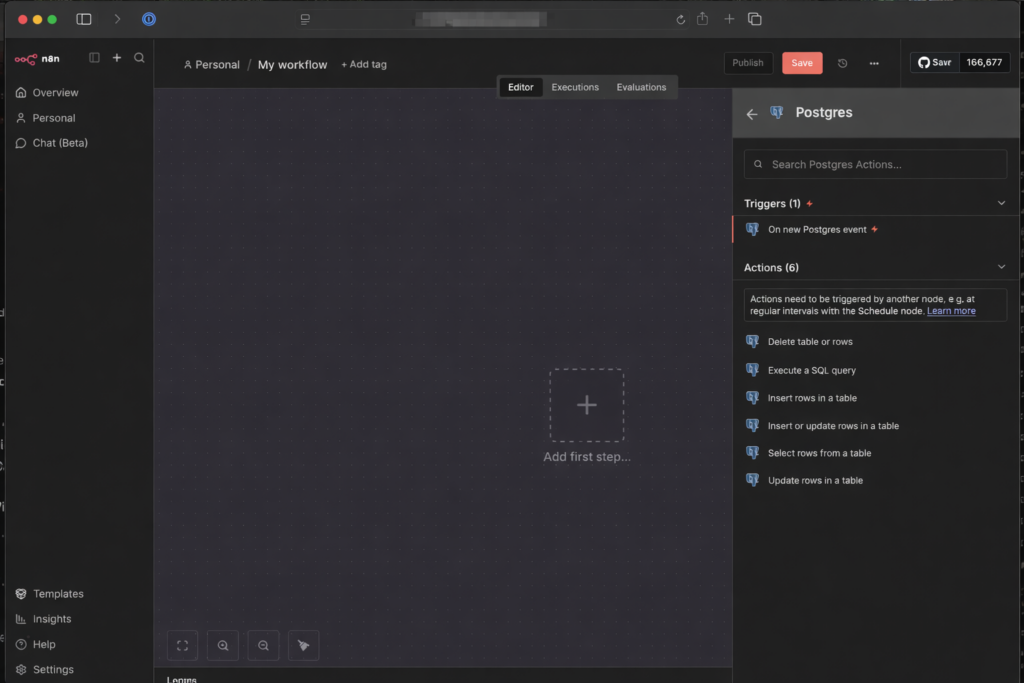
- On the left, go to Start from scratch -> Add first step -> „+“ -> search for „Postgres“ -> select „Execute a SQL query“ -> Credential to connect with: „Create a new Credential“
How to install n8n with a PostgreSQL database on a Synology DiskStation, using a DS1621+ as the example, is described in the article n8n self-hosting – n8n Installation on Synology NAS (Diskstation DS1621+) optionally with PostgreSQL.
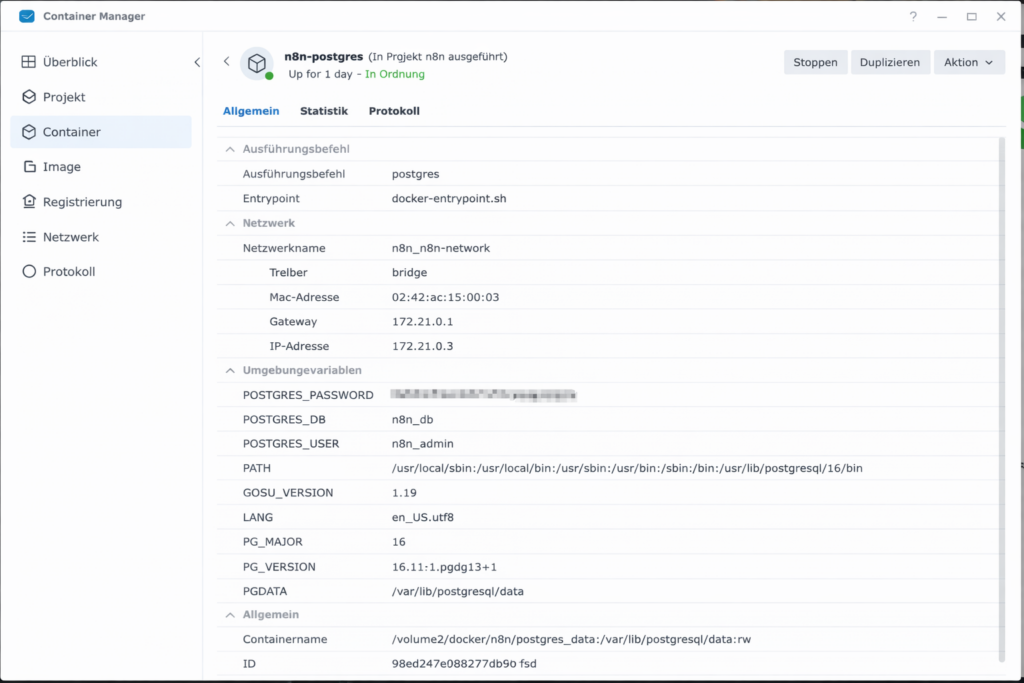
- Now enter the data that you can find in the Synology Container Manager under Container → postgres container → Details
- Host: IP address or container name (if in the same project)
- Database: Usually
postgresorn8n_db(depending on what was given asPOSTGRES_DBduring the installation) - User: The name you assigned (often
postgresoradmin) - Password: the password you set
- Click on Save. When a green shield with “Connection tested successfully” appears at the top, steht the Leitung!
- Name it in the top left of the workflow overview:
Set-up Database
3.1.2: Create the First Tables in the Database
The ki_artikel table is the central digital memory of your newsroom – every collected news item, every evaluation and the publication status land here.
Picture setting up a new filing cabinet. Before you can put anything into it, you have to label the compartments. That is exactly what the following SQL script does: it creates the compartment structure.
- Close the Credential window (click the X in the top right).
- You are now back in the window of the Postgres node (Execute a SQL query), double-click “Execute a SQL query” if necessary
- Delete the 1 in the Query field completely.
- Copy the folgende SQL-Skript and add es there a:
CREATE TABLE ki_artikel (
  -- Unique ID
  id SERIAL PRIMARY KEY,

  -- Original data
  url VARCHAR(500) UNIQUE NOT NULL,
  title TEXT NOT NULL,
  description TEXT,
  content TEXT,  -- for later
  source VARCHAR(200) NOT NULL,  -- e.g. 'Heise'
  published_date TIMESTAMP,
  image_url TEXT,
  source_type TEXT,  -- e.g. 'rss'
  first_seen_at TIMESTAMPTZ NOT NULL DEFAULT now(),
  url_normalized TEXT UNIQUE,

  -- Workflow status
  status VARCHAR(50),

  -- Rating
  score_relevanz INTEGER,
  score_bedeutung INTEGER,
  score_gesamt DECIMAL(3,1),
  subkategorie VARCHAR(80) DEFAULT NULL,
  bewertung_begruendung TEXT,

  -- Timestamps
  created_at TIMESTAMP DEFAULT CURRENT_TIMESTAMP
);

-- Index for fast queries (top news)
CREATE INDEX idx_published_date ON ki_artikel(status, published_date DESC);
The UNIQUE after url_normalized matters. Agent 3 later inserts new hits with ON CONFLICT (url_normalized), and that statement requires a unique column. Without UNIQUE the import aborts with the message no unique or exclusion constraint matching the ON CONFLICT specification.
Click Execute step.
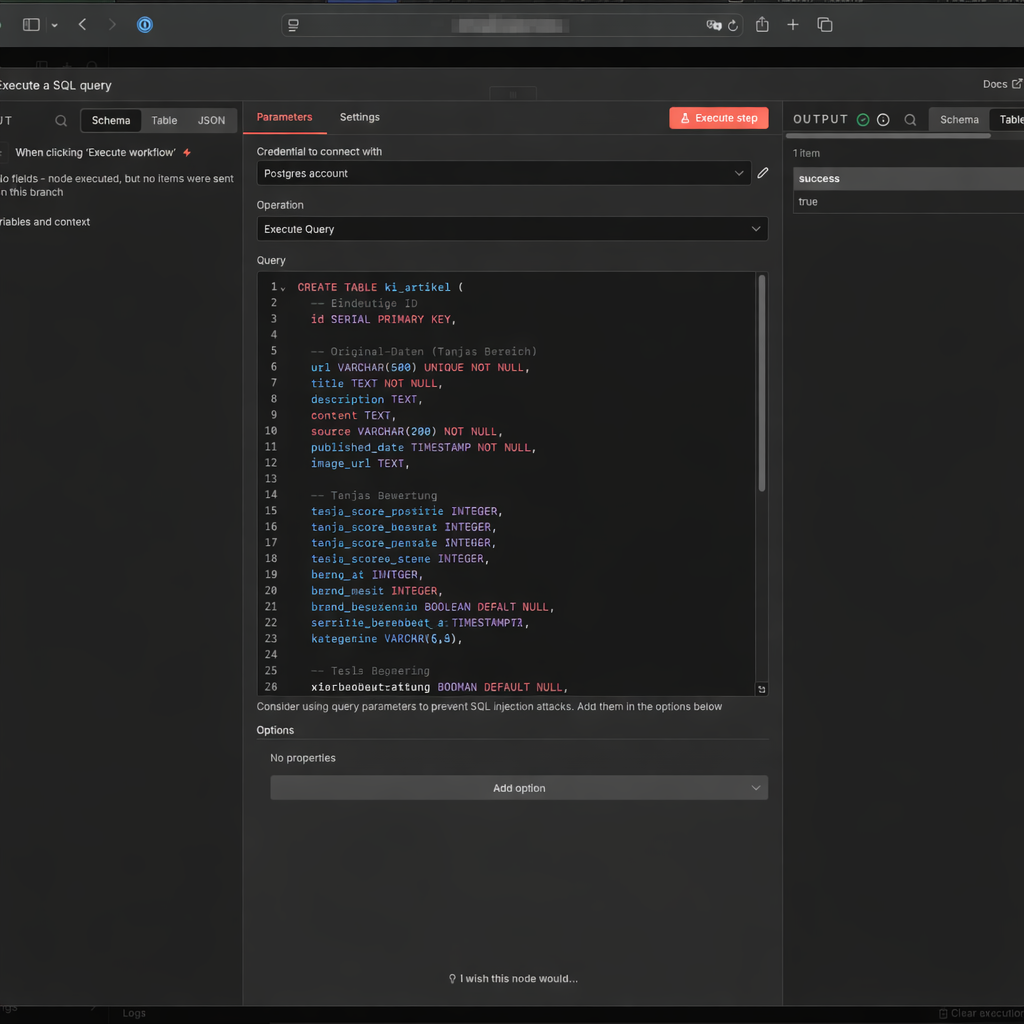
Then you create two more tables. The first connects articles with each other (ki_artikel_edges), the second stores the enriched editorial content (ki_story).
Table ki_artikel_edges – the network of connections between articles:
CREATE TABLE IF NOT EXISTS ki_artikel_edges (
  id BIGSERIAL PRIMARY KEY,

  from_artikel_id BIGINT NOT NULL
    REFERENCES ki_artikel(id) ON DELETE CASCADE,

  to_artikel_id BIGINT NOT NULL
    REFERENCES ki_artikel(id) ON DELETE CASCADE,

  relation_type TEXT NOT NULL,     -- e.g. 'tavily_related'
  query TEXT,                      -- optional: search query
  rank INT,                        -- position in the Tavily result
  score NUMERIC,                   -- optional: Tavily score/relevance
  retrieved_at TIMESTAMPTZ NOT NULL DEFAULT now(),

  UNIQUE (from_artikel_id, to_artikel_id, relation_type)
);

CREATE INDEX IF NOT EXISTS ki_artikel_edges_from_idx
  ON ki_artikel_edges(from_artikel_id);

CREATE INDEX IF NOT EXISTS ki_artikel_edges_to_idx
  ON ki_artikel_edges(to_artikel_id);

CREATE INDEX IF NOT EXISTS ki_artikel_edges_type_idx
  ON ki_artikel_edges(relation_type);
Table ki_story – the place where finished articles are drafted:
CREATE TABLE IF NOT EXISTS ki_story (
  id BIGSERIAL PRIMARY KEY,

  primary_artikel_id BIGINT NOT NULL
    REFERENCES ki_artikel(id) ON DELETE RESTRICT,

  content_enriched TEXT NOT NULL,
  enrichment_source TEXT,          -- 'direct' | 'search_llm'
  score_gesamt_enriched NUMERIC(4,2),
  tavily_link_count INTEGER,
  status TEXT NOT NULL DEFAULT 'DRAFT',
  created_at TIMESTAMPTZ NOT NULL DEFAULT now(),
  updated_at TIMESTAMPTZ NOT NULL DEFAULT now(),

  -- WordPress
  wp_title TEXT,
  wp_content TEXT,
  wp_excerpt TEXT,
  wp_tags TEXT,
  image_file_path TEXT,
  wordpress_post_id BIGINT,
  wordpress_url TEXT
);

CREATE INDEX IF NOT EXISTS ki_story_primary_idx
  ON ki_story(primary_artikel_id);
3.1.3: Workflow Status Logic
The status field in ki_artikel is the traffic light of your system. Every article goes through exactly these states:
NEU(Insert)BEWERTET(Evaluation complete)ANGEREICHERT(Background text complete)PUBLISH_READY(Article pulled / “reserved”)PUBLISHED(Published in WordPress)PUBLISH_BLOCKED(if anything fails for legal or technical reasons)
3.2 Agent 1: Research: RSS Feeds
Ulf: „RSS feeds, isn’t that technology from twenty years ago?“
Tanja: „Football has been around for 150 years, and it is still the most effective way to coordinate 22 people on a pitch. RSS is the same: simple, robust, works everywhere.“
Bernd: „I have heard RSS is dead“.
Tanja: „Then Heise, Spiegel, FAZ and the Süddeutsche have not noticed yet. They all still run RSS feeds actively.“
3.2.1 Setting Up the Workspace
- Go back to the workflow overview and click on Create new workflow
- Name it in the top left:
1 Agent: Research: RSS Feeds - Click on Add First Step and select Schedule Trigger
- Trigger Interval: Hours
- Set it to Manual (= Custom Cron) at first – so the trigger does not fire constantly while you are building. You set the real schedule at the end.
- Hours Between Triggers: 2
- Trigger at Minute: 0
3.2.2 Tapping the Sources (RSS Feed)
- Click on the + next to the Schedule Trigger
- Search for the node RSS Feed Read
- Node: rssFeedRead
- URL: RSS-Feed eintragen (z.B.
https://www.heise.de/rss/heise-atom.xml)
- Click on Test Step. Du solltest now a Liste with titlen and Links sehen
- You can add as many RSS Feed Reader nodes as you like in parallel to the workflow and connect them to the trigger. To do this, click on the output of the trigger and then on the input of the respective RSS Feed Reader.
3.2.2b Set Error Handling for the RSS Nodes
One point that only shows up in continuous operation: RSS feeds fail. A server answers with 503, a certificate expires, an editorial team rebuilds its URLs. By default, n8n aborts the entire run on an error – a single stuck feed means that the 21 working feeds deliver nothing either.
So set On Error to Continue (using error output) in the node settings (tab Settings) of every RSS node. The failed feed is then skipped and the run continues with the rest. If you like, attach a notification to the red error output – it is not necessary, because the next run comes in two hours anyway.
3.2.3 Assign the Source to the RSS Feed
- Click on the + symbol at the output of your RSS nodes
- Search for the node Edit Fields (you need this node for each RSS feed)
- Setting: * Click on „Add Field“ -> „String“.
- Node: Edit Fields
- Field name:
source_name-> String - Value: e.g.
Heise - Include Other Input Fields: aktivieren
- Repeat: these two nodes for all your additional RSS feeds (RSS Feed -> Edit Fields -> Value:
abc) that you want to read regularly.
3.2.4 Building the Archive in the Database
Now you tell n8n where the archive is – and how newspaper clippings get filed there. Think of this step as programming a new filing cabinet: label clearly, define which drawer, done.
- Click on the + at the output of your Edit Fields nodes
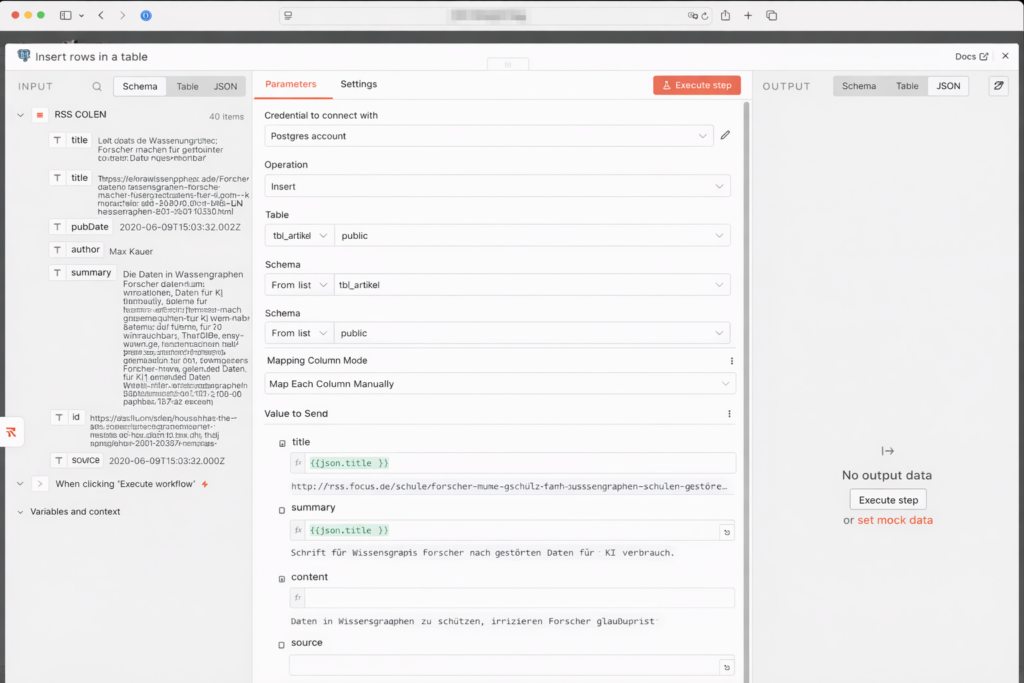
- Search for Postgres and select „Insert rows in a table”:
- Node: Insert rows in table
- Credential to connect with: your
n8n-postgresconnection from Step 3.1.1 - Operation: Insert
- Schema: From list: public
- Tabel: From list:
ki_artikel - Mapping Column Mode: Map Each Column Manually (Daten einsortieren)
- Now comes the most important part: You need to tell n8n which RSS field belongs to which database column. Click on Add Column and enter one after anothernder folgende Zuordnungen a:
| Column | Value – how you do it: |
|---|---|
| id | Delete this row completely – the ID increments automatically |
| title | Click into the field. In the menu on the left, under „RSS Feed Read“, find title and drag it into title, or alternatively{{ $json.title }} |
| url | {{ $json.link }} |
| description | {{ $json.summary || $json.contentSnippet || ” }} |
| source | {{ $json.source_name }} |
| published_date | {{ $json.isoDate }} |
| image_url | {{ $json.enclosure?.url || ” }} |
| status | NEU (type it by hand, do not pick it from the menu) |
| source_type | rss (type it by hand) |
| url_normalized | Expression (see code below) |
| content | Expression (see code below) |
For url_normalized copy this JavaScript expression into the Value field:
{{
(() => {
  const raw = $json.link || $json.url || "";
  // without new URL: URL is not available in n8n expressions
  const m = raw.trim().match(/^(?:https?:\/\/)?([^\/?#]+)([^?#]*)(\?[^#]*)?/i);
  if (!m) return raw;

  // Remove tracking parameters
  const dropExact = new Set([
    "fbclid","gclid","dclid","msclkid","igshid",
    "mc_cid","mc_eid","mkt_tok","yclid","cmpid"
  ]);
  const params = (m[3] || "").slice(1).split("&").filter(p => {
    const key = p.split("=")[0].toLowerCase();
    return p && !(key.startsWith("utm_") || dropExact.has(key));
  });

  // Normalize host and protocol, the fragment is dropped
  const host = m[1].replace(/^www\./i, "").toLowerCase();
  return "https://" + host + (m[2] || "/") + (params.length ? "?" + params.join("&") : "");
})()
}}
Why the effort? Because the same Heise article can appear with five different tracking parameters in the URL. Without normalization, the system would consider it five different articles and try to process it five times. The URL normalization extracts only the essential part of the URL – clean, without tracking parameters – and that’s what gets saved in the database. Duplicates are then reliably detected and skipped.
One field is still missing from the table above, and it is the most interesting one: content. It has been in the schema from the start, with the comment for later. That later is now.
Many feeds do deliver the full article – but in a field of their own called content:encoded, not in the one that is called content. The content field of the RSS node only holds the short version. Anyone who trusts the name throws the full text away without noticing. With one of my sources that is 18,876 characters instead of 2,685.
The expression therefore does not pick a particular field, it simply picks the longest of the three. For content, copy it into the value field:
{{ [$json['content:encoded'], $json.summary, $json.content].filter(x => typeof x === 'string').sort((a,b) => b.length - a.length)[0] || '' }}For the same reason, description now only holds $json.summary || $json.contentSnippet. If $json.content were still in there, the same text would sit in the database twice – and the description that Agent 2 is about to rate would be a whole essay for some sources instead of a teaser.
- Delete all other pre-filled „Values to Update“, so that only the fields defined above are written.
- At the very bottom: Options → Add option → enable Skip on Conflict. This way an article whose URL is already in the database is simply skipped instead of throwing an error.
- Test run: click the orange „Execute workflow“ button. What should happen now: n8n pulls the news from the feeds (green numbers appear), sends them to the Postgres node (next green number) and saves them on your NAS. When you see the numbers – congratulations, your first archive is alive.
3.2.5 Publish the Workflow
Set the Schedule Trigger to 2 hours and activate the workflow via the toggle at the top right.
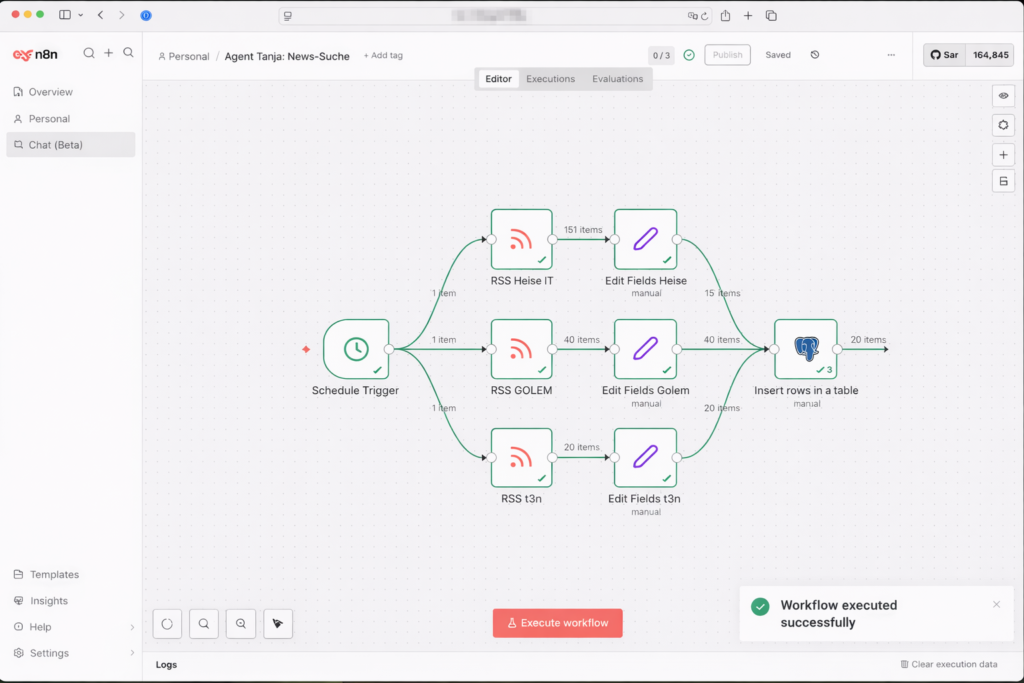
3.3 Agent 2: Individual editorial evaluation
Ulf: “Okay, we now have an archive full of articles, but how do we know which ones are worth reading?”
Tanja: “That’s what Agent 2 is for. It reads each new article, evaluates it with AI according to fixed criteria, and gives it a score. Only articles above the threshold pass through.”
Bernd: “I’d just read everything manually.”
Tanja: “With 22 RSS feeds, every 2 hours? Let’s say 500 articles per day. Go ahead.”
Bernd pauses. “Maybe the AI isn’t so bad.”
3.3.1 Starting the workflow
- Go back to the workflow overview and click on Create new workflow
- Name it in the top left:
2 Agent: Individual editorial evaluation - Add a Schedule Trigger:
- Trigger Interval: Hours
Set it to Manual (= Custom (Cron)) at first, so that we don’t constantly pull new data while building. Later we set it to “Every 4 hours” - Hours Between Triggers: 4
- Trigger at Minute: 0
- Trigger Interval: Hours
3.3.2 Read Record from Database
- Add a Postgres-Node „Execute a SQL query”:
- Credtial to connect with:
n8n-postgres - Query:
- Credtial to connect with:
SELECT id, title,
       -- The first characters are enough for rating. Without this limit,
       -- whole essays would go into the model: feeds with full text deliver
       -- descriptions of several tens of thousands of characters.
       left(description, 4000) AS description,
       url
FROM ki_artikel
WHERE status = 'NEU'
  -- Only rate RSS articles. As soon as further collectors write into the
  -- same table, their records do not belong in the daily chain.
  AND source_type = 'rss'
LIMIT 5;
We start gently with LIMIT 5 – five articles are enough for testing. You can raise the limit later.
Two additions in this query come from running the thing. left(description, 4000) caps what goes into the model: since Agent 1 also writes content:encoded, individual feeds deliver descriptions of several tens of thousands of characters. For judging topic and usefulness the first 4,000 are more than enough – the rest would be paid computing time without any extra insight. And because the limit sits in the query and not in the prompt, no model can talk its way past it.
AND source_type = 'rss' is a safeguard for later. As long as only Agent 1 writes into the table, the line changes nothing. As soon as further collectors arrive – a second workflow for blogs, videos or podcasts – it keeps Agent 2 from rating records that did not come from a feed at all and that the rating logic was never meant for.
3.3.3 Add the Loop
The AI should evaluate each article individually – not all at once. For this we use the Loop Over Items node.
- Node: Loop Over Items
- Bartch Size: 1
- Done: bleibt leer
- Loop: next node
Think of it as an assembly line: article in, rate it, next article.
3.3.4 Basic LLM Chain
Bernd: “Hold on, if we’re using AI, then let’s do it properly. I’d take GPT-5.2 here. The best of the best.”
Tanja turns to him. “How many articles does Agent 2 evaluate per day?”
Bernd shrugs. “No idea. A hundred? Two hundred?”
Tanja: “Let’s say 150. GPT-5.2 costs about $15 per million input tokens. GPT-4o-mini costs $0.15 – a hundred times less.” She writes two numbers on a slip of paper. “Per article we reckon around 500 tokens for title and description, plus another 200 tokens of output. At 150 articles a day and 30 days a month, GPT-4o puts you at roughly 33 euros a month. For the evaluation alone.”
Ulf: “And with mini?”
Tanja: “33 cents.”
A short pause.
Bernd: “But GPT-5.2 is far smarter.”
Tanja: “For this task we don’t need a genius. We are asking: is this article relevant? Which category? A justification in 25 words. That is a structured classification task – not rocket propulsion, not a poem, not legal advice. GPT-4o-mini solves it just as reliably as its big brother. The difference: speed and price.”
Ulf: “So when would you take the big model?”
Tanja: “Agent 4. Writing the article. That has nuance in it, argument, style, sensitivity to copyright. For that we take Claude Sonnet. But for ‘award a mark from 0 to 10’ – there mini is clever enough and a hundred times cheaper.”
Bernd looks at his screen. “I’d still have taken the big one.”
Tanja: “I know. That is why I decide it.”
Now comes the centrepiece of Agent 2. Why “Basic LLM Chain” and not an AI Agent? Because we don’t need autonomous decision-making here – we need a structured, reproducible evaluation. The Basic LLM Chain delivers exactly that: the same prompt, the same model, the same format – every time.
- Node: Basic LLM Chain
- Source for Prompt (User Message): Define below
- Prompt (User Message):
Role: You are a critical analyst and AI trend scout.
Task: Assess the following article for its usefulness to interested AI users who want to apply AI better in everyday life (private & professional) and to understand future developments. Also assign the article precisely to one of the given subcategories.

Input data:
Title: {{ $json.title }}
Description: {{ $json.description }}

---

### 0. Pre-check for AI relevance (before any assessment):
First check whether the article has any AI relevance at all. AI relevance exists when artificial intelligence, machine learning, language models, generative methods or AI-supported tools are the subject of the article - not when AI merely appears as a buzzword in passing.
Examples without AI relevance: databases (MariaDB, PostgreSQL), programming languages and libraries without AI functions, classic IT security (passkeys, PKI authentication, detection engineering), image search without a generative component, general product and technology news.
Set "ki_bezug" to false if you hesitate. An article wrongly filtered out costs nothing, one that slips through costs a wrong article.
With "ki_bezug": false the subcategory must be "No AI Focus" and both scores are 0.

---

### 1. Strict assessment logic (scale 0 to 10):

AI application relevance (practical value today):
- 0–1: No AI relevance, or purely abstract / technical with no derivable benefit.
- 2–4: AI is mentioned, but without concrete ideas for use.
- 5–6: Offers examples, tools, a productivity or everyday connection.
- 7–8: Clear, transferable use cases (work, learning, organisation, creativity).
- 9–10: High added value: concretely changes how one uses AI sensibly.

AI development significance (a look ahead):
- 0–1: Insignificant or a mere footnote.
- 2–4: General development without depth.
- 5–6: Relevant trend (e.g. copilots, regulation, AI in everyday life).
- 7–8: An important course-setting (e.g. new fields of use, strong adoption).
- 9–10: A paradigm shift with clear consequences for users.

---

### 2. Subcategories (choose EXACTLY one name from this list):

1. Use Cases & Best Practices (specifics: practical examples, everyday/work, productivity scenarios)
2. Prompting (specifics: operational assets: ready-to-use templates, concrete command chains and copy-and-paste prompts for immediate results)
3. Learning & Skill Building (specifics: methodical knowledge: tutorials, learning paths, concepts such as chain-of-thought, methodology, explanations that make you think along)
4. Tools & Product Updates (specifics: software releases, new functions, UI changes)
5. Automation & Agents (specifics: n8n/Zapier workflows, agent flows, APIs, process automation)
6. AI Creativity (specifics: focus on generative media creation: image, video, audio, design beyond pure text assistance)
7. News & Developments (specifics: market & strategy news, trends, general context)
8. Models & Open Source (specifics: LLMs, open-source models, GitHub projects, technical deep dive)
9. Hardware & Local AI (specifics: gadgets, AI PCs, chips such as Nvidia/NPU, local AI setups)
10. Security & Privacy (specifics: data protection, security, safe use of AI)
11. Ethics, Law & Policy (specifics: AI Act, regulation, governance, deepfakes)
12. No AI Focus (focus: default category for all content without clear AI benefit or AI relevance, general technology news or off-topic)

IMPORTANT: If the subcategory "No AI Focus" is chosen, then application relevance must be <= 1 AND development significance <= 1.

---

### 3. Output format & validation:
Produce exclusively a valid JSON object without Markdown formatting.

IMPORTANT: The field "subkategorie" MUST match one of the 12 names above letter for letter. Do not change any special characters, do not invent new names and mind the exact capitalisation.

STRICT OUTPUT RULES:
- Output EXACTLY ONE JSON object.
- No text before or after the JSON.
- NO comma after the closing }.
- Use double quotation marks exclusively for JSON.

{
  "ki_bezug": true or false,
  "anwendungsrelevanz": number,
  "entwicklungsbedeutung": number,
  "subkategorie": "EXACT_NAME_FROM_LIST",
  "begruendung": "Maximum 25 words. Justification of the category + justification of the application relevance and development significance."
}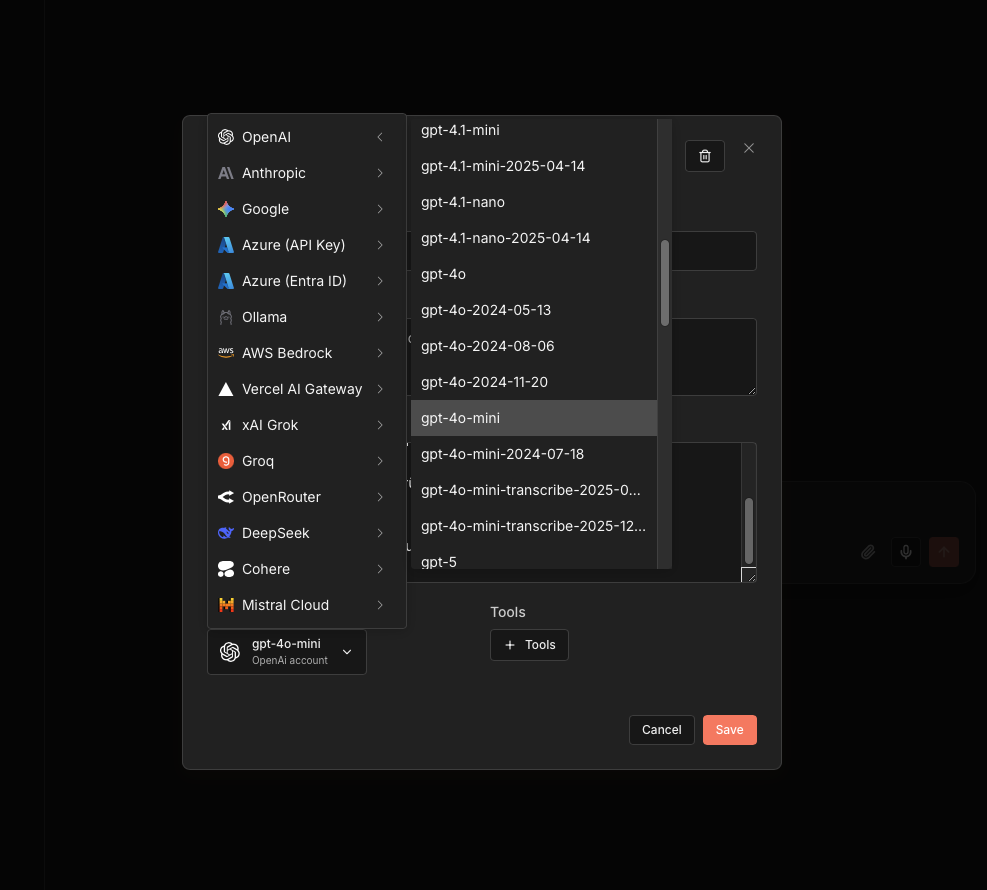
Connect the Basic LLM Chain with the OpenAI Chat Model:
- Node: OpenAI Chat Model
- Credential to connect with: OpenAI account
- Model:
gpt-4o-mini - Use Response API: active
3.3.5 Code in JavaScript
GPT-4o-mini sometimes returns JSON with Markdown border wrappers (backticks, json-Tags), occasionally also a stray comma or semicolon before the closing brace, and now and then a truncated answer. This code node repairs all of that and calculates the overall score:
- Node: Code in JavaScript
- Mode: Run Once for Each ITem
- Language: JavaScript
let raw = $json.text;

// Strip the backticks and trim the text down to the JSON object
let clean = String(raw).replace(/```json/g, "").replace(/```/g, "").trim();
const start = clean.indexOf("{");
if (start > 0) clean = clean.slice(start);
const ende = clean.lastIndexOf("}");
if (ende > -1) clean = clean.slice(0, ende + 1);

// Repair 1: a stray comma or semicolon before a closing bracket.
// The most common error up to 15.08.2026: {"begruendung": "...",}
clean = clean.replace(/[,;]+(\s*[}\]])/g, "$1");

let artikelId = "unbekannt";
try { artikelId = $("Loop Over Items").item.json.id; } catch (e) {}

function versuche(text) { try { return JSON.parse(text); } catch (e) { return null; } }

let data = versuche(clean);

// Repair 2: a truncated answer. Drop punctuation at the end,
// add the missing closing brackets.
if (!data) {
  let repariert = clean.replace(/[\s,;.]+$/, "");
  const offen = (repariert.match(/\{/g) || []).length - (repariert.match(/\}/g) || []).length;
  if (offen > 0) repariert = repariert + "}".repeat(offen);
  data = versuche(repariert);
}

if (!data) {
  throw new Error("Antwort des Modells ist kein gueltiges JSON. Artikel-ID: " + artikelId + ". Antwort war: " + clean.slice(0, 300));
}

// In case the AI wrapped it in "output"
if (data.output) data = data.output;

// Hard precondition on the AI reference: without it the article drops out,
// no matter what scores the model delivered.
const ohneKiBezug =
  data.ki_bezug === false ||
  String(data.ki_bezug).toLowerCase() === 'false' ||
  String(data.subkategorie || '').trim() === 'No AI Focus';

if (ohneKiBezug) {
  return {
    anwendungsrelevanz: 0,
    entwicklungsbedeutung: 0,
    subkategorie: 'No AI Focus',
    begruendung: String(data.begruendung || 'Kein KI-Bezug.').slice(0, 200),
    score_gesamt: 0
  };
}

// Topic bonus: subcategories your site has its own in-depth article
// about get a premium - such news items can be linked internally
// and carry further.
// Enter your own focus areas here, not mine.
const THEMEN_BONUS = {
  'Automation & Agents':           1.0,
  'Hardware & Local AI':                1.0,
  'AI Creativity':                      0.5,
  'Use Cases & Best Practices':    0.5,
  'Learning & Skill Building':               0.5,
};

// Base as before: application relevance sixfold, development significance fourfold.
const basis  = (Number(data.anwendungsrelevanz) * 6 + Number(data.entwicklungsbedeutung) * 4) / 10;
const bonus  = THEMEN_BONUS[String(data.subkategorie || '').trim()] || 0;
const gesamt = Math.round(Math.min(10, basis + bonus) * 10) / 10;

// Only ONE return block with all fields:
return {
  anwendungsrelevanz: Number(data.anwendungsrelevanz),
  entwicklungsbedeutung: Number(data.entwicklungsbedeutung),
  subkategorie: data.subkategorie,
  begruendung: data.begruendung,
  // Capped at 10 and rounded to one decimal, matching DECIMAL(3,1)
  score_gesamt: gesamt
};
The formula is no magic: application relevance counts six times, development significance four times, divided by 10 – the result is a score between 0 and 10, stored as DECIMAL(3,1). Two things happen before and after it, and both were learned in operation.
First, the hard precondition on AI relevance. A language model that reads „rate this article for AI relevance“ will rate – including a report about a football match. It then hands out a low number, but a number all the same, and on a quiet news day that is sometimes enough for the top of the list. That is why the check sits before the rating in the prompt, and the code node afterwards sets the scores to 0 deterministically. The belt-and-braces approach is deliberate: the prompt can be wrong, those two lines of code cannot. On my site this sorts out roughly two thirds of the daily intake before a single cent is spent on research.
Second, the topic bonus. Not every good news item is equally good for your site. A story from a field you already have a foundational article on can be linked internally and builds on what is already there. So the subcategories your site is at home in get a bonus of 0.5 or 1.0 points. Important: the list in the code is mine – enter your own focus areas, otherwise the bonus pushes in the wrong direction. And because the total is capped at 10, the bonus can reorder the middle of the field but cannot carry a weak article to the top.
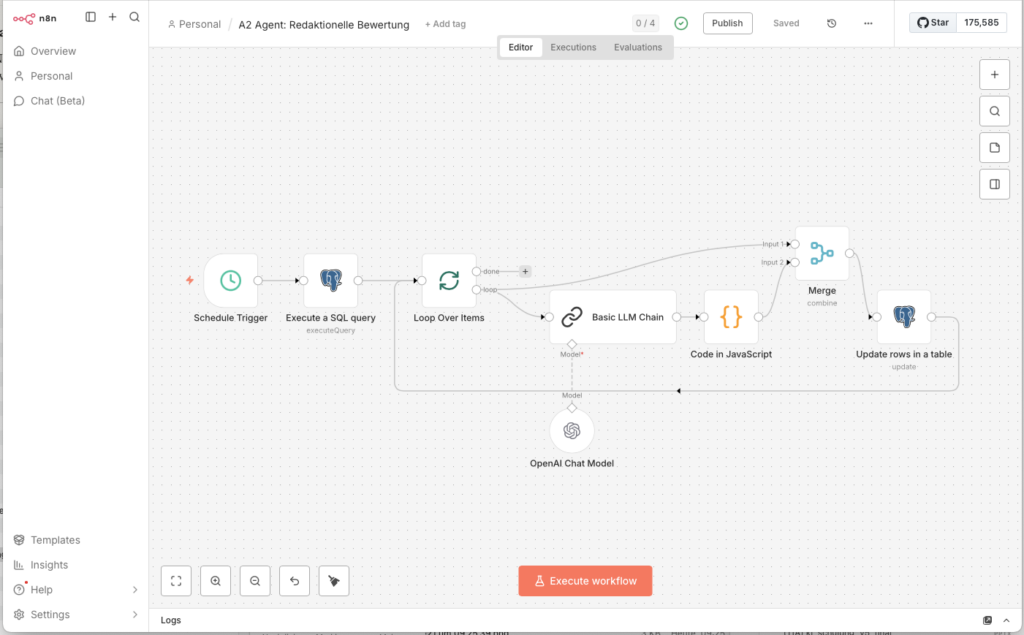
3.3.6 Merge Combine
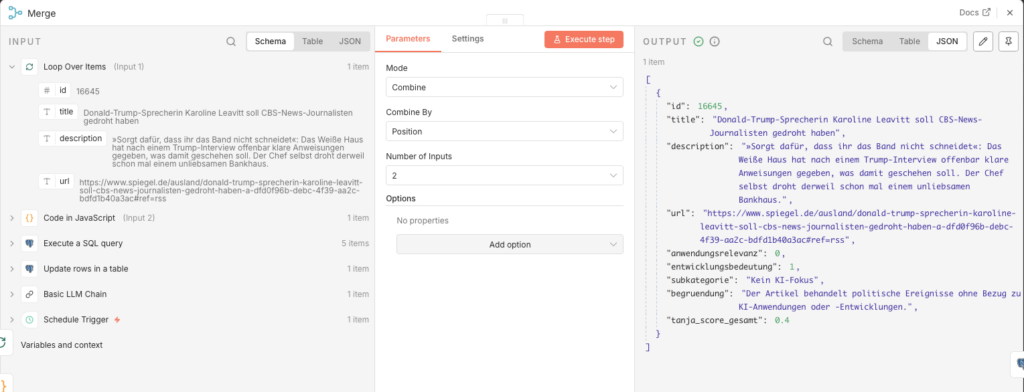
Now we have a problem: the evaluation code only knows the AI results, but no longer the database ID of the article. Without the ID we cannot update the record. The Merge node resolves this: it merges the database fields (incl. id) and the evaluation fields into one combined record.
- Node: Merge Combine
- Mode: Combine
- Combine by: Position
- Number of Inputs: 2
Connect the two inputs: output „loop“ of the Loop Over Items node → input 1 of the Merge; output of the Code node → input 2 of the Merge.
3.3.7 Save to Database
- Add a Postgres-Node at the end:
- Node: Update rows in a table
- Credential to connect with:
n8n-postgres - Operation: Update
- Schema: public
- Table:
ki_artikel - Mapping Column Mode: Map Each Column Manually
- Columns to match on: id
| Feld | Value |
|---|---|
| id (using to match) | {{ $json.id }} |
| score_relevanz | {{ $json.anwendungsrelevanz }} |
| score_bedeutung | {{ $json.entwicklungsbedeutung }} |
| score_gesamt | {{ $json.score_gesamt }} |
| bewertung_begruendung | {{ $json.begruendung }} |
| status | BEWERTET |
| subkategorie | {{ $json.subkategorie }} |
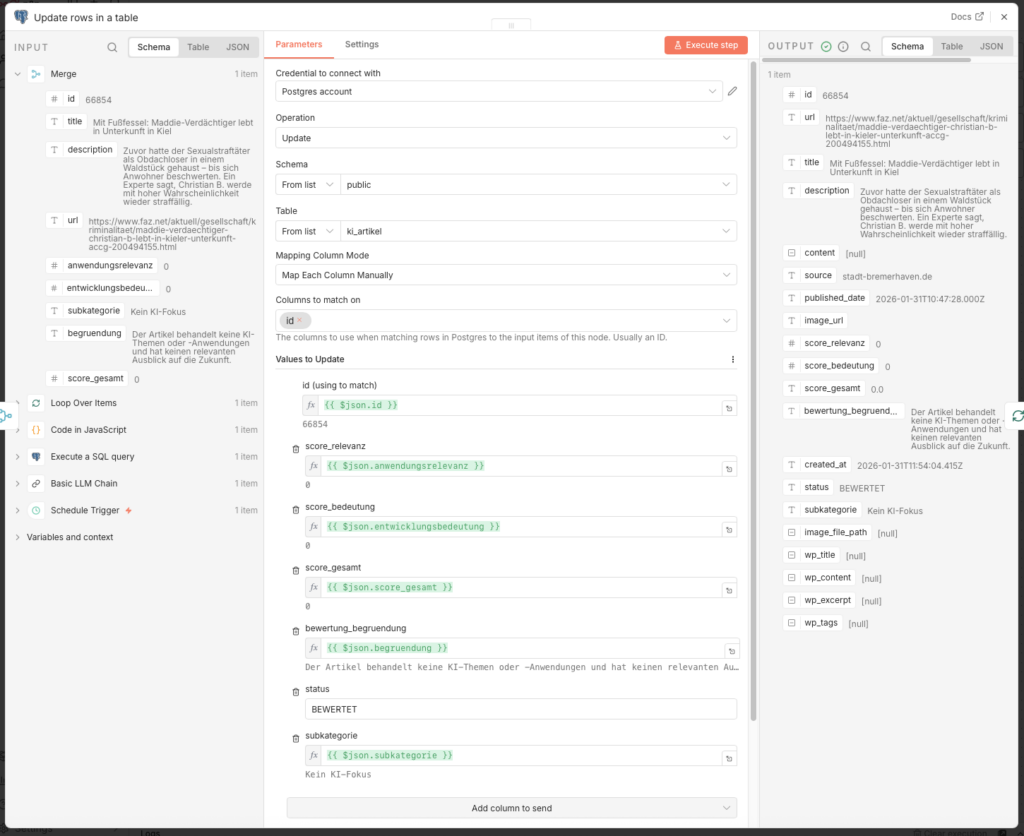
Connect the output of this node back to the input of the Loop Over Items node – this way the loop runs through all retrieved articles.
3.3.8 Publish the Workflow
Set the Schedule Trigger to 4 hours and enable the workflow via Publish.
3.4 Dashboard with Metabase (Optional)
Ulf: „Hold on, I want to see what is going on in my database. How do I look inside?“
Tanja: „With Metabase. That is a dashboard tool which attaches directly to your PostgreSQL database. You can then ask questions like: ‘How many articles were rated today?’ and get back a table or a chart.“
Bernd: “I just look into the database directly, with the terminal. More professional.”
Ulf: „Last week you accidentally deleted a table because you forgot a space.“
Bernd clears his throat.
You don’t strictly need Metabase – the agents run without it too. But it is helpful if you want a quick overview: How many articles were ingested? How are the scores distributed? Which categories dominate?
3.4.1 Prepare the Folder Structure
Metabase wants to store its own settings (which questions you asked, how your dashboard looks) somewhere. By default it does this inside the container. If you delete or update the container, your dashboard is gone.
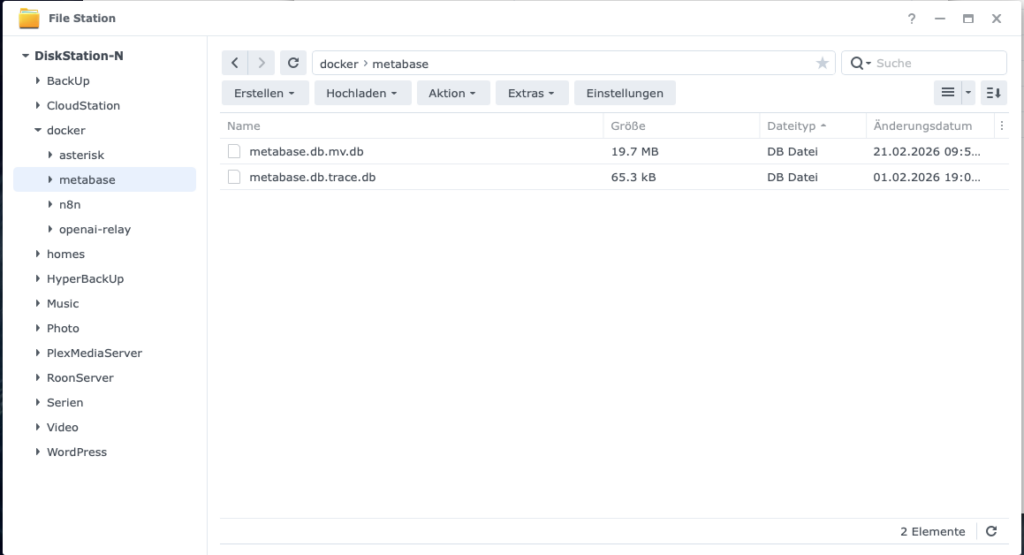
So that your dashboard lives „forever“, you should link a folder on your NAS under Volume settings (in the next step):
- Folder: Create the folder
docker/metabase.
3.4.2 Set Up Metabase
- Image Name:
metabase/metabase - Port: default 3000
Vorgehensweise:
- Download the image in the Container Manager on the Synology
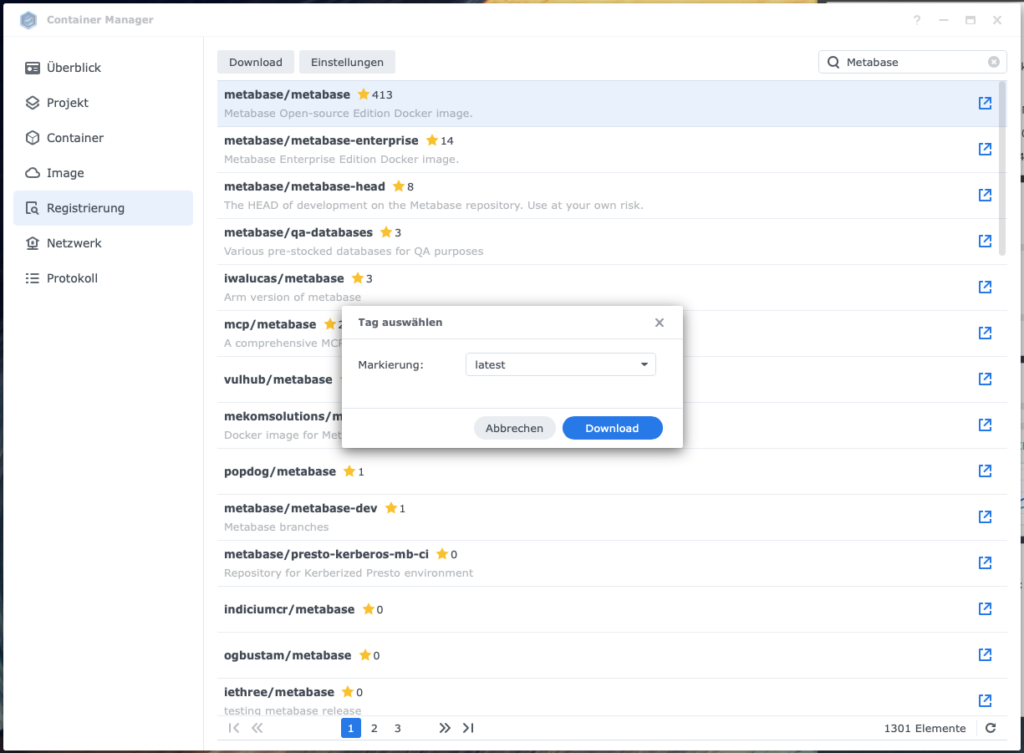
2. Run the image: metabase/metabase:latest → Execute
- Containername:
metabase-newsroom - Port: 3000
- Volume-Settings: + Folder add
- Folder
docker/metabaseselect (create it on the NAS beforehand) - Mount-Pfad:
/metabase.dbeintragen
- Folder
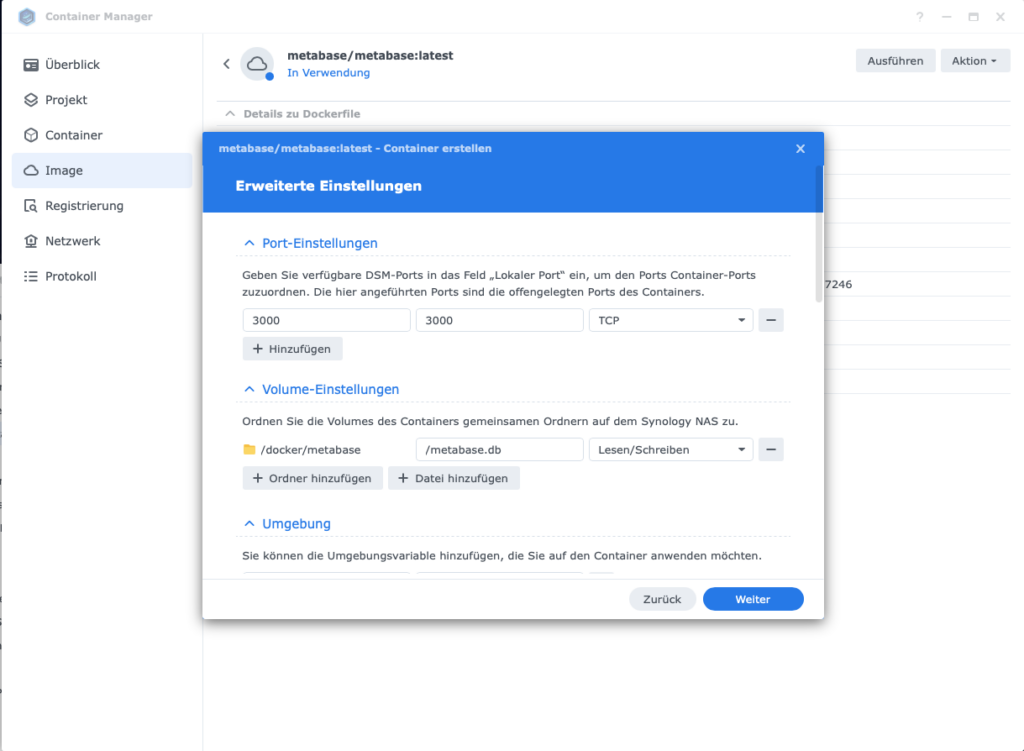
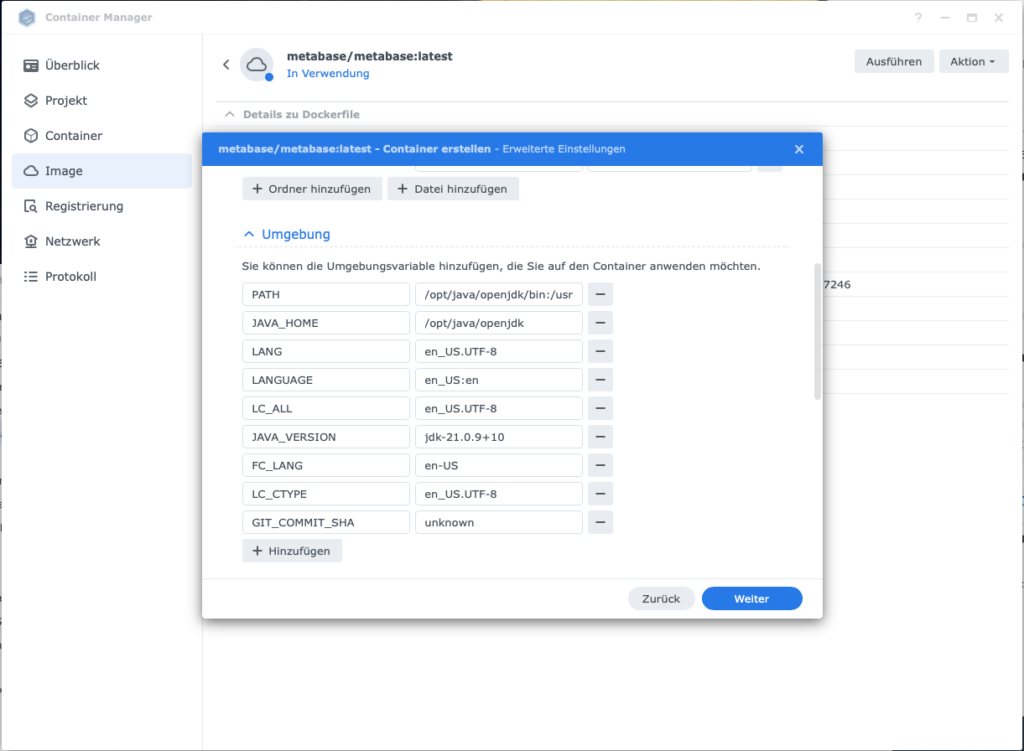
- Umgebungsvariable
GIT_COMMIT_SHA:unknowneintragen
- Container start
Important: If the firewall on your Diskstation is active, create a rule for port 3000 (protocol TCP) – otherwise you cannot access Metabase via the browser.
Metabase runs under http:// (not https://). Open http://<your-Synology-IP>:3000 in the browser. On first launch, a setup wizard guides you through the database connection:
- Database type: PostgreSQL
- Display name: z. B. „KI News database”
- Host: Container name of your Postgres instance (e.g.
n8n_db) - Port:
5432 - Database name:
postgres - Username: your Postgres username
- Password: your Postgres password
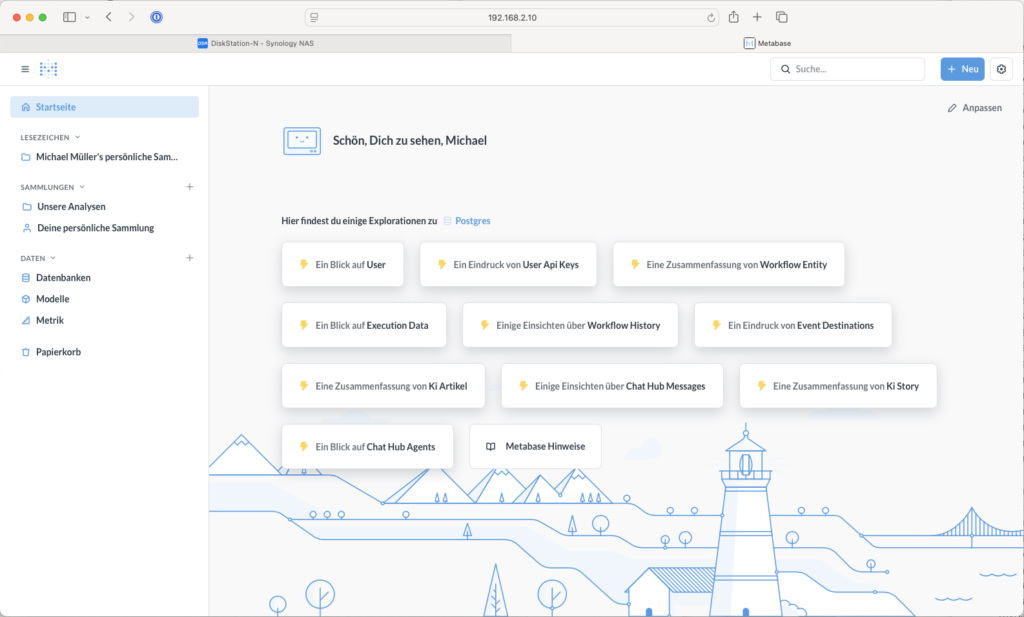
Your first SQL query can be created via + NEW -> >_ SQL-Abfrage. This query gives you a qrsten daily overview:
SELECT
    DATE(created_at) AS datum,
    -- 1) How many RSS feeds were ingested?
    COUNT(*) AS eingelesen_gesamt,
    -- 2) How many of them were rated?
    COUNT(*) FILTER (WHERE status = 'bewertet') AS bewertet,
    -- 3) Distribution of the scores (converted to a number with ::float)
    COUNT(*) FILTER (WHERE score_gesamt::float BETWEEN 0 AND 2.9) AS "Score_0_bis_2",
    COUNT(*) FILTER (WHERE score_gesamt::float BETWEEN 3 AND 7.9) AS "Score_3_bis_7",
    COUNT(*) FILTER (WHERE score_gesamt::float >= 8) AS "Score_8_bis_10"
FROM ki_artikel
GROUP BY DATE(created_at)
ORDER BY datum DESC;
3.5 Agent 3: Content-research
Ulf: „We now have rated articles – what comes next?“
Tanja: „Now it gets interesting: Agent 3 takes the best articles – those with a score of 7.5 or higher – and researches them. It loads the original text, searches for related sources on the web and has GPT-4o-mini write a structured background text from it.“
Ulf: „Hold on, can’t the AI simply search the internet itself? Why the detour via Tavily?“
Tanja: „Good question. Let’s take a look.“
3.5.1 Starting the workflow
- Go back to the workflow overview and click on Create new workflow
- Name it in the top left:
A3 Agent: Content research - Add a Schedule Trigger:
- Trigger Interval: Hours
- Set it to Manual for testing at first
- Hours Between Triggers: 23
- Trigger at Minute:
3.5.2 Read Record from Database
- Add a Postgres-Node:
- Node: Execute a SQL query
- Credential to connect with:
n8n-postgres - Query:
SELECT id, url, title, description, score_gesamt
FROM ki_artikel
WHERE status = 'BEWERTET'
  AND score_gesamt >= 7.5
  -- Only enrich RSS articles, for the same reason as in Agent 2.
  AND source_type = 'rss'
ORDER BY score_gesamt DESC
LIMIT 5;
Note: We only fetch articles with a total score of at least 7.5 – those are the genuinely relevant hits that are worth an expensive research run. The LIMIT 5 keeps the runtime manageable during the first tests.
Two things matter about this query. The selection runs via the status, not via a comparison with the story table: Agent 2 sets an article to BEWERTET, Agent 3 picks it up, and at the end of its run it sets the article to ANGEREICHERT (step 3.5.13). That way the same article drops out of this query by itself on the next run – without joining two tables. And the ORDER BY score_gesamt DESC makes sure that when there are more candidates than places, the best-rated ones go first and not the ones that happen to be oldest.
Also run these two index commands once directly in the database to secure them:
CREATE UNIQUE INDEX IF NOT EXISTS ki_story_primary_uniq ON ki_story(primary_artikel_id);and
CREATE UNIQUE INDEX IF NOT EXISTS idx_ki_artikel_url_normalized ON ki_artikel(url_normalized);3.5.3 Adding the loop
So that n8n processes each article individually, the loop node comes next:
- Node: Loop Over Items (Split In Batches)
- Batch Size: 1
- node-output Done: bleibt leer
- Konten-output Loop: next node
3.5.4 Fetch Website Content
We first try to load the full text directly from the source website – as a human would open and read the article.
- Add a HTTP Request-Node:
- Method: GET
- URL:
={{ $json.url }} - Add Options → Response Format: Text
- Send Headers: ON
| Header Name | Value |
|---|---|
| User-Agent | Mozilla/5.0 (Windows NT 10.0; Win64; x64) AppleWebKit/537.36 (KHTML, like Gecko) Chrome/120.0 Safari/537.36 |
| Accept | text/html |
| Accept-Language | de-DE,de;q=0.9,en;q=0.8 |
These headers are important: Many websites return better content if the request looks like a real browser call aussieht – statt how a nackter Bot.
- Add a Code Node (JavaScript) that converts the raw HTML into readable flowing text:
// n8n Code node (JavaScript)
// Expects HTML in the field: $json.data (from HTTP Request)
const html = ($json.data || '').toString();
// 1) Remove scripts and styles
let cleaned = html
.replace(/<script\b[^<]*(?:(?!<\/script>)<[^<]*)*<\/script>/gi, ' ')
.replace(/<style\b[^<]*(?:(?!<\/style>)<[^<]*)*<\/style>/gi, ' ');
// 2) Roughly remove common layout blocks (optional, but helpful)
cleaned = cleaned
.replace(/<nav\b[^<]*(?:(?!<\/nav>)<[^<]*)*<\/nav>/gi, ' ')
.replace(/<header\b[^<]*(?:(?!<\/header>)<[^<]*)*<\/header>/gi, ' ')
.replace(/<footer\b[^<]*(?:(?!<\/footer>)<[^<]*)*<\/footer>/gi, ' ');
// 3) HTML tags -> text (with line breaks in sensible places)
cleaned = cleaned
.replace(/<\/(p|div|br|li|h1|h2|h3|h4|h5|section|article)>/gi, '\n')
.replace(/<[^>]+>/g, ' ');
// 4) HTML entities (minimal)
cleaned = cleaned
.replace(/ /g, ' ')
.replace(/&/g, '&')
.replace(/"/g, '"')
.replace(/'/g, "'")
.replace(/</g, '<')
.replace(/>/g, '>');
// 5) Normalize whitespace
cleaned = cleaned
.replace(/\r/g, '')
.replace(/[ \t]+/g, ' ')
.replace(/\n{3,}/g, '\n\n')
.trim();
// 6) Optional: limit the length (for DB/LLM)
const maxLen = 20000;
const content_candidate = cleaned.slice(0, maxLen);
const content_candidate_len = content_candidate.length;
// --- Quality check ---
const words = content_candidate.split(/\s+/).filter(w => w.length > 3);
const wordCount = words.length;
const avgWordLength =
words.reduce((sum, w) => sum + w.length, 0) / (wordCount || 1);
const badMarkers = [
'cookie', 'zustimmen', 'abo', 'newsletter', 'anzeigen',
'karriere', 'impressum', 'datenschutz', 'suche', 'login',
'heise+', 'jobs'
];
const badHits = badMarkers.filter(m =>
content_candidate.toLowerCase().includes(m)
).length;
const content_quality_ok =
content_candidate_len > 1500 &&
wordCount > 250 &&
avgWordLength > 4 &&
badHits < 5;
return [{
...$json,
content_candidate,
content_candidate_len,
content_quality_ok,
content_word_count: wordCount,
content_avg_word_len: avgWordLength,
content_bad_hits: badHits,
}];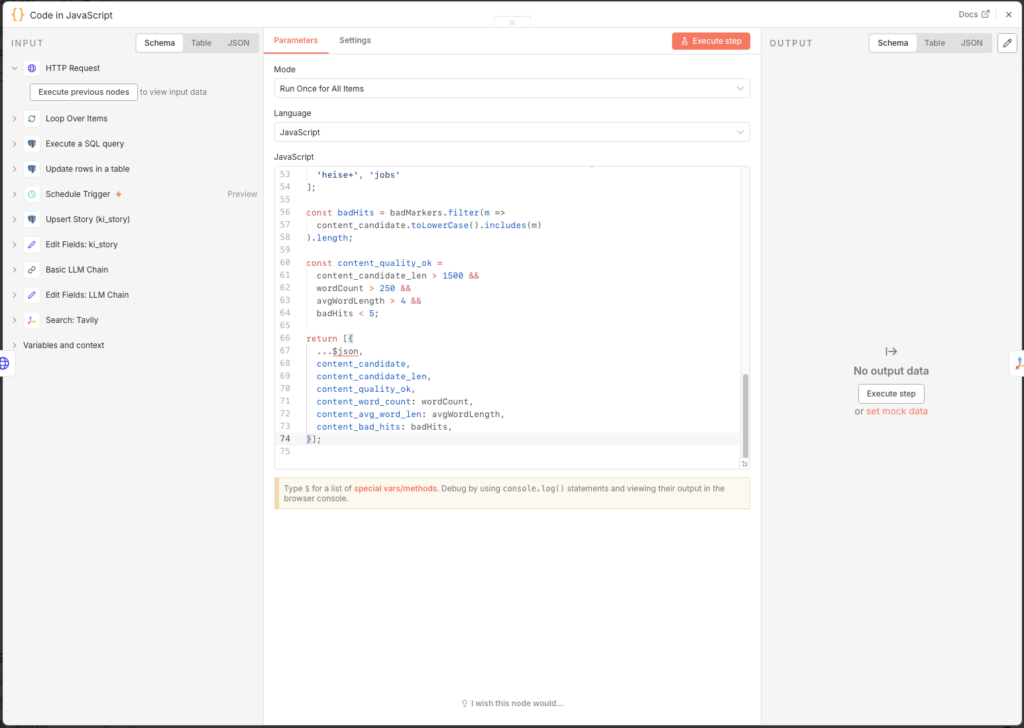
The result contains the flag content_quality_ok. A usable text needs at least 1,500 characters, 250 words, and must not be dominated by boilerplate terms like „Cookie“ or „Impressum“. The flag serves as metadata; the Tavily research runs afterwards in any case – the web context is the actual basis for the LLM text.
3.5.5 Why Tavily Instead of OpenAI Web Search?
Ulf: „Quick question: can’t I simply take GPT with internet access? Then I would not need Tavily at all.“
Tanja: „You can, but take a quick look at the costs.“
| Feature | Basic LLM Chain | AI Agent + Tavily | AI Agent + Serper/Brave | OpenAI Search Preview |
|---|---|---|---|---|
| Internet access | No | Yes (incl. text excerpts) | Yes (links only) | Yes (built in) |
| Cost per search | – | 0 cents (free up to 1,000/month) | 0.1 – 1.5 cents | 3 – 10 cents |
| Result quality | Only if fed manually | Very good – content already prepared | Good – raw links, no text content | Very good |
| Control | Full | Full | Full | Limited |
| Setup effort | Minimal | Low (1 API key) | Low (1 API key) | Minimal |
Ulf: „Okay, I don’t quite get it yet,“ and points at the table. „Serper and Brave deliver search results too. Why is Tavily better?“
Tanja: „Imagine you send an intern out to gather information about a topic. Serper and Brave come back with a stack of newspaper addresses. Tavily comes back with the articles cut out. Already readable, already sorted.“
Ulf furrows his brow. „So Tavily delivers the content of the pages along with it?“
Tanja: „Exactly. Serper and Brave only give you links – you still have to open every page yourself and extract the text. Tavily already delivers prepared text excerpts. So GPT-4o-mini gets clean context instead of raw HTML junk. That saves tokens – and better input means better output.“
Bernd: „Sounds like little difference, I would simply take OpenAI’s built-in web search. Less fuss.“
Tanja: „That costs you 3 to 10 cents per search, Tavily is free up to a thousand searches a month. After that 1.5 cents. That is a factor of 10 to 30 cheaper, at the same or better quality for our use case.“
Ulf: „Is a thousand searches enough for us?“
Tanja: „We research for at most one article a day, with up to 20 Tavily hits per run. That is around 600 searches a month. Fits comfortably into the free allowance.“
Bernd taps briefly on his phone. „Okay, Tavily.“
Tanja: „Thanks“.
3.5.6 Set Up Tavily Search
- Create an account at app.tavily.com and copy your API key
- Add the node Search: Tavily.
- Under Credential to connect with create a new credential with your API key
- Configure the node:
- Query:
   {{
  (
    ($('Execute a SQL query').item.json.title || '') + ' ' +
    ($('Execute a SQL query').item.json.description || '')
  ).slice(0, 380)
}}- Configure the node:
- Add Options → Search Depth: Advanced
- Add Options → Max Results: 20
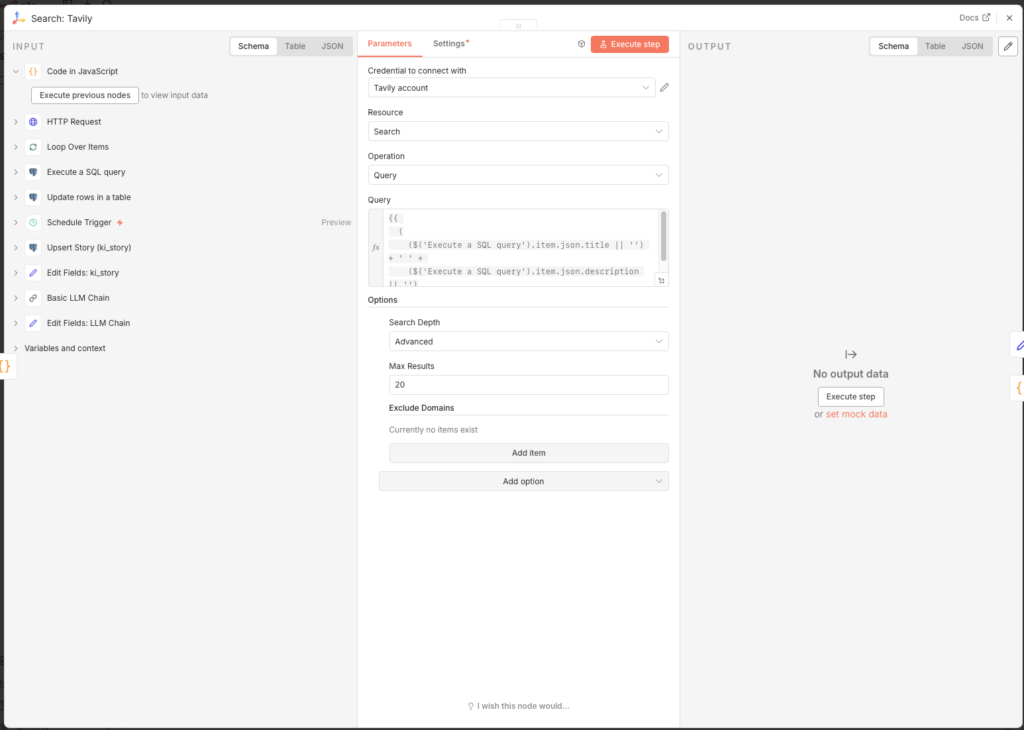
The query combines title and description of the article and truncates at 380 characters. With Advanced and 20 results we get the maximum out of the Tavily free tier.
3.5.7 Filter Out Poor URLs
Tavily sometimes returns SEO junk pages, feed aggregators, or off-topic content. A code node filters these out before they pollute the database:
- Node: Code (JavaScript)
- Mode: Run Once for All Items
const input = $input.first().json;
const list = Array.isArray(input.results) ? input.results : [];

// --- Configuration ---
const BLOCKED_DOMAINS = [
  'feed-reader.net', 'rssingn.com', 'finanztrends.de',
  'it-daily.net', 'possible.fm', 'edu.ly',
];

const BAD_TITLE_PATTERNS = [
  'die besten', 'tools im vergleich', 'im vergleich', 'ranking', 'best of',
];

const MIN_CONTENT_LENGTH = 250;
const MIN_SCORE = 0.55;

function host(u) {
  const m = String(u).match(/^[a-z]+:\/\/([^\/?#:]+)/i);
  return m ? m[1].replace(/^www\./, '').toLowerCase() : '';
}

const kept = [];
for (const r of list) {
  const url = String(r.url || '').toLowerCase();
  const title = String(r.title || '').toLowerCase();
  const content = String(r.content || '').toLowerCase();
  const h = host(url);

  let reason = null;
  if (!url || !title) reason = 'missing url/title';
  else if (BLOCKED_DOMAINS.some(d => h.includes(d))) reason = 'blocked domain';
  else if (BAD_TITLE_PATTERNS.some(p => title.includes(p))) reason = 'seo/list title';
  else if (content.length < MIN_CONTENT_LENGTH) reason = 'too short content';
  else if (typeof r.score === 'number' && r.score < MIN_SCORE) reason = 'low score';

  if (!reason) kept.push({ ...r, _quality_flag: 'accepted' });
}

// Fallback: if everything is filtered out, take the top 5 by score
const final = kept.length > 0
  ? kept
  : [...list].sort((a, b) => (b.score ?? 0) - (a.score ?? 0)).slice(0, 5)
      .map(r => ({ ...r, _quality_flag: 'fallback' }));

// --- Check reachability ---
// A source link that no longer exists is worse than no source at all:
// it ends up in the published article.
const PING_TIMEOUT_MS = 6000;
const helfer = this.helpers;

const istErreichbar = async (url) => {
  const anfrage = async (methode) => {
    const antwort = await helfer.httpRequest({
      method: methode, url, timeout: PING_TIMEOUT_MS,
      returnFullResponse: true, ignoreHttpStatusErrors: true, followRedirect: true,
      headers: { 'User-Agent': 'Mozilla/5.0 (compatible; linkcheck/1.0)' },
    });
    return antwort && typeof antwort.statusCode === 'number' ? antwort.statusCode : null;
  };
  let status = null;
  try {
    status = await anfrage('HEAD');
    if (status === 405 || status === 501) status = await anfrage('GET');
  } catch (e) {
    const ausFehler = e && (e.statusCode || e.httpCode || (e.response && e.response.status));
    if (typeof ausFehler === 'number') status = ausFehler;
    else { try { status = await anfrage('GET'); } catch (e2) { return false; } }
  }
  // Only what is clearly dead is dropped. 403, 405 or 999 are bot defences, not a dead link.
  return !(status === 404 || status === 410);
};

const geprueft = [];
for (const r of final) {
  if (await istErreichbar(r.url)) geprueft.push(r);
}

// If the check discards everything, rather take the unchecked ones
// than let the run continue without any sources.
const ergebnis = geprueft.length > 0 ? geprueft : final;

return ergebnis.map(r => ({
  json: {
    ...r,
    _debug: {
      input_count: list.length,
      kept_count: kept.length,
      reachable_count: geprueft.length,
    }
  }
}));
The fallback at the end is important: if all matches were filtered out, the code still takes the top 5 by score – so the workflow never continues completely empty.
The second part of the node checks whether the sources still exist at all. The filter before it only judges what Tavily claims: domain, title, text length, result score. Whether the address answers is something it does not know – and a dead source link is worse than none, because it ends up in the published article and stays there for years. One HEAD request per address costs fractions of a second and prevents exactly that.
The decisive part is not being too strict. Only what is clearly dead gets dropped: HTTP 404 and 410. Many large sites fend off automated requests with 403 or – in LinkedIn’s case – an invented 999, and some do not answer HEAD at all but answer GET perfectly well. Treating those as „dead“ throws away healthy sources by the dozen. Hence the GET retry and the narrow list. And should the check discard everything against expectation, there is a fallback to the unchecked list here too.
3.5.8 Save Tavily Results to the Database
The found sources are used in two ways: as context for the LLM (next step) and as own records in the database. For this we need three nodes in sequence.
Node 1: Prepare Tavily Results (Code in JavaScript)
This code normalizes the URLs of the Tavily hits and prepares the fields for the database – analogous to the URL normalization from Agent 1:
function normalizeUrl(input) {
  // without new URL: URL is not available in the n8n Code node
  const m = String(input || '').trim().match(/^(?:https?:\/\/)?([^\/?#]+)([^?#]*)(\?[^#]*)?/i);
  if (!m) return input;
  const dropKeys = new Set(['fbclid','gclid','mc_cid','mc_eid','msclkid','utm_source']);
  const params = (m[3] || '').slice(1).split('&').filter(p => {
    const k = p.split('=')[0].toLowerCase();
    return p && !(k.startsWith('utm_') || dropKeys.has(k));
  });
  const host = m[1].replace(/^www\./i, '').toLowerCase();
  return 'https://' + host + (m[2] || '/') + (params.length ? '?' + params.join('&') : '');
}

function extractHost(input) {
  const m = String(input || '').match(/^[a-z]+:\/\/([^\/?#:]+)/i);
  return m ? m[1].replace(/^www\./i, '').toLowerCase() : 'unknown';
}

const fromId = $('Execute a SQL query').item?.json?.id ?? null;
const results = items.every(it => typeof it?.json?.url === 'string')
  ? items.map(it => it.json)
  : (Array.isArray(items?.[0]?.json?.results) ? items[0].json.results : []);

return results.filter(r => r?.url).slice(0, 10).map((r, idx) => {
  const norm = normalizeUrl(r.url);
  const host = extractHost(norm || r.url);
  return { json: {
    from_artikel_id: fromId,
    relation_type: 'tavily_related',
    query: items?.[0]?.json?.query ?? '',
    rank: idx + 1,
    score: r.score ?? null,
    url: r.url,
    url_normalized: norm,
    title: r.title ?? '(no title)',
    description: (r.content ?? '').slice(0, 800),
    source: host,
    source_type: 'tavily',
  }};
});
Node 2: Upsert Tavily Article (Postgres – Execute a SQL query)
Each result is stored as a separate record in ki_artikel. Thanks to ON CONFLICT an article that is already known is not entered twice; only the missing fields are added:
INSERT INTO ki_artikel (
  url, url_normalized, title, description,
  source, published_date, image_url, source_type, status, first_seen_at
)
VALUES (
  '{{ ($json.url || "").replace(/'/g, "''") }}',
  '{{ ($json.url_normalized || "").replace(/'/g, "''") }}',
  '{{ ($json.title || "").replace(/'/g, "''") }}',
  '{{ ($json.description || "").replace(/'/g, "''") }}',
  '{{ ($json.source || "").replace(/'/g, "''") }}',
  NULL, NULL, 'tavily', 'ANGEREICHERT', now()
)
ON CONFLICT (url_normalized)
DO UPDATE SET
  title       = COALESCE(NULLIF(ki_artikel.title,''), EXCLUDED.title),
  description = COALESCE(NULLIF(ki_artikel.description,''), EXCLUDED.description),
  source      = COALESCE(NULLIF(ki_artikel.source,''), EXCLUDED.source),
  status      = COALESCE(NULLIF(ki_artikel.status,''), 'ANGEREICHERT')
RETURNING id;
Node 3: Upsert Tavily Edge (Postgres – Execute a SQL query)
The connection between the source article and the found Tavily result is saved in ki_artikel_edges:
INSERT INTO ki_artikel_edges (
  from_artikel_id, to_artikel_id, relation_type, query, rank, score, retrieved_at
)
VALUES (
  {{ $node["Prepare Tavily Results"].json.from_artikel_id }},
  {{ $node["Upsert Tavily Article"].json.id }},
  '{{ (($node["Prepare Tavily Results"].json.relation_type) || "tavily_related").replace(/'/g, "''") }}',
  '{{ (($node["Prepare Tavily Results"].json.query) || "").replace(/'/g, "''") }}',
  {{ $node["Prepare Tavily Results"].json.rank || 1 }},
  {{ $node["Prepare Tavily Results"].json.score ?? 'NULL' }},
  now()
)
ON CONFLICT (from_artikel_id, to_artikel_id, relation_type)
DO UPDATE SET
  rank         = EXCLUDED.rank,
  score        = EXCLUDED.score,
  query        = EXCLUDED.query,
  retrieved_at = now();
3.5.9 Prepare LLM Context
In parallel to storing them in the database, an Edit Fields node prepares the combined context for GPT-4o-mini:
- Node: Edit Fields
- Field Name:
llm_context - Type: String
- Value (Expression):
=RSS ARTICLE
Title: {{ $('Loop Over Items').item.json.title }}
Description: {{ $('Loop Over Items').item.json.description }}

WEB SEARCH CONTEXT
={{
  "RSS ARTICLE\nTitle: " +
  $('Loop Over Items').item.json.title +
  "\nDescription: " +
  $('Loop Over Items').item.json.description +
  "\n\nWEB SEARCH CONTEXT\n" +
  ($node["Search: Tavily"].json.results || [])
    .slice(0, 10)
    .map((r, i) => "[Source " + (i+1) + "]\n" + (r.content || ""))
    .join("\n\n")
}}
With this hat the KI both the original RSS article and up to 10 processed web page texts from Tavily as context.
3.5.10 Create Background Text with GPT-4o-mini
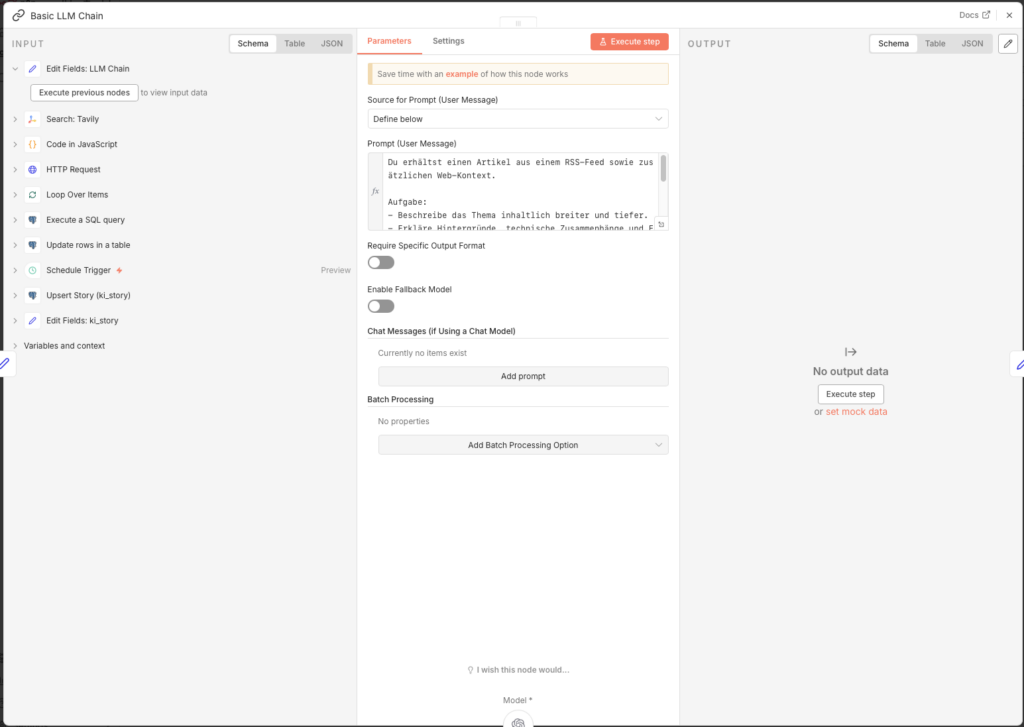
- Node: Basic LLM Chain
- Source for Prompt: Define below
- Prompt (User Message):
You receive an article from an RSS feed plus additional web context.

Task:
- Describe the topic more broadly and in greater depth.
- Explain background, technical connections and context.
- Structure: 1) Brief overview (3-4 sentences) 2) Details (5-10 bullet points) 3) Significance/implications (3 bullet points).
- No source citations, no speculation.

TEXT:
{{ $json.llm_context }}
Connect the Basic LLM Chain with the OpenAI Chat Model:
- Node: OpenAI Chat Model
- Credential to connect with: OpenAI account
- Model: gpt-4o-mini
3.5.11 Prepare Story Fields
Ein Edit Fields-Node combines the LLM result with metadata from the Loop:
- Node: Edit Fields (Name:
Edit Fields: ki_story)
| Name | Type | Value |
|---|---|---|
| id | Number | ={{ $('Loop Over Items').item.json.id }} |
| content_enriched | String | ={{ $json.text }} |
| enrichment_source | String | search_llm |
| tavily_link_count | String | ={{ $items("Code in JavaScript: schlechte url aussortieren").length }} |
| score_gesamt_enriched | Number | ={{ (() => { const basis = Number($('Loop Over Items').item.json.score_gesamt) || 0; const belege = Number($items("Code in JavaScript: schlechte url aussortieren").length) || 0; const zuschlag = belege >= 10 ? 0.5 : belege >= 6 ? 0.35 : belege >= 3 ? 0.2 : 0; return Math.round(Math.min(10, basis + zuschlag) * 10) / 10; })() }} |
The score_gesamt_enriched combines the original evaluation score with the number of usable sources. The idea: if a story is picked up everywhere, it has resonance – and resonance is a relevance signal that the rating model in Agent 2 never had access to.
The obvious implementation – a tenth of a point per hit – is misleading, though. Tavily queries up to 20 results; typical usable counts are 5 to 17. That would mean premiums between 0.5 and 1.7 points, more than two full rating steps – while the score itself only moves in steps of 0.4 or 0.6, because both sub-scores are whole numbers. The premium would no longer be the fine tuning, it would be the main criterion: a mediocre article that many had written about beats a clearly better one with few hits.
The table above is therefore saturating and capped: 0.20 from three sources, 0.35 from six, 0.50 from ten – and no more. The difference between two and six hits says something; the difference between twelve and twenty says almost nothing. Because the maximum premium stays below one full rating step, resonance now decides between roughly equally rated articles but cannot carry a weak one to the top.
3.5.12 Save Story to Database
- Node: Postgres – Execute a SQL query (Name:
Upsert Story (ki_story))
INSERT INTO ki_story (
  primary_artikel_id,
  content_enriched,
  enrichment_source,
  tavily_link_count,
  score_gesamt_enriched,
  status,
  updated_at
)
VALUES (
  {{ $json.id }},
  '{{ ($json.content_enriched || "").replace(/'/g, "''") }}',
  '{{ ($json.enrichment_source || "").replace(/'/g, "''") }}',
  {{ parseFloat($json.tavily_link_count) || 0 }},
  {{ parseFloat($json.score_gesamt_enriched) || 0 }},
  'ANGEREICHERT',
  now()
)
ON CONFLICT (primary_artikel_id)
DO UPDATE SET
  content_enriched      = EXCLUDED.content_enriched,
  enrichment_source     = EXCLUDED.enrichment_source,
  tavily_link_count     = EXCLUDED.tavily_link_count,
  score_gesamt_enriched = EXCLUDED.score_gesamt_enriched,
  updated_at            = now();
3.5.13 Update Status and Close Loop
Finally, the status of the article in ki_artikel is set to ANGEREICHERT, so that Agent 4 can pick it up in the next step.
- Add a Postgres-Node:
- Node: Update rows in a table
- Credential to connect with:
n8n-postgres - Operation: Update
- Schema: public
- Table: ki_artikel
- Mapping Column Mode: Map Each Column Manually
- Columns to match on: id
| Feld | Value |
|---|---|
| id (using to match) | ={{ $('Loop Over Items').item.json.id }} |
| status | ANGEREICHERT |
- Connect the output of this node back to the input of „Loop Over Items”, so that all further articles from the database are processed in sequenceerden.
3.5.14 Publish the Workflow
Set the Schedule Trigger to 23 hours and enable the workflow via Publish. Agent 3 then runs once a day, enriches all articles with score_gesamt >= 7.5 and hands them over to Agent 4 ready to go.
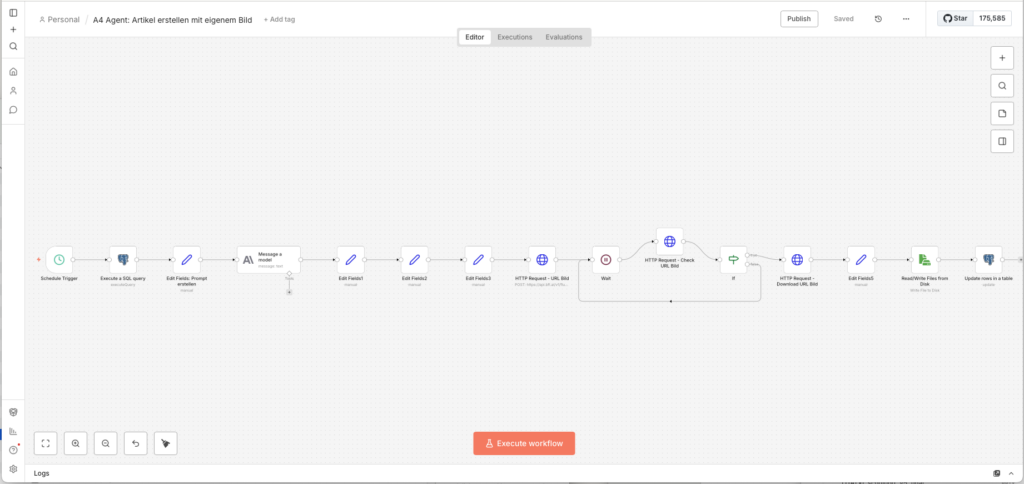
3.6 Agent 4: Create Article with Custom Image
Ulf: „Now it’s getting really exciting. Now the AI writes the article?“
Tanja: „Claude writes it, and Flux-2-Flex paints a cover image to go with it.“
Bernd looks up. „I simply copied my last article from another website and rewrote it a bit. Nobody noticed.“
Silence.
Tanja: “That is called copyright infringement.”
Bernd: „But …“
Tanja: „No.“
3.6.1 Legal Assessment
First a brief personal assessment as a layperson, this is not legal advice:
Text: The AI may use facts and context, but must never take sentences from the original article verbatim. Short quotes are permitted if they are marked as such and provided with a source link. Claude is explicitly instructed in the prompt to reformulate everything completely.
Images: The biggest risk of a legal warning lies with images. The image_url field from the RSS feed must not simply be taken over as the featured image – that would be republishing a copyrighted image on your website. Instead we generate our own image with Flux-2-Flex, which belongs to us 100 %.
3.6.2 Starting the workflow
- Go tor workflow-Overview and click on Create new workflow
- Name it:
A4 Agent: Create article with its own image - Add a Schedule Trigger:
- Trigger Interval: Hours
- Hours Between Triggers: 23
- Trigger at Minute: 0
For setup, we first use the Manual Trigger, so that we we can start directly during testing.
3.6.3 Fetch the Best Story from the Database
Agent 4 reads from the ki_story table – there lies the enriched content from Agent 3. This SQL query is the most complex of the entire project: It fetches the best story and directly loads all associated Tavily URLs as an array, so that Claude can link them in the sources section.
- Add a Postgres-Node:
- Node: Execute a SQL query
- Query:
SELECT
  s.id AS story_id,
  s.status,
  s.score_gesamt_enriched,
  s.content_enriched,

  a.title AS original_title,
  a.url AS original_url,
  a.published_date AS original_published_at,
  a.source AS original_source,

  COALESCE((
    SELECT ARRAY_AGG(x.url ORDER BY x.rank NULLS LAST, x.retrieved_at DESC, x.url)
    FROM (
      SELECT DISTINCT
        a2.url,
        e.rank,
        e.retrieved_at
      FROM ki_artikel_edges e
      JOIN ki_artikel a2
        ON a2.id = e.to_artikel_id
      WHERE e.from_artikel_id = s.primary_artikel_id
        AND e.relation_type = 'tavily_related'
        AND a2.url_normalized IS DISTINCT FROM a.url_normalized
      ORDER BY e.rank NULLS LAST, e.retrieved_at DESC, a2.url
      LIMIT 10
    ) x
  ), ARRAY[]::text[]) AS tavily_urls

FROM ki_story s
JOIN ki_artikel a ON a.id = s.primary_artikel_id
WHERE s.status = 'ANGEREICHERT'

  -- 1. At least one usable source. No source, no article,
  --    however high the score is. NULL stays allowed so that
  --    older records without a counter do not drop out entirely.
  AND (s.tavily_link_count IS NULL OR s.tavily_link_count >= 1)

  -- 2. Archive check: write nothing that is already covered.
  --    Same subcategory, last 30 days, at least three shared
  --    title words of four letters or more.
  AND NOT EXISTS (
    SELECT 1
    FROM ki_story s4
    JOIN ki_artikel a4 ON a4.id = s4.primary_artikel_id
    WHERE s4.status = 'PUBLISHED'
      AND s4.id <> s.id
      AND a4.subkategorie IS NOT DISTINCT FROM a.subkategorie
      AND s4.created_at > now() - interval '30 days'
      AND (
        SELECT COUNT(*) FROM (
          SELECT unnest(string_to_array(lower(regexp_replace(a.title,  '[^a-zA-Z0-9äöüÄÖÜß ]', ' ', 'g')), ' ')) AS w
          INTERSECT
          SELECT unnest(string_to_array(lower(regexp_replace(a4.title, '[^a-zA-Z0-9äöüÄÖÜß ]', ' ', 'g')), ' ')) AS w
        ) gemeinsam
        WHERE length(w) >= 4
      ) >= 3
  )

ORDER BY
  -- 3. Source diversity brake: whoever supplied three of the last ten
  --    articles slides to the end. No exclusion, just a waiting time.
  (
    SELECT COUNT(*) FROM (
      SELECT a3.source
      FROM ki_story s3
      JOIN ki_artikel a3 ON a3.id = s3.primary_artikel_id
      WHERE s3.status = 'PUBLISHED'
      ORDER BY s3.id DESC
      LIMIT 10
    ) letzte
    WHERE letzte.source = a.source
  ) >= 3 ASC,
  s.score_gesamt_enriched DESC
LIMIT 1;
The three additions in this query are where it is later decided whether the site reads like an editorial team or like a machine. All three come from observations in live operation.
At least one source. If the research in Agent 3 found nothing usable, Claude still writes an article – from the original news item and from whatever the model believes it knows. That is exactly where the sentences nobody can back up come from. This guard is one line and prevents the whole category.
Archive check. Big stories run through the feeds for days. Without a check, the pipeline publishes the same thing on Monday, Wednesday and Friday – each time with a different hook, but three times the same content. The comparison deliberately uses shared title words instead of a similarity extension such as pg_trgm: that is crude, but it works everywhere without an extra installation. If you have pg_trgm enabled anyway, replace the block with a similarity comparison.
Source diversity. The strongest feeds win the score selection disproportionately often, simply because they deliver the most. After two weeks the site shows the same source ten times over. The brake excludes nobody – it only moves a source to the back once it has supplied three of the last ten posts. If nothing else is available on a given day, it still gets its turn.
3.6.4 Build Article Prompt for Claude
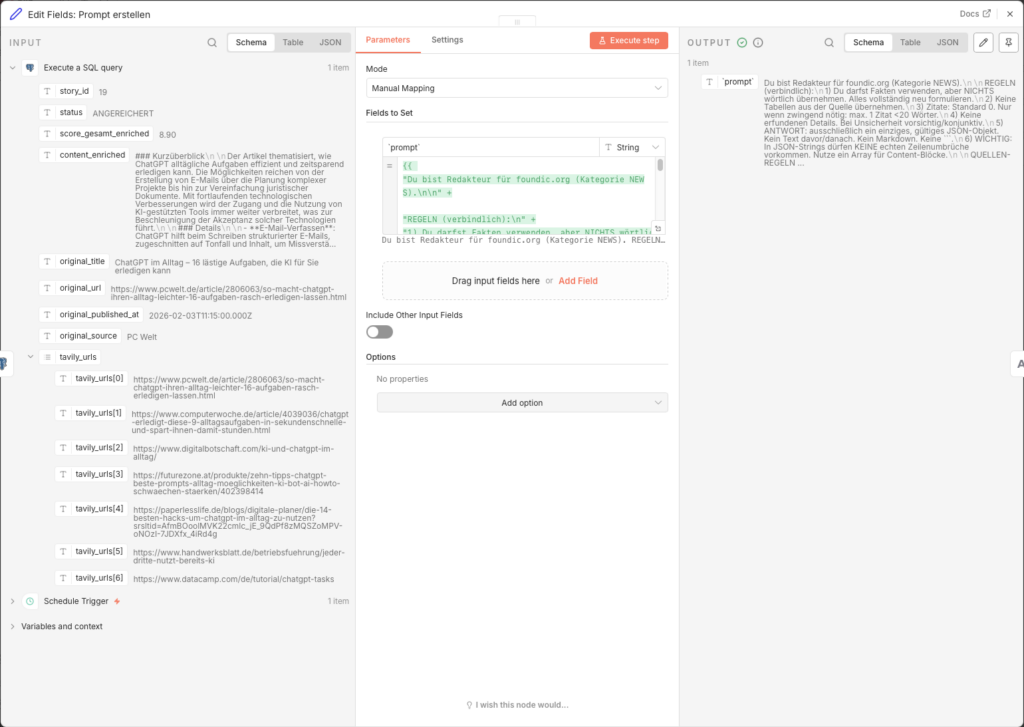
An Edit Fields node builds the complete prompt. It is deliberately restrictive: six binding editorial rules and four mandatory content rules prevent copyright infringements and inaccurate claims.
- Node: Edit Fields (Name:
Edit Fields: Prompt erstellen) - Add Field → Name:
`prompt`→ Type: String → Value (Expression):
={{
"You are an editor for foundic.org (category NEWS).\n\n" +

"RULES (binding):\n" +
"1) You may use the facts, but take NOTHING verbatim. Reformulate everything completely.\n" +
"2) Do not carry over any tables from the source.\n" +
"3) Quotations: default 0. Only where strictly necessary: max. 1 quotation <20 words.\n" +
"4) No invented details. Where uncertain, be cautious/use the conditional.\n" +
"5) RESPONSE: exclusively a single, valid JSON object. No text before/after. No Markdown. No ```.\n" +
"6) IMPORTANT: JSON strings must contain NO real line breaks. Use an array for content blocks.\n\n" +

"MANDATORY CONTENT RULES (binding):\n" +
"- ORIGIN: Name the maker, author or origin of a product, protocol or standard ONLY if the source states it explicitly. Never infer affiliation from context. When in doubt, leave it out.\n" +
"- NUMBERS: Every figure, rate or study reference needs the source that states it, in the same sentence. Phrasings such as according to industry reports, various studies show or estimates suggest are forbidden. If the source gives no figure, write none.\n" +
"- TEASER: wp_excerpt must not drop any qualification that appears in the body text (by its own account, planned, is said to).\n" +
"- DATE: Name trade fairs, conferences and events only with the year given in the source. Never add a year from context.\n\n" +
"SOURCE RULES (binding):\n" +
"- Use a maximum of 1 original source + 2 to 4 supplementary sources.\n" +
"- Prefer edited trade media (e.g. tech, business, industry media).\n" +
"- Do NOT use aggregators, pure feed pages or obvious reposts.\n" +
"- Include social media posts or podcasts only where they add genuinely new perspectives (max. 1).\n" +
"- Company blogs or press releases only as a supplement, never dominant.\n" +
"- Every source with a meaningful link text (title or clear context), never bare URL text.\n" +

"ARTICLE DATA:\n" +
"ORIGINAL_TITLE: " + ($json.original_title ?? "") + "\n" +
"CONTENT (context only, do NOT copy): " + (($json.content_enriched ?? "").slice(0, 2000)) + "\n" +
"ORIGINAL_SOURCE: " + ($json.original_source ?? "") + "\n" +
"ORIGINAL_URL: " + ($json.original_url ?? "") + "\n\n" +

"FURTHER SOURCES (Tavily, cite these as well):\n" +
(($json.tavily_urls || []).map(u => "- " + u).join("\n")) + "\n\n" +

"IMPORTANT:\n" +
"- At the end of the article there MUST be a section \"<h2>Sources</h2>\" stehen.\n" +
"- The original source MUST appear there first.\n" +
"- After that ALL further sources as separate links.\n" +
"- This applies to EVERY source, including the supplementary ones: the link text is the title of the linked page, never the bare URL.\n" +
"- Directly after the closing </a> comes the name of the outlet in round brackets, derived from the domain, e.g. (heise online), (Computerwoche), (Tenable).\n" +
"- The name belongs AFTER the link, not inside the link text.\n\n" +

"Mandatory rules for wp_title:\n" +
"- wp_title states independently what the piece is about - no rewording of the source title and no verbatim adoption of whole phrases.\n" +
"- The title may frame the same matter differently from the source, for example by use case or audience.\n" +
"- max. 12 words.\n\n" +

"EXPECTED JSON (never omit keys, missing values: \"\" or []):\n" +
"{\n" +
"  \"wp_title\": \"...\",\n" +
"  \"wp_excerpt\": \"...\",\n" +
"  \"wp_content_blocks\": [\n" +
"    \"<h2>What’s It About?</h2>\",\n" +
"    \"<p>...</p>\",\n" +
"    \"<h2>Background Context</h2>\",\n" +
"    \"<p>...</p>\",\n" +
"    \"<p>...</p>\",\n" +
"    \"<h2>What Does This Mean?</h2>\",\n" +
"    \"<ul><li>...</li><li>...</li><li>...</li></ul>\",\n" +
"    \"<h2>Sources</h2>\",\n" +
"    \"<p><a href=\\\"" + ($json.original_url ?? "") + "\\\">" +
        (($json.original_title ?? "").replace(/\"/g, '\\\"')) +
        "</a> (" + ($json.original_source ?? "") + ")</p>\",\n" +
(($json.tavily_urls || []).map(u =>
"    \"<p><a href=\\\"" + u + "\\\">" + u.replace(/\"/g, '\\\"') + "</a> (" + u.replace(/^https?:\/\/(www\.)?/, "").split("/")[0] + ")</p>\""
).join(",\n")) + "\n" +
"    \"<p><i>This article was created with AI and is based on the sources listed as well as the training data of the language model.</i></p>\"\n" +
" ],\n" +
"  \"wp_tags\": [\"...\",\"...\",\"...\",\"...\",\"...\"]\n" +
"}\n"
}}
The prompt is deliberately restrictive: six binding editorial rules and four mandatory content rules prevent copyright infringements and inaccurate claims, the source rules ensure that Claude only links to high-quality media, and the JSON-outputformat erpossiblet the maschinelle Weiterverarbeitung without Nachbearbeitung.
3.6.5 Write Article with Claude Sonnet
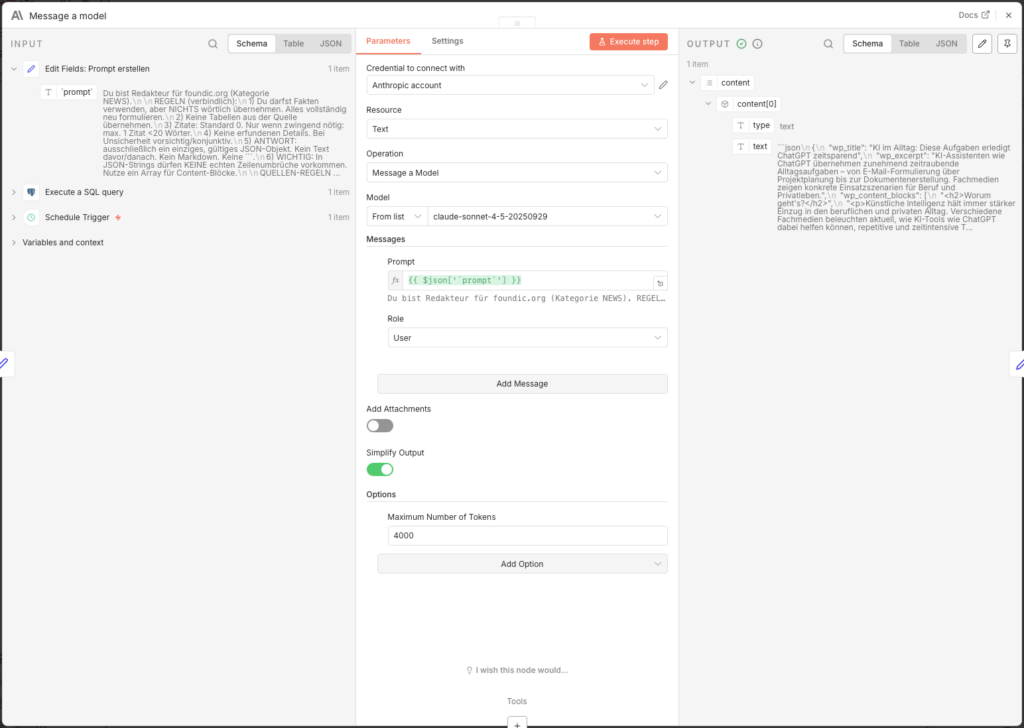
- Node: Message a model (Anthropic)
- Credential to connect with: Anthropic API Key (create one at console.anthropic.com)
- Model: claude-sonnet-4-5-20250929
- Messages → Content:
={{ $json['prompt'] }} - Options → Maximum Number of Tokens: 4000
Increasing the token limit to 4,000 is important – without this setting the article will be cut offn abgeschnitten.
3.6.6 Parse Claude Output
Claude returns the answer as raw text. Ein Edit Fields-Node extracts from it the JSON-Objekt:
- Node: Edit Fields (Name:
Edit Fields1) - Add Field -> Name:
parsed-> Type: Object -> Value:
={{
  (() => {
    const raw =
      $json?.content?.[0]?.text ??
      $json?.content?.[0]?.content?.[0]?.text ??
      $json?.text ??
      "";

    const cleaned = raw.replace(/```(?:json)?/gi, "").trim();

    try {
      return JSON.parse(cleaned);
    } catch (e) {
      return { error: "JSON konnte nicht gelesen werden", raw: cleaned };
    }
  })()
}}
The code tries multiple possible paths in the Claude response object. If the parsing scheitert, gibt er a error object back – so the workflow does not stop silently, but leaves a readable note.
3.6.7 Prepare Fields for WordPress
Ein zweiter Edit Fields-Node „entpackt” the geparsten fields in eigenconstantlye, benannte Variablen:
- Node: Edit Fields (Name:
Edit Fields2)
| Name | Type | Value |
|---|---|---|
| wp_title | String | ={{ $json.parsed.wp_title }} |
| wp_content | String | ={{ $json.parsed.wp_content_blocks.join('\n\n') }} |
| wp_excerpt | String | ={{ $json.parsed.wp_excerpt }} |
| wp_tags | String | ={{ $json.parsed.wp_tags }} |
The wp_content_blocks are joined by join('\n\n') into a single HTML string – exactly the format the WordPress REST API expects.
3.6.8 Build Image Prompt for Flux
Now the image generation starts. An Edit Fields node builds the Flux prompt based on the fully written article:
- Node: Edit Fields (Name:
Edit Fields3) - Add Field → Name:
`prompt`→ Type: String → Value:
={{
"TOPIC (short): " + ($json.wp_title ?? "") +
". CONTEXT (short): " + ($json.wp_excerpt ?? "") +
". " +
"Based on the blog text above, create a modern, vector-based editorial illustration in flat design, suitable as a calm cover image for a professional tech or knowledge blog. " +
"Style and design: editorial flat illustration (Flat Design 2.0), vector-based, clean and minimalist. " +
"Clear lines, simple geometric shapes, calm areas and harmonious proportions. " +
"Reduced, professional colour palette with warm, muted tones (beige, apricot, orange) combined with restrained blue and green tones on a light background. " +
"Soft, flat light with very subtle shadows or slight gradients, no realistic light source. " +
"Abstracted, neutral figures or symbolic objects without individual features. " +
"Uncluttered composition focused on one central visual metaphor. " +
"Calm, matter-of-fact visual effect with an editorial character. " +
"Content requirements: abstract the topic visually, not literally or narratively. No concrete scene with a recognisable place or real brands. " +
"Strict prohibitions: no text in the image (no letters, words, numbers, characters). No logos/trademarks/company-specific symbols. No photography, no photorealism. No 3D rendering. No comic or cartoon look. " +
"Technical requirements: square image format. Contemporary, consistent style for editorial online content. "
}}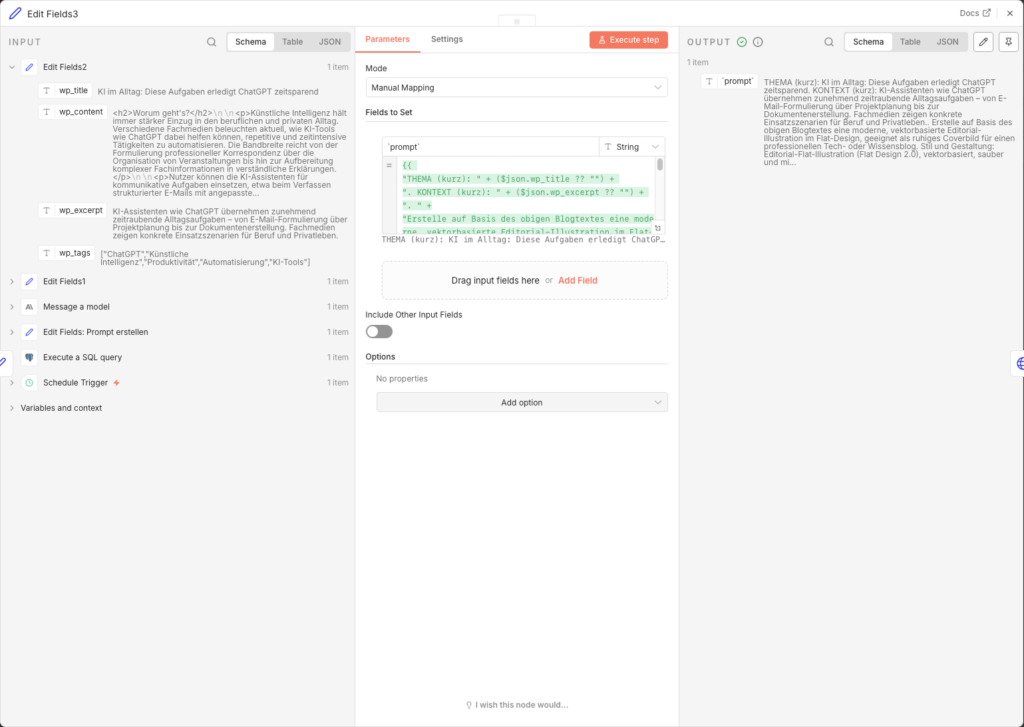
The prompt uses wp_title and wp_excerpt from the newly created article as the content basis. The detailed style specifications (Flat Design 2.0, muted colors, no text, no photorealism) ensure a consistentes, consistent editorial look across all generated covers.
3.6.9 Request Image from Black Forest Labs
The BFL API works asynchronously – you submit a job, get a job number back and check later whether the image is ready. Like a bakery: place an order, take the ticket, pick it up later.
Step 1: Set up the API key
Create an account at bfl.ai, load credits and copy your API key. Save it in n8n as a Custom Auth Credential:
- Go to n8n Main Menu → Credentials → New
- Type: Custom Auth
- Name: z. B.
BFL API Key - JSON:
{
  "headers": {
    "x-key": "bfl_DEIN_API_KEY_HIER"
  }
}
Step 2: image-Job start
- Node: HTTP Request (Name:
HTTP Request - URL image) - Method: POST
- URL:
https://api.bfl.ai/v1/flux-2-flex - Authentication: Generic Credential Type → Custom Auth → your BFL credential
- Send Headers: ON
- Name:
Content-Type/ Value:application/json
- Name:
- Send Body: ON → Body Content Type: JSON → Specify Body: Using JSON
- JSON Body:
{
  "prompt": "={{ $json['`prompt`'] }}",
  "prompt_upsampling": true,
  "width": 1024,
  "height": 1024,
  "steps": 35,
  "guidance": 5,
  "output_format": "jpeg",
  "safety_tolerance": 2
}- Response Format: JSON
The 35 render steps provide a good balance between image quality and generation time (approx. 8–15 seconds).
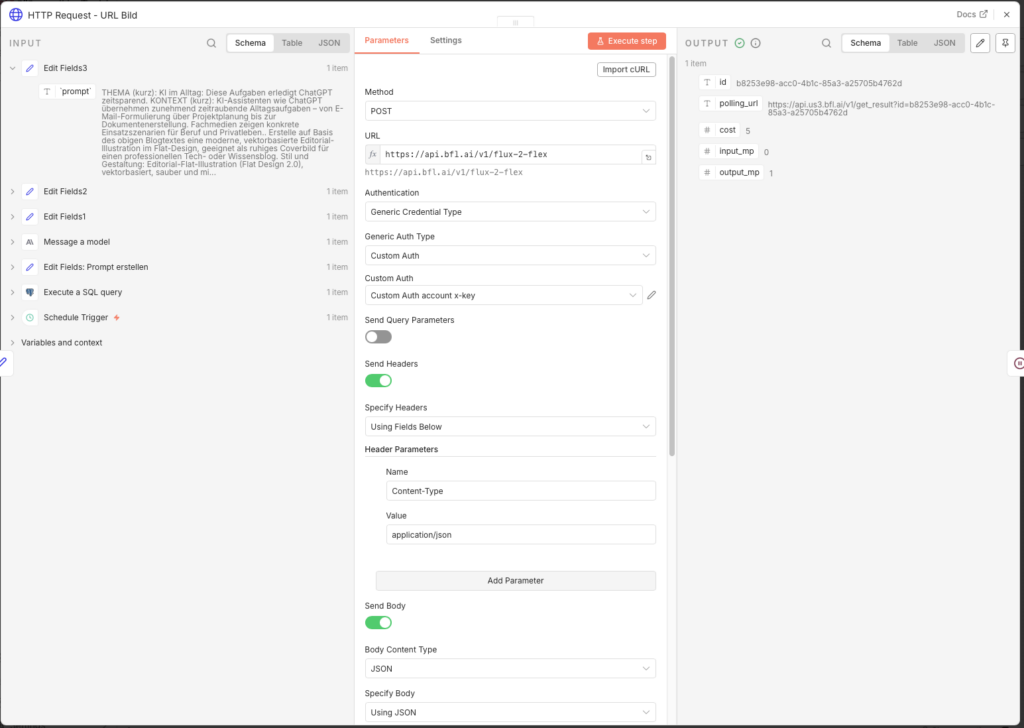
3.6.10 Wait and Retrieve Image
Since the API works asynchronously, we need a poll loop: wait → check → done or nochmal warten.
Wait-Node:
- Node: Wait
- Resume: After Time Interval
- Wait Amount: 11 seconds
11 seconds is in practice a good waiting time for Flux-2-Flex. Too short leads to many unnecessary check requests, too long extends the workflow runtime unnecessarily.
Check-Node: - Node: HTTP Request (Name:
HTTP Request - Check URL image) - Method: GET
- URL:
={{ $('HTTP Request - URL image').item.json.polling_url }} - Response Format: JSON
IF-Node (fertig or weiter warten): - Node: IF
- Condition:
{{ $json.status }}is equal toReady- TRUE → weiter to the Download
- FALSE → back to the Wait node (Connection from the FALSE output back to “Wait”)
Achtung: BFL gibtReadywith capital R back – notREADY. Typos here will cause an infinite loop.
Download-Node:
- Node: HTTP Request (Name:
HTTP Request - Download URL image) - Method: GET
- URL:
={{ $json.result.sample }} - Response Format: File
The image now arrives as binary data in the fielddataand is ready to be saved.
3.6.11 Assign File Names
Ein Edit Fields-Node created a systematischen Filenamen in the Format YYYY-MM-DD_titel-slug_img-01.jpg:
- Node: Edit Fields (Name:
Edit Fields5) - Include Other Input Fields: ON
- Add Field → Name:
filename→ Type: String → Value:
={{ $now.toFormat('yyyy-MM-dd') }}_{{
  String($('Edit Fields2').first().json.wp_title || 'beitrag')
    .toLowerCase()
    .normalize('NFD').replace(/[\u0300-\u036f]/g, '')
    .replace(/[^a-z0-9]+/g, '-')
    .replace(/^-+|-+$/g, '')
    .substring(0, 60)
}}_img-01.jpg
The result: 2026-08-15_vier-routinen-unterscheiden-ki-profis-von-gelegenheitsnutzer_img-01.jpg. Each filename is unique, readable, and sortable by date.
3.6.12 Save Image to the Synology NAS
- Node: Read/Write Files from Disk
- Operation: Write File to Disk
- Binary Property:
data - File Path:
/data/wpmedia/raw/{{ $json.filename }}
So that n8n may write into this directory, the volume must be mounted in the Docker YAML. If that has not been done yet, add this in yourdocker-compose.ymlundervolumes:
volumes:
  - /volume2/docker/n8n/app_data:/home/node/.n8n
  - /volume1/WordPress/media:/data/wpmedia    # ← diese Zeile hinzufügen
Then restart the container. Also, write permissions for the n8n process must be correct – if the node reports an error, this SSH command on the DiskStation helps
sudo chown -R 1000:1000 /volume1/WordPress/media/
sudo chmod -R 775 /volume1/WordPress/media/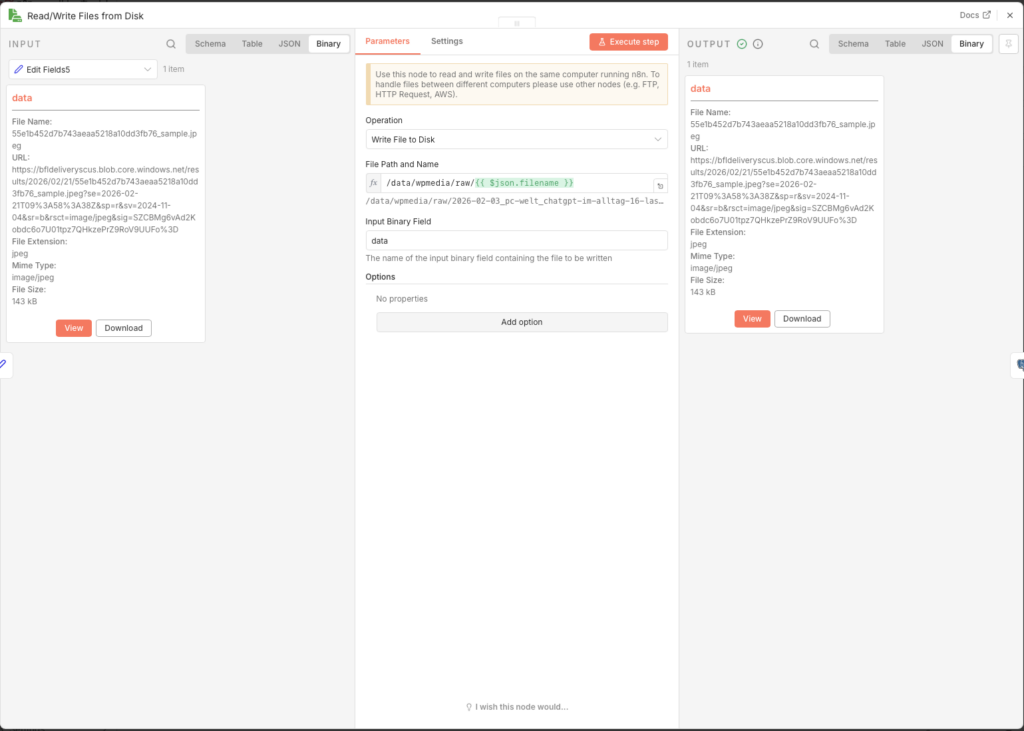
3.6.13 Update Story in Database
Finally, a Postgres node writes all generated content into the ki_story table and sets the status to PUBLISH_READY. That is the signal for Agent 5 that this article is ready for publication.
- Node: Update rows in a table
- Credential to connect with:
n8n-postgres - Operation: Update
- Schema: public
- Table: ki_story (not ki_artikel!)
- Mapping Column Mode: Map Each Column Manually
- Columns to match on: id
| Feld | Value |
|---|---|
| id (using to match) | ={{ $('Execute a SQL query').item.json.story_id }} |
| status | PUBLISH_READY |
| wp_title | ={{ $('Edit Fields2').item.json.wp_title }} |
| wp_content | ={{ $('Edit Fields2').item.json.wp_content }} |
| wp_excerpt | ={{ $('Edit Fields2').item.json.wp_excerpt }} |
| wp_tags | ={{ $('Edit Fields2').item.json.wp_tags }} |
| image_file_path | ={{ $json.fileName }} |
$json.fileName (with a capital N) is the filename n8n automatically assigns to the saved file – it matches the value from Edit Fields5, but is taken directly from the Read/Write node.
3.6.14 publish the workflow
Set the Schedule Trigger to 23 hours and enable the workflow via Publish. Agent 4 runs once dailyal, nimmt the beste angereicherte Story, produziert daraus a fertigen article with eigenem Coverbild and legt beides in the database ab.
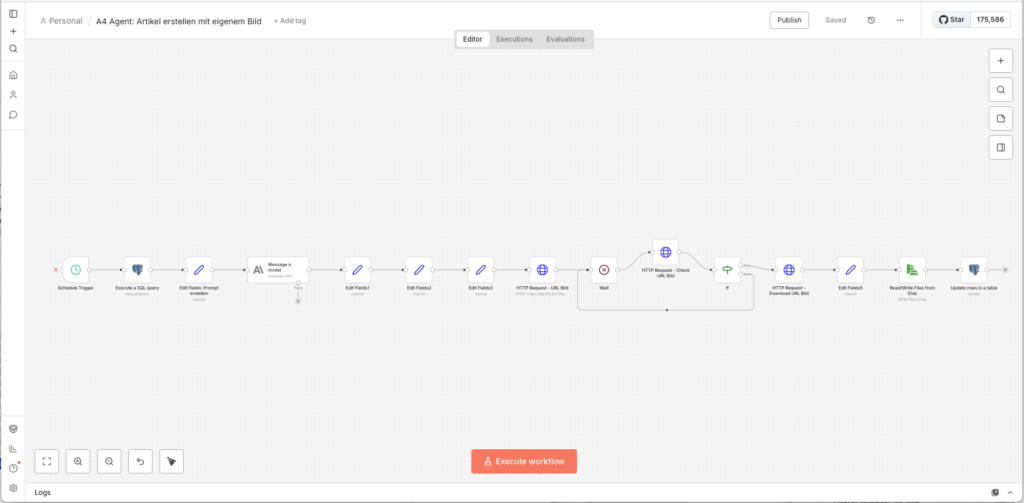
3.7 Agent 5: Publish to WordPress
Tanja: „This is the last step: Agent 5 hands everything over to WordPress.“
Ulf: “And then the article is live?”
Tanja: „No. It lands as a draft. You look it over, give the green light, and only then does it go online.“
Bernd: “Why not publish directly? That saves a step.”
Tanja: „Because AI articles sometimes contain mistakes. Hallucinations. Wrong names. Outdated numbers. A short human glance keeps your blog from publishing nonsense while you sleep.“
Bernd thinks for a moment. „I would have published it directly.“
Tanja: “I know.”
3.7.1 Preparation in WordPress
So that n8n is allowed to upload articles and images, it needs an application password. That is safer than your normal login – it can be revoked at any time without your main password changing.
- Log in to your WordPress admin
- Under Users → Add New create a new user, e.g.
n8n-publisher - Assign it the role of Author or Editor – it doesn’t need admin rights
- Open the profile of the new user and scroll all the way down to Application Passwords
- Enter a Namen a (z. B.
n8n-Diskstation) and click on Neues Anwendungspassword add - Important: Copy the password shown immediately (e.g.
abcd efgh ijkl ...), it is shown only this one time - Also note the category ID of your target category. You can find it in WordPress under Posts -> Categories: Click on the desired category and read the ID from the URL (z. B.
...tag_ID=8)
3.7.2 Starting the workflow
- Go back to the workflow overview and click on Create new workflow
- Name it in the top left:
A5 Agent: Publish to WordPress - Click on Add First Step and select Schedule Trigger
- Trigger Interval: Hours
- Hours Between Triggers: 23
- Trigger at Minute: 0
For setup, we first use the Manual Trigger, so that we test it directly.
3.7.3 Fetch Finished Article from the Database
- Node: Postgres – Execute a SQL query
- Credential to connect with:
n8n-postgres - Query:
SELECT
  id,
  wp_title,
  wp_content,
  wp_excerpt,
  wp_tags,
  image_file_path
FROM ki_story
WHERE status = 'PUBLISH_READY'
ORDER BY created_at DESC
LIMIT 1;
The PUBLISH_READY status is set automatically by Agent 4. You can also set it manually in Metabaseell vergeben or entfernen – the gibt dir full control over which articles enter the publication queue.
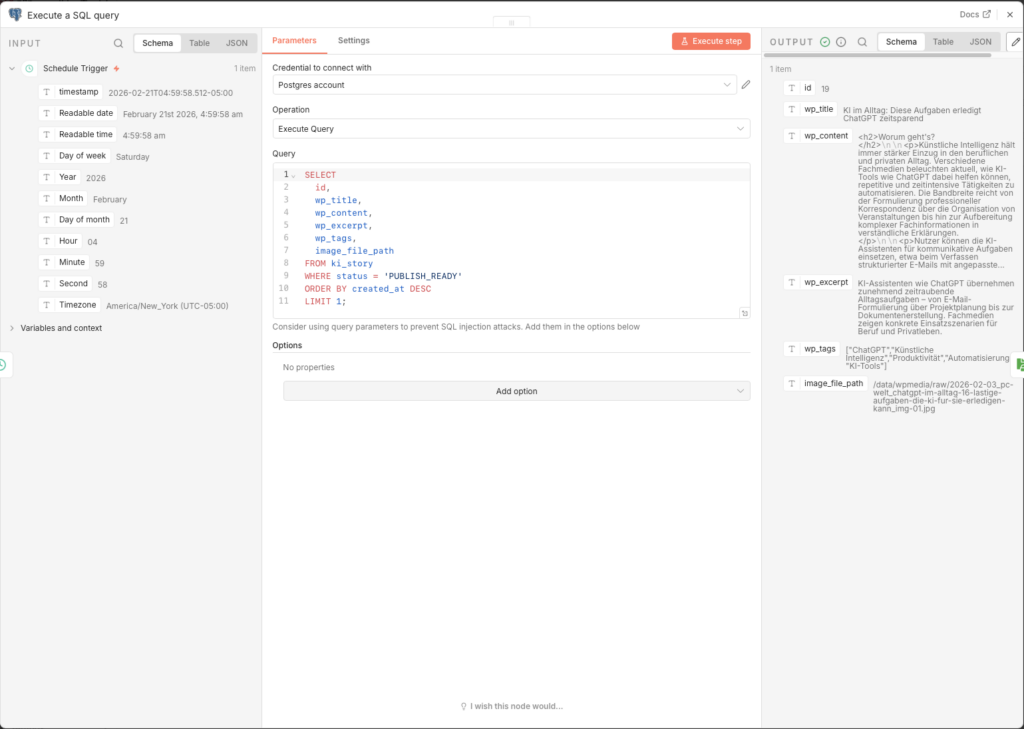
3.7.4 Load Image from the NAS
The image must be loaded as a binary file into n8n memory, before it can be transferred to WordPress.
- Node: Read/Write Files from Disk
- Operation: Read File(s) From Disk
- File(s) Selector:
={{ $json.image_file_path }}
Theimage_file_pathfrom the database contains the full path inside the Docker container, e.g./data/wpmedia/raw/2026-08-15_vier-routinen-unterscheiden-ki-profis-von-gelegenheitsnutzer_img-01.jpg. This path must match the volume mounted in Agent 4.
3.7.5 Upload Image to the WordPress Media Library
WordPress needs the image first in the media library to assign it an internal ID – this ID is then used when creating the post as featured_media referenziert.
- Node: HTTP Request (Name:
HTTP Request) - Method: POST
- URL:
https://foundic.org/wp-json/wp/v2/media - Authentication: Generic Credential Type → Basic Auth
- Basic Auth Credential → New Credential:
- Username: your n8n publisher username
- Password: the application password (not the normale Login-Password!)
- Send Headers: ON
| Header Name | Value |
|---|---|
| Content-Disposition | =attachment; filename="{{ $binary.data.fileName }}" |
| Content-Type | image/jpeg |
- Send Body: ON
- Body Content Type: n8n Binary File
- Input Data Field Name:
data
When the request is successful, WordPress returns a JSON object that contains, among other things, the fieldid– the media ID of the uploaded image. We need this ID in the next step.
- Send Query: ON
A small detail with a large effect. The body is already taken up by the image file, so title and alt text cannot travel as body fields – but WordPress reads them from the query string just as well. Without these three parameters the image is named after its file name in the media library and has no alt text at all: bad for screen readers, bad for image search, and later you will never find anything in the media library again.
| Name | Value |
|---|---|
| title | ={{ $('Execute a SQL query').item.json.wp_title }} |
| alt_text | ={{ $('Execute a SQL query').item.json.wp_title }} |
| caption | ={{ $('Execute a SQL query').item.json.wp_title }} |
We use the article title as the text. That is not the perfect image description – strictly speaking, alt text should say what can be seen in the picture. But the title at least says what it is about, it is always available, and it is infinitely better than 2026-08-16_ai-agents-in-mid-sized-business_img-01. If you want it more precise, have the image AI in Agent 4 return a description as well and write that in here.
3.7.6 Create WordPress Post
Now the post itself is created. Important: the status is deliberately set to draft – the article does not appear publicly right away, but first lands as a draft in WordPress, where it can be checked and approved.
- Node: HTTP Request (Name:
HTTP Request1) - Method: POST
- URL:
https://foundic.org/wp-json/wp/v2/posts - Authentication: Generic Credential Type → Basic Auth → dasselbe Credential how oben
- Send Body: ON
- Body Content Type: JSON
- Specify Body: Using Fields Below
Add the following body fields (via Add Parameter):
| Name | Value |
|---|---|
| title | ={{ $('Execute a SQL query').item.json.wp_title }} |
| content | ={{ $('Execute a SQL query').item.json.wp_content }} |
| excerpt | ={{ $('Execute a SQL query').item.json.wp_excerpt }} |
| featured_media | ={{ $json.id }} ← media ID from the previous HTTP Request |
| status | draft |
| categories | 8 ← your category ID from step 3.7.1 |
The field featured_media with {{ $json.id }} references the image ID that WordPress returned in the previous step – that automatically links the uploaded image as the cover image of the post.
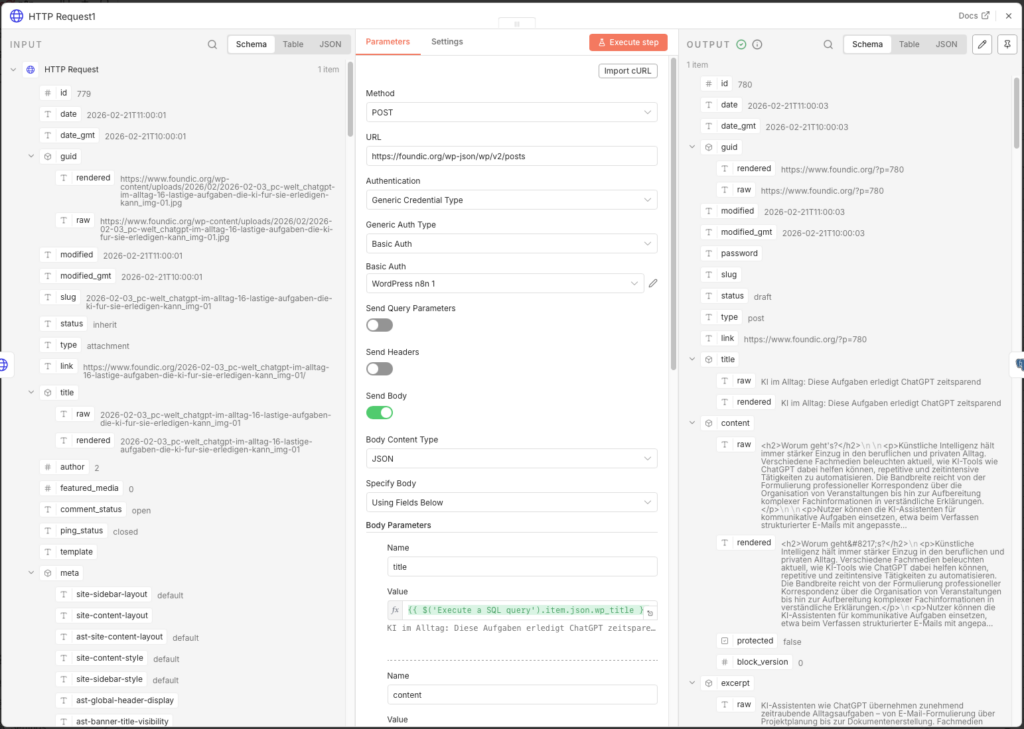
3.7.7 Update Status in the Database
After successful transfer to WordPress, the status in ki_story is set to PUBLISHED, with this the article it is not processed again in the next run.
- Node: Update rows in a table
- Credential to connect with:
n8n-postgres - Operation: Update
- Schema: public
- Table: ki_story
- Mapping Column Mode: Map Each Column Manually
- Columns to match on: id
| Feld | Value |
|---|---|
| id (using to match) | ={{ $('Execute a SQL query').item.json.id }} |
| status | PUBLISHED |
3.7.8 Human-in-the-Loop: Approval in WordPress
After Agent 5 has run, the article is available in WordPress as a draft. Now it’s your turn – and that’s a good thing:
- Log in to your WordPress admin
- Go to posts → drafts
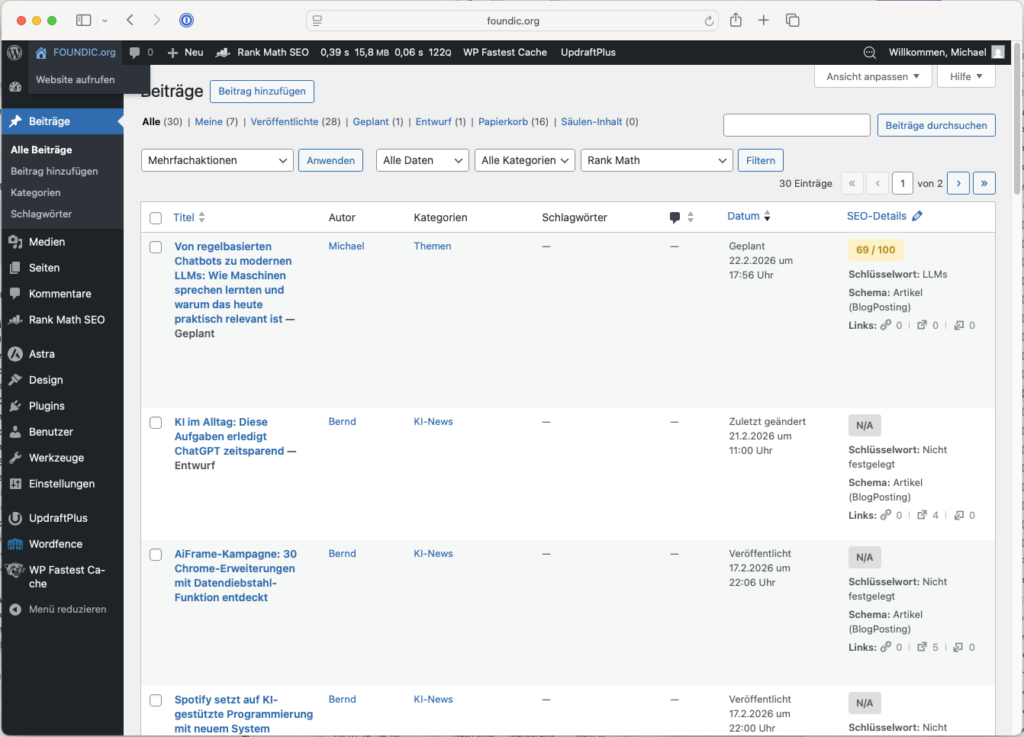
- Open the newly created post and check title, text, image and tags
- Falls alles passt: Click on Publish
- If you want changes: edit the post directly in WordPress

In Metabase you can view the current status of all articles at any time and adjust the status value manually – e.g. to set an article back to ANGEREICHERT if Agent 4 should process it again.
3.7.9 publish the workflow
Set the Schedule Trigger to 23 hours and enable via Publish. The entire pipeline runs now automatically:
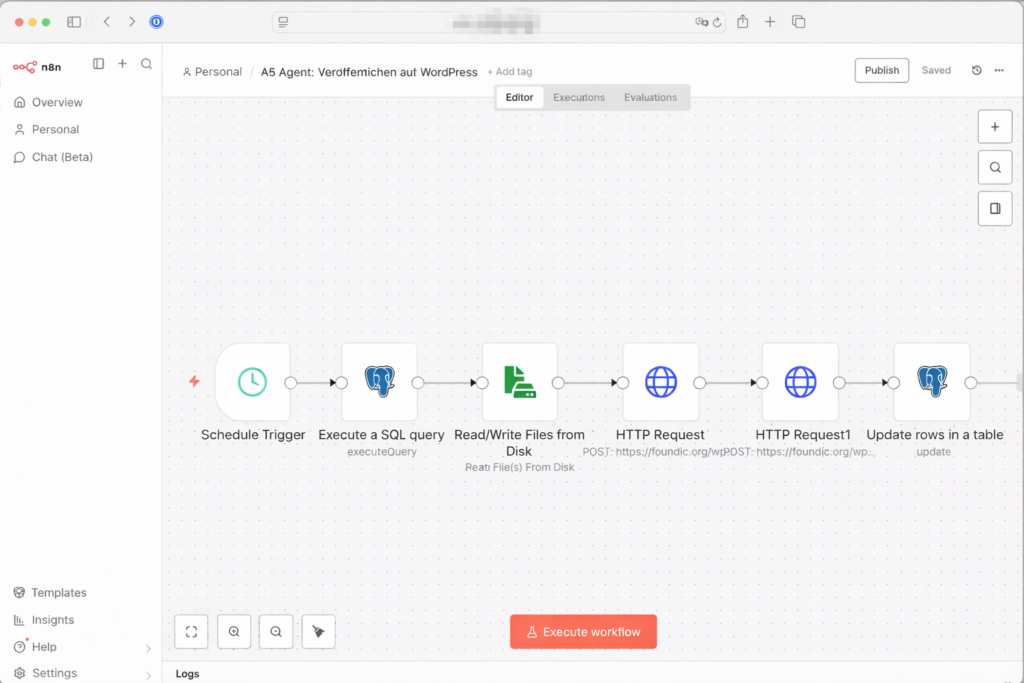
- Every 2 hours Agent 1 ingests new articles from 22 RSS feeds
- Every 4 hours Agent 2 evaluates the new entries
- Every 23 hours Agent 3 enriches the best articles with web context
- Every 23 hours Agent 4 writes the finished article and generates the cover image
- Every 23 hours Agent 5 uploads the article as a draft to WordPress – and waits for your approval or publication in WordPress.
3.8 Maintenance: the monthly link check
A newsroom that publishes an article every day has around 350 posts with well over a thousand outbound links after a year. And links rot. Editorial teams rebuild their URLs, offerings disappear, whole domains are not renewed. On my site, after not quite a year, that is 378 posts with 812 distinct addresses – nobody can check that by hand.
Hence a sixth, small workflow that produces nothing and only looks: a schedule (once a month), one code node, one email node. It reads all published posts through the public WordPress API, collects every link in them, requests each address once and sends the result by email. It changes nothing – no automatic repairing of links in published posts; you would regret that later.
One thing matters here: „dead“ and „does not answer“ are two different things. Large providers sometimes let automated requests through and sometimes do not – gemini.google.com or de.statista.com give no answer at all depending on the run, although they are obviously alive. Throwing both together gives you a list that fluctuates from month to month and flags healthy links – and a report like that stops being read after two months. So only what answers HTTP 404 or 410, or whose domain no longer exists in DNS, counts as dead; everything else lands in a second section „please check yourself“, with the technical reason next to it.
The whole workflow fits into one code node. Enter your own domain at the top:
const BASIS = 'https://DEINE-DOMAIN.de/wp-json/wp/v2/posts';
const helfer = this.helpers;
const proAdresse = new Map();
let seite = 1, beitraege = 0;
// 1. Page through all published articles and collect the links.
while (seite <= 25) {
let antwort;
try {
antwort = await helfer.httpRequest({
method: 'GET', url: BASIS, json: true, timeout: 60000,
qs: { per_page: 100, page: seite, status: 'publish', _fields: 'id,link,title,content' },
});
} catch (e) { break; }
if (!Array.isArray(antwort) || antwort.length === 0) break;
for (const b of antwort) {
beitraege++;
const titel = String((b.title && b.title.rendered) || '').replace(/<[^>]+>/g, '').trim();
const html = String((b.content && b.content.rendered) || '');
for (const t of html.matchAll(/<a[^>]*href="(https?:\/\/[^"]+)"[^>]*>([\s\S]*?)<\/a>/g)) {
const url = t[1];
if (/\/wp-content\/uploads\//.test(url)) continue;
const text = t[2].replace(/<[^>]+>/g, '').trim().slice(0, 80);
if (!proAdresse.has(url)) proAdresse.set(url, { url, vorkommen: [] });
proAdresse.get(url).vorkommen.push({ id: b.id, titel, link: b.link, text });
}
}
if (antwort.length < 100) break;
seite++;
}
// 2. Request every address once, four at a time.
const anfrage = async (url, methode, zeit) => {
const a = await helfer.httpRequest({
method: methode, url, timeout: zeit,
returnFullResponse: true, ignoreHttpStatusErrors: true, followRedirect: true,
headers: { 'User-Agent': 'Mozilla/5.0 (compatible; linkcheck/1.0)' },
});
return a && typeof a.statusCode === 'number' ? a.statusCode : null;
};
const statusAus = (e) => {
const s = e && (e.statusCode || e.httpCode || (e.response && e.response.status));
return typeof s === 'number' ? s : null;
};
const pruefe = async (url) => {
let status = null, grund = null;
try {
status = await anfrage(url, 'HEAD', 8000);
if (status === 403 || status === 405 || status === 501) status = await anfrage(url, 'GET', 8000);
} catch (e) {
status = statusAus(e);
if (status === null) {
try { status = await anfrage(url, 'GET', 20000); }
catch (e2) {
status = statusAus(e2);
if (status === null) {
const code = String((e2 && (e2.code || e2.message)) || '');
if (/ENOTFOUND/.test(code)) return { tot: true, unklar: false, grund: 'Domain existiert nicht mehr (DNS)' };
return { tot: false, unklar: true, grund: 'keine Antwort (' + code.slice(0, 40) + ')' };
}
}
}
}
if (status === 404 || status === 410) return { tot: true, unklar: false, grund: 'HTTP ' + status };
return { tot: false, unklar: false, grund: 'HTTP ' + status };
};
const alle = [...proAdresse.values()];
let naechster = 0;
const arbeiter = async () => {
while (true) {
const i = naechster++;
if (i >= alle.length) return;
Object.assign(alle[i], await pruefe(alle[i].url));
}
};
await Promise.all(Array.from({ length: 4 }, () => arbeiter()));
// 3. Build the report: two separate sections.
const schuetzen = (s) => String(s == null ? '' : s)
.replace(/&/g, '&').replace(/</g, '<').replace(/>/g, '>').replace(/"/g, '"');
const tote = alle.filter(a => a.tot);
const unklare = alle.filter(a => a.unklar);
const stand = new Date().toLocaleDateString('de-DE', { timeZone: 'Europe/Berlin' });
const gruppiere = (liste) => {
const m = new Map();
for (const a of liste) for (const v of a.vorkommen) {
if (!m.has(v.id)) m.set(v.id, { titel: v.titel, link: v.link, treffer: [] });
m.get(v.id).treffer.push({ text: v.text, url: a.url, grund: a.grund });
}
return [...m.values()];
};
const tabelle = (gruppen) => gruppen.map(b =>
'<h3><a href="' + schuetzen(b.link) + '">' + schuetzen(b.titel) + '</a></h3><table border="1" cellpadding="5" style="border-collapse:collapse">' +
b.treffer.map(t => '<tr><td>' + schuetzen(t.text) + '</td><td>' + schuetzen(t.url) + '</td><td>' + schuetzen(t.grund) + '</td></tr>').join('') +
'</table>').join('');
let html = '<p>Linkcheck vom ' + stand + ': ' + beitraege + ' Beitraege, ' + alle.length + ' Adressen geprueft. ' + tote.length + ' eindeutig tot, ' + unklare.length + ' ohne Antwort.</p>';
if (tote.length) html += '<h2>Eindeutig tot</h2>' + tabelle(gruppiere(tote));
if (unklare.length) html += '<h2>Ohne Antwort - bitte selbst nachsehen</h2>' + tabelle(gruppiere(unklare));
return [{ json: {
subject: 'Linkcheck ' + stand + ': ' + tote.length + ' tote Links',
html,
} }];Behind it a Send Email node with ={{ $json.subject }} as the subject and ={{ $json.html }} as the HTML body. On my site 812 addresses run through in a good two minutes. Result of the last run: three genuinely dead addresses, that is 0.4 percent – the stock is in order. Which is exactly the point: you do not build something like this because you have a problem, but so that you notice when you get one.
3.9 Backing Up Your Data: the database is the memory of the system
Ulf: “The articles end up in WordPress anyway. Is that not enough?”
Tanja: “WordPress holds the result. The database holds what the five agents have already seen, rated and discarded. Lose it and you do not lose a few articles – the system starts from the beginning and writes all of them again.”
Bernd: “So I get duplicate articles.”
Tanja: “Exactly. All of them.”
ki_artikel, ki_story and ki_artikel_edges hold the entire processing state: which source has been read, what rating an item received, which status comes next. It is the only set of data in this guide that cannot be restored by running a workflow again. Three things need backing up, and they need three different routes.
a) The database – with pg_dump, not as a file copy. As long as the container is running, Postgres keeps writing; a file copy of the data directory therefore shows a state that never existed and cannot be restored. Put the values you noted for the connection in step 3.1.1 into the script – container name, user and database name:
#!/bin/bash
# newsroom-db-backup.sh
# CONTAINER, DB_USER and DB_NAME are the values from step 3.1.1.
CONTAINER=n8n-postgres
DB_USER=n8n_admin
DB_NAME=n8n_db
DEST=/volume1/Backups/newsroom
TS=$(date +%Y%m%d-%H%M%S)
mkdir -p "$DEST"
docker exec -t "$CONTAINER" pg_dump -U "$DB_USER" "$DB_NAME" | gzip > "$DEST/newsroom-db-$TS.sql.gz"
find "$DEST" -name 'newsroom-db-*.sql.gz' -mtime +30 -delete
Set it up under Control Panel → Task Scheduler → Create → Scheduled Task → User-defined script, daily at 03:00, with root as the user – on the DiskStation only root may call docker. Expected result: a file larger than 0 bytes, and zcat /volume1/Backups/newsroom/newsroom-db-*.sql.gz | grep -c ki_artikel returns a number greater than zero. If it returns zero, the dump caught the wrong database.
b) The five workflows – as JSON. They are the result of the work from sections 3.2 to 3.7 and they sit in the n8n database, on the same disk. Export each of the five individually: open the workflow, click the three dots at the top right, Download. Five files, stored next to the database dump. If you only have them inside n8n, you have them exactly once.
c) The images. Agent 4 stores them under /volume1/WordPress/media. Those are files at rest, and Hyper Backup can take them along without any trouble. They do depend on the WordPress media library, though: an image that is no longer registered there does not become visible again through the file alone. The WordPress database itself belongs in your hosting provider’s backup, not in this one.
And restore it once. The test runs in a second, empty database and does not touch your production data:
docker exec -t n8n-postgres createdb -U n8n_admin newsroom_test
zcat /volume1/Backups/newsroom/newsroom-db-20260829-030000.sql.gz | docker exec -i n8n-postgres psql -U n8n_admin -d newsroom_test
docker exec -t n8n-postgres psql -U n8n_admin -d newsroom_test -c "SELECT count(*) FROM ki_artikel;"
If you get a number instead of an error, the backup is usable. Afterwards run docker exec -t n8n-postgres dropdb -U n8n_admin newsroom_test. A backup you have never restored is a hope – and it holds right up to the day you need it. (Section added on 29 August 2026.)
4 Conclusion
A few weeks later. Same office. Same Monday.
Ulf opens his laptop, not to click through feeds, but to check a single draft in WordPress. The article is fully written, has a cover image, sources and tags. He reads it through, nods, clicks „Publish“.
Three minutes. Instead of an hour.
Bernd looks over: “Did you write all of that yourself?”
Ulf: “An AI wrote it, I just approved it.”
Bernd: “And that’s… okay?”
Tanja leans back: “That’s exactly the point.”
What You Built
Once you have set up and enabled all five agents, a fully automated digital newsroom runs on your Synology NAS – around the clock, without you having to click through feeds every morning or research manually. Several news sources (RSS feeds) are monitored continuously, every item is rated, the most relevant hits are researched in depth, a complete WordPress article is written and an original cover image is generated. What used to cost hours of editorial routine work now runs in the background – and lands as a draft in your WordPress, waiting for your final look and one click.
This is not a toy project. You have built a serious piece of software architecture here: a relational database with a state machine, a pipeline system with five independently running agents, quality checks on several levels, URL normalization to avoid duplicates, and a knowledge graph of linked articles. And all of that without having to write a single line of server code.
What the System Actually Does – and What It Doesn’t
It is worth being honest here: the system writes good, structured, legally compliant articles. But it does not write great articles. Claude produces solid editorial journalism – correct, well structured, with sources. What is missing is the human perspective: the unexpected analogy, the pointed opinion, the experience of ten years in the field. The system is a very good first draft – but a draft.
That is precisely why the human-in-the-loop step is no annoying obstacle, but the heart of the concept. The newsroom handles the routine work. You exercise judgment.
What You Can Do Now
The system is built to scale. A few obvious next steps:
- More sources – you can add as many further RSS feeds to Agent 1 as you like, without touching the rest of the system. English-language sources such as TechCrunch, The Verge or MIT Technology Review would clearly improve the international perspective.
- Feinere evaluation – the Scoring-Prompt in Agent 2 can be adjusted at any time. If you notice that certain subcategories appear too often or too rarely, simply adjust the descriptions or the thresholds.
- Multilingualism – Claude writes in English without any trouble if you adapt the prompt in Agent 4 accordingly. This way the same workflow could be used for a second blog in another language.
- Enrich tags automatically – the
wp_tagsgenerated by Claude could additionally be matched against a fixed tag taxonomy in WordPress, so that no spelling variants arise. - Notifications – an additional n8n workflow could notify you by email or Telegram as soon as a new article is ready as a draft in WordPress.
The Bigger Picture
This project shows in miniature where the journey with AI automation is heading: not towards replacing people, but towards extending your own leverage. With this setup a single person can maintain a publication frequency that would previously have required a small editorial team – and at operating costs of under 5 euros a month.
n8n is actually the real secret. Not because it is better than Zapier or Make in every individual function, but because it is self-hosted runs. Your workflows, your data, your infrastructure – on your own hardware, without monthly platform fees, without vendor lock-in, without privacy concerns when processing article content.
If you have built this system, you have not only built a newsroom. You have understood how multi-agent systems work, how to embed AI outputs into real workflows, and how to design automation so that it stays scalable, maintainable and controllable. Those are skills that will be useful far beyond this one project.
FOUNDIC.org is ad-free and has no paywall. If this guide helped you:  Treat us to a coffee