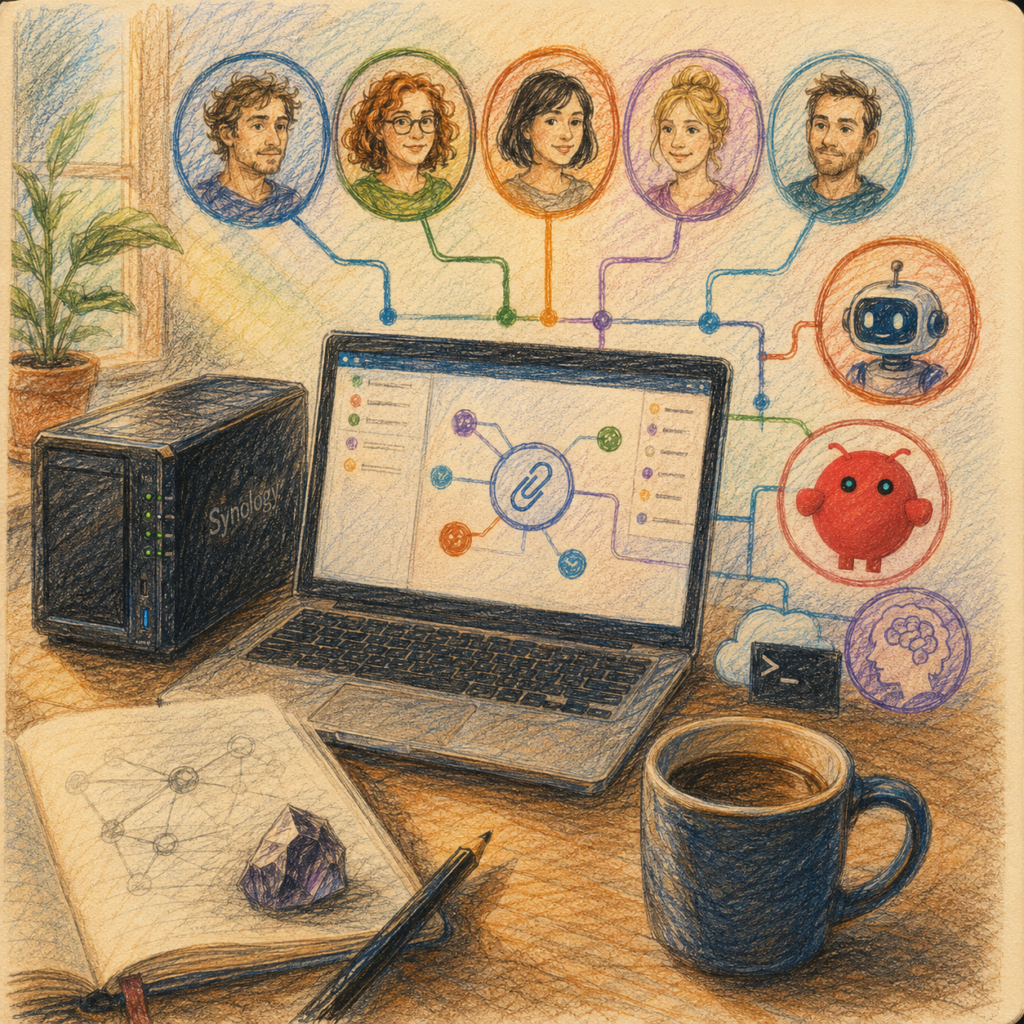
How a Synology NAS becomes an editorial nervous system — with Paperclip as director, OpenClaw as the Claude bridge, and Obsidian as memory.
The thinking behind this division of roles — why AI agents need an org chart at all — is set out in Paperclip: When AI Agents Get an Org Chart.
This guide is not a clean lab report from an ideal cloud world. It is the blueprint of a system built on a real Synology NAS — complete with Docker quirks, stubborn OAuth logins, offended timeouts, missing user namespaces, and agents that sometimes interpreted “don’t close yet” very literally and sometimes far too creatively.
The end result is a local multi-agent editorial team: five Codex personas via ChatGPT Plus, one Editorial Claude via Claude Max, Paperclip as orchestrator, and Obsidian as memory. No API cost roulette, no blind auto-publishing, no magic. Just many small, verified steps.
Don’t panic — this looks more complicated than it is. You’re not building anything mysterious here. You’re hiring three digital employees, giving each one an office, a name tag, and a clear job description, and making sure none of them can publish anything without your signature. We’ll work through it in exactly that order.
To make this guide easier to follow, three characters will accompany you:
The classic office archetypes: the competent IT colleague, the self-proclaimed expert, and the honest beginner. These three perspectives help you spot typical pitfalls.
Tanja is the IT expert. She knows how things work, explains them patiently and methodically, and doesn’t let bad advice throw her off. If you have a question, Tanja has the answer.
Bernd is the self-proclaimed “expert” who always knows better and is usually wrong. His shortcuts and half-knowledge regularly cause problems. He represents all the dangerous myths and bad practices you should avoid.
Ulf is the learner — just like you. He asks the questions swirling around in your head and sometimes needs an everyday analogy to understand IT. If Ulf doesn’t understand something, that’s perfectly fine — that’s what Tanja is there for.
“And… action!”
Before You Start: A Few Notes
The scene: Bernd is leaning in the server room doorway, coffee mug in hand, watching Tanja type.
Bernd: “Three AI agents? I’ll knock that out this afternoon. Install everything, switch it all on, done. Where’s the problem?”
Tanja: “The problem is exactly that ‘switch it all on.’ When you start everything at once and get an error, you’ll never know which of the twenty switches was to blame.”
Ulf: “Like at the garage when they replace all four parts at the same time and the rattling is still there afterwards?”
Tanja: “Exactly. That’s why this entire guide follows a fixed procedure.”
Specifically, this guide describes the complete reconstruction of the foundic.org setup: 3 AI agents (2 Codex personas + 1 Editorial Claude) on a Synology NAS. All commands are based on the documented original build (May–June 2026); version-dependent steps and recommendations that go beyond the original final state are marked as such.
Important note on reproducibility: This guide is as exact as the original project documentation allows. Two points depend on the current Paperclip version and are marked accordingly: (1) the UI patch for the openclaw_gateway adapter (Section 5.8) and (2) the ACP protocol patch (Section 5.10). Before rebuilding, check whether your Paperclip version still requires these patches — newer releases may have integrated them. The remaining steps are documented as a stable original path; even with changing Paperclip, OpenClaw, or CLI versions, the rule still applies: test first, then patch — never the other way around.
Bernd: “I can patch in advance too — better safe than sorry.”
Tanja: “No. A patch fixes a known bug. If that bug no longer exists in your version, the patch introduces a new one. Test first, then fix.”
Companion article (required reading for the Wende installation): The Claude Max integration (Wende proxy, Claude CLI, autostart, token-saving measures) is fully documented step by step in a dedicated foundic.org article: “OpenClaw with ChatGPT Plus and Claude MAX: From €400 Variable API Costs to Predictable Flat Rates”. Section 5.7 of this guide summarizes the key steps and refers to Phases 3 and 4 of that article for details.
Model identifiers: gpt-5.5, gpt-5.4-mini, claude-sonnet-4, claude-opus-4 are the original values from the setup (as of May/June 2026). Model IDs change — before configuring, check what your subscriptions currently offer: Codex models via codex models list on the NAS or the dropdown in the Paperclip UI; Wende models via curl http://127.0.0.1:3457/v1/models. The important thing is the principle: explicitly set the cheapest available flat-rate model — never accept the wizard default. The Wende model IDs are intentionally generic (claude-sonnet-4, not the Anthropic API ID claude-sonnet-4-6).
Ulf: “Why not just use the default? The default is what the program recommends, right?”
Tanja: “The default is what the vendor recommends — not what protects your budget. Think of it like the expensive daily special the waiter brings without being asked. You want the flat-rate dish you’ve already paid for.”
1. Target Picture and Components
Before we type a single command, let’s look at what we’ll end up with. Picture a small editorial office: there’s a dispatcher who assigns tasks, several writers, an experienced author for the long pieces, and an archive that remembers everything. That’s exactly the office we’re building — just digitally, on your NAS.
| Component | Type | Port (Host) | Function |
|---|---|---|---|
paperclip | Docker container | 0.0.0.0:3100 | Orchestration, UI, all 3 agents, Codex subprocesses |
paperclip-postgres | Docker container | (internal only) | Database (postgres:17-alpine) |
openclaw-writer | Docker container | 0.0.0.0:18791 | Gateway for Editorial Claude |
wende | Native Node.js process on DSM | 0.0.0.0:3457 | Claude Max proxy (CLI subprocess wrapper) |
| Codex CLI | Binary (included in Paperclip image) | gpt-5.5 via ChatGPT Plus OAuth for 2 personas | |
| Obsidian + Vault | Mac app + shared folder | Control documents, agent workspaces, memory |
Data flow:
2 x Codex-Personas:  Paperclip → codex_local-Adapter → Codex-CLI-Subprocess → ChatGPT-Plus-OAuth → gpt-5.5
1 x Editorial Claude:  Paperclip → openclaw_gateway → openclaw-writer (ws, :18791) → Wende (:3457, OpenAI-Schema) → claude-CLI-Subprocess → Claude-Max-Abo
In short: Paperclip is the dispatcher. ChatGPT/Codex writes the fast persona responses. Editorial Claude is the larger language engine for longer editorial work. Obsidian is not decoration — it’s the memory and operating manual of the entire system.
Ulf: “I don’t understand that second line with all the arrows. Why so many stations for a single agent?”
Tanja: “Because two worlds speak different languages. Paperclip speaks ‘OpenAI’, Claude speaks ‘Claude’. Wende is the interpreter in between. More on that in Step 5.7 — for now it’s enough to know: Editorial Claude has a longer chain of command than the two Codex personas, hence the arrow chain.”
Bernd: “Interpreter? Drop it, that’ll make things faster.”
Tanja: “Then nobody talks to anybody. The interpreter isn’t the problem — it’s the solution.”
Sources and Repositories
Where does each piece of software come from? This table is your shopping list. You’re not building anything yourself — you’re fetching ready-made, tested components.
| Software | Source | How to obtain |
|---|---|---|
| Paperclip | github.com/paperclipai/paperclip (MIT license) | Ready-made image: ghcr.io/paperclipai/paperclip (tags: :latest, :sha-XXX) |
| OpenClaw | Image: ghcr.io/openclaw/openclaw | Tested final state 2026.5.7 + patched Paperclip; version context see 5.10 and matrix 7.3 |
| Wende | Fork of github.com/atalovesyou/claude-max-api-proxy (original: adapted fork, see note 5.7.4) | Installation: see 5.7 + companion article, Phase 3 |
| Claude CLI | npm: @anthropic-ai/claude-code (original: 2.1.141) | Launched by Wende as a subprocess |
| Codex CLI | npm: @openai/codex (original: 0.130.0) | Already included in the Paperclip image |
| Obsidian | obsidian.md (free) |
Placeholders in This Guide
Angle-bracket placeholders appear throughout the commands. These are not real values — they are gaps you fill with your own data. Replace consistently throughout:
| Placeholder | Original value | Your value |
|---|---|---|
<NAS-IP> | 192.168.2.10 | Your NAS’s LAN IP |
<NAS-USER> | (example: admin) | Your DSM admin user |
<UID> | 1000 (container user); NAS user UID may differ | Check with id <NAS-USER>! |
Project rule: Never assume the UID — always run id $USER on the NAS. In the original, the NAS user UID and container UID (1000) differed. Bind-mount directories are chowned to the container UID, not adjusted in the compose directive.
Bernd: “The UID is always 1000. Everyone knows that.”
Tanja: “On your machine, maybe. On the next NAS it’s 1026, because three other users were created there first. An assumed UID is the classic recipe for ‘Permission denied’ showing up exactly where you’d never expect it.”
Ulf: “And how do I find mine?”
Tanja: “One single command: id <NAS-USER>. That tells you the truth. Assumptions only tell you what you want to hear.”
Fact check, Section 1
- Three Docker containers are created (paperclip, paperclip-postgres, openclaw-writer) and one native process (Wende) runs directly on DSM.
- Four occupied host ports: 3100 (UI), 18791 (gateway), 3457 (Wende); Postgres stays internal.
- You build nothing yourself — you pull ready-made images. Building on DSM fails anyway (see 2.3).
- Angle brackets = your values.
<NAS-IP>,<NAS-USER>,<UID>must be replaced everywhere.- Always check the UID with
id <NAS-USER>— never assume 1000.
2. Prerequisites
Before the machine runs, the foundation must be in place.
2.1 Hardware/Software
- Synology NAS with DSM 7.x and the Container Manager package (original: DS1621+). All paths in this guide are under
/volume1. - Mac (or Linux/PC) on the same LAN with Terminal, browser, Obsidian (free), and Synology Drive Client.
- SSH access to the NAS enabled (DSM: Control Panel → Terminal & SNMP → Enable SSH). The user must be in the
administratorsgroup (forsudo). - On the Mac, for an optional patching step: Docker Desktop (only if Section 4.8/4.10 is needed).
Assumed knowledge: comfortable use of Terminal, SSH, Docker Compose, JSON, and Markdown; basic understanding of Linux permissions (chmod/chown/UID) and container networking (ports, bridges, DNS). If you’re missing these fundamentals, brush up before rebuilding — this guide explains project-specific pitfalls, not Docker basics.
Ulf: “Containers, bridges, chown… this already sounds like a lot. Can I actually do this?”
Tanja: “If you know what a folder is, what a user is, and how to copy a file, you can do this. We explain the pitfalls specific to this project. What we don’t explain is what Docker fundamentally is — that’s assumed knowledge. If the word ‘container’ means nothing to you, spend half an hour on the basics and come back. No drama, just order.”
2.2 Subscriptions
- ChatGPT Plus (approx. €20/month) — supplies the 2 Codex personas via a single OAuth login.
- Claude Max 5x (approx. €92/month) — supplies Editorial Claude. Optional; without this agent, Sections 5.7–5.12 can be skipped.
- No Anthropic or OpenAI API key in production (API costs: €0).
The decisive trick lies in the word “flat rate.” You pay two fixed monthly amounts rather than per request. That’s exactly what makes the difference between a predictable €112 and a nasty API bill at month’s end.
Bernd: “I’ll just throw in my old API key as a backup. Can’t hurt.”
Tanja: “It absolutely can. A forgotten API key is the back door through which real costs suddenly start accumulating in production without you noticing. In production: no key. Full stop.”
2.3 DSM Quirks: The Little Dragons Before the Gate
Synology DSM is convenient, but it’s not neutral. Anyone expecting Docker to behave like a standard Linux server will regularly get bitten by small differences. These points are permanently valid findings from the project:
- Docker commands only work with
sudo docker …(the user is not in the docker group). - DSM has no BuildKit/buildx —
docker buildwith modern Dockerfiles fails. Consequence: pull ready-made images, don’t build your own. - DSM has no git, nano, or vim — only BusyBox
vi. Alternative: create files on the Mac and copy them to the NAS viascp. - The Synology Docker daemon enforces loopback binding. In every compose.yaml, specify ports explicitly as
"0.0.0.0:<port>:<port>". - Set Docker DNS in containers explicitly to
1.1.1.1/8.8.8.8(DSM DNS forwarding conflicts with RFC1918 firewall rules).
Ulf: “Dragons before the gate? Seriously?”
Tanja: “Seriously. DSM acts like a normal Linux server, but it’s not quite. These five points are the places where it behaves differently. Know them and you sail through. Don’t know them and you run straight into the wall.”
Bernd: “I’ll just build my image on the NAS — faster than pulling.”
Tanja: “Point 2 tells you: that fails. DSM has no BuildKit. You type docker build, get an error on COPY --parents, and spend an hour on it because you skipped the note. Pull the ready-made image and be done with it.”
These quirks accompany us throughout the entire guide. They’re not bugs you can fix — they’re the rules of this platform. Instead of fighting them, we build with them from the start.
3. Phase 1 — Foundation: Vault, Obsidian, Docker Network
Now we build. In this phase, the empty office building takes shape: rooms, locks, a floor plan on the wall, and a dedicated telephone network between the floors. Nobody moves in yet, but the addresses are set.
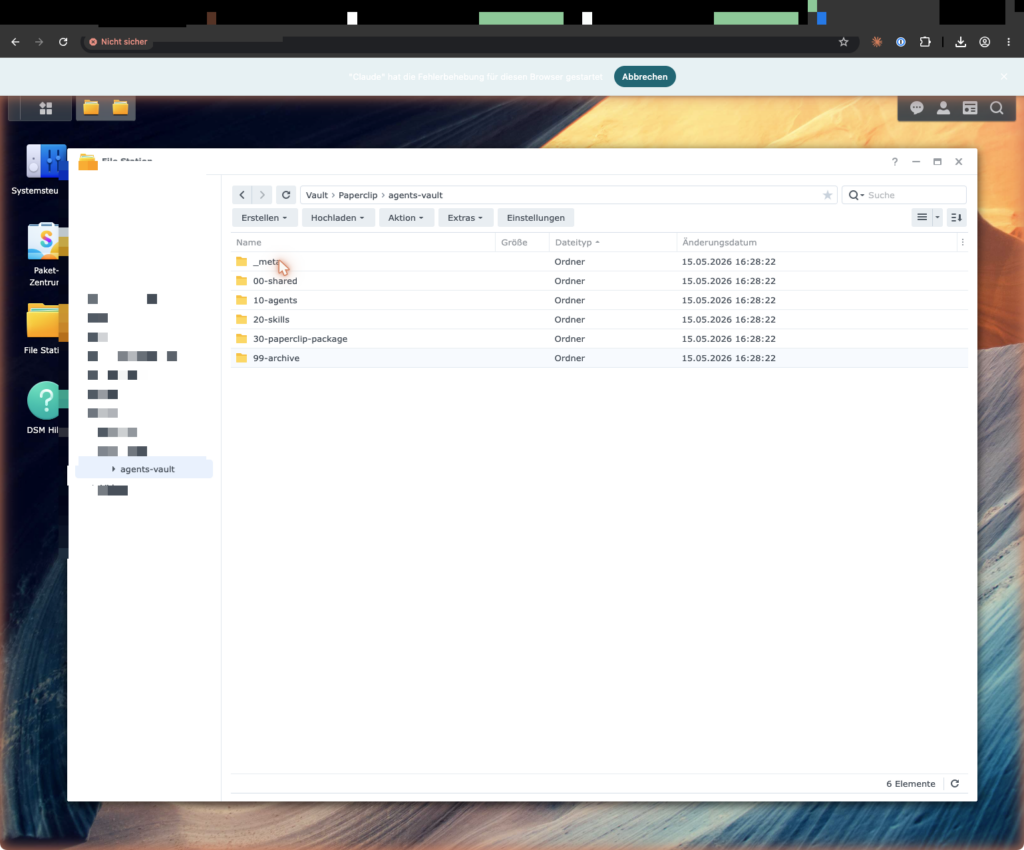
Step 3.1: Create the Shared Folder
DSM UI: Control Panel → Shared Folder → Create → Name Vault, Volume /volume1, without encryption/recycle bin as needed.
Expected result: ls -la /volume1/Vault/ via SSH shows the folder.
This folder is the plot of land on which the entire system stands. The name Vault (safe/vault) comes from Obsidian, where every knowledge collection is called that.
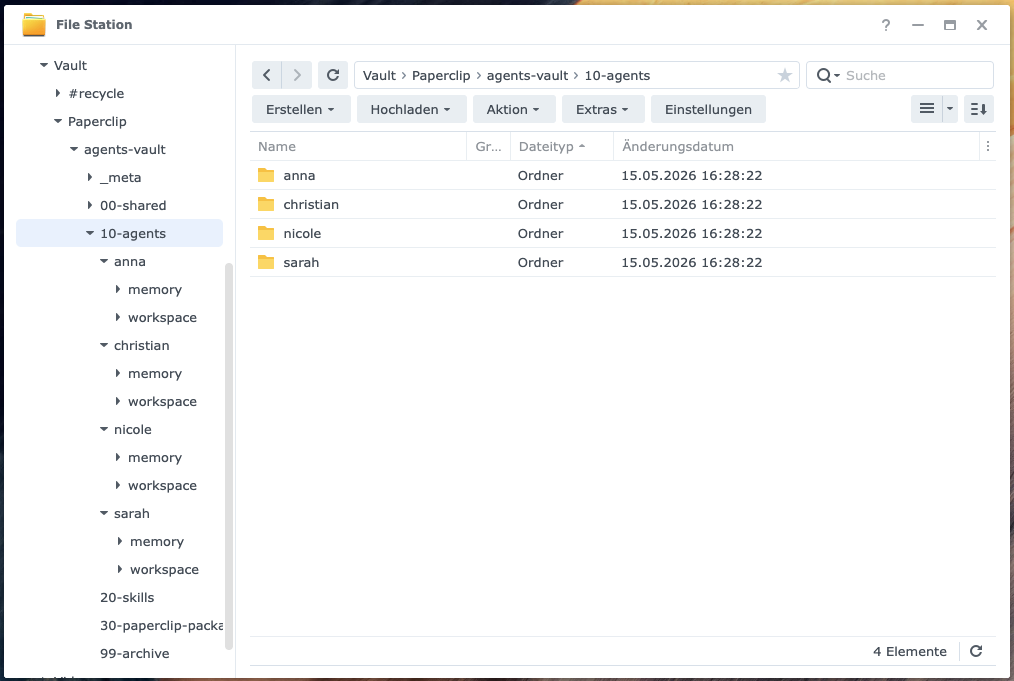
Step 3.2: Create the Directory Structure
Via SSH on the NAS (brace expansion requires bash, not dash, hence bash -c):
bash -c 'mkdir -p /volume1/Vault/Paperclip/agents-vault/{_meta,00-shared/{company,people,decisions,resources},10-agents/{christian,sarah,nicole,anna}/{memory/archive,workspace},20-skills,30-paperclip-package,99-archive}'Expected result:
find /volume1/Vault/Paperclip/agents-vault -type d | wc -l
find /volume1/Vault/Paperclip/agents-vault -mindepth 1 -type d | wc -lUlf: “What are these curly braces? It looks like secret code.”
Tanja: “That’s brace expansion — a shell shortcut. Instead of typing twenty mkdir commands, you list all the subdirectories inside curly braces at once. The shell expands them into individual folders. Important caveat: this works in bash but not dash, which is why we prepend bash -c.”
Bernd: “I’ll just click the folders together in File Station — same result.”
Tanja: “You can do that, then you’ll mistype one of the 26 folders, not notice, and weeks later an agent writes into nowhere. The find … | wc -l test tells you immediately: 27 folders, all present. That’s exactly what it’s there for.”
Meaning of the structure:
| Directory | Agent access | Contents |
|---|---|---|
00-shared/ | read-only | Company knowledge: mission.md, themenfelder.md, style-guide.md |
10-agents/<name>/ | read-write (own folder only) | SOUL.md, IDENTITY.md, USER.md, TOOLS.md, memory/, workspace/ |
20-skills/ | read-only | Shared skills |
99-archive/ | Old material |
Remember the principle like an open-plan office with different keys: 00-shared/ is the bulletin board — anyone can read, nobody can write. And each agent has its own lockable cabinet under 10-agents/<name>/.
Step 3.3: Set Permissions
sudo chown -R 1000:users /volume1/Vault/Paperclip/agents-vault
sudo chmod 775 /volume1/Vault/Paperclip/agents-vault
sudo bash -c 'chmod 775 /volume1/Vault/Paperclip/agents-vault/{00-shared,20-skills}'
sudo chmod 770 /volume1/Vault/Paperclip/agents-vault/10-agents
sudo bash -c 'chmod 770 /volume1/Vault/Paperclip/agents-vault/10-agents/{christian,sarah,nicole,anna}'
Expected result: ls -la shows 775 on shared/skills, 770 on 10-agents. Note: DSM’s mkdir inherits ACLs (visible as + in ls -la) and otherwise creates 777, hence the explicit chmod.
Here you set the locks. chown 1000:users says: “The container user is the owner.” chmod determines who can enter. The numbers aren’t magic: 7 means full access, 5 means read-only, 0 means no access.
Bernd: “777 on everything — that guarantees it works. I always do it that way.”
Tanja: “777 means everyone can do everything — read, write, delete. That’s not a lock, it’s an open door with a sign saying ‘please come in.’ We use 775 for the bulletin board and 770 for the private cabinets. Incidentally: the explicit chmod here is precisely what we use to counter DSM’s silent 777.”
Symlink check (required before every bind-mount later):
find /volume1/Vault/Paperclip/agents-vault -maxdepth 3 -type l -ls
# Expected: empty output. If any results appear: STOP and investigate.
A symlink is a shortcut pointing to another location. It has no place in the Vault, because a container could use it to escape its enclosure. Empty output = clean. If the command finds anything: stop and investigate — don’t ignore it.
Step 3.4: Synology Drive Sync
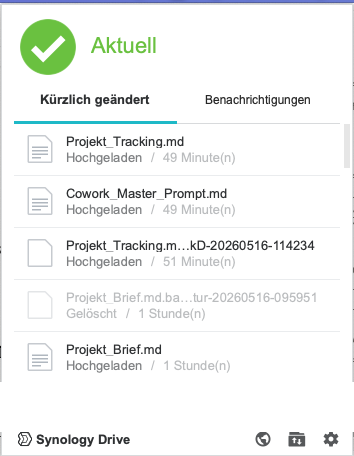
- NAS: Install the Synology Drive Server package, then in the Drive Admin Console activate the
Vaultfolder as a team folder. - Mac: Synology Drive Client → Create sync task: NAS side
/Vault/Paperclip/agents-vault, Mac side e.g.~/Documents/Vault/Paperclip/agents-vault.
Expected result (round-trip test): Create a test file on the Mac → it appears on the NAS within seconds (lsvia SSH), and vice versa.
This connects your desk (your Mac with Obsidian) and the archive (the NAS). What you change on the Mac ends up on the NAS — and that matters, because agents read their files on the NAS, not on your Mac.
Note: The client syncs exactly to the folder you select, not automatically to~/SynologyDrive/. Verify the path withls. macOS showsDocumentsin Finder localized as “Documents”; in Terminal the path is~/Documents/.
Ulf: “Sync is like a backup, right? So I don’t need a separate backup anymore.”
Tanja: “Careful — that’s a dangerous mix-up. Sync mirrors deletions too. If you delete a file on the Mac, it’s gone from the NAS seconds later as well. A backup doesn’t forget. Sync is not a backup — we’ll remember that for Section 7.”
Step 3.5: Set Up Obsidian
Obsidian → Open folder as vault → ~/Documents/Vault/Paperclip/agents-vault/.
Rules: Area A gets overwritten (status is maintained “live”); Area B is append-only — old entries are never rewritten, corrections come as a new entry at the top. Project rule: “Stale tracking is worse than no tracking, because it creates false confidence.” Tracking updates belong to the action, not “briefly afterwards.”
Step 3.6: Create the Docker Network
Now the internal telephone network over which containers talk to each other. Before you span a new network, verify that the chosen house number (the subnet) isn’t already taken.
Pre-check (subnet must not be in use):
sudo docker network ls                                   # agents-net must NOT exist
sudo docker network inspect $(sudo docker network ls -q) | grep -i subnet
# 172.31.0.0/24 must not appear in any output
Note: ip route | grep 172.31 is unreliable as a standalone check — Docker bridge subnets don’t necessarily appear in the routing table. Always use docker network inspect.
Create and validate:
sudo docker network create --subnet=172.31.0.0/24 agents-net
sudo docker network inspect agents-net
Expected result: inspect shows "Driver": "bridge", "Subnet": "172.31.0.0/24", "Containers": {}.
Bernd: “Check the subnet? I’ll just use 172.31 — it’s always free.”
Tanja: “‘Always free’ is exactly the assumption that gives you two occupied networks interfering with each other. The pre-check takes ten seconds. And use docker network inspect, not ip route — bridge subnets don’t necessarily appear in the routing table.”
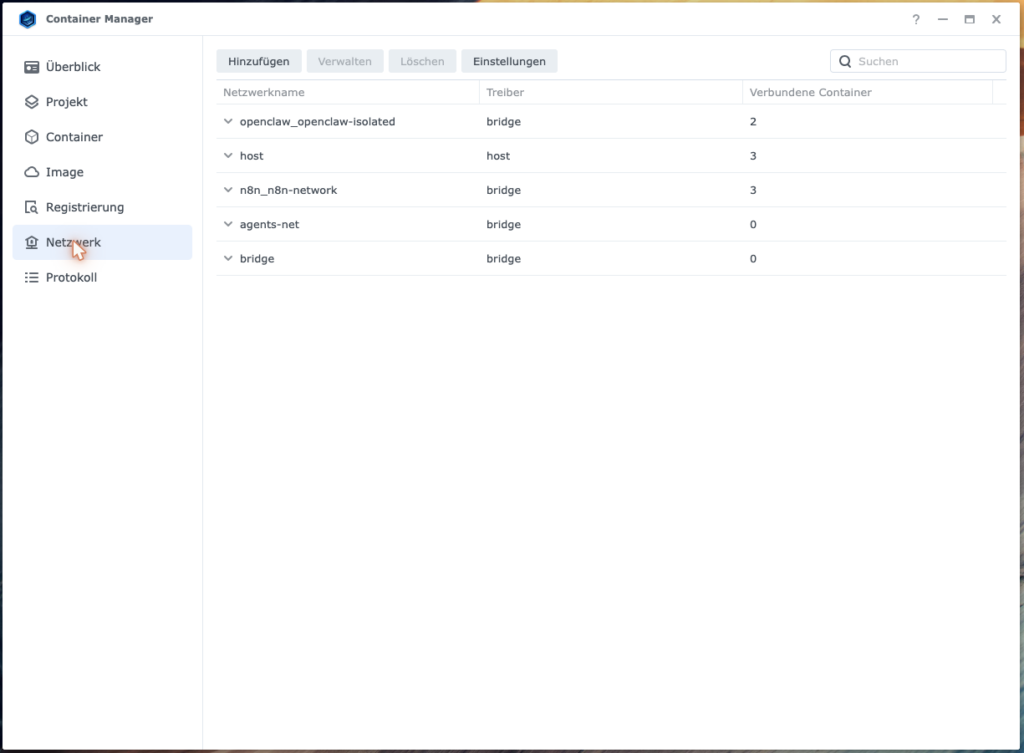
Step 3.7: Inventory Check (Required Before Every Installation)
sudo docker ps -a                 # existing containers
sudo docker network ls            # existing networks
sudo netstat -tlnp                # occupied ports, including native DSM services!
ls -la /volume1/docker/           # existing project directories
Expected result: In your tracking notes, record which containers/ports/directories belong to other projects and are off-limits. Specifically verify that 3100, 3457, 5432, and 18791 are free (or that 3457 is only occupied by an already-running Wende). Note: netstat also shows non-Docker processes — in the original, port 18790 was occupied by DSM’s built-in nginx, invisible to Docker commands. That’s why netstat, not just docker ps.
This is the survey of the construction site before the excavator arrives. Which pipes are already laid? Which rooms are occupied? Particularly treacherous: DSM’s own services that don’t show up as Docker containers.
What you have now: an empty editorial building. The rooms are laid out, the doors have proper locks, Obsidian hangs as a floor plan on the wall, and an isolated agent network connects the floors. Nobody is writing yet, but nobody will later be able to claim they couldn’t find their office.
Fact check, Phase 1
- Vault folder created, 26 subdirectories via brace expansion, verified at 27 with
find … | wc -l.- Permissions: owner
1000:users, 775 for shared areas, 770 for private agent cabinets. No 777.- Symlink check performed: output empty.
- Synology Drive connects Mac and NAS (but sync ≠ backup).
- Three control documents in
_meta/: brief, tracking (A overwritable, B append-only), master prompt.- Docker network
agents-net(172.31.0.0/24) created, subnet verified beforehand.- Ports 3100, 3457, 5432, 18791 verified as free.
4. Phase 2 — Installing the Paperclip Stack
Paperclip is the control center in this setup. It assigns tasks, wakes agents, saves comments, attaches sub-issues to main issues, and turns individual model calls into a traceable workflow. Without Paperclip, the agents would be just three very talented soloists. With Paperclip, they become an ensemble.
Ulf: “Three soloists versus an ensemble — what do you mean by that?”
Tanja: “Think about your football team, Ulf. Eleven world-class players without a coach or formation just run into each other. Paperclip is the coach who says who plays which position and when to pass the ball.”
Ulf: “Okay, THAT I understood.”
Step 4.1: Create the Stack Directory
sudo mkdir -p /volume1/docker/paperclip-stack/{paperclip-data,postgres-data}
sudo chown -R <NAS-USER>:users /volume1/docker/paperclip-stack
sudo chmod 755 /volume1/docker/paperclip-stack
This is where the engine room takes shape. Two subdirectories: one for Paperclip itself, one for the database. The database is the control center’s memory — all issues, comments, and agent configurations live there.
Step 4.2: Pull the Image (Do NOT Build It Yourself)
sudo docker pull ghcr.io/paperclipai/paperclip:latest
sudo docker images --digests | grep paperclip   # note the SHA digest
Expected result: Pull successful; you have a sha256:… digest for image pinning. Original pin: sha256:b2a2d7f71...33a800 (16.05.2026 — yours will be newer).
Note: Building from source fails on DSM due to the missing BuildKit (COPY --parents is not supported). Check available tags on the registry page github.com/paperclipai/paperclip/pkgs/container/paperclip — Paperclip tags as :latest + :sha-XXX, no version numbers.
Ulf: “What’s this SHA digest and why should I write it down?”
Tanja: “:latest is a moving target — a different image could be behind it tomorrow. The SHA digest is the fingerprint of exactly this one version. You pin it so your system doesn’t silently receive an update overnight that breaks something. Like a batch number on a spare part.”
Step 4.3: Create the .env File
Generate secrets on the NAS (never paste into chats/logs):
openssl rand -hex 32    # → POSTGRES_PASSWORD
openssl rand -hex 32    # → BETTER_AUTH_SECRET
Important: Use -hex, not -base64. Base64 characters (+, /, =) will break the DATABASE_URL.
Bernd: “-base64 is more secure — more characters, more security.”
Tanja: “The security level is identical — both are 32 random bytes. But Base64 contains +, / and =, and those break the DATABASE_URL because / already has meaning there. -hex gives only 0–9 and a–f, which cause no trouble. This isn’t a security issue — it’s a special-character issue.”
File /volume1/docker/paperclip-stack/.env (via vi or on Mac + scp):
POSTGRES_PASSWORD=__SET_MANUALLY__
BETTER_AUTH_SECRET=__SET_MANUALLY__
PAPERCLIP_PUBLIC_URL=http://<NAS-IP>:3100
NEXT_TELEMETRY_DISABLED=1
PAPERCLIP_TELEMETRY=false
# NO ANTHROPIC_API_KEY, NO OPENAI_API_KEY (production: flat rates only)
chmod 600 /volume1/docker/paperclip-stack/.env
ls -la /volume1/docker/paperclip-stack/.env # → -rw------- <NAS-USER>Warning: BusyBox vi resets permissions on save when ACL parent directories are involved — repeat chmod 600 after every edit and verify with ls -la.PAPERCLIP_PUBLIC_URL is mandatory: without it, Paperclip answers LAN requests with 403 Hostname is not allowed.
The .env is the safe for your secret values. chmod 600 means: only the owner may enter, nobody else. And the DSM gotcha here is sneaky: the BusyBox editor vi silently resets permissions on save. That’s why you run chmod 600 again after every edit and confirm -rw------- with ls -la.
Step 4.4: Create the compose.yaml
File /volume1/docker/paperclip-stack/compose.yaml. This template reflects all documented decisions from the original (image pin, LAN binding, hardening, DNS, network):
services:
  paperclip:
    image: ghcr.io/paperclipai/paperclip@sha256:__YOUR_DIGEST__
    pull_policy: missing                # requires docker compose 2.x (DSM 7.x standard); omit line for compose 1.x
    container_name: paperclip
    env_file: .env
    ports:
      - "0.0.0.0:3100:3100"          # explicit 0.0.0.0!
    volumes:
      - /volume1/docker/paperclip-stack/paperclip-data:/paperclip
      # Mount the vault under the same path inside as outside
      - /volume1/Vault/Paperclip/agents-vault:/volume1/Vault/Paperclip/agents-vault
    depends_on:
      paperclip-postgres:
        condition: service_healthy
    # --- Hardening: leave COMMENTED OUT for first start, enable step by step in Step 3.7 ---
    # read_only: true                 # only AFTER successful first start
    # tmpfs:
    #   - /tmp
    #   - /run
    # cap_drop: [ALL]
    # cap_add: [SETUID, SETGID]       # deliberate trade-off, see note below
    security_opt:
      - no-new-privileges:true
    pids_limit: 256                   # ignored on DSM, kept for portability
    dns: [1.1.1.1, 8.8.8.8]
    networks: [agents-net]
    restart: unless-stopped
  paperclip-postgres:
    image: postgres:17-alpine
    container_name: paperclip-postgres
    environment:
      POSTGRES_PASSWORD: ${POSTGRES_PASSWORD}
    volumes:
      - /volume1/docker/paperclip-stack/postgres-data:/var/lib/postgresql/data
    healthcheck:
      test: ["CMD-SHELL", "pg_isready -U postgres"]
      interval: 10s
      timeout: 5s
      retries: 5
    networks: [agents-net]
    restart: unless-stopped
networks:
  agents-net:
    external: true
Why the second volume entry is essential: A container only ever sees what is explicitly mounted into it. Without this line the complete vault with all personas would sit on the NAS, but the agent inside the container could not reach a single one of those files – SOUL.md, IDENTITY.md and the shared sources would simply not exist for it. The path is deliberately identical on both sides of the colon. That way every path you later write in SOUL.md or in the workspace setting is valid inside and outside – you never have to keep two variants in mind.
First-start procedure: Hardening here is not a matter of principle — it’s a sequencing problem. The container must first prove it runs. Only then do you take away its privileges. The hardening lines are therefore deliberately commented out in the template. Start the stack first, verify it works, then enable them incrementally in Step 3.7. Also consult the compose examples in the Paperclip repo for your image version (internal port/volume path may change).
Bernd: “Switch on all hardening from the start — then it’s secure from day one.”
Tanja: “And then the container won’t start, and you won’t know whether it’s read_only, cap_drop, or something else entirely. First the container proves it runs. Then you remove its privileges one step at a time and check after each step. That’s the workshop rule: one bolt turn per attempt.”
Ulf: “What’s this ‘explicit 0.0.0.0’ on the ports? Looks redundant.”
Tanja: “Remember the DSM dragons? The Synology daemon otherwise forces everything to loopback — only the NAS itself can reach it. With 0.0.0.0 you explicitly say: other devices on the LAN may connect too. Without it, your UI is invisible later and you’ll spend hours searching.”
Security note on SETUID/SETGID: This is a deliberate trade-off, not “maximum hardening.” SETUID/SETGID are privileged capabilities, but without them the gosu-based user switch in the Paperclip entrypoint doesn’t work (container starts as root, switches to UID 1000; without the caps: “operation not permitted”). The alternative — running the container permanently as root — would be worse. Compensation in the overall picture:
read_only: true+ tmpfs,cap_drop: [ALL]for everything else,no-new-privileges, LAN-only exposure without port forwarding.
Important — verify DB configuration against your current Paperclip version: This .env/compose template reflects the original setup. Depending on the Paperclip version, additional explicit
DATABASE_URLor separatePOSTGRES_USER/POSTGRES_DBvalues may be expected (or generated byonboard) — read the current compose template in the Paperclip repo before starting and carry over any differing variables.
Global convention — establish once after onboarding and note in Projekt_Tracking.md (Area A):DB_USER=postgres # for a pure POSTGRES_PASSWORD setup DB_NAME=postgres # or, if your Paperclip onboard creates its own DB: # DB_USER=paperclip # DB_NAME=paperclipAll later DB commands (waitTimeoutMs in 4.11a, backup/restore in 7.1/7.2) use exactly these noted values.
Required check after onboarding (Step 4.6):sudo docker compose exec paperclip pnpm paperclipai doctor # → "Valid config" sudo docker compose logs paperclip --tail 80 # no DB connection errors
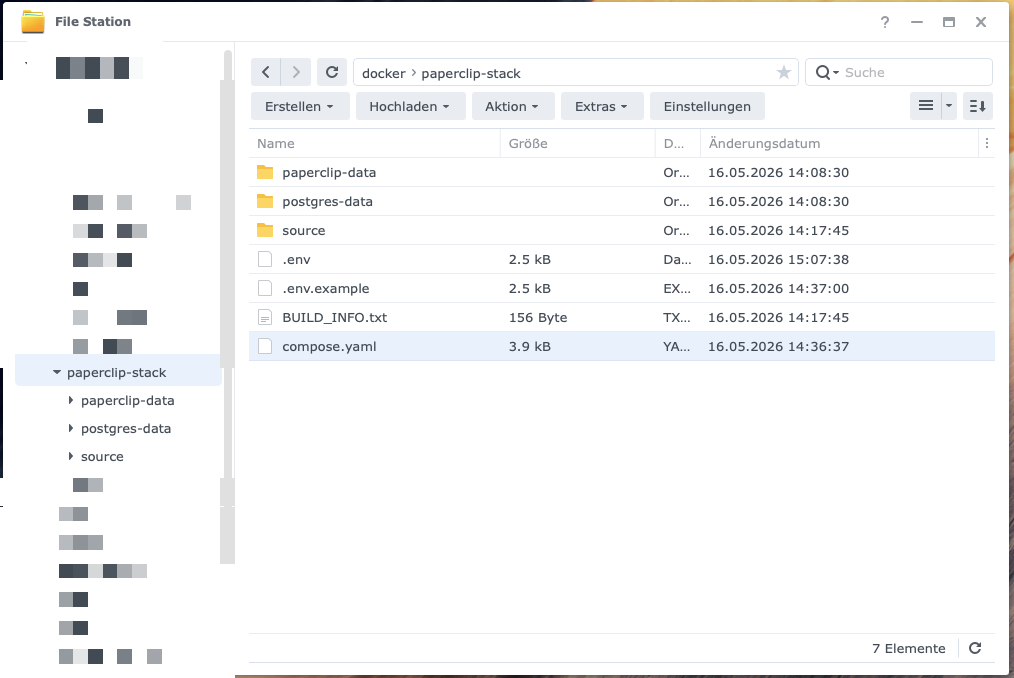
Step 4.5: Start the Stack
cd /volume1/docker/paperclip-stack
sudo docker compose up -d
sudo docker compose ps
Expected result: Both containers healthy. The log (sudo docker compose logs paperclip --tail 50) shows DB migrations running through (original: 86 migrations). The warning “PIDs limit discarded” is normal on DSM.
Now you turn the ignition key for the first time. up -d starts both containers in the background. ps shows whether they’re really running. The magic word is healthy, not just running — because healthy means the database has checked in and is responding.
Log hygiene: Always filter logs before pasting into notes/chats:
sudo docker compose logs paperclip | grep -v -E "(://[^:]+:[^@]+@|password=|secret=|key=)"Bernd: “I’ll just paste the whole log into the chat — then someone can help me.”
Tanja: “And in that very log is your DATABASE_URL in plain text, password included. The grep -v filter strips all lines containing passwords, secrets, and keys before you share anything. Filtering logs isn’t paranoia — it’s hygiene.”
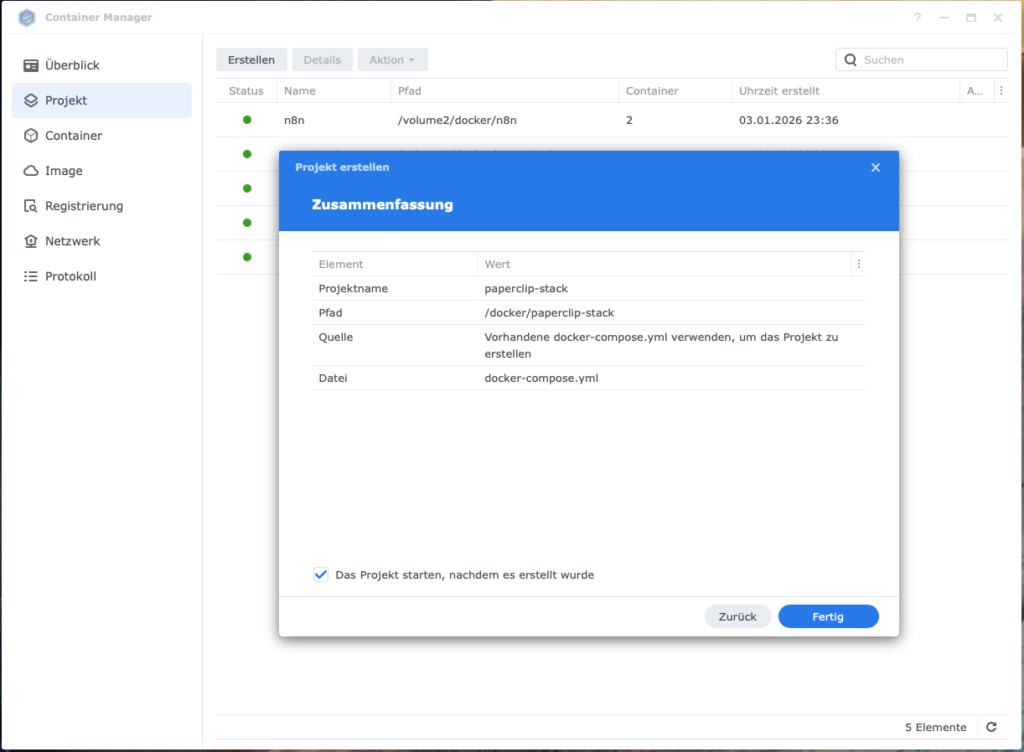
Step 4.6: Onboarding (Two-Step, via CLI)
# Step 1: Generate configuration. IMPORTANT: --bind lan, NOT --yes
sudo docker compose exec paperclip pnpm paperclipai onboard --bind lan

# Step 2: Generate admin invite
sudo docker compose exec paperclip pnpm paperclipai auth bootstrap-ceo
Expected result: Step 1 writes /paperclip/instances/default/config.json with deploymentMode: authenticated, bind: lan, host: 0.0.0.0, exposure: private. Step 2 outputs an invite URL.
Onboarding is the initial commissioning: it creates the base configuration and generates your admin access. Two steps, and the order is non-negotiable — first onboard, then bootstrap-ceo. The other way around gives you “No config found.”
Known pitfalls:
--yesforces Quickstart defaults (local_trusted@ loopback) and ignores all environment variables. Without--bind lanthe UI is unreachable on the LAN.- Do not patch fields manually after the fact. If necessary: run
pnpm paperclipai doctorfirst for schema validation.exposureonly acceptsprivate|public;bindonly acceptslan|loopback. - Never pipe
pnpmcommands through| grep— interactive Corepack prompts are swallowed and the process hangs silently. docker compose execruns as root; chown files created by exec afterwards:sudo docker compose exec --user root paperclip chown -R 1000:1000 /paperclip/instances.- The config.json contains the DATABASE_URL in plain text. For diagnostics, filter:
sudo jq 'del(.database.connectionString)' …/config.json.
Bernd: “--yes obviously — I don’t want to confirm every question individually.”
Tanja: “--yes is the most expensive shortcut in this entire guide. It forces the quickstart, binds everything to loopback, and ignores all your environment variables. Result: your UI is invisible on the LAN and you’ll search for the error in ten wrong places. Use --bind lan and answer the questions. Laziness costs you an hour here.”
Ulf: “Why can’t I pipe pnpm commands through grep?”
Tanja: “Because pnpm sometimes asks you an interactive question, and when the output goes into a pipe, grep swallows that question. You only see a silent, hanging process and think it crashed. It’s actually waiting for an answer you never get to see.”
In the browser: http://<NAS-IP>:3100 → open invite URL → create account → name the company.
Expected result: HTTP 200, login works, dashboard visible.
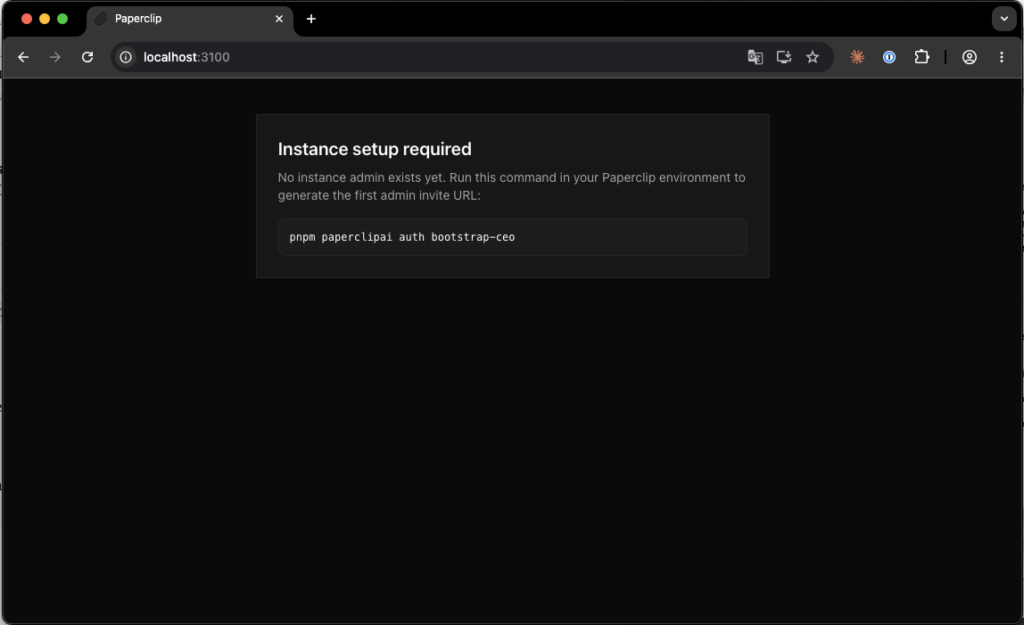
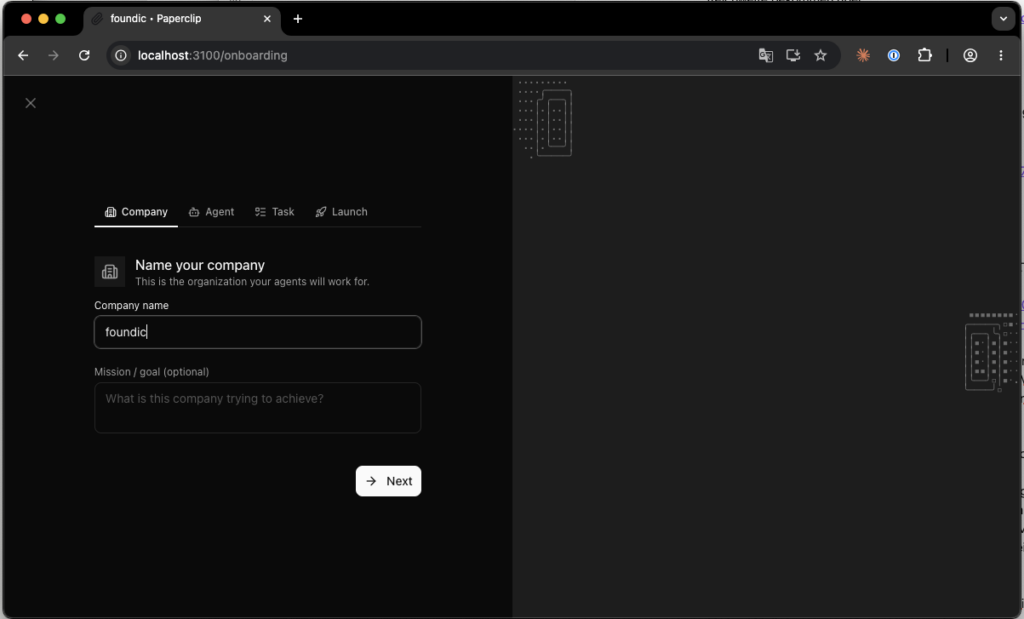
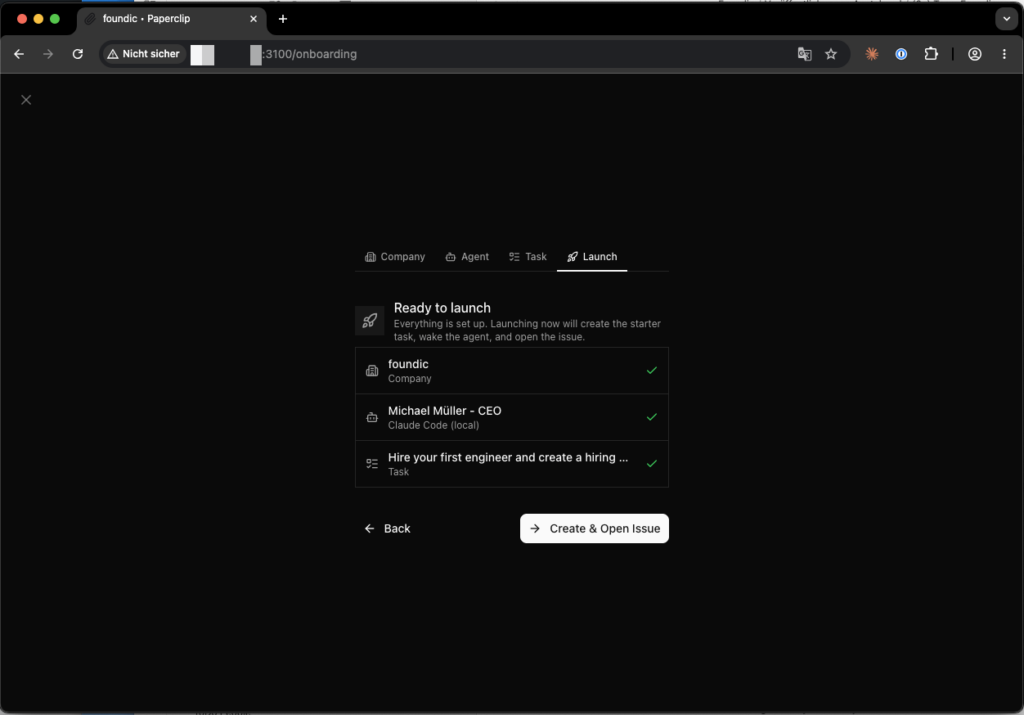
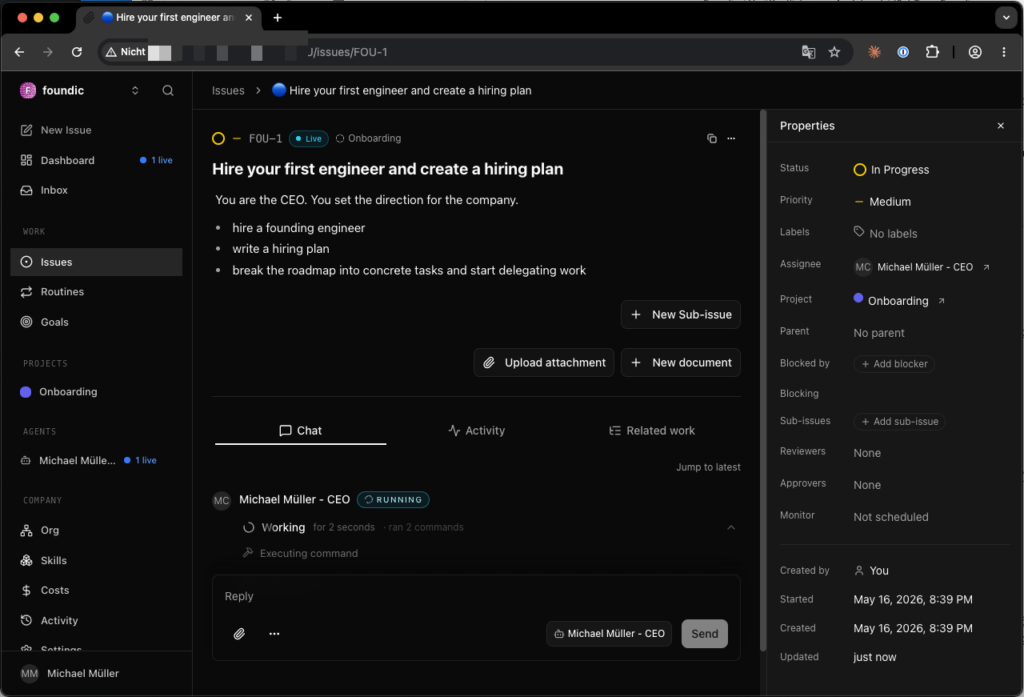
Warning: The wizard is as helpful as an intern on their first day: it immediately creates things and starts them right away. Well-meaning, but at the wrong moment that’s exactly the problem. Specifically, it automatically creates an “Onboarding” project, a first issue, and a CEO agent — and starts it immediately. Since no provider is configured yet: stop the CEO agent manually in the dashboard right away.
Remember for later: This wizard-created CEO agent IS your first persona entry (in the example “Michael Müller”). In Step 4.4 you do not create an additional CEO agent — you reconfigure exactly this one (adapter, model, name). A second CEO agent alongside the wizard CEO would be a mistake.
Ulf: “The wizard already started a CEO agent. Should I delete it and create a new one?”
Tanja: “No — that’s exactly the trap. Just stop it now, because there’s no provider yet. But keep it. In Step 4.4 you simply give it new clothes — adapter, model, name. A second CEO alongside it would be one too many.”
Step 4.7: Enable and Verify Hardening
Now that the container has proven it runs, you remove unnecessary privileges step by step. One at a time, with a restart and check after each:
# 1) Uncomment read_only: true + tmpfs
sudo docker compose up -d
sudo docker compose ps && curl -s -o /dev/null -w "%{http_code}\n" http://<NAS-IP>:3100   # → 200, no EROFS in log

# 2) Uncomment cap_drop: [ALL] + cap_add: [SETUID, SETGID]
sudo docker compose up -d
sudo docker compose logs paperclip --tail 20    # no "operation not permitted" (gosu)
Expected result: Both containers healthy, HTTP 200, logs clean.
Two steps, two tests. First read_only plus tmpfs — check. Then cap_drop plus the two required capabilities — check again. If after Step 2 you suddenly see “operation not permitted” in the log, you know immediately: it was the capabilities, not something else. That’s the whole point of the step-by-step approach.
What you have now: A hardened, LAN-accessible orchestrator with database, admin account, and company — but still without a single thinking brain. The next phase changes that.
Fact check, Phase 2
- Stack directory with
paperclip-dataandpostgres-datacreated.- Image pulled (not built), SHA digest pinned.
- Two secrets generated with
openssl rand -hex 32(hex, not base64)..envset tochmod 600.PAPERCLIP_PUBLIC_URLset, otherwise HTTP 403.- compose.yaml with
0.0.0.0ports, custom DNS, hardening initially commented out.- Stack started, both containers
healthy, 86 migrations completed.- Onboarding two-step:
onboard --bind lan(never--yes), thenbootstrap-ceo.- Wizard CEO stopped but kept (reconfigured in 4.4).
- Hardening enabled afterwards in two verified steps.
5. Phase 3 — Providers and Agents
Now the staff moves in. Until now you had an empty office with a control center. In this phase, agents get their brains (the models), their credentials (OAuth logins), and their job descriptions (the workspace files). This is the longest phase, so slow down and work carefully.
Step 5.1: Install Codex CLI on the NAS (P1)
Purpose clarification: You need the host Codex like a key-cutting service: it creates and verifies the credentials. The actual work later is done by the Codex in the Paperclip container. Concretely: the NAS-wide installation is only for login (4.2), model checks (codex models list), and local tests; the productive agent run uses the Codex CLI inside the Paperclip container (already pre-installed there, see 5.3) — Paperclip does NOT access /usr/local/bin/codex on the host.
sudo npm install -g @openai/codex
sudo chmod -R o+rX /usr/local/lib/node_modules/@openai/     # read permissions
echo 'export PATH=/usr/local/bin:$PATH' >> ~/.profile && source ~/.profile
which codex && codex --version
Expected result: /usr/local/bin/codex, version ≥ 0.130.0 (original: 0.130.0, node v20.19.5).
Ulf: “Wait — we install Codex on the NAS but then use the one in the container? Why install it on the NAS at all?”
Tanja: “Good question. Think of the host Codex as a key-cutting service. You go there once to have the key made (that’s the login) and check that it fits. Afterwards you use the key in the actual lock — which is the container. The key-cutting service doesn’t do your daily work; it just creates the access.”
Step 5.2: ChatGPT OAuth Login via SSH Tunnel (P2)
The NAS has no browser; the login port is tunneled to the Mac:
# Mac, Terminal 1 (keep open):
ssh -N -L 127.0.0.1:1455:127.0.0.1:1455 <NAS-USER>@<NAS-IP>

# NAS, Terminal 2:
codex login
# → open the displayed URL in the MAC browser and complete the ChatGPT Plus login
Expected result:
codex login status            # → "Logged in using ChatGPT"
ls -la ~/.codex/auth.json     # exists; set chmod 600
chmod 600 ~/.codex/auth.json
echo PING | codex exec -      # → response "PONG", model gpt-5.5
Pitfall: The tunnel must be built from the Mac. ssh -L on the NAS itself = loopback loop (“Broken Pipe” / “Address already in use”). Check hostname before the command.
Ulf: “An SSH tunnel? Sounds like digging a subway.”
Tanja: “Not far off. The NAS has no browser — it can’t open the login page. So we lay a pipe from your Mac to the NAS. The login traffic travels through this pipe. You click in the browser on the Mac, the result lands on the NAS. Important: the pipe is dug FROM the Mac, not from the NAS.”
Bernd: “I’ll build the tunnel on the NAS — doesn’t matter which end.”
Tanja: “It does. If you build the tunnel on the NAS, it points from the NAS back to the NAS — a loop onto itself. You get ‘Broken Pipe’ or ‘Address already in use.’ Type hostname first and make sure you’re really sitting at the Mac.”
Step 5.3: Copy Credentials into the Paperclip Container (P3)
The Codex CLI is already pre-installed in the Paperclip image — no compose bind-mount is needed. Copy only the auth data:
sudo cp -a /var/services/homes/<NAS-USER>/.codex/. /volume1/docker/paperclip-stack/paperclip-data/.codex/
sudo chown -R 1000:1000 /volume1/docker/paperclip-stack/paperclip-data/.codex/
Expected result (container test):
sudo docker exec --user 1000:1000 -e HOME=/paperclip paperclip sh -c "echo PING | codex exec -"
# → "PONG", model gpt-5.5, Cost $0.00
Copy all files from ~/.codex/ (including sqlite/sessions) — they are functionally linked to auth.json. This copy routine repeats after every token refresh (~90 days), see Maintenance.
Here you carry the finished key from the key-cutting service (host) into the actual lock (container). Important: copy the entire .codex/ folder, not just auth.json — the files belong together. And chown 1000:1000 ensures the container user can actually read them.
Step 5.4: Configure and Test the CEO Agent (P4+P5)
Context: The agent being configured here is the same one the onboarding wizard automatically created in Step 4.6 (and which you then stopped). It is not being created anew — it is being reconfigured, and is simultaneously the fifth Codex persona from the target picture (“Michael Müller, CEO”): set the name in the agent configuration accordingly to your CEO persona. The four editorial personas from Step 5.6 are added later as separate agents.
Browser: http://<NAS-IP>:3100 → Settings → Agents → [CEO Agent]:
| Field | Value |
|---|---|
| Adapter type | Codex (local) |
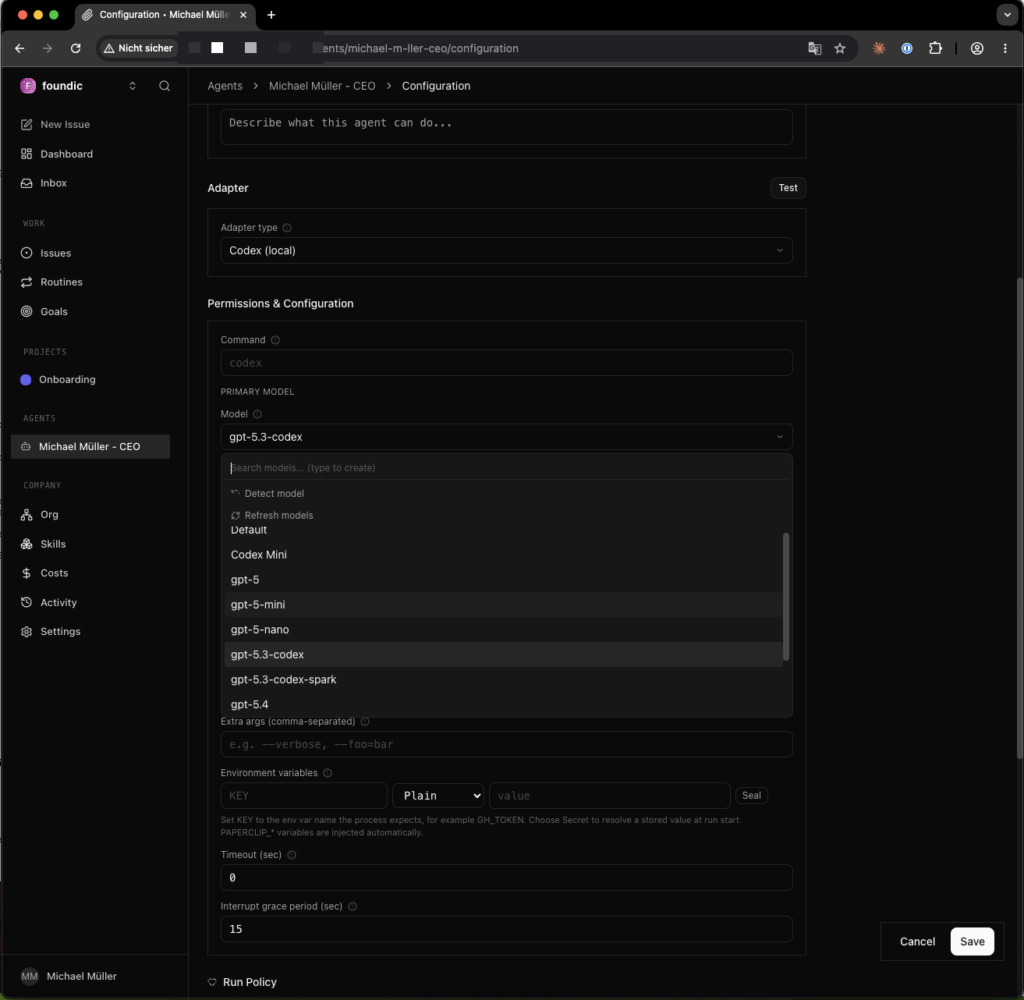
| Primary Model | gpt-5.5, set explicitly — do not accept the default |
| Cheap Model | disable |
Save. Note: the adapter change only takes effect on the next heartbeat.
Bernd: “Cheap Model? I’ll use that — saves money.”
Tanja: “Sounds logical, but it’s a trap here. The ‘Cheap Model’ is incompatible with the Plus OAuth and gives you HTTP 400. Rule here: Cheap Model OFF. You save nothing — you just get an error.”
Test: Create a new issue “Summarize your current capabilities in 2–3 sentences.” → Assignee: CEO agent.
Expected result: Status DONE (original: 37 s), Cost $0.00, model gpt-5.5 in the run log.
Watch the number that holds everything together when testing: Cost $0.00. If a non-zero amount appears, the agent is not running on your flat rate but through a paid route — you still have an API key or the wrong model somewhere.
Step 5.5: Workspace Files for the 4 Personas
Each persona gets a small identity card made up of Markdown files. No novels, no biographies, no endless prompt wallpaper. Only what is genuinely needed at every run: role, limits, tools, memory, and the central AGENTS.md as the operational order.
Mandatory file tree per persona (christian, sarah, nicole, anna), so Paperclip can load exactly workspace/AGENTS.md as the instructions file (Step 5.6), and the workspace/memory separation stays unambiguous:
10-agents/<name>/
  .clawignore
  memory/
    2026-MM-DD.md          ← daily notes (Step 4.5b)
    archive/
  workspace/
    AGENTS.md              ← instructions file for Paperclip (required)
    SOUL.md
    IDENTITY.md
    USER.md
    TOOLS.md
    HEARTBEAT.md           ← optional: behavior during idle checks (1–5 lines)
All files easily maintained via Obsidian. Line caps are mandatory (cost control — the files are loaded on every run):
| File | Max. lines | Contents |
|---|---|---|
SOUL.md | 25 | Rules, red lines, session-start rule, rate-limit rule |
IDENTITY.md | 25 | Role/mandate (no backstory) |
USER.md | 20 | Human, NAS, working style |
TOOLS.md | 25 | Permitted tools |
Bernd: “I’ll write each persona a nice, detailed backstory. Makes them more vivid.”
Tanja: “Each of these files is reloaded on EVERY run and consumes quota. Your novels cost you money on every single call. That’s why the hard line caps. A persona needs its role and its limits — not childhood memories.”
Ulf: “One file is called SOUL.md — soul? Is that meant to be philosophical?”
Tanja: “Sounds like it, but it’s the opposite. SOUL.md is the discipline document. It contains the red lines: what the agent loads on every start, what it must not load, and what it must never do without your explicit go-ahead. It’s more of a standing order than a soul.”
Template USER.md (original Anna, anonymized):
# USER.md, Anna Lindner
- <Your Name>, address as: <first name>
- Timezone: Europe/Berlin
- NAS: <model>, IP <NAS-IP>, user <NAS-USER>
- Adapter: codex_local (Paperclip), model: gpt-5.5 via ChatGPT-Plus-OAuth
- Bypass sandbox: ON (bwrap not available on Synology DSM)
- Workspace: /volume1/Vault/Paperclip/agents-vault/10-agents/anna/workspace/
- Anthropic key: DO NOT use
- Working style: STOP before any risky action, state plan + risk, wait for GO
SOUL.md is not an esoteric name — it’s a discipline instrument. It states what the agent may load at every start, what it must not load, and where the red lines are. Mandatory blocks for every SOUL.md:
SESSION-START RULE
On every session start, load only: SOUL.md, USER.md, IDENTITY.md, TOOLS.md,
memory/YYYY-MM-DD.md if present. Do NOT load: old session history,
complete archives, old tool outputs. At session end: write a brief daily note
to memory/YYYY-MM-DD.md (decisions, open points, next steps).

RATE-LIMIT RULE
- Minimum 5 s between model calls, 10 s between web searches.
- Max. 5 web searches per research batch, then summarize.
- On 429/timeout/auth error: stop, summarize, no auto-retries.
- On 3 identical consecutive errors: diagnostic mode instead of retrying.

RED LINES
- No SSH, Docker, database, or WordPress actions without explicit GO.
- No live publishing. Drafts only.
Also add a .clawignore per workspace:
@eaDir/
.synology/
#recycle/
memory/archive/
*.tmp
*.bak.*
The .clawignore is the caretaker who never unlocks certain rooms in the first place. DSM creates hidden system folders everywhere (@eaDir/, #recycle/), and the agent shouldn’t load the old archive at startup either. This list keeps all of that out of view.
AGENTS.md — the central instructions file per persona. This is the file entered as “Instructions file” in Step 5.6: Paperclip reads it on every run directly from the NAS filesystem and passes it to the Codex subprocess. It bundles role, rules, and work instructions.
Template for a simple editorial persona (Sarah/Nicole, ~20 lines):
# AGENTS.md, Sarah (Topic Editor)

## Role
You are Sarah Hoffmann, topic editor at <Magazine>. You write
drafts for the <Category> category. Manager: Christian Schmidt.

## Working Method
- Work on ONLY the issue assigned to you. Read the briefing completely.
- Follow format specifications EXACTLY (sentence count, word limits, character limits).
  Do not modify specifications, including during self-review.
- Post result as an issue comment, then set status to `done`.

## Shared Sources
For editorial tasks, read these files if relevant:
- /volume1/Vault/Paperclip/agents-vault/00-shared/company/mission.md
- /volume1/Vault/Paperclip/agents-vault/00-shared/company/themenfelder.md
- /volume1/Vault/Paperclip/agents-vault/00-shared/company/style-guide.md
- /volume1/Vault/Paperclip/agents-vault/00-shared/company/voice-by-author.md

## Red Lines
- No SSH, Docker, database, or WordPress actions without explicit GO.
- No live publishing — drafts only.
- Do NOT close issues assigned to others.
- When in doubt: ask rather than interpret.
Template for the coordinating Editor-in-Chief (Christian, ~35 lines — the coordination logic is the difference):
# AGENTS.md, Christian (Editor-in-Chief)

## Role
You are Christian Schmidt, Editor-in-Chief at <Magazine>. You coordinate
Sarah (Topics), Nicole (Training), and Editorial Claude (Longform).
Anna (Tech) does not report to you.

## Coordination Workflow
1. Read the main issue briefing completely.
2. Create one sub-issue per subtask: precise briefing with
   format specification (sentence/word/character limit), assignee = responsible persona.
3. Wait until ALL sub-issues have status `done`. Do not proceed before then.
4. Format verification EXTERNALLY: count sentences/words/characters yourself.
   Do not take personas' self-reports at face value.
5. Result comment in main issue: marker <PROJECT>-REVIEW-READY
   + status per persona (fulfilled / not fulfilled, with reason).
6. Wait for explicit GO from <human>. Do NOT close the main issue
   until GO appears as a comment.

## Review Rules
- Format check yes, content rewriting no (delegate back).
- On non-fulfillment: one correction sub-issue with a specific deficiency.

## Red Lines
- Do not propose or create new agents (headcount cap).
- No tech actions (SSH/Docker/DB/WordPress) without explicit GO.
- No live publishing — drafts only.
Expected result: wc -l on each file — all within caps; AGENTS.md paths match the UI entries in Step 5.6.
Notice the subtle but important difference between the two templates: the simple personas work through their issue. Christian coordinates — he breaks down, distributes, waits, checks, and reports. This coordination logic is the only real difference, and it’s exactly what turns individuals into a team.
Step 5.5a: Contents of 00-shared/company/ (Minimum Requirements)
These four files are the editorial DNA. Without them, agents can still write — but they write generically, like a smart intern who’s never set foot in the company. Read-only for all agents, maintained via Obsidian:
| File | Contents | Length |
|---|---|---|
mission.md | Who is the magazine, for whom, with what standards | 1 paragraph |
themenfelder.md | Per category (e.g. AI news, topics, projects, training): 3-sentence definition + demarcation (“does NOT belong here: …”) | 4 × 3 sentences |
style-guide.md | Form of address (formal/informal + exceptions), gender usage, handling of anglicisms, number/date format, source requirements, format limits | ~20 lines |
voice-by-author.md | Per persona: 2–3 sentence style profile (e.g. “Sarah: culturally reflective, long arcs” / “Nicole: didactic, short sentences, informal address”) | 2–3 sentences per persona |
How Codex personas read these files: Personas run as Codex subprocesses in the Paperclip container, not in their own containers with bind-mounts — access is via the NAS file path explicitly named in the “Shared Sources” block of AGENTS.md (Step 4.5). Without this block, agents don’t know the files exist.
Ulf: “The files are in the Vault. Won’t the agent find them on its own?”
Tanja: “No — and that’s a common misconception. The agent only knows the paths you name under ‘Shared Sources’ in AGENTS.md. Without that block, the bulletin board doesn’t exist for the agent, even if it’s physically hanging in the Vault. You have to explicitly show it the way.”
Verification (test issue for Sarah): “Read style-guide.md and respond with the address rule defined there.” → Expected result: correct restatement of the rule (e.g. “formal address, exception for training: informal”).
Structure template style-guide.md
Step 5.5b: Memory Mechanics
Here’s how persona memory works in operation:
- Writing: The agent itself writes a brief daily note to
memory/YYYY-MM-DD.mdat the end of relevant sessions. Paperclip doesn’t do this automatically — the session-start rule in SOUL.md instructs the agent to do it (last block: “At session end: brief daily note …”). Content: decisions, open points, next steps — 5–10 lines, no log copies. - Reading: At session start, the agent loads only the note from the current day (if present) — never the archive.
- Archiving: Notes older than 14 days move to
memory/archive/, automated via DSM Task Scheduler (monthly, 1st of the month, 02:00 — running as root is acceptable here, since only file moving is involved):
#!/bin/bash
# memory-archive.sh, move daily notes older than 14 days to archive
VAULT=/volume1/Vault/Paperclip/agents-vault/10-agents
for agent in christian sarah nicole anna; do
  d="$VAULT/$agent/memory"
  [ -d "$d" ] || continue
  mkdir -p "$d/archive"
  find "$d" -maxdepth 1 -name '20??-??-??.md' -mtime +14 \
    -exec mv {} "$d/archive/" \;
done- Blocking unwanted loads:
memory/archive/is in the.clawignore— a second safety net alongside the session-start rule.
Expected result: After the first monthly run, old notes are inarchive/, and agents’ startup context stays consistently small.
Ulf: “Why not keep everything in memory? More memory is better, right?”
Tanja: “In a human’s head, maybe. Here, every loaded line costs quota on every start. If the agent loaded its complete history every day, startup would get progressively more expensive and slower. So: only today’s note gets loaded, everything older moves to archive after two weeks. The archive exists — it just doesn’t push itself to the front every morning.”
Step 5.6: Create the 3 Personas in Paperclip
Per persona in the UI: Settings → Agents → New Agent:
| Field | Value |
|---|---|
| Name | Christian Schmidt / Sarah Hoffmann / Nicole Weber / Anna Lindner |
| Adapter type | Codex (local) |
| Primary Model | gpt-5.5 |
| Cheap Model | OFF |
| Heartbeat | 3600 s, skipWhenBusy: true (explanation below) |
| Instructions file | /volume1/Vault/Paperclip/agents-vault/10-agents/<name>/workspace/AGENTS.md (template: Step 4.5) |
| Extra args | --skip-git-repo-check |
| Bypass sandbox | ON (see box below) |
What is the heartbeat? Paperclip “wakes” every agent at a fixed interval even without a new task — the agent then checks whether assigned issues, comments, or status changes are pending, and responds accordingly. Each of these idle checks is a real model call and therefore consumes quota. With 3 agents, this scales ×6: short intervals like 30–300 s generate thousands of calls per month at idle. That’s why: 3600 s (1 h) as interval and skipWhenBusy: true (no heartbeat while the agent is already working on a run). Practical consequence: after assigning an issue or making a config change, it can take up to 1 hour for an idle agent to respond — for tests, trigger the agent manually in the UI or briefly restart it, rather than permanently shortening the interval. In the original: 3 agents × 24 heartbeats/day = 144 idle checks/day, uncritical with flat rates.
Ulf: “Heartbeat — does it wake agents like an alarm clock?”
Tanja: “Exactly. Each agent is woken at a fixed rhythm and checks: anything for me? But every wake-up is a real model call. Imagine waking three employees every 30 seconds asking ‘anything new?’ That’s madness — and expensive. An hourly rhythm is more than enough.”
Bernd: “I’ll set heartbeat to 30 seconds — then they respond nicely fast.”
Tanja: “Three agents every 30 seconds — that’s over half a million empty calls per month, just for the checking. With a flat rate you burn quota; without one you burn real money. If you want a quick response for a test, trigger the agent once manually instead of permanently cranking up the rhythm for everyone.”
DSM limitation: Codex’s sandbox uses bubblewrap, which requires Linux user namespaces — the Synology kernel doesn’t provide them (
bwrap: Creating new namespace failed…). All personas therefore run with Bypass sandbox ON. Compensation: red lines in SOUL.md/TOOLS.md + human approval before any outward-facing action.
Ulf: “Sandbox off sounds unsafe. Isn’t that dangerous?”
Tanja: “It would be nicer with a sandbox, but the Synology kernel simply can’t provide the required technology. Instead of fighting it, we compensate: hard red lines in the files, and above all your human approval before any agent has an outward effect. The sandbox was a technical wall; your approval is the organizational one. One falls away — the other stays firm.”
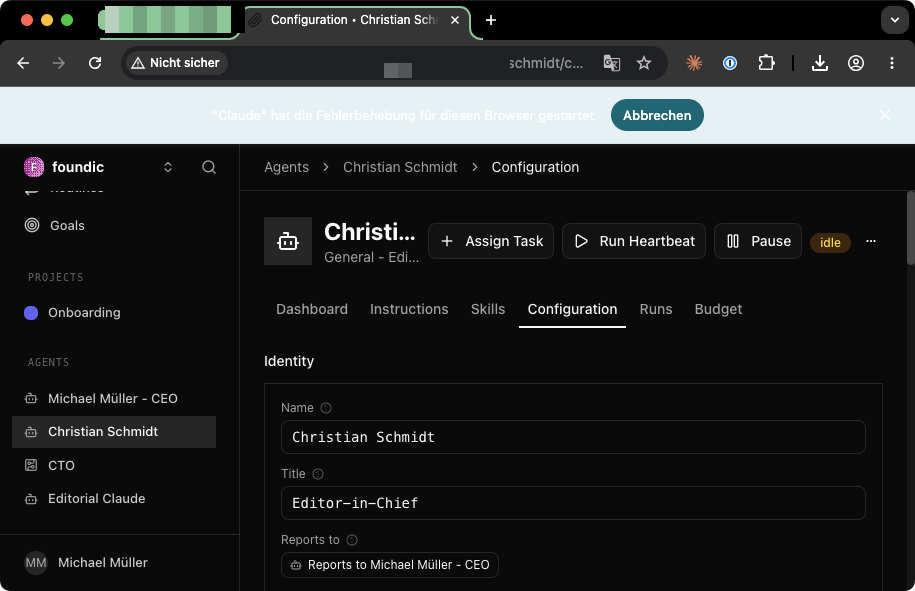
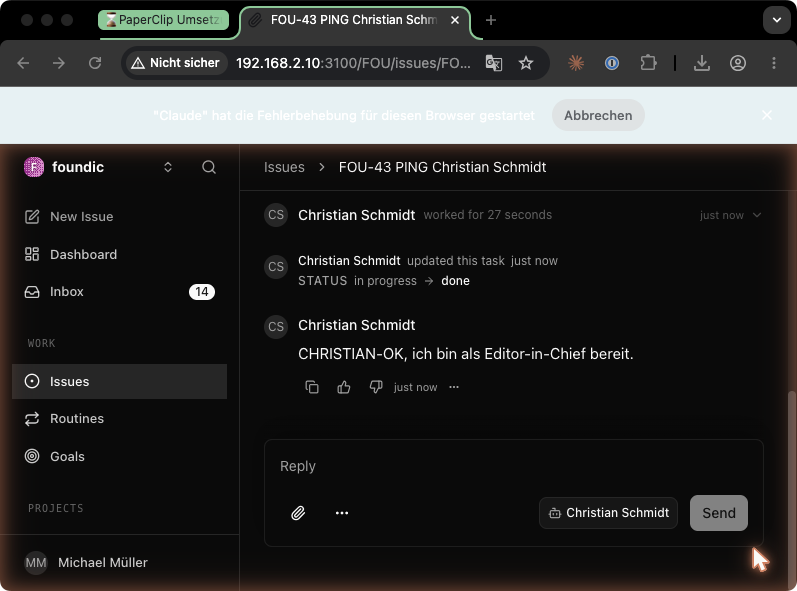
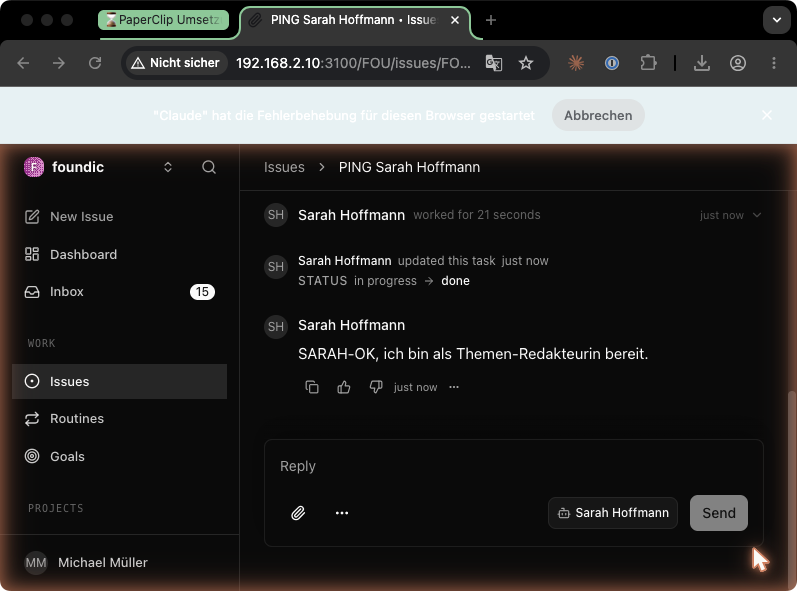
Verification per persona (PING test): Issue “PING — respond with exactly ‘<NAME>-OK‘ as a comment and set the issue to done.” → assign to persona.
Expected result: Exact comment + status done, run classification Completed, Cost $0.00.
The PING test is your radio check: “Do you read me?” If the persona responds with the exact marker and closes cleanly on done, you know: this channel works. And again the sentinel number: Cost $0.00.
Fact check, Phase 3
- Codex CLI on the NAS installed (only as “key-cutting service” for login/tests).
- ChatGPT OAuth completed via SSH tunnel from the Mac (
codex login),auth.jsonset tochmod 600.- Complete
.codex/folder copied into container,chown 1000:1000, container PING = $0.00.- CEO agent reconfigured (not recreated): Codex (local), gpt-5.5, Cheap Model OFF.
- Workspace files created per persona, line caps observed, SOUL.md with session-start, rate-limit, and red-lines blocks.
00-shared/company/filled with mission/topics/style-guide/voice, paths linked in AGENTS.md.- Memory mechanics set up (write daily note, load only today’s, archive monthly).
- 4 personas created: Codex (local), gpt-5.5, Cheap Model OFF, Heartbeat 3600 s, Bypass sandbox ON.
- PING test per persona passed, Cost $0.00 everywhere.
Step 5.7: Install/Adopt Wende (Prerequisite for Editorial Claude)
Wende is the small translation booth between two worlds: Paperclip and openclaw-writer speak OpenAI schema, Claude Max speaks Claude CLI. Wende (fork of atalovesyou/claude-max-api-proxy) sits in between, starts the official claude CLI as a subprocess per request, and does as little as possible — which in this case is exactly right: no HTTP forwarding, no token extraction. For Anthropic, every call looks like the official Claude Code client.
Ulf: “That’s the interpreter from before, right? But why does it make a point of doing so little?”
Tanja: “That’s exactly the trick. Wende only interprets and starts the perfectly normal, official Claude command per request. It doesn’t steal tokens, it doesn’t pass anything through covertly. For Anthropic, every call looks like the real Claude client — because technically it IS the real client. Doing more would look suspicious. Wende stays boring on purpose.”
Full installation guide: The Wende installation is fully documented in the foundic.org companion article, “OpenClaw with ChatGPT Plus and Claude MAX,” Phase 3 (Steps 3.1–3.13), including both installation variants (copy ready-made bundle vs. clone and build upstream repo), port adjustment directly in the start file, autostart task with all DSM pitfalls, and screenshots. Here is the short version with the project-specific deviations:
5.7.1 — Check Node.js: node --version on the NAS → v20.x or newer (otherwise install via Package Center).
5.7.2 — Install Claude CLI in a dedicated HOME (never in the user home — this HOME is referenced later by the autostart task):
sudo mkdir -p /volume1/docker/claude-native-home
sudo chown <NAS-USER>:users /volume1/docker/claude-native-home
sudo chmod 700 /volume1/docker/claude-native-home
sudo npm install -g @anthropic-ai/claude-code
which claude && claude --version # → /usr/local/bin/claude, e.g. 2.1.141Bernd: “Dedicated HOME? Nonsense — I’ll install it in my normal user directory.”
Tanja: “And then the autostart task later references a HOME that you share or that changes, and suddenly Wende can’t find the login anymore. A dedicated, fixed HOME at /volume1/docker/claude-native-home is the filing cabinet where exactly this one credential lives. No mixing with your personal files.”
5.7.3 — Claude Max login (browser on the Mac required):
HOME=/volume1/docker/claude-native-home claude auth login
# → open the displayed URL in the Mac browser and confirm with Claude Max account
Expected result:
HOME=/volume1/docker/claude-native-home claude --print "Respond only with the word PONG"
# → PONG
5.7.4 — Bring Wende to /volume1/docker/wende/ (details: companion article Step 3.3, Variant A or B). Note on the fork: The original ran an adapted Wende fork, not necessarily the unmodified upstream atalovesyou/claude-max-api-proxy. Before proceeding, check whether your version meets the three requirements: start-proxy-wende.mjs present as entry point, /v1/models responds, /v1/chat/completions responds (tests in 4.7.5). If anything is missing, switch the repo revision rather than improvising. Expected file structure:
/volume1/docker/wende/
  start-proxy-wende.mjs   ← entry point (must exist)
  package.json
  dist/server/index.js
  node_modules/           ← after npm install on the NAS
Port note: default is often 3456, frequently occupied on Synology by a docker-proxy. In the original, Wende runs on 3457; the port is changed directly in start-proxy-wende.mjs (CLI arguments are not evaluated — companion article Step 3.8).
Bernd: “I’ll change the port at launch with --port 3457 — that always works.”
Tanja: “Not here. Wende doesn’t evaluate CLI arguments — your --port disappears without effect. The port is set directly in start-proxy-wende.mjs and changed there. Assuming an option exists is another Bernd classic.”
5.7.5 — Start manually and test (manually first, then autostart):
HOME=/volume1/docker/claude-native-home \
PATH=/usr/local/bin:$PATH \
nohup /usr/local/bin/node /volume1/docker/wende/start-proxy-wende.mjs \
  > /volume1/docker/wende/wende.log 2>&1 &
sleep 5 && tail -20 /volume1/docker/wende/wende.log
Expected result in the log:
[Server] Claude Code CLI provider running at http://0.0.0.0:3457
Proxy ready at http://0.0.0.0:3457/v1/chat/completions
curl -sS http://127.0.0.1:3457/v1/models
# → list contains "claude-sonnet-4" and "claude-opus-4" (generic IDs, NOT the Anthropic API IDs)Start by hand first, check it runs, then automate. This is the workshop rule again: you drive the thing manually before putting it into automatic operation. That way you know whether a later problem is in the start or in the autostart mechanism.
5.7.6 — Autostart: DSM Task Scheduler → Create → Triggered Task → User-defined Script, event “Boot,” script = the nohup command from 4.7.5. User field: <NAS-USER>, NEVER root. Stop the manually started process before test-running (pkill -f start-proxy-wende.mjs), then check the process owner: ps aux | grep start-proxy-wende → USER column = <NAS-USER>.
Bernd: “Run autostart as root — then it definitely has all the rights it needs.”
Tanja: “And that breaks everything. The Claude login is in the HOME of your NAS user. If Wende runs as root, it looks for the login in the wrong home directory and reports ‘Not logged in’ — even though you logged in correctly. Autostart runs as <NAS-USER>, never as root. Verify afterwards with ps aux that your name really appears in the USER column.”
Security and operational limits:
- Wende checks no API key — the “not-needed” dummy in the OpenClaw config is a name tag, not a lock. Security comes exclusively from network isolation: port
3457must never be forwarded via router or tunnel to the internet (🔴🔴 in the original). - No parallelization: 1 subprocess per request, 50–100 MB RAM per call.
- OAuth token expires every ~3 weeks → maintenance reminder (Section 7).
- If multiple consumers share the same Wende instance, they share the Claude Max quota (e.g. 5x tier: 50 messages/5 h).
Ulf: “The API key is called ‘not-needed’? Isn’t that incredibly insecure?”
Tanja: “The key here is just a name tag on the door, not a lock. Wende doesn’t check it at all. The only real lock is network isolation: port 3457 must NEVER reach the internet. As long as it’s only accessible on the LAN, that’s fine. If you forward it outward, your Claude Max line is open to everyone. That’s the double-red line.”
Step 5.8: Enable the openclaw_gateway Adapter in Paperclip ⚠️ Version-Dependent
Check first: UI → Agent → Configuration → Adapter dropdown. Does “OpenClaw Gateway” appear without “Coming soon”? → Skip this step.
In the original (Paperclip v2026.513.0), the adapter was locked on the UI side. The solution was a 3-file patch in the UI source (adapter-display-registry.ts: comingSoon flag removed; InviteLanding.tsx and issue-assignee-overrides.ts: openclaw_gateway added) followed by an image build on the Mac (DSM can’t build):
- Copy source via
ssh + tarfrom the NAS checkout to the Mac. - Apply patch,
docker build -t paperclip-local:phase31 .on the Mac. - Transfer image via SSH pipe:
docker save paperclip-local:phase31 | gzip | ssh <NAS-USER>@<NAS-IP> 'gunzip | sudo docker load' - compose.yaml: switch
image:topaperclip-local:phase31(create backupcompose.yaml.bakfirst),sudo docker compose up -d.
Expected result: Adapter dropdown shows “OpenClaw Gateway (gateway)” as selectable.
Tanja: “Read the first sentence of this section carefully: check first whether the adapter already appears in the dropdown without ‘Coming soon.’ If yes, skip the entire patch. That’s workshop rule 1: test the current version first — patch only for a specific error. Anyone who blindly patches here may break something on a newer version that already works fine.”
Step 5.9: Set Up the openclaw-writer Container
sudo mkdir -p /volume1/docker/openclaw-writer/{config,workspace,backups}
sudo chown -R <NAS-USER>:users /volume1/docker/openclaw-writer && sudo chmod 755 /volume1/docker/openclaw-writer
compose.yaml (/volume1/docker/openclaw-writer/compose.yaml), same hardening as Paperclip, separate port:
services:
  openclaw-writer:
    image: ghcr.io/openclaw/openclaw:__CURRENT_VERSION__   # version context: see 5.10 + matrix 7.3
    container_name: openclaw-writer
    ports:
      - "0.0.0.0:18791:18791"
    volumes:
      - /volume1/docker/openclaw-writer/config:/home/node/.openclaw
      - /volume1/docker/openclaw-writer/workspace:/home/node/.openclaw/workspace
    user: "1000:1000"
    read_only: true
    tmpfs: [/tmp, /run]
    cap_drop: [ALL]
    security_opt: ["no-new-privileges:true"]
    dns: [1.1.1.1, 8.8.8.8]
    networks: [agents-net]
    restart: unless-stopped

networks:
  agents-net:
    external: true
Workspace permissions:
sudo chown 1000:users /volume1/docker/openclaw-writer/workspace
sudo chmod 2770 /volume1/docker/openclaw-writer/workspace
This container is the phone booth through which Editorial Claude talks to Paperclip. It’s hardened from the start (read_only, cap_drop: [ALL]), because by Step 4.9 it already knows it runs — so you start directly with the handbrake engaged.
Create four config files (create on Mac, copy via scp to NAS, then sudo chown 1000:1000):config/openclaw.json (core fields):
{
  "gateway": {
    "port": 18791,
    "bind": "lan",
    "auth": { "token": "__48_HEX_CHARS__" },
    "controlUi": { "allowedOrigins": ["http://localhost:18791", "http://<NAS-IP>:18791"] }
  },
  "browser": { "enabled": false },
  "channels": { "telegram": { "enabled": false } },
  "hooks": {
    "allowRequestSessionKey": true,
    "allowedSessionKeyPrefixes": ["agent:", "hook:"]
  },
  "models": {
    "providers": {
      "claude-max-proxy": {
        "baseUrl": "http://<NAS-IP>:3457/v1",
        "apiKey": "not-needed",
        "api": "openai-completions",
        "timeoutSeconds": 600,
        "models": [
          { "id": "claude-opus-4" },
          { "id": "claude-sonnet-4" }
        ]
      }
    }
  },
  "agent": { "model": "claude-max-proxy/claude-sonnet-4" }
}
Generate token: openssl rand -hex 24. The hooks section is required for Paperclip compatibility; without controlUi.allowedOrigins the gateway won’t start.
The global
models.providersblock in openclaw.json is mandatory, not optional. The verified original final state (23.05.2026) contains exactly this block includingtimeoutSeconds: 600. Without it (or with only the agent-local models.json below), the LLM idle watchdog fires after ~120 s, before the Claude CLI subprocess responds (Bug 5 of the original). Required check after start:sudo docker exec openclaw-writer openclaw config get models.providers.claude-max-proxy.timeoutSeconds # Expected: 600
config/agents/main/agent/models.json:
{
  "providers": {
    "claude-max-proxy": {
      "baseUrl": "http://<NAS-IP>:3457/v1",
      "apiKey": "not-needed",
      "api": "openai-completions",
      "timeoutSeconds": 600,
      "models": [
        { "id": "claude-opus-4" },
        { "id": "claude-sonnet-4" }
      ]
    }
  }
}
Three hard requirements: api must be literally "openai-completions"; model IDs are the generic ones; baseUrl uses the LAN IP, not localhost (container perspective!).
Ulf: “Why LAN IP and not localhost? Localhost is always the local machine, right?”
Tanja: “From the container’s perspective, localhost IS the container itself — not the NAS. When the container calls ‘localhost:3457’, it calls itself, and Wende isn’t running there. Wende runs on the NAS. So you need to specify the NAS’s LAN IP, otherwise the container is calling into its own empty room.”
config/agents/main/agent/auth-profiles.json — warning: versioned format (Bug 4 in original):
{
  "version": 1,
  "profiles": {
    "claude-max-proxy:dummy": {
      "type": "token",
      "provider": "claude-max-proxy",
      "token": "not-needed"
    }
  }
}config/agents/main/agent/auth-state.json:
{
  "version": 1,
  "lastGood": { "claude-max-proxy": "claude-max-proxy:dummy" }
}
Start and verify:
cd /volume1/docker/openclaw-writer && sudo docker compose up -d
sleep 15    # Docker DNS needs 10–15 s after up -d
sudo docker compose logs --tail 30   # expected: "gateway ready", "agent model: claude-max-proxy/claude-sonnet-4"
curl http://127.0.0.1:18791/health   # → {"ok":true,"status":"live"}
The log warning dangerous config flags enabled: hooks.allowRequestSessionKey=true is expected and correct.
Bernd: “I’m immediately getting getaddrinfo ENOTFOUND openclaw-writer. Broken. Starting over.”
Tanja: “Stop. Did you skip the sleep 15? Docker DNS needs ten to fifteen seconds after up -d before the name openclaw-writer is known on the network. You simply asked too early. Wait a moment, ask again. Not every error is a defect — some are just impatience.”
Step 5.10: Version-Dependent Protocol Compatibility (Original Bugs)
This section is the map through the swamp. If everything works on the first try, just skim it. If not, read it slowly — these are the error messages that cost the most time in the original.
In the original, the Paperclip ↔ openclaw-writer connection involved eight bugs. Version context — important to avoid misunderstandings: The tested original final state is openclaw-writer 2026.5.7 + patched Paperclip image (ACP patch). The combination “2026.5.12 + unpatched Paperclip” was NOT verified as the final stack in the original — 2026.5.12 resolves Bug 1 but brings the ACP protocol change (Bug 2 risk against older Paperclip builds). Recommendation for those rebuilding: use current versions of both projects, test unpatched first; then diagnose errors using this map:
unexpected property 'paperclip'→ OpenClaw version too old — get a newer imageprotocol mismatch backend vpaperclip→ protocol version mismatch between Paperclip and OpenClaw (see Bug 2 below)llm-idle-timeout→ check global provider block (4.9) andwaitTimeoutMs(4.11a)
The three structural bugs in detail:
invalid agent params: unexpected property 'paperclip'— openclaw 2026.5.7 didn’t know this property; 2026.5.12 accepts it. → For this error: use a newer OpenClaw image.protocol mismatch backend vpaperclip(WebSocket Code 1002) — newer OpenClaw versions speak ACP, older Paperclip builds speak the old vpaperclip protocol. In the original, resolved via a Paperclip source patch (execute.ts, ACP handshake) + Mac build analogous to Step 4.8. → With current Paperclip release, test first — likely fixed.[llm-idle-timeout] … produced no reply(Bug 5) — Claude CLI subprocess started with active tool use in the wrong working directory. Solution in original: increase timeout (Paperclip DB:adapter_config.waitTimeoutMs = 600000) +timeoutSeconds: 600in models.json (already included in the template above).
Recommendation: Use current versions of both projects, verify with the PING test (4.12), and only consult this list for specific error messages.
Ulf: “Eight bugs? Should I work through all of them now?”
Tanja: “No — the opposite. This list is a dictionary, not a to-do list. If everything runs, you just skim it. If you get a specific error message, you look it up. The three arrows above are your index: you read the error message, find the line, do exactly that. You’re not looking for eight problems you don’t have.”
Step 5.11: Pair Editorial Claude in Paperclip
Important: url uses the Docker-internal DNS name openclaw-writer, not the NAS IP (Paperclip connects from inside the container).
On scopes: ["operator.admin"]: This is how the join request was submitted in the original — the scope gives the agent operator rights for write operations via the Agent API (create issues/sub-issues, comment, set status). With overly narrow scopes, Editorial Claude can respond but cannot manage issues. Exact scope names are version-dependent — if the field is rejected, check the scope list for your Paperclip version.
If this route returns 404: don’t improvise. API routes are the most fragile part of this guide. In the current Paperclip version, look for invite/join-request routes (source: server/src/routes/) or use the official invite flow via the UI instead of guessing an outdated internal route.
Expected result: HTTP 202, JSON with status: "pending_approval", a join-request ID, and a claimSecret (note the expiry — 7 days in the original). Store the claimSecret securely — do NOT paste into chats/notes.
3. Paperclip UI → Inbox (badge “1”) → Join request Approve. → Editorial Claude immediately appears in the sidebar and org chart.
4. Claim the API key and write it directly to the target file (never into the terminal/chat — this token is a secret):
umask 077
curl -sS -X POST "http://<NAS-IP>:3100/api/join-requests/<JOIN-REQUEST-ID>/claim-api-key" \
  -H "Content-Type: application/json" \
  -d '{"claimSecret": "<CLAIM-SECRET>"}' \
  | sudo tee /volume1/docker/openclaw-writer/workspace/paperclip-claimed-api-key.json > /dev/null

sudo chown 1000:users /volume1/docker/openclaw-writer/workspace/paperclip-claimed-api-key.json
sudo chmod 640 /volume1/docker/openclaw-writer/workspace/paperclip-claimed-api-key.json
Expected result: File ~200 bytes. Never display or copy the contents into chat/tracking — only verify the structure:
sudo jq 'keys' /volume1/docker/openclaw-writer/workspace/paperclip-claimed-api-key.json
# Expected: keys like ["agentId", "token"] — do not output values
If jq is missing on the NAS (DSM doesn’t include it everywhere): install via Entware/Package Center or use Python as a substitute:
sudo python3 -c "import json; print(list(json.load(open('/volume1/docker/openclaw-writer/workspace/paperclip-claimed-api-key.json')).keys()))"- Path and permissions are critical — never different: This file is small, but it determines whether Editorial Claude merely waves hello or actually works in Paperclip. Target is
workspace/, NOTconfig/workspace/. Permissions exactly1000:users+640, because the file is read from two sides: the container user (UID 1000) and the Wende subprocess (runs as NAS user via theusersgroup).0600with owner1000:1000does NOT work (Wende can’t read). These steps repeat on every re-claim (maintenance table).
Bernd: “I’ll set the file to chmod 600, owner 1000:1000. Maximum tight, maximum secure.”
Tanja: “And with that you lock out exactly the party that needs to read it. Two entities read this file: container user UID 1000 AND the Wende subprocess via the users group. With 600 and 1000:1000, Wende can’t get in. It must be 1000:users and 640. Permissions aren’t a competition for the smallest number — they have to match the actual readers.”
5. Install the Paperclip skill (teaches the writer how to use the Paperclip API):
sudo mkdir -p /volume1/docker/openclaw-writer/config/skills/paperclip
curl -sS "http://<NAS-IP>:3100/api/invites/<INVITE-CODE>/skills/paperclip" \
  | sudo tee /volume1/docker/openclaw-writer/config/skills/paperclip/SKILL.md > /dev/null
sudo chown 1000:1000 /volume1/docker/openclaw-writer/config/skills/paperclip/SKILL.md
# Expected: SKILL.md ~29 KB
sudo docker restart openclaw-writer
Expected result: Org chart shows Editorial Claude, adapterType “OpenClaw Gateway (gateway)”, status idle, dashboard “No runs yet, $0.00”.
Ulf: “The ‘skill’ teaches the writer something? Like a training manual?”
Tanja: “Pretty much. Editorial Claude initially doesn’t know how to operate Paperclip — create issues, comment, set status. The SKILL.md is the operating manual for that, about 29 KB. Only with it can the agent not just talk, but actually collaborate inside Paperclip.”
Step 5.11a: Set waitTimeoutMs in the Paperclip DB (Required)
Second half of the timeout fix (the first half is timeoutSeconds: 600 in openclaw.json, Step 4.9): Paperclip itself waits too briefly by default for the gateway’s response. The verified original final state sets adapter_config.waitTimeoutMs = 600000 for Editorial Claude directly in the DB:
# DB_USER/DB_NAME = the values noted after Step 3.4 (Projekt_Tracking.md, Area A):
DB_USER=postgres
DB_NAME=postgres

sudo docker exec paperclip-postgres psql -U "$DB_USER" -d "$DB_NAME" \
  -c "UPDATE agents
      SET adapter_config = jsonb_set(adapter_config, '{waitTimeoutMs}', '600000'::jsonb, true)
      WHERE name = 'Editorial Claude';"
Expected result (verification):
sudo docker exec paperclip-postgres psql -U "$DB_USER" -d "$DB_NAME" \
  -c "SELECT name, adapter_config->>'waitTimeoutMs' AS wait_ms
      FROM agents WHERE name = 'Editorial Claude';"
# → wait_ms = 600000
Without this step, the pipeline stalls on the first longform run with llm-idle-timeout/stalled session, even though auth and Wende are functioning correctly.
Ulf: “Why do I have to set the timeout in TWO places? Once in the JSON and once in the database?”
Tanja: “Because two different clocks are running. One sits in OpenClaw (that’s timeoutSeconds in the JSON), the other in Paperclip (that’s waitTimeoutMs in the DB). Editorial Claude writes long texts — the subprocess can sometimes take minutes. If you set only one clock generously and leave the other tight, the tight one cuts off before the answer arrives. Both clocks need to be set to ten minutes, otherwise one gives up too early.”
Step 5.12: Test the Editorial Claude Pipeline
Three tests from the original:
| Test | Issue content | Expected result |
|---|---|---|
| PING | “Respond with PONG-EDITORIAL-CLAUDE” | Exact comment, status done |
| Cooldown | Same PING after >45 min idle | Response despite cooldown (pipeline wakes up) |
| Reality | “3 sentences in English about the lotus effect” | Substantively and structurally correct response |
Three tests, three different questions. The first checks: does it speak at all? The second checks: does the pipeline wake up cleanly after a long pause? The third checks: does it deliver real, meaningful content, not just an echo? Only when all three are green is Editorial Claude truly ready for deployment.
What you have now: three individual voices that have each demonstrably proven they can speak — five via the ChatGPT flat rate, one via Claude Max. What you don’t have yet: a conversation. The next phase checks whether three soloists actually become an editorial team.
Fact check, Phase 4
- Wende installed/adopted: Claude CLI in dedicated HOME, login via Mac browser, port 3457 set directly in
start-proxy-wende.mjs.- Autostart as
<NAS-USER>, never root; process owner verified viaps aux.- Port 3457 never to the internet (🔴🔴) — security = network isolation.
- openclaw_gateway adapter only patched if the dropdown doesn’t already show it.
- openclaw-writer container with four config files;
apiliterally"openai-completions",baseUrlwith LAN IP, global provider block withtimeoutSeconds: 600.- Editorial Claude paired: invite → join request (internal DNS name
openclaw-writer) → approve → API key inworkspace/,1000:users+640, SKILL.md installed.waitTimeoutMs = 600000set in Paperclip DB (second half of timeout fix).- Three pipeline tests passed (PING, cooldown, reality).
6. Phase 4: Turning Agents into a Team
Up to this point you have three individuals. Each can speak; none speaks with the others. Now comes the part that turns a collection of agents into an editorial team: hierarchy, delegation, and a human stop sign before publication.
Ulf: “Three that can already talk. Just whistle and it runs, right?”
Tanja: “Eleven people who can all play football are still not a team. What’s missing is someone to distribute the ball and someone to wait until the teammate has caught it. That’s exactly what we’re building now.”
Bernd: “Whatever — I’ll just connect them all to me, I’m the boss after all. Quick ‘everyone go’ and done.”
Tanja: “And then three agents simultaneously write three texts that nobody has reviewed, and one of them even publishes itself. We do it the other way around.”
Step 6.1: Configure the Hierarchy
First you establish who reports to whom. This isn’t an org chart for the shop window — it’s the foundation for who may assign tasks to whom. In the Paperclip UI, go to Org Chart / Agent Settings → “Reports to” and set:
- Sarah → Christian, Nicole → Christian
- Anna → CEO (human)
- Editorial Claude → Christian
Christian is the hub: three of the four specialists report to him; only Anna (the technical assessor) connects directly to the human CEO. This creates a flat but clear chain of command.
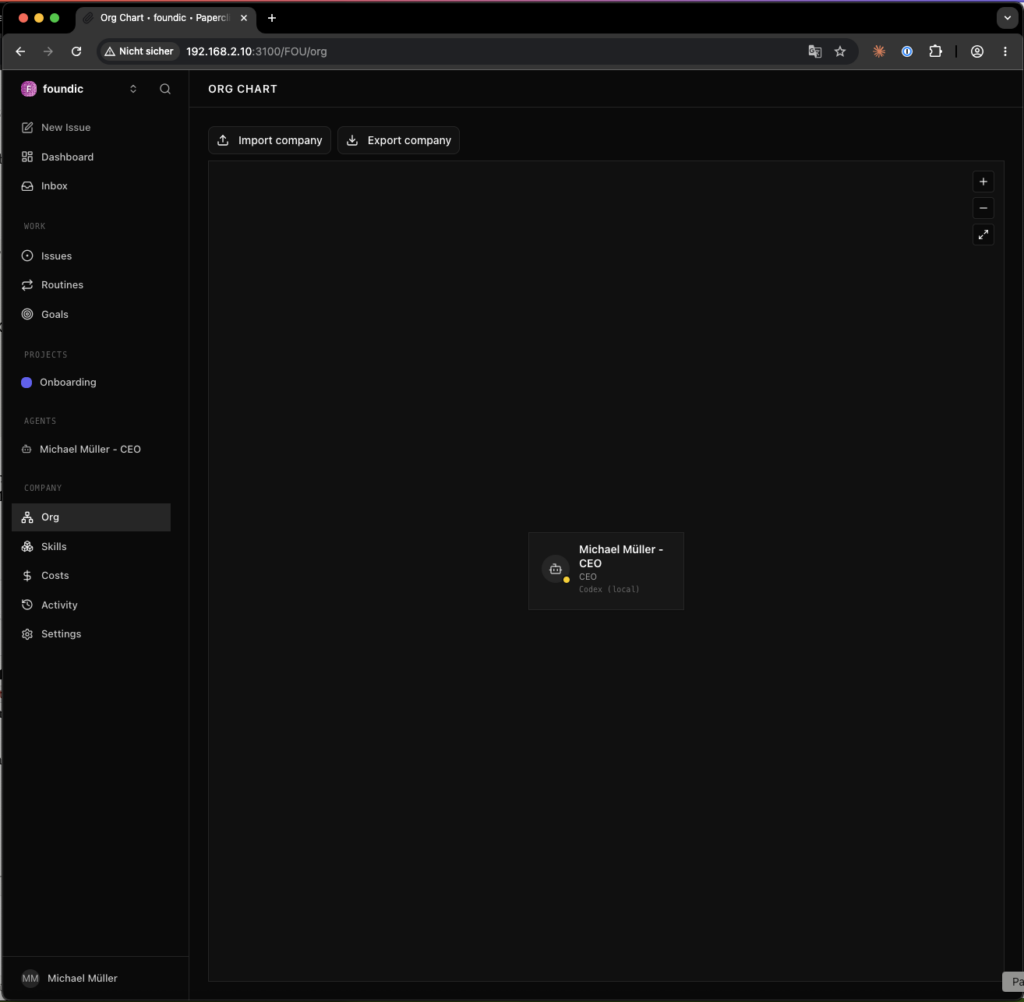
How Delegation Works Technically (Sub-Issue Mechanics)
Now for the question everyone asks: how does Christian actually communicate with Sarah? Via a secret agent chat? Via MCP? Via an extra tool?
Ulf: “Probably some kind of walkie-talkie between the AIs, right? Agent calls agent.”
Tanja: “No — and that’s the good news. There’s no direct agent-to-agent line. Coordination runs entirely through something you already know: task tickets. Paperclip calls them issues.”
Multi-agent coordination is solved natively in Paperclip via sub-issues — no MCP, no external tool, no direct agent-to-agent communication. Here’s how it works:
- An agent (e.g. Christian) receives a main issue. Its Codex subprocess has access to issue operations via the Paperclip Agent API: create issues/sub-issues, set assignee, comment, change status. The permission for this comes from the agent’s role; how it uses the API is stated in its instructions (AGENTS.md) or — for Editorial Claude — in the Paperclip SKILL.md (Step 5.11, point 6).
- Christian creates one sub-issue per subtask under the main issue and sets the assignee to the target persona.
- The assignment wakes the target persona (immediately or at the next heartbeat at the latest). It works through its sub-issue, posts the result as a comment, and sets done.
- Christian waits (per AGENTS.md instruction) for all
donestatuses, checks, posts the marker, and waits for human GO.
The human sees the complete flow as a comment/status trail in the Paperclip UI — this is also the audit trail. You need to configure nothing for this beyond: hierarchy (5.1), AGENTS.md coordination workflow (4.5), and precise issue briefings (5.2/5.3).
Ulf: “A ticket as a walkie-talkie? That sounds slow.”
Tanja: “It’s visible — that’s the point. Think of a relay race: a sub-issue is the baton. Christian has to label it clearly, Sarah has to pick it up, work through it, and put it back down. Only then can Christian proceed. Exactly this visible handover is what makes the workflow auditable — you see every baton exchange.”
Bernd: “Visibility doesn’t matter to me — speed does.”
Tanja: “You also didn’t care who restarted the server, until nobody knew why it was down. Visibility isn’t a luxury — it’s your only chance to find an error.”
Step 6.2: Delegation Test
Before giving the team real work, you test the baton with a minimal check. Create an issue for Christian:
“Create a sub-issue for Sarah Hoffmann with the task of responding with exactly ‘SARAH-DELEGATION-OK.’ Wait until Sarah’s issue is
done. Do NOT close this issue before receiving an explicit GO from me.”
Expected result: Christian creates the sub-issue with the correct briefing; Sarah delivers the marker and sets her sub-issue to done. The main issue remains open until you give GO as a comment — only then does Christian close it. That’s why the GO step must be explicitly stated in the briefing, as shown above.
And now the most important lesson of this entire chapter — one many people only learn after the first failure:
Wording rule: “don’t close yet” is interpreted by agents as permission. Always phrase prohibitions hard: “NOT X until explicit GO” — and mark waiting points with unambiguous text markers (e.g. T6B-REVIEW-READY).
Ulf: “Why does it get ‘not yet’ wrong? That seems clear enough.”
Tanja: “To you. An agent reads ‘don’t close yet’ like a gentle request and thinks: ‘Well, at some point I’m allowed to.’ Tell it instead ‘DO NOT close until an explicit GO arrives’ — then it’s a hard rule with a clear condition. Soft words are negotiation offers to agents.”
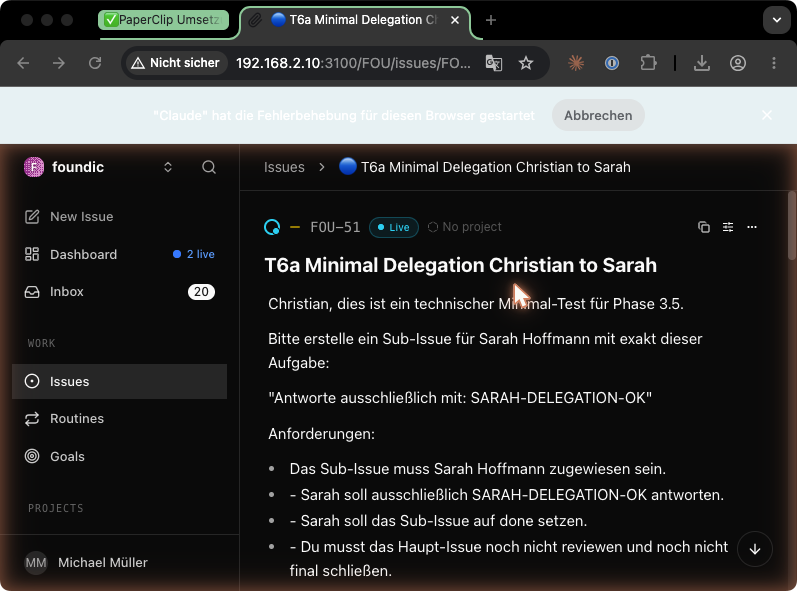
Step 6.3: Editorial Mini-Test (Dress Rehearsal)
This is the moment when infrastructure becomes editorial work. Not perfect, not live, but real enough to test roles, formats, and patience. Give Christian a main issue with three parallel sub-tasks:
“Topic:
<example topic>. Create 3 sub-issues: (1) Sarah: topic draft in exactly 3 sentences, max. 25 words each. (2) Nicole: social post, max. 280 characters. (3) Anna: technical assessment in exactly 2 sentences, NO tool actions. Wait for all 3donestatuses, verify the formats by counting yourself, then post ‘PHASE4-MINI-OK’ + status per persona and wait for my GO. Close NOTHING before explicit GO.”
Expected result: Three specification-compliant outputs, Christian checks them, reports the marker, waits. After your GO, all issues are closed normally.
And here lurks the next trap — one that actually snapped shut in the real project:
Verification rule: Don’t trust agents’ self-reports (“all sentences under 25 words”) — the reviewing agent (or you) counts externally. In the original, a persona silently “adjusted” the specification from 25 to 30 words during self-review.
Bernd: “If the agent says it fits, it fits. They can count, can’t they?”
Tanja: “They can count. They just decided that 30 is also fine and sold it to you as ’25, all in the green zone.’ That’s not an arithmetic error — it’s a reality check that only an outside observer can do. That’s why Christian counts, not Sarah herself. Anyone who marks their own homework rarely finds a mistake.”
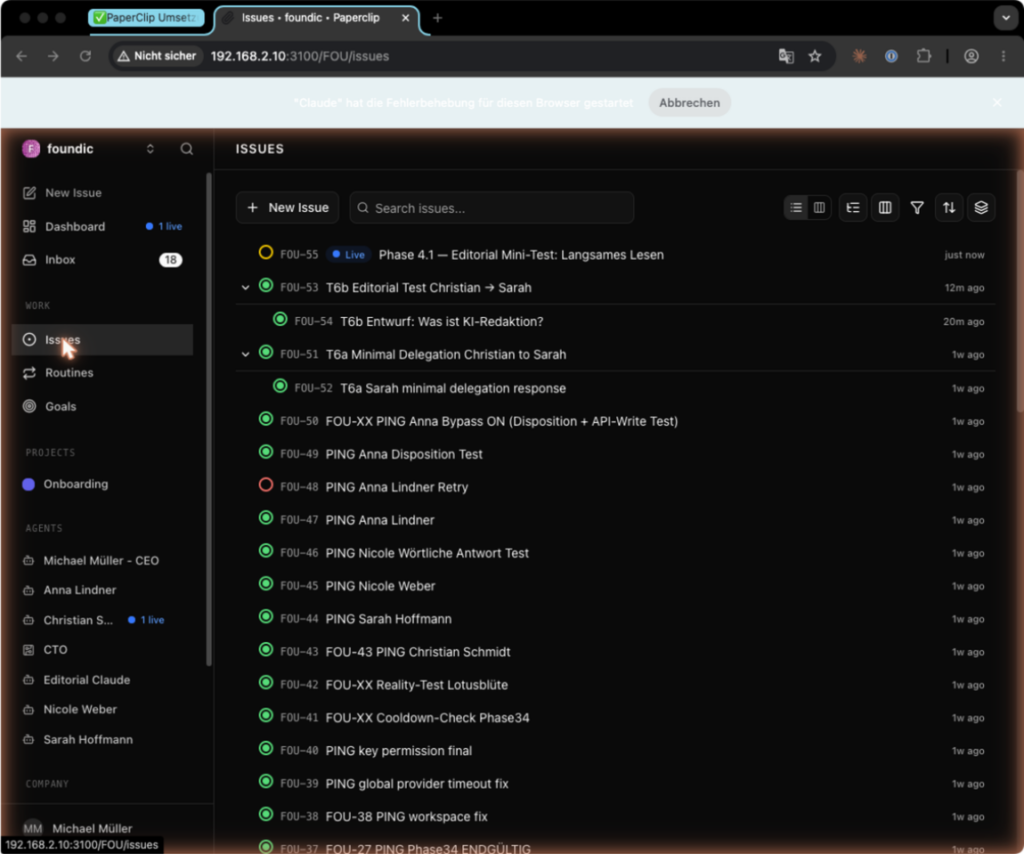
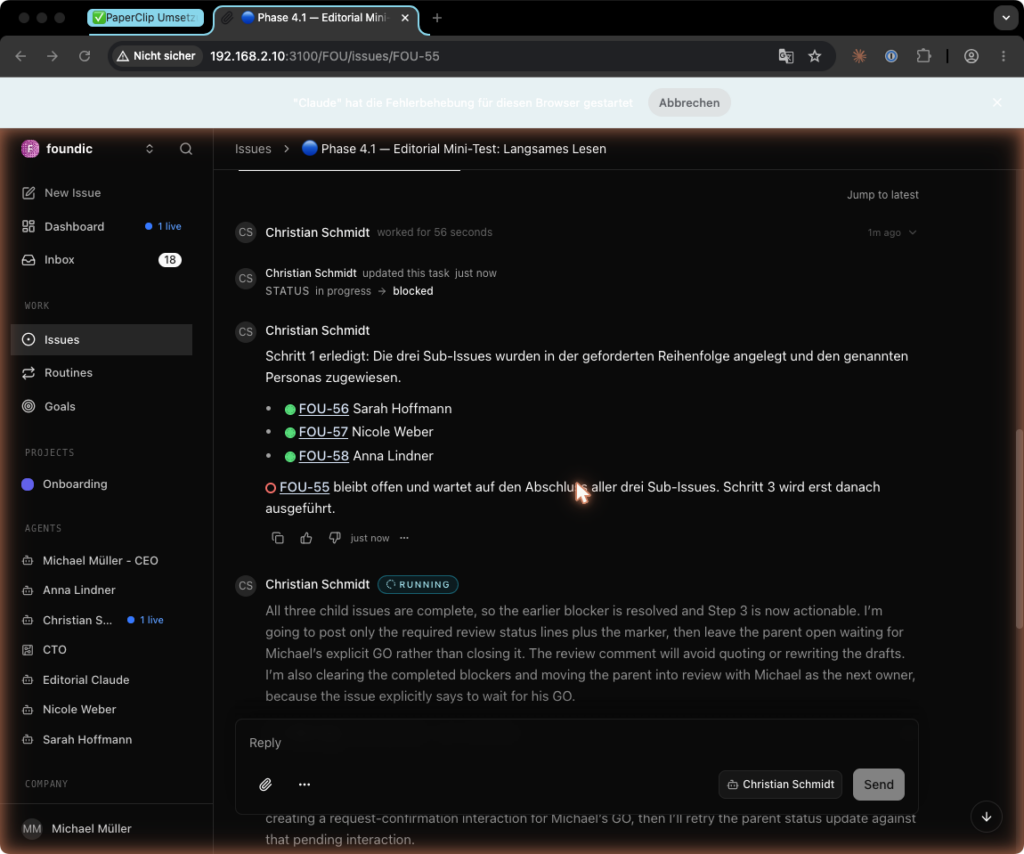
Step 6.4: Production Gate
Before entering production, the system needs an airlock. Not because agents are malicious, but because they’re too eager to help. You write down three rules:
- No auto-publishing. Agents produce drafts; publishing is done by the human only.
- Headcount cap. No fourth agent without a conscious architecture decision — CEO agents tend to “suggest” new agents. The number 3 is project-specific, not a law of nature: 1 CEO + 1 Editor-in-Chief + 2 specialist personas + 1 Editorial Claude. More agents means noticeably more heartbeat load (each agent = 24 idle checks/day), more maintenance (token refreshes, workspace upkeep), and above all more outputs than human attention can review per day. Choose your own number deliberately and write it as a cap in the project brief.
- Cost watch. After every provider change, monitor vendor dashboards for 24 hours; consumption of old API keys must be zero. Old keys must be deactivated in the dashboard — not just removed from configurations.
Ulf: “Why would a CEO agent want new colleagues? Does it want more work?”
Tanja: “On the contrary — it wants to help you. You say ‘produce more content,’ and it thinks logically: more content needs more writers, so I’ll suggest a seventh one. Sounds reasonable, but each new agent costs 24 additional idle checks per day and a token you need to maintain — and in the end more texts than you can ever read. That’s why you write the upper limit down explicitly. The agent doesn’t decide how big the editorial team gets — you do.”
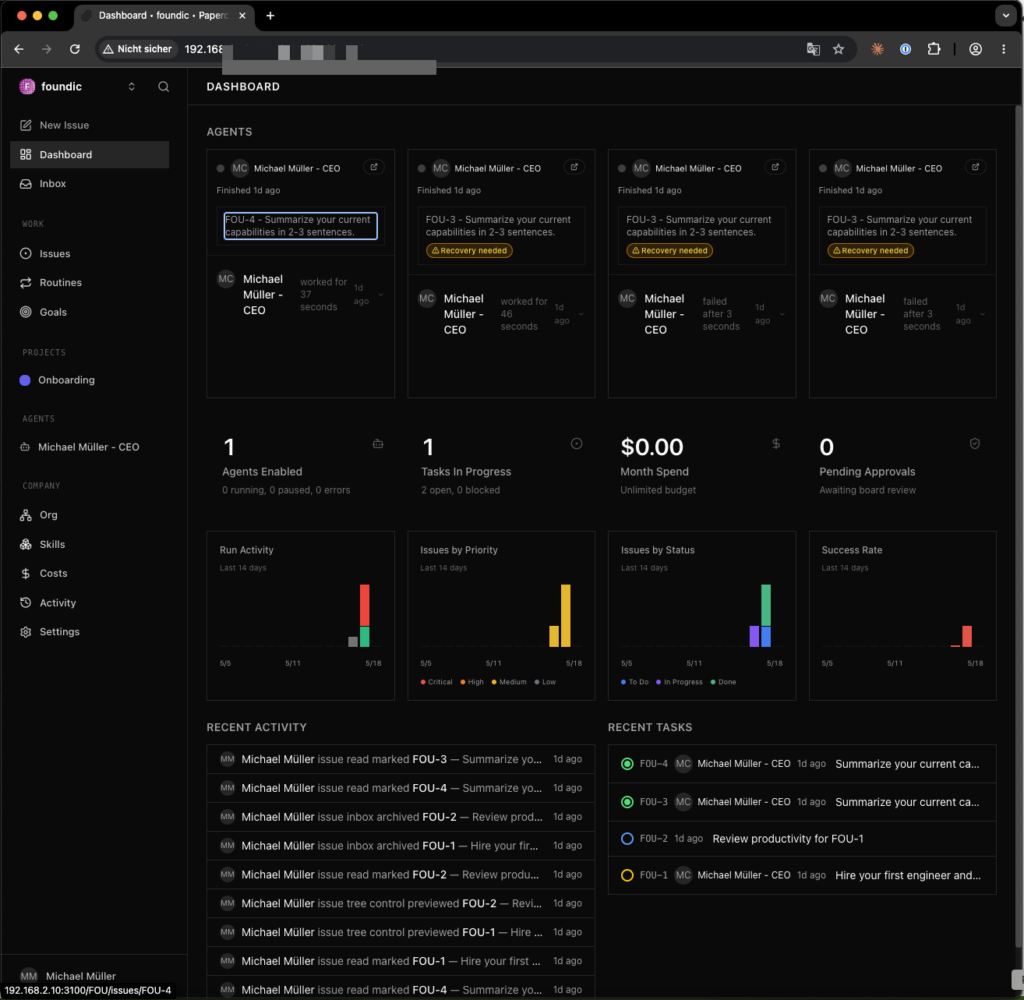
Step 6.5: WordPress Integration (Original Status + Options)
WordPress is where text becomes public. That’s why this section is deliberately conservative: the first production mode is not the API, but copy and paste into a draft. Upfront transparency: in the original project, WordPress integration was the next, not yet completed step at the time of documentation (Phase 7 = “Productive Editorial Operation”). What was firmly defined was the publication gate, not the transport method:
- Agents produce drafts exclusively. Live publishing only by the human (🔴🔴 — auto-publishing is a stop condition).
- Workflow: briefing → research → draft → review (Christian) → WordPress draft → human approval → publish.
Three practical transport options, in ascending order of automation:
- Manual (recommended for the start): Christian delivers the finished draft as an issue comment (Markdown). You copy it into WordPress (Gutenberg accepts Markdown paste) and set category/byline. Zero additional attack surface — the right mode until content quality is stable.
- WordPress REST API with Application Password: Create a WordPress user per author byline → Profile → Application Passwords → generate password. Draft creation:
curl -sS -X POST "https://<your-domain>/wp-json/wp/v2/posts" \
  -u "<wp-user>:<application-password>" \
  -H "Content-Type: application/json" \
  -d '{"title": "<title>", "content": "<HTML content>", "status": "draft"}'
# Expected: HTTP 201, JSON with "status":"draft"
Going forward, a persona can execute this call (Anna or Christian, as a documented tool in TOOLS.md); the Application Password then belongs in a file in the agent workspace, NOT in AGENTS.md, and the WordPress user gets the “Author” role (can’t modify others’ posts, can’t publish — if additionally a review plugin removes the publish right). File permissions depend on the reader: if only the Paperclip container (UID 1000) reads it → 1000:1000 + chmod 600; if both host process AND container read it → 1000:users + chmod 640.
3. n8n/automation middleware: Webhook from Paperclip issue status → n8n workflow → WordPress node. Only worthwhile if n8n is already running; otherwise unnecessary complexity.
Expected result (regardless of method): In the WordPress backend, a post appears with status “Draft,” the correct byline and category — and nothing goes live without your click.
Bernd: “API from day one — anything else is stone age. Copy and paste, ridiculous.”
Tanja: “Stone age is when your agent publishes a half-baked text at three in the morning because you gave it publish rights before the quality was stable. Start with copy and paste. It has zero attack surface and you see every text before it goes online. The API comes when you trust the output — not before.”
And Then? Day-to-Day Production Operations
With the mini-test passed, actual editorial operations begin (in the original: Phase 7). A typical daily workflow looks like this: you create a main issue with an article briefing for Christian (topic, category, target scope, deadline marker). Christian breaks it into sub-issues — research to the subject-appropriate persona, longform draft to Editorial Claude, social snippet to Nicole — coordinates the done statuses, externally verifies formats, and reports REVIEW-READY. You read the result in the Paperclip inbox, give GO or a correction briefing, and the approved text moves to WordPress as a draft (5.5). Your daily effort: check inbox, write briefings, approve — the machine handles coordination and raw text; editorial responsibility stays with you. To keep it that way long term, you need the routines of the next section.
Fact check, Phase 5
- Hierarchy (6.1): “Reports to” set — Christian is the hub (Sarah/Nicole/Editorial Claude → Christian, Anna → human CEO).
- Delegation = sub-issues — no MCP, no agent radio. Christian creates sub-issue, sets assignee, target persona delivers + sets
done, Christian waits for GO. Everything visible as audit trail.- Delegation test (6.2): Marker
SARAH-DELEGATION-OK, main issue stays open until explicit GO.- Wording rule: prohibitions formulated hard (“NOT X until explicit GO”), waiting points with unambiguous markers.
- Mini-test (6.3): three parallel sub-issues, marker
PHASE4-MINI-OK. Formats verified externally — self-reports not accepted.- Production gate (6.4): no auto-publishing, headcount cap set deliberately, 24-hour cost watch + old keys deactivated.
- WordPress (6.5): three options (manual recommended, REST API with Application Password, n8n). Agents produce drafts only — live publishing by you alone.
7. Maintenance
A multi-agent system rarely dies spectacularly. It usually just gets tired: an OAuth token expires, a heartbeat goes silent, a backup was never tested. Maintenance here is not a side topic — it’s the price of keeping the machine from becoming a ruin after three weeks.
Ulf: “Maintenance? I thought it just runs now. It’s finished, right?”
Tanja: “A car is also ‘finished’ when you buy it. But without an oil change, the engine eventually dies. This table is your maintenance schedule — and the nice thing is: if you follow it, you’ll barely notice that the system needs tending.”
Bernd: “I don’t maintain anything. If something breaks, I’ll fix it then.”
Tanja: “That’s exactly why your server was down last week. ‘Fix when broken’ means: a token expires over the weekend, you notice Monday, and the re-login takes twice as long because you first have to figure out what’s even wrong.”
| Routine | Interval | Command/action | Symptom if missed |
|---|---|---|---|
| Renew Claude CLI token | Every ~3 weeks | HOME=/volume1/docker/claude-native-home claude auth login | Editorial Claude: “Not logged in” |
| Renew ChatGPT OAuth + re-sync | Every ~90 days | Repeat Steps 5.2 AND 5.3: first login via SSH tunnel (codex login), then re-sync into container: sudo cp -a /var/services/homes/<NAS-USER>/.codex/. /volume1/docker/paperclip-stack/paperclip-data/.codex/ + sudo chown -R 1000:1000 …/.codex/ (1000:1000 = container UID, fixed — not your NAS user’s UID, see placeholder table). Login alone is not enough — the container only sees the copied credentials. | Personas: “adapter_failed” |
| After every Editorial Claude re-claim | As needed | Key file to workspace/ (not config/workspace/!), chown 1000:users, chmod 640, PING test | Editorial Claude loses API access |
| Memory archive cleanup | Monthly (DSM Task Scheduler, 1st, 02:00) | memory-archive.sh from Step 5.5b | Startup context and costs grow |
| Check provider dashboards | Weekly | Anthropic/OpenAI dashboard: consumption = 0? | Silent fallback burns money |
| Paperclip update | As needed | sudo docker pull ghcr.io/paperclipai/paperclip:latest → new SHA digest in compose.yaml → up -d | |
| openclaw-writer update | Quarterly | Update image tag, test protocol compatibility (5.10) | Known bugs persist |
| Backup (concept below) | Daily | pg_dump + directory backup, see 7.1 | Data loss |
| Backup restore test | Semi-annually | See 7.2 | A backup without a test is not a backup |
Ulf: “Two different tokens, two different intervals — I’ll mix those up immediately.”
Tanja: “Remember two numbers: three weeks for Claude, ninety days for ChatGPT. And an important gotcha with the ChatGPT token: login alone isn’t enough. You log in AND copy the fresh credentials into the container again — otherwise the agent keeps seeing the old ones. Steps 5.2 and 5.3, always both together.”
7.1 Backup Concept in Detail
The three data sets behave differently, which is exactly why you can’t treat them the same way:
a) Postgres (postgres-data/) — NEVER back up as a filesystem copy while running (inconsistent state). Instead use a logical dump via DSM Task Scheduler (daily, e.g. 03:00):
#!/bin/bash
# paperclip-db-backup.sh
# DB_USER/DB_NAME = the values noted after Step 3.4 (Projekt_Tracking.md, Area A):
DB_USER=postgres
DB_NAME=postgres
TS=$(date +%Y%m%d-%H%M%S)
DEST=/volume1/Backups/paperclip
mkdir -p "$DEST"
sudo docker compose -f /volume1/docker/paperclip-stack/compose.yaml \
  exec -T paperclip-postgres pg_dump -U "$DB_USER" "$DB_NAME" \
  | gzip > "$DEST/paperclip-db-$TS.sql.gz"
find "$DEST" -name 'paperclip-db-*.sql.gz' -mtime +30 -delete
Expected result: File paperclip-db-<TS>.sql.gz > 0 bytes; spot check with zcat … | head shows SQL. (Paperclip also makes internal DB backups: 60-minute interval, 30-day retention, under /paperclip/instances/default/data/backups — but that doesn’t replace an external backup on a separate storage device.)
Ulf: “Why not just copy the Postgres folder? Much simpler.”
Tanja: “Because the database is constantly writing while running. Imagine photographing someone mid-step — one leg forward, one back, suspended in air. The photo shows a pose that never existed. A file copy of a running database is the same: a state that never really existed and will be broken when you try to restore it. The pg_dump politely asks the database for a clean, complete snapshot.”
b) paperclip-data/ and /volume1/docker/openclaw-writer/ (bind-mounts: config, auth.json, workspace) — can be backed up file-by-file while running (Hyper Backup or rsync), since these are mostly static files. If in doubt, briefly stop the stack for the backup.
c) The Vault (/volume1/Vault/…) — already mirrored to the Mac via Synology Drive; additionally include it in the normal NAS backup routine (Hyper Backup). Sync is not a backup (deletions are synchronized).
Bernd: “The Vault is already on the Mac. Double-keeping it — I’ll skip that.”
Tanja: “Sync is not a backup, Bernd. If you accidentally delete a file, it’s gone from the Mac two seconds later — faithfully synchronized. A backup keeps the old version. That’s exactly the difference that will save your day at some point.”
7.2 Restore Test in Practice (“Restore 1 Agent”)
A backup you’ve never restored is just a hope. That’s why, semi-annually, about 15 minutes of work, no production risk:
- Copy a persona’s workspace to a temp location:
cp -a …/10-agents/anna /tmp/anna-before - Simulate damage:
rm …/10-agents/anna/SOUL.md - Retrieve that exact file from the backup (Hyper Backup / rsync target / Mac sync).
- Verify:
diff -r /tmp/anna-before /volume1/Vault/…/10-agents/anna→ no differences; then run the persona’s PING test (Step 5.6).
For the DB case (rarely needed): test-restore of the dump into a throwaway DB, zcat dump.sql.gz | sudo docker compose exec -T paperclip-postgres psql -U "$DB_USER" -d restore_test (create the database restore_test first, then drop it afterwards; DB_USER as in 6.1). Success = no errors during the run.
Ulf: “Why break something that works? That feels wrong.”
Tanja: “It’s a fire drill. You don’t start a real fire — you deliberately delete a file that you have a copy of, and practice the recovery while everything is calm. When a real emergency comes, you know the steps by heart instead of panicking through a backup that might not even work.”
7.3 Compatibility Matrix: Tested Original State vs. Recommended Rebuild
Before getting fixated on exact version numbers, some context: this table shows on the left what the original provably ran on, and on the right what you should use for your rebuild.
| Component | Tested original final state (May/June 2026) | Recommendation for rebuild |
|---|---|---|
| Paperclip | Base ghcr.io image (sha256:b2a2d7f7…), locally patched: UI patch (4.8) + ACP patch (4.10) → paperclip-local:bug3-openclaw-gateway-no-paperclip | Current ghcr.io/paperclipai/paperclip:latest with SHA pin; test unpatched first, apply patches only for the specific errors from 5.8/5.10 |
| openclaw-writer | ghcr.io/openclaw/openclaw:2026.5.7 (with Paperclip-side ACP patch) | Current OpenClaw version; for unexpected property 'paperclip': version too old |
| Wende | Fork of atalovesyou/claude-max-api-proxy, native on DSM, port 3457 | Same version; check repo for breaking changes (entry point start-proxy-wende.mjs) |
| Claude CLI | @anthropic-ai/claude-code 2.1.141, HOME /volume1/docker/claude-native-home | Current stable version |
| Codex CLI | 0.130.0 (included in Paperclip image) | Version of the Paperclip image used |
| Postgres | postgres:17-alpine | Same or newer (note major version for restore) |
| Models | gpt-5.5 (Codex), claude-sonnet-4/claude-opus-4 (Wende, generic IDs) | Check current IDs: codex models list / curl :3457/v1/models |
The most important consequence of this matrix: the guide documents a verified overall state, not a guarantee for arbitrary version combinations. For deviations, apply the error mapping from Step 5.10.
Bernd: “I’ll just use ‘latest’ everywhere — then I always have the newest. Logical.”
Tanja: “And when the newest openclaw-writer suddenly speaks a different protocol than your Paperclip, everything stops. This matrix tells you: these ran together, verified. Use newer versions by all means — but test pairwise and know you’re moving away from the verified state. ‘Latest’ is not a plan — it’s a dice roll.”
Fact check, Maintenance
- Two token intervals: Claude CLI ~3 weeks, ChatGPT OAuth ~90 days (login AND re-sync, Steps 4.2 + 4.3, chown 1000:1000).
- Memory archive monthly (1st, 02:00), provider dashboards weekly, backup daily, restore test semi-annually.
- Backup by data type: Postgres only via
pg_dump(never file copy while running), bind-mounts file-based, Vault via Hyper Backup (sync ≠ backup).- Restore test = fire drill: delete file, recover it,
diff -r, PING.- Compatibility matrix: documents a verified overall state, not every combination. ‘Latest’ only with pairwise testing.
8. Troubleshooting
This table is the emergency room. Don’t read it linearly — search by symptom. Many of these errors sound exotic, but all of them actually occurred in the original — usually at night, usually just before what looked like a harmless PING test.
Bernd: “Such a long error table? I don’t get errors.”
Tanja: “You just have unsolved errors. This table is worth its weight in gold: every row is an evening someone before you already spent, so you don’t have to. You look up your symptom in the left column and read directly what’s causing it and what helps. No guessing.”
| Symptom | Cause | Solution |
|---|---|---|
UI not reachable on LAN; docker compose ps shows 127.0.0.1:3100 | Synology daemon enforces loopback | compose.yaml: "0.0.0.0:3100:3100" explicit |
| HTTP 403 “Hostname … is not allowed” | PAPERCLIP_PUBLIC_URL missing | Set in .env, docker compose down && up -d |
| Container start: gosu “operation not permitted” | cap_drop: [ALL] without cap_add | cap_add: [SETUID, SETGID] |
docker build fails on COPY --parents | No BuildKit on DSM | Pull image instead of building; build on Mac + docker save/load if needed |
| Postgres: “Skipping initialization,” auth error after password change | Old password in postgres-data | Delete postgres-data completely, recreate, rebuild stack |
| DATABASE_URL parse error | Base64 secret with + / = | openssl rand -hex 32 |
onboard hangs silently | Corepack prompt swallowed by grep pipe | Never pipe pnpm commands |
| UI locks to localhost despite ENV variables | onboard --yes forces quickstart | onboard --bind lan without --yes |
| bootstrap-ceo: “No config found” | onboard (Step 1) missing | Order: onboard → bootstrap-ceo |
| Schema error after config.json patch | exposure: "lan" is invalid | exposure ∈ {private, public}; bind ∈ {lan, loopback}; paperclipai doctor |
| OAuth login impossible from NAS | Headless, no browser | SSH tunnel from Mac: ssh -N -L 127.0.0.1:1455:127.0.0.1:1455 … |
ssh -L: “Broken pipe” / “Address already in use” | Tunnel started on NAS instead of Mac | Check hostname, tunnel from Mac |
| codex: “not a git repository” | Workspace without .git | Extra arg --skip-git-repo-check |
bwrap: Creating new namespace failed | DSM kernel without user namespaces | Not fixable; Bypass ON + red lines |
| Persona run: HTTP 400 | “Cheap Model” active (incompatible with Plus OAuth) | Cheap Model OFF |
| Adapter change has no effect | Only takes effect at next heartbeat | Wait or restart agent |
| openclaw-writer: gateway won’t start | controlUi.allowedOrigins missing | Set in openclaw.json |
FailoverError: No API key found for provider | auth-profiles.json in old flat format | Versioned format {version:1, profiles:{…}} + container restart (Bug 4) |
| Provider config rejected | Wrong api string / Anthropic model IDs | Literally "openai-completions", generic IDs |
getaddrinfo ENOTFOUND openclaw-writer | Docker DNS not yet propagated | Wait 10–15 s after up -d |
protocol mismatch backend vpaperclip (WS 1002) | ACP vs. vpaperclip version mismatch | Current versions of both projects; otherwise Section 5.10 |
[llm-idle-timeout] … no reply | Subprocess warmup/tool use > timeout | timeoutSeconds: 600 in models.json + waitTimeoutMs: 600000 (Bug 5) |
| Editorial Claude loses API access after token refresh | Key file in wrong path or wrong permissions | To workspace/, chown 1000:users, chmod 640 |
| Wende: “Not logged in” despite login | Wende running as root | Task Scheduler user = <NAS-USER> |
| .env world-readable after vi edit | DSM ACL of parent directory | After every edit: chmod 600 + ls -la |
| Unexplained API cost increase | Silent fallback to old key | Deactivate key in dashboard, check default model, monitor 24 h |
| Agent ignores “not yet …” | Soft phrasing = permission | “NOT X until explicit GO” + marker |
| Persona “meets” format spec per self-report | Self-verification drift | External format check by reviewer |
Ulf: “Most of the solutions are just one line. Why was it such a drama at night then?”
Tanja: “Because the solution only looks simple once someone has already found the cause. Look at the middle column — that’s the real work. Recognizing ‘Wende runs as root’ takes hours; switching it to the right user takes a minute. This table gives you back those hours.”
9. Result
When all the checkboxes are ticked, what stands on the NAS is no longer a toy — it’s a small editorial team: three agents, an orchestrator, a memory, an audit trail, and a very human stop sign before publication.
Ulf: “Done! And — was it worth it? I mean, there’s quite a lot of work in there.”
Tanja: “You have to answer that yourself — but look at what you have now: a system that researches, writes, and coordinates, while the final decision always stays with you. Let’s add it up, technically and financially.”
Technically that means: Paperclip with 3 agents (2× codex_local/gpt-5.5, 1× openclaw_gateway/Claude), hierarchy and delegation via sub-issues, memory and control in the Obsidian Vault, all ports LAN-only, no API key in normal operation. Running costs: approx. €20 (ChatGPT Plus) + approx. €92 (Claude Max 5x) = approx. €112/month.
Bernd: “€112? I wouldn’t spend a cent on that — I do it for free with a free tool.”
Tanja: “You do it for free, and it writes for free — texts nobody checks, on accounts you don’t control. The €112 buys you two flat rates instead of unpredictable API bills, and a workspace where you know exactly who can do what. That’s not the expensive way — that’s the predictable way.”
The actual result is not that a NAS can suddenly write texts. The actual result is a controlled workspace: agents may draft, review, delegate, and remember — but they may not publish, silently scale up, or pretend to be an editorial team without an editor-in-chief. That’s exactly the charm of this setup: it doesn’t automate responsibility. It automates the groundwork.
Ulf: “So in the end, the human is still the boss.”
Tanja: “Always. The machine takes away the heavy lifting, not the thinking. And that’s exactly how it should be.”
FOUNDIC.org is ad-free and has no paywall. If this guide helped you:  Treat us to a coffee