Accenture Rolls Out Microsoft Copilot to All 743,000 Employees
Accenture is deploying Microsoft 365 Copilot to its entire workforce of 743,000 after pilots with 200,000 users, in one of the largest company-wide AI implementations to date.
Microsoft Copilot sits inside Word, Excel, PowerPoint and Teams. The question is rarely whether it can do something, but where it actually pays off. This page collects the articles that put its features and limits in context and the guides that show how to use it in practice in the individual applications.
Start here: Microsoft Copilot in Review places its features and limits. Copilot in Excel is the guide for everyday data work. AI and the APQC benchmark shows in a worked example what is possible beyond standard tasks.
Copilot increasingly works through tasks on its own. For what that means in principle, see AI Agents.

Accenture is deploying Microsoft 365 Copilot to its entire workforce of 743,000 after pilots with 200,000 users, in one of the largest company-wide AI implementations to date.

Notice: This article was created with AI. What’s this about? Microsoft’s AI assistant Copilot has made its way into PowerPoint and is changing the way users create presentations. The artificial intelligence takes over tasks such as slide design, structuring content, and text optimization. This is meant to help users save time while achieving more professional

Microsoft Copilot brings AI into Word, Excel, and Outlook, letting users automate reports, data analyses, and email via natural language while staying within Microsoft 365 security standards.

Microsoft Copilot integrates AI into Word, Excel, PowerPoint, Outlook, and Teams to automate office tasks, though its usefulness varies by use case and user experiences are mixed.
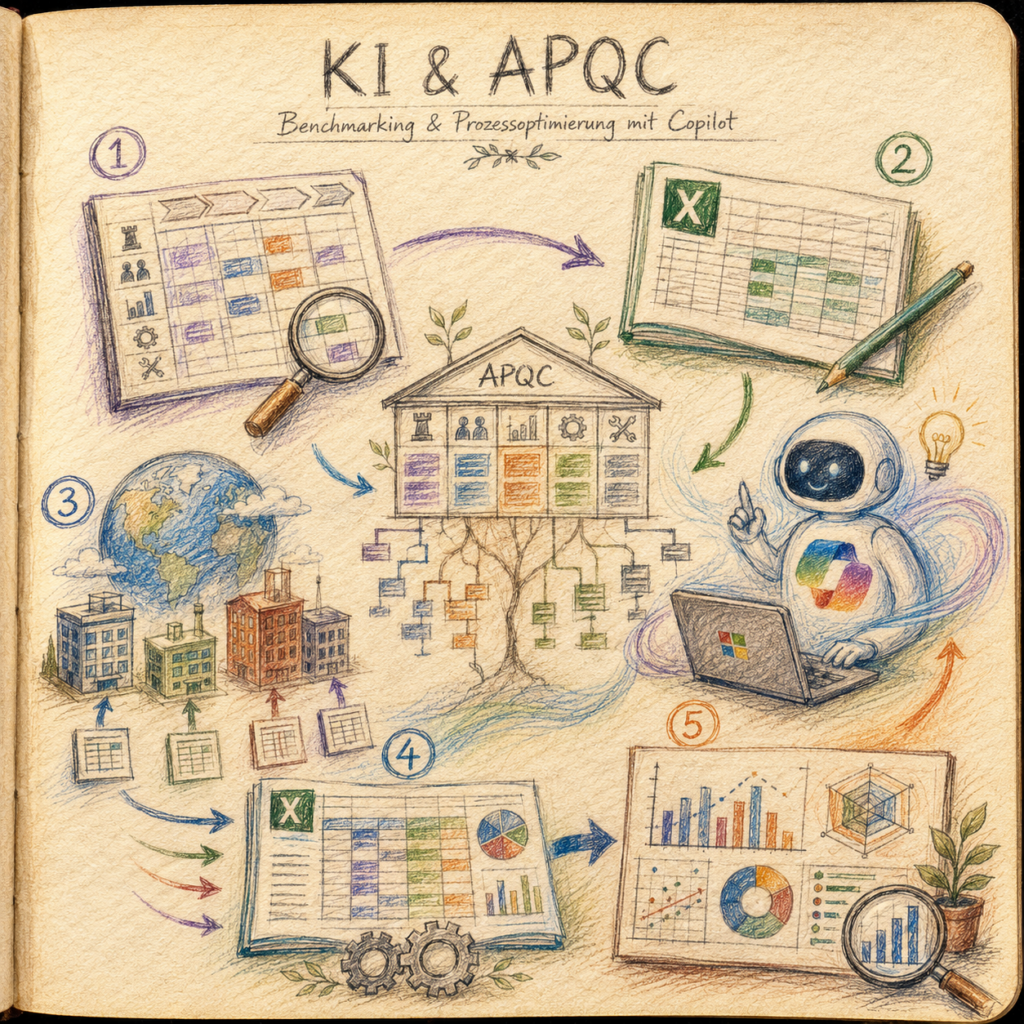
There is a particular moment in almost every large corporation that always plays out the same way. Someone from Controlling asks: “Are we actually efficient? How do we compare to our own subsidiaries?” And then comes the reflexive follow-up: “Shouldn’t we bring in a consultancy for that?” Consulting firms specialize in answering exactly this question

Notice: This article was created with AI. What’s it about? Microsoft has deeply integrated its AI assistance feature Copilot into Excel, enabling a fundamentally new form of interaction with spreadsheet data. Users can carry out complex data operations via natural language commands without needing to learn nested formulas. The AI takes over tasks such as

Notice: This article was created with AI. What’s it about? Microsoft has introduced an expanded capability for its Copilot in Excel with Agent Mode. Unlike previous AI assistants that primarily respond to single commands, Agent Mode can independently structure and execute complete workflows. The feature plans multi-step processes, carries them out, and checks the results

Notice: This article was created with AI. What’s it about? Security experts have identified a concerning vulnerability in Microsoft Copilot. Attackers can manipulate the AI software into disclosing confidential information by employing a multi-stage attack technique called Reprompt. The attack works via manipulated links that can be distributed by email or through other communication channels.