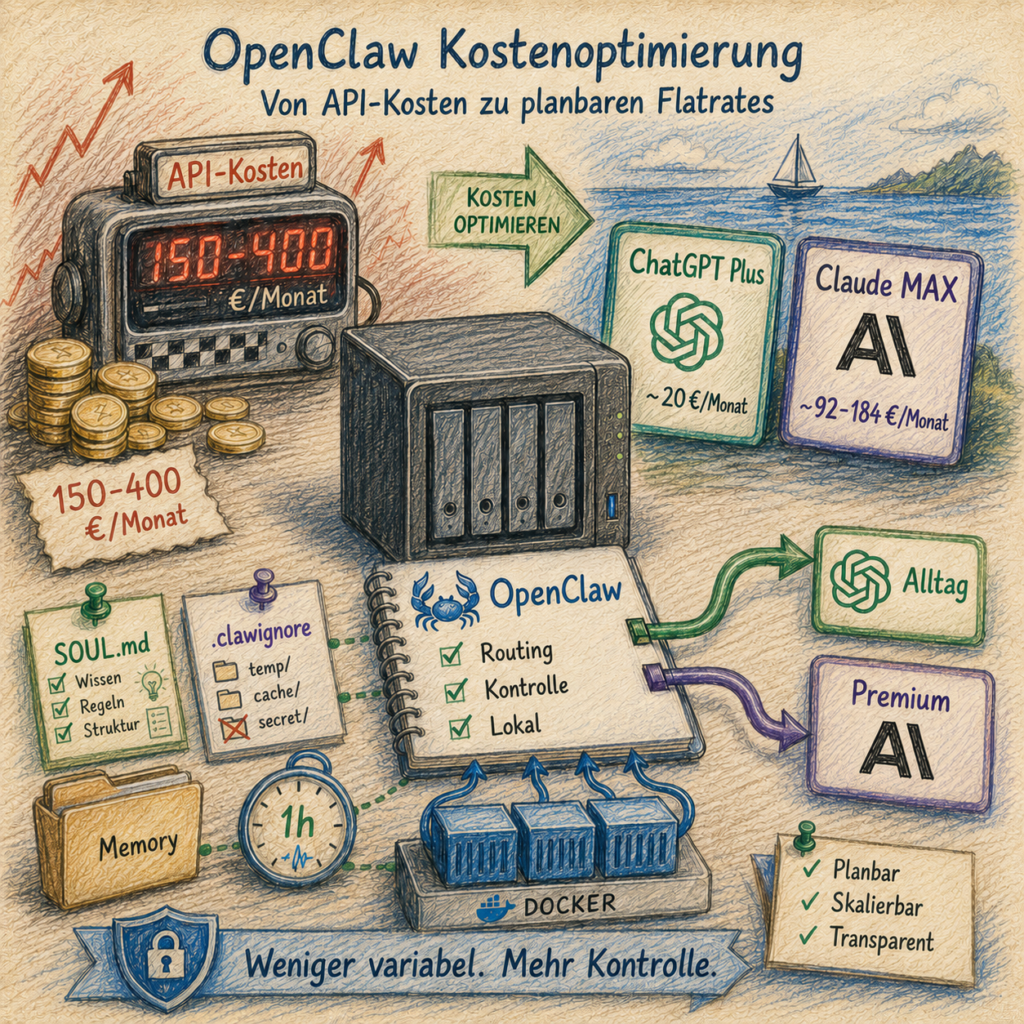
A technical step-by-step guide for Docker environments, illustrated with a Synology NAS – reproduced and rebuilt from scratch, complete with a backup harness, cost brake, and a few tripwires you’re better off spotting in advance.
What OpenClaw is, and why it needs model access on this scale in the first place, is explained in OpenClaw (ex Moltbot): How a WhatsApp Message Becomes an Acting AI Agent.
OpenClaw as a self-hosted AI agent in a container is a clean setup – until the first monthly bill arrives. Anyone running their agent intensively quickly discovers how pay-per-token APIs keep ticking quietly but very determinedly in the background: heartbeats, memory updates, research calls, follow-up requests. It all adds up. €150–400/month is not an outlier in continuous agentic operation – it’s the normal state.
There are two levers to change that:
Lever 1 – Switch to flat rates: Instead of pay-per-token, cheaper subscriptions take on the everyday load. ChatGPT Plus (~€20/month) handles the short haul, Claude MAX only comes out of the garage when real horsepower is actually needed.
Lever 2 – Save tokens: Regardless of which provider is running – teaching the agent to carry less context saves money directly. Short rule files, structured memory, no automatic reloading of old logs: these are not optional extras, but the second floor beneath the flat-rate savings.
This guide demonstrates both levers together, concretely and rebuilt in a Docker environment. The hardware used is a Synology NAS DS1621+ with DSM 7 – but the commands work anywhere Docker and Node.js run.
To make this guide easier to follow, three characters accompany you:
The typical office archetypes: the competent IT colleague, the self-proclaimed expert, and the honest beginner. These three perspectives help you spot common pitfalls.
Tanja is the IT expert. She knows how it works, explains patiently and systematically – and doesn’t let bad advice rattle her. When you have a question, Tanja has the answer.
Bernd is the self-proclaimed “expert” who knows everything better – and is usually wrong. His shortcuts and half-knowledge regularly cause problems. He represents all the dangerous myths and bad practices you should avoid.
Ulf is the learner, just like you. He asks the questions swirling around in your head, and sometimes needs an everyday analogy to understand IT. When Ulf doesn’t understand something, that’s perfectly fine – that’s what Tanja is there for.
“And… Action!”
Monday morning, 9:14 am. Bernd is standing at the printer, a piece of paper in one hand, a half-empty coffee mug in the other. On the paper: a credit card statement. Bernd’s complexion shifts from healthy to slightly unhealthy.
Bernd: “Four hundred and twenty-two euros? For what?”
Tanja: “For your agent. You had it ‘keep writing everything permanently’ last month.”
Bernd: “But I didn’t even do that much.”
Tanja: “You didn’t. The agent did. Heartbeat every thirty seconds, memory update after every response, three research calls because one source wasn’t enough. It ticks like a taxi meter, even when no one’s in the car.”
Ulf: “Is that like stadium beer? You take a sip and forget that every sip costs six euros?”
Tanja: “Very similar. And just as expensive.”
That’s exactly the taxi meter this guide switches off. Not through deprivation, but through a different payment model and a few clean discipline rules.
Cost note upfront: This guide doesn’t replace intelligence with frugality – it replaces variable pay-per-token costs with predictable flat rates. Instead of variable API costs – which can quickly reach €150–400/month with intensive use – you pay fixed monthly amounts: ChatGPT Plus (~€20/month) for standard requests, Claude MAX (~€92–184/month) for Sonnet/Opus. Anyone already using Claude MAX can ideally reduce their variable additional costs to under €25/month. What remains decisive: your actual costs depend on which subscriptions you already have and how disciplined the routing works.
The target state: a quiet engine room with two cost brakes
Before we begin, it’s worth picturing the finished result. Knowing where you’re headed means you won’t miss any turn along the way.
Tanja: “Think of the current situation like a car rental where every kilometer is billed individually – including the distance the car drives around the parking lot by itself at night. The target picture is a monthly subscription where the car handles the city trips, and a second car that only rolls out of the garage when the motorway is actually needed.”
Ulf: “And the rest of the time?”
Tanja: “Sits in the garage. Costs nothing extra.”
Bernd: “I’d just earn more money.”
Tanja: “Bernd, that’s not a business model, that’s wishful thinking.”
Flat rate instead of taxi meter:
- OpenClaw answers everyday requests by default via ChatGPT Plus (~€20/month flat rate) – not via pay-per-token.
- For heavy text work, architecture questions, and debugging, Claude Sonnet/Opus is available via a local proxy (Claude MAX flat rate).
- Anthropic pay-per-token costs drop to under €5/month in the target picture: the API key is the emergency exit, no longer the main road.
Token savings as the second floor:
SOUL.mdand memory files are trimmed to the essentials – no unnecessary context at session start..clawignorekeeps Synology system directories and memory archives out of the agent’s workspace.- A rate-limit rule in
SOUL.mdstops loops before they silently rack up costs. - Heartbeat interval adjusted so idle checks don’t burn tokens unnecessarily.
Infrastructure:
- The container runs autonomously: no second machine, no improvised cable across the data path.
- Wende starts automatically after a container host reboot – configured via the Task Scheduler (DSM) or a comparable init mechanism.
Prerequisites
Ulf: “Do I need a PhD in computer science now?”
Tanja: “No. A little SSH, a little patience, a NAS or a Linux host. I’ll explain the rest.”
Bernd: “I don’t need prerequisites, I’ll just click my way through.”
Tanja: “Bernd, that sentence will be on your tombstone. Read along.”
Placeholders in this guide:
<NAS-IP>→ your host IP address (e.g.192.168.2.10)<your-user>→ your non-root user account on the host with Docker permissions (on Synology e.g.adminor a user you created yourself)You can set both as shell variables once:
NAS_IP=192.168.2.10      # your host IP here
USER=your-username        # your username here
The examples in this guide always use the placeholders – replace them with your values.
Before you start, make sure you have the following:
Host system and Docker
- A computer or NAS with Docker running (tested on Synology DS1621+ with DSM 7.x – other Linux hosts with Docker work analogously)
- SSH access to the host with a normal user account (no root – referred to as
<your-user>in this guide, see box above) - Docker Compose available (
docker composeordocker-compose) - Mac or PC on the same network for the initial Claude browser login
Synology-specific: DSM users open Container Manager via DSM → Container Manager. All Docker commands via SSH run identically. Paths like
/volume1/docker/apply to the primary Synology volume – adjust them to your volume if different.
Running OpenClaw
- OpenClaw already installed as a Docker container and basically configured
- Container name:
openclaw-bernd(adjust it in all commands if yours is different) - Directory on the host:
/volume1/docker/openclaw/(Synology example; on other hosts e.g./opt/docker/openclaw/) - Web UI accessible via SSH tunnel:
ssh -L 18789:127.0.0.1:18789 <your-user>@<NAS-IP>
Subscriptions
- ChatGPT Plus (~€20/month) – for Phase 2
- Claude MAX (~€92–184/month) – for Phase 3
Legal notice: Phase 3 of this guide (Claude MAX via local proxy) uses the Claude MAX subscription in a way that may violate Anthropic’s terms of service. You assume this risk yourself. In the worst case, Anthropic can suspend the subscription. This guide is an experience report, not an officially supported solution.
Knowledge
- Basic SSH knowledge (entering commands, copying files)
- You know how to open the Container Manager and Task Scheduler in DSM
The four phases: from open tap to controlled valve
Ulf: “Four phases? Sounds like the Champions League: Round of 16, Quarterfinals, Semifinals, Final.”
Tanja: “More or less. Except this time you don’t get knocked out in any phase – at most you stumble. And stumbling is okay, that’s what backups are for.”
| Phase | What happens |
|---|---|
| Phase 1 | Update OpenClaw so that multiple providers can coexist cleanly |
| Phase 2 | Set up ChatGPT Plus as the affordable default model |
| Phase 3 | Connect Claude MAX via Wende as a local high-performance branch |
| Phase 4 | Activate token-saving measures so the agent doesn’t drive with the trunk open |
If you just want to see what the finished machine looks like, skip ahead to The Finished Setup at a Glance. If you want to build it yourself, work through the phases in order. This sequence is not decorative – it’s part of error prevention.
Phase 1 – Update OpenClaw
First, the floor gets mopped before new cables are laid. Older OpenClaw versions (before 2026.5.7) have a bug that prevents multiple providers from being cleanly configured simultaneously. This step eliminates it – and saves you from the kind of error later that looks like a configuration issue but smells like a ghost.
Bernd: “Updates are usually broken anyway. I’ll skip it.”
Tanja: “If you skip Phase 1, Phase 3 fails without any visible reason. You’d spend two hours searching in the wrong forest.”
Ulf: “Like an away game without a jersey – you can do it, but people notice.”
Tanja: “Exactly.”
Step 1.1 – Stop the container
Open DSM → Container Manager → Container. Select openclaw-bernd and click Stop.
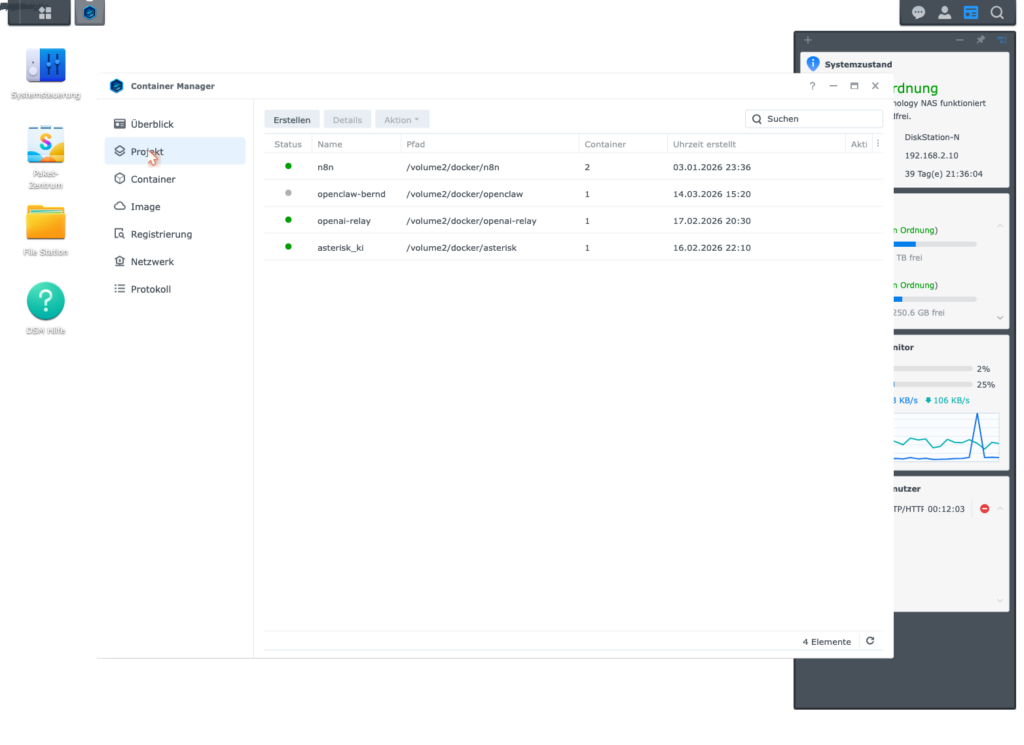
Alternatively via SSH:
ssh <your-user>@<NAS-IP>
cd /volume1/docker/openclaw
sudo docker compose stop openclaw-bernd
Expected result: The container status changes to Stopped.
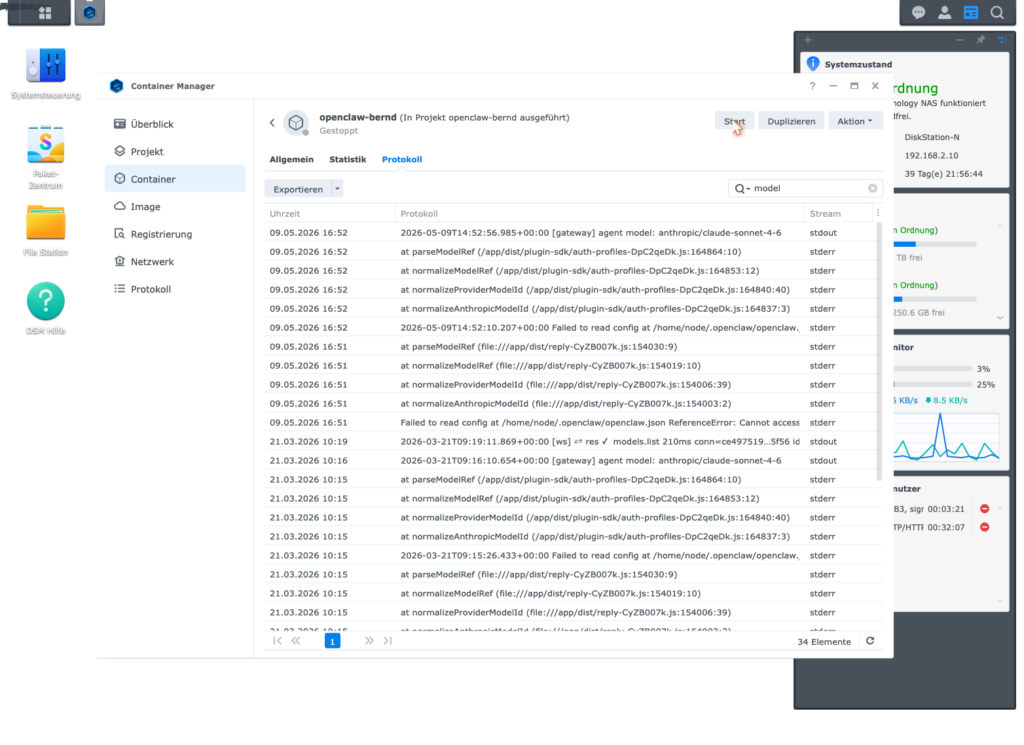
Step 1.2 – Create a backup
Important: Always do this step before changing any configuration files. Backups in this setup are not a polite recommendation – they’re the airbag. You only notice them when you need them – but then very much so.
Bernd: “I never do backups. Nothing’s ever blown up.”
Tanja: “That’s not true. Last quarter you overwrote the config.json and spent three hours reconstructing it from memory.”
Bernd: “…but I managed.”
Tanja: “Yes, because I was sitting next to you.”
ssh <your-user>@<NAS-IP>
TS=$(date +%Y%m%d-%H%M%S)
mkdir -p /volume1/docker/openclaw/backups/pre-update-$TS
cp /volume1/docker/openclaw/config/openclaw.json \
   /volume1/docker/openclaw/backups/pre-update-$TS/
cp /volume1/docker/openclaw/compose.yaml \
   /volume1/docker/openclaw/backups/pre-update-$TS/
echo "Backup at /volume1/docker/openclaw/backups/pre-update-$TS"
The trick is the TS variable with a timestamp. It ensures that every backup has a unique name. You can run this snippet as many times as you like without overwriting old attempts.
Step 1.3 – Update the image
In DSM → Container Manager → Container, click Settings → Edit Compose File in the top right and check which image is being used. Then:
Option A (DSM UI): Container Manager → Registry → Search for image → Update
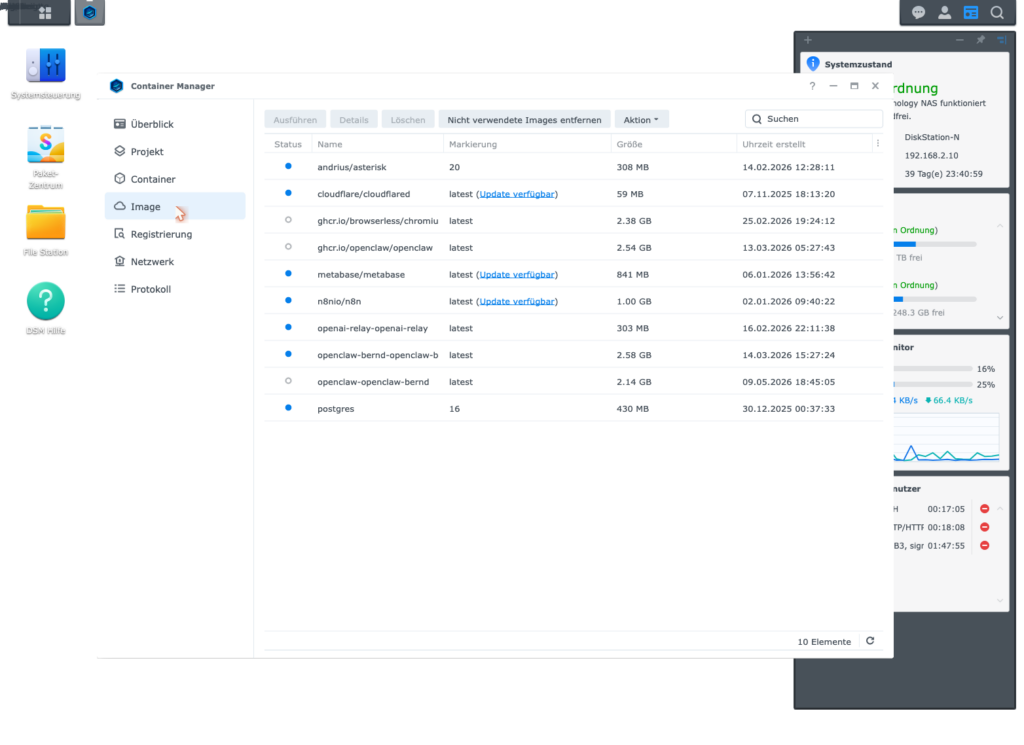
Option B (SSH):
cd /volume1/docker/openclaw
sudo docker compose pull
sudo docker compose up -d
Step 1.4 – Check the version
sudo docker exec openclaw-bernd node /app/openclaw.mjs --versionExpected result: 2026.5.7 or newer.
Step 1.5 – Check logs for errors
sudo docker logs openclaw-bernd --tail 50If you see this line, the bug is still active – the image was not updated correctly:
Cannot access 'ANTHROPIC_MODEL_ALIASES' before initializationIf this line does not appear, Phase 1 is complete.
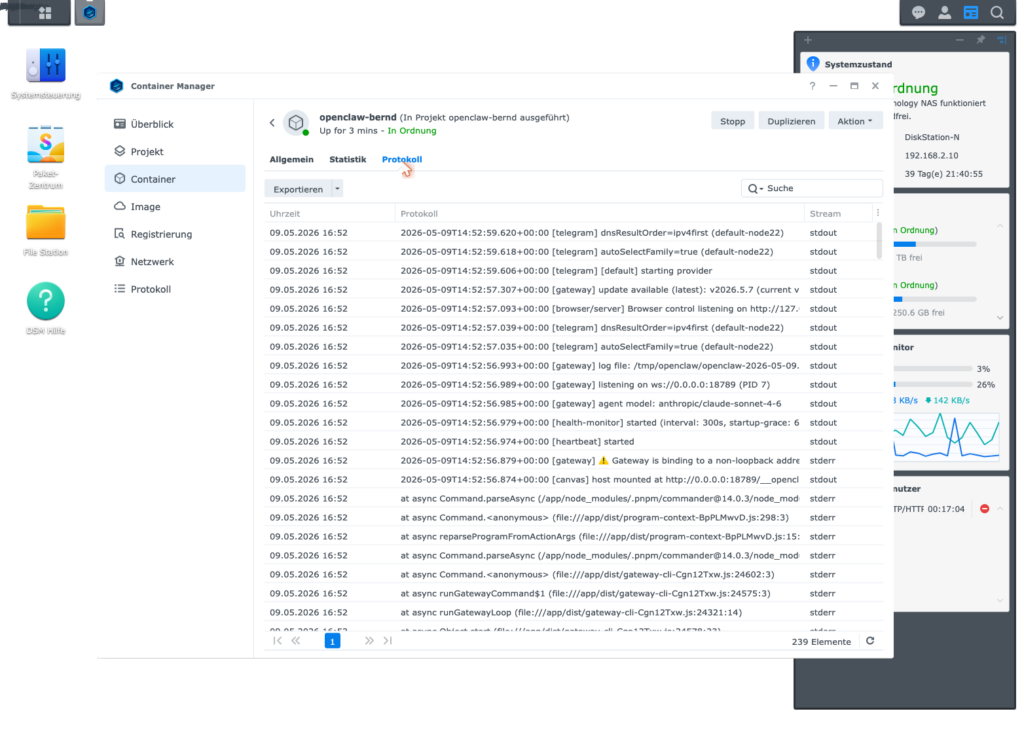
Phase 1 fact check: Stop container → create backup → update image → check version → read logs. Five small steps, not a single risky one – but all necessary so that Phase 3 works at all later.
Brain teaser: Run
sudo docker logs openclaw-bernd --tail 50once and scroll through the output. Do you find the worderror,warnorCannotanywhere? If yes: resolve that before Phase 2. Bernd would continue at this point and wonder later.
Phase 2 – Set up ChatGPT Plus as the default LLM
Now the taxi meter gets removed from everyday use. OpenClaw will be connected to your ChatGPT Plus subscription so the majority of normal requests run via the flat rate – not via pay-per-token. The idea is simple: the affordable model handles the short haul, Claude only gets on the motorway when needed.
Ulf: “Does that mean the cheaper model is worse?”
Tanja: “It’s leaner. For ‘What time is it in the next office?’ you don’t need a PhD student. For ‘Build me the complete auth architecture with OAuth, JWT and rate limiter’ you do.”
Bernd: “I always take the best. Better safe than sorry.”
Tanja: “You also always order a four-person steak when you go to the bakery. And then wonder why the bill hurts.”
Step 2.1 – OAuth login in the container
This step must be performed interactively in the container terminal. OpenClaw displays a browser link that you confirm on your Mac. Yes, it feels briefly like a security ritual from the early 2000s. That’s exactly how it should feel.
Open a terminal and connect to the NAS via SSH. Then:
sudo docker exec -it openclaw-bernd bashInside the container:
node /app/openclaw.mjs onboard --flow quickstart --auth-choice openai-codex-device-code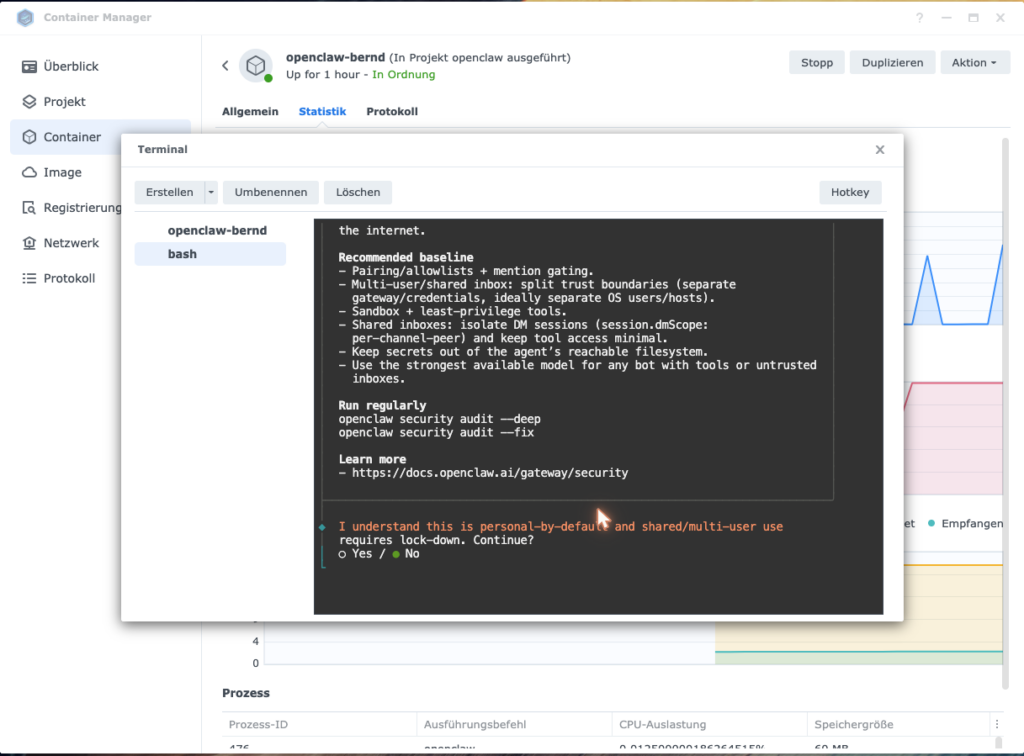
The wizard asks you step by step. Here is the exact key sequence:
| Prompt | Input |
|---|---|
| Security confirmation (y/n) | y + Enter |
| “Use existing values?” | Enter (accept default) |
| OAuth code appears | Open in browser on your Mac and confirm |
| Channel selection | telegram + Enter |
| “Telegram already configured?” | Arrow down + Enter (= Skip / leave as-is) |
| Web search | skip + Enter |
| Set up skills? | n + Enter |
| Hooks | Space (check) + Enter = Skip |
| Set up bot? | Arrow down + Enter (= Do this later) |
At the end you will see: Onboarding complete.
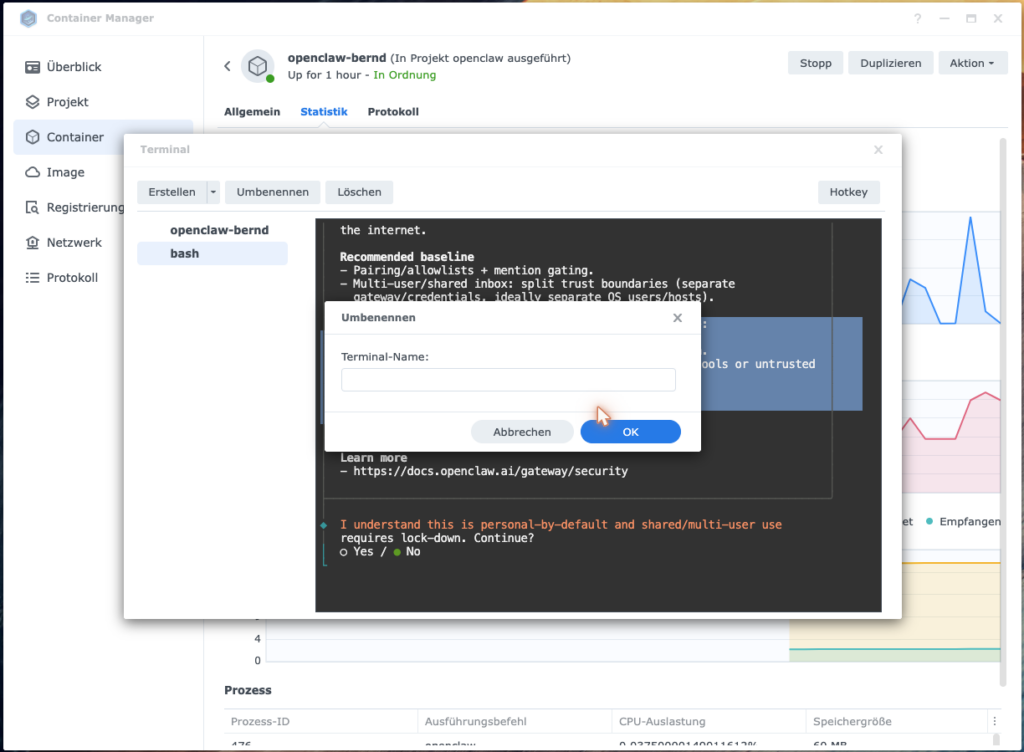
Important: Click into the terminal window before each keystroke – some container manager UIs otherwise interpret arrow keys as window actions.
Exit the container:
exitStep 2.2 – Set the default model correctly
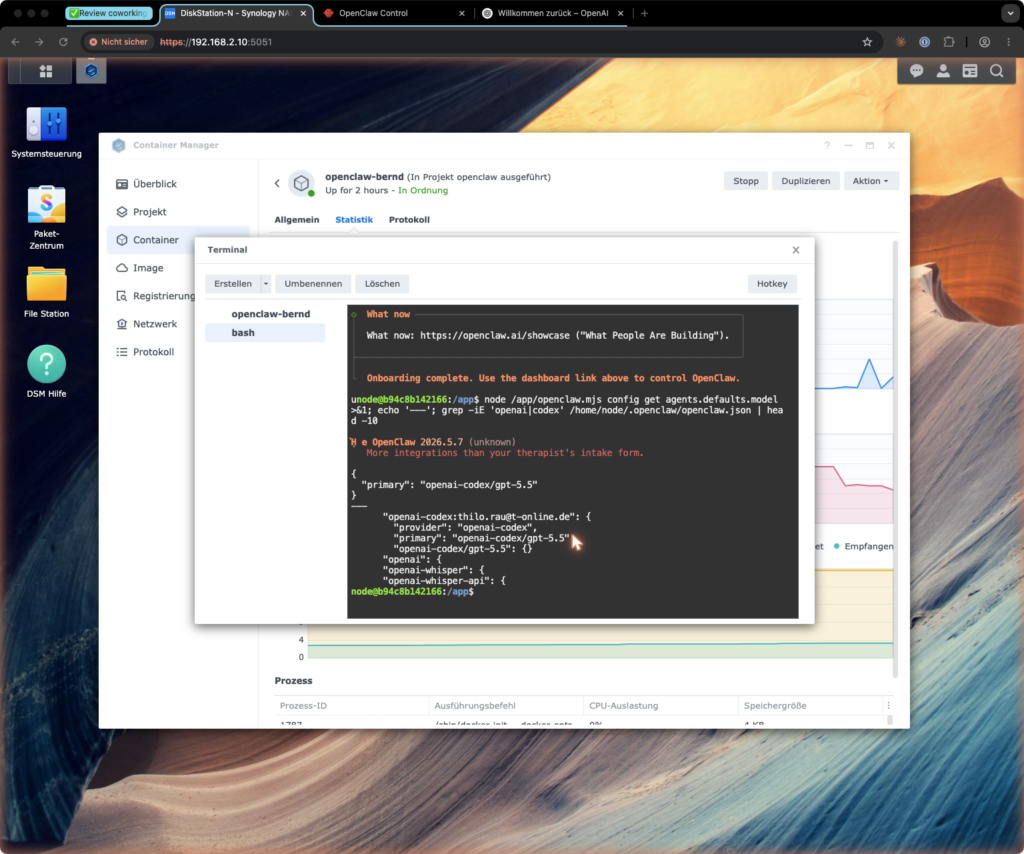
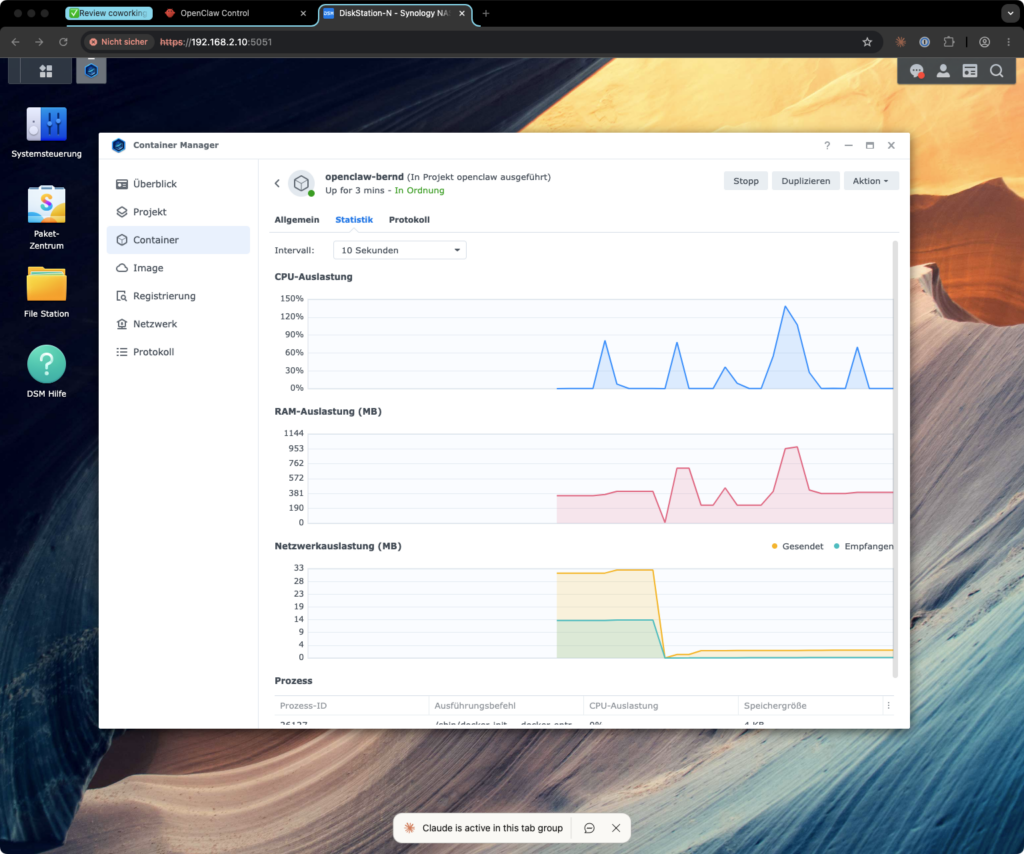
This is the most critical step of the entire phase. OpenClaw often sets a model as default after the wizard that is not available on ChatGPT Plus (gpt-5.5). Then the nastiest thing software can do happens: it silently falls back to Anthropic. You still see responses. Only the bill suddenly looks like before.
Bernd: “Silent fallback sounds sympathetic. Like a colleague who steps in without complaining.”
Tanja: “A colleague who charges you three hundred euros at the end of the month without asking. Sympathetic?”
Bernd: “…put differently: no.”
Ulf: “So like a secret upgrade from standing room to the executive box, and then the club sends you the bill.”
Tanja: “Perfectly put.”
Check the current default model:
sudo docker exec openclaw-bernd node /app/openclaw.mjs models list --json | grep -A2 '"default"'Set the correct default model:
sudo docker exec openclaw-bernd openclaw models set openai-codex/gpt-5.4-mini
sudo docker exec openclaw-bernd openclaw models status
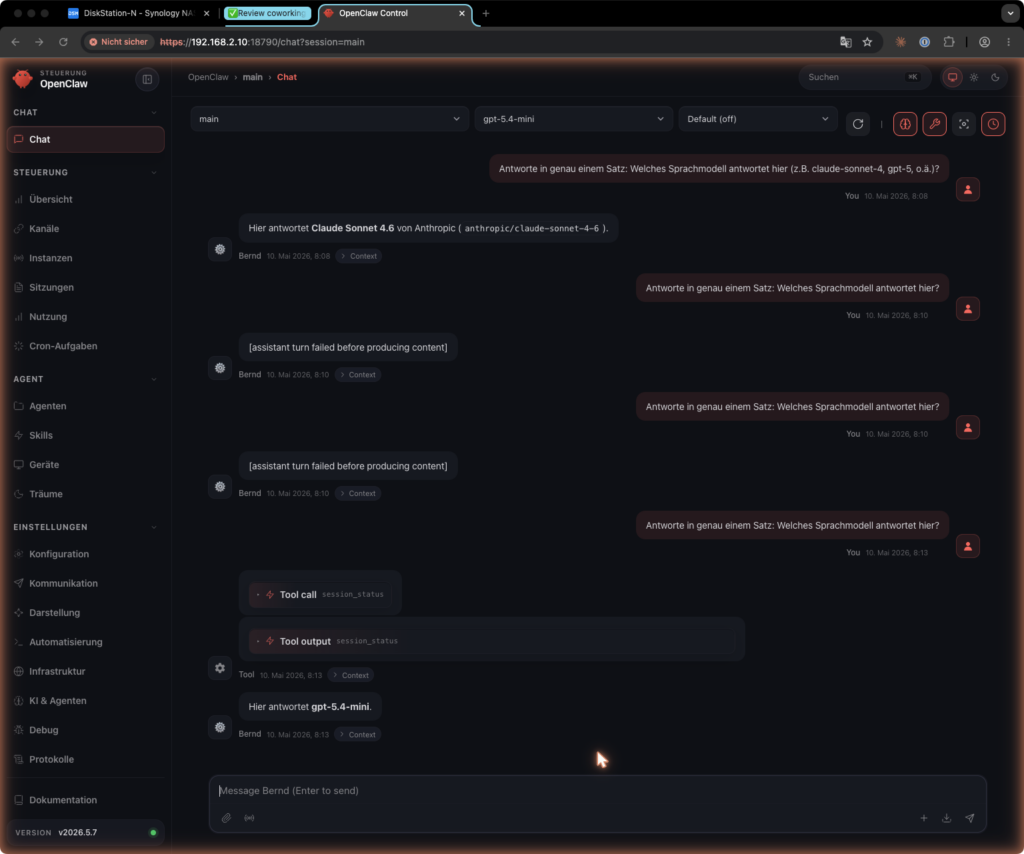
Why exactly gpt-5.4-mini? ChatGPT Plus only releases this one model via the OAuth Codex path. Larger models (gpt-5.4-pro, gpt-5.5) appear in the dropdown but fail at runtime with [assistant turn failed before producing content] – this is a known OpenAI issue (GitHub openai/codex#19654).
ChatGPT subscription overview for this setup:
| Subscription | Price | Available via Codex flow |
|—|—|—|
| ChatGPT Plus | ~€20/month |gpt-5.4-mini|
| ChatGPT Pro | ~€100–200/month | stronger models (GPT-5.5 etc.) |Anyone wanting to use stronger GPT models via the Codex OAuth path needs a ChatGPT Pro subscription. For most everyday requests,
gpt-5.4-miniis perfectly adequate – the truly complex tasks are handled by Claude Sonnet/Opus via Phase 3 anyway.
Define model routing as an agent rule
Technical configuration alone is not enough. An agent without a routing rule is like a driver without a gear shift: it happily reaches for the loudest engine, even for picking up bread rolls. That’s why SOUL.md needs a clear rule about when the affordable default model suffices and when Claude Sonnet/Opus actually needs to step in.
Ulf: “So the rules are in a text file?”
Tanja: “Exactly. The agent reads them at the start of every session like a team captain reading the lineup sheet before kick-off.”
Add to SOUL.md:
MODEL ROUTING RULE

Default (default model):
- Normal chats, status queries, simple automations,
  summaries, small research tasks

max-sonnet only for:
- complex debugging
- architecture decisions
- difficult writing or conceptual work
- multi-step technical planning
- tasks where the default model visibly falls short

max-opus only for:
- particularly difficult analysis
- final review of important texts
- complex strategic decisions

When in doubt: use default model first, escalate only when needed.
Step 2.3 – Restart the container
cd /volume1/docker/openclaw
sudo docker compose restart openclaw-bernd
Step 2.4 – Smoke test
Send a brief message to your bot via Telegram or the web UI. Then check the logs:
sudo docker logs openclaw-bernd --tail 30 | grep -i "openai\|codex\|gpt"You should see openai-codex or gpt-5.4-mini in the log lines.
Step 2.5 – 24-hour check (important!)
Wait a day, then check the Anthropic dashboard at console.anthropic.com → Usage. Token consumption should be near zero.
If you still see consumption there: OpenClaw is silently falling back to Anthropic. This happens when the default model was not set correctly. Repeat Step 2.2.
Bernd: “Wait a whole day? I’m not known for my patience.”
Tanja: “This isn’t a patience game, it’s measurement methodology. Anyone drawing conclusions after five minutes won’t see the loops that occur at night.”
Phase 2 fact check: OAuth login → correct default model (
gpt-5.4-mini) → routing rule inSOUL.md→ smoke test → 24h check. Only when all five are right is Phase 2 complete.
Brain teaser: Write the 24h check in your calendar with a reminder. Anyone who forgets it only notices a skewed configuration weeks later – on their credit card statement. Bernd has experienced this twice already. You don’t have to.
Phase 3 – Set up Claude MAX via Wende
For more demanding tasks you need Claude Sonnet or Opus: for texts with substance, debugging with depth, decisions with more than two moving parts. A direct proxy is no longer reliable for this, because Anthropic has been blocking third-party requests for these models since March/April 2026 – recognizable by the error 401 invalid x-api-key.
The solution is called Wende: a Node.js proxy that launches the official claude CLI as a subprocess. To Anthropic, this doesn’t look like an improvised backdoor – it looks like the official Claude Code client. Wende is therefore less of a tunneling tool and more of an interpreter: OpenClaw speaks OpenAI-compatible, Wende translates into Claude CLI.
Ulf: “Interpreter? Like at an away game in the Conference League when the referee speaks Italian and the coach only speaks Bavarian?”
Tanja: “Very apt. Without the interpreter, the game ends in chaos or not at all.”
Bernd: “I’d just write to Anthropic and ask for an exception.”
Tanja: “You’d also try to discuss the offside rule with the referee. Wende is the clean solution – not a wish, but an architecture.”
Risk notice: Using the Claude MAX subscription via a local proxy may violate Anthropic’s terms of service. You assume this risk yourself. In the worst case, Anthropic can suspend the subscription.
Step 3.1 – Check Node.js on the NAS
ssh <your-user>@<NAS-IP>
node --version
Expected result: v20.x.x or newer. If Node.js is missing, install it via the Synology Package Center (community packages) or via npm sources – that goes beyond the scope of this guide.
Step 3.2 – Create directory for Wende
sudo mkdir -p /volume1/docker/wende
sudo chown <your-user>:users /volume1/docker/wende
Step 3.3 – Set up Wende
Wende is a fork of atalovesyou/claude-max-api-proxy. Depending on the repo state, there are two variants:
Option A – You have a ready-made Wende bundle (with an existing start-proxy-wende.mjs)
If you already have a directory with start-proxy-wende.mjs and dist/ (e.g. from a Mac where Wende was already running), copy it directly to the NAS:
scp -r /path/to/your/wende-directory/* <your-user>@<NAS-IP>:/volume1/docker/wende/Check on the NAS:
ssh <your-user>@<NAS-IP>
ls /volume1/docker/wende/start-proxy-wende.mjs   # must exist
ls /volume1/docker/wende/dist/                    # must exist
cd /volume1/docker/wende && npm install           # build native modules for NAS
Option B – You clone the upstream repo fresh
# On the Mac or a device with git + Node.js:
git clone https://github.com/atalovesyou/claude-max-api-proxy /tmp/wende
cd /tmp/wende
npm install
Check whether npm run build exists:
cat package.json | grep '"build"'If yes:
npm run build
ls /tmp/wende/start-proxy-wende.mjs   # must now exist
ls /tmp/wende/dist/
If no (no build script):
ls /tmp/wende/*.mjs # start-proxy-wende.mjs will then be directly in the rootThen copy to the NAS and run npm install there again (as in Option A).
Critical check in both options: The file start-proxy-wende.mjs must be present on the NAS before you continue with Step 3.8. Without it, Wende won’t start.
Expected file structure after successful setup:
/volume1/docker/wende/
  start-proxy-wende.mjs     ← entry point (must be present)
  package.json
  package-lock.json
  dist/
    server/
      index.js              ← compiled server code
  node_modules/             ← created after npm install
  wende.log                 ← created on first start
Step 3.4 – Security notice: port only on LAN
Wende starts on 0.0.0.0:3457 and is therefore reachable across the entire local network. This port must under no circumstances be forwarded to the internet.
This is the moment when technology suddenly becomes house rules: Wende is OpenAI-compatible. Anyone with access to the port can make requests via your Claude MAX subscription. The dummy key you’ll add to OpenClaw later is not a door lock – it’s more like a name tag.
Bernd: “I’ll open the port. Just briefly. For testing.”
Tanja: “Bernd. If you open the port, within 24 hours you’ll have an API bill from someone on the internet who has drained your subscription. Not ‘maybe’. ‘Probably’.”
Ulf: “Like an open stadium gate before an away game?”
Tanja: “Worse. Like an open stadium gate with a sign that says ‘Free beer here’.”
Make sure:
- No port forwarding in the router for port 3457
- No exposure to the outside via Cloudflare Tunnel or similar
- Access exclusively from the local network or via VPN
Check on the NAS whether the port is bound only locally or network-wide:
ss -tlnp | grep 3457
# Expected: 0.0.0.0:3457 or 127.0.0.1:3457 – but never forwarded in the router
Note on proxy endpoint security: Wende does not verify a real API key. The dummy key you’ll store in OpenClaw later does not protect the proxy – it’s internal to OpenClaw but has no effect on Wende. Security comes exclusively through network isolation: anyone who can reach the port can make requests via your Claude MAX subscription. Keep the port strictly on the LAN.
Step 3.5 – Install Claude CLI on the NAS
# As root/sudo (one-time installation):
sudo npm install -g @anthropic-ai/claude-code@2.1.141
Verify:
which claude
claude --version
Expected result: /usr/local/bin/claude and a version number like 2.1.141.
Step 3.6 – Create home directory for Claude
Claude CLI stores credentials in a home directory. So that Wende never has to run as root, we create a dedicated directory:
Ulf: “Why not just as root? It’s faster.”
Tanja: “Because root on a server can do everything. If the process is compromised, the attacker has free rein. A normal user is like a player without power of attorney – can’t just sell the entire club.”
Bernd: “Sounds paranoid.”
Tanja: “Sounds like experience.”
sudo mkdir -p /volume1/docker/claude-native-home
sudo chown <your-user>:users /volume1/docker/claude-native-home
sudo chmod 700 /volume1/docker/claude-native-home
Step 3.7 – Log in to Claude CLI
This step requires a browser on your Mac. Run the login as user <your-user>:
ssh <your-user>@<NAS-IP>
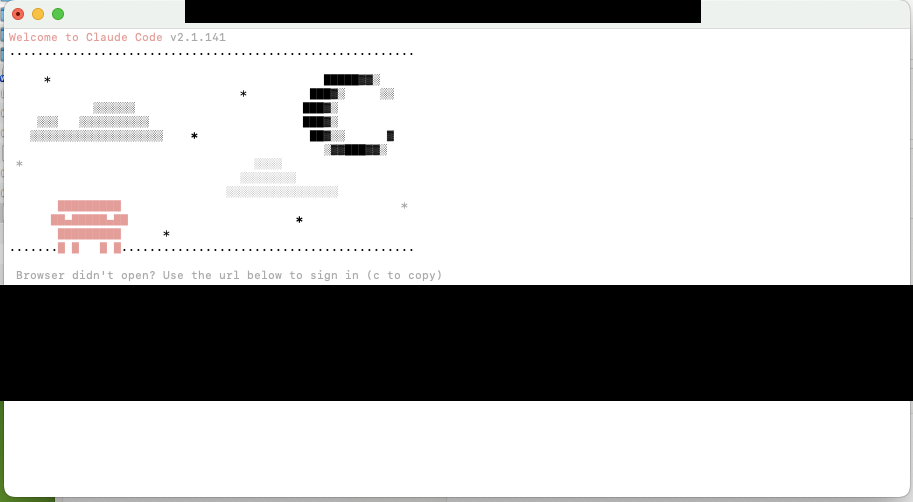
HOME=/volume1/docker/claude-native-home claude auth login
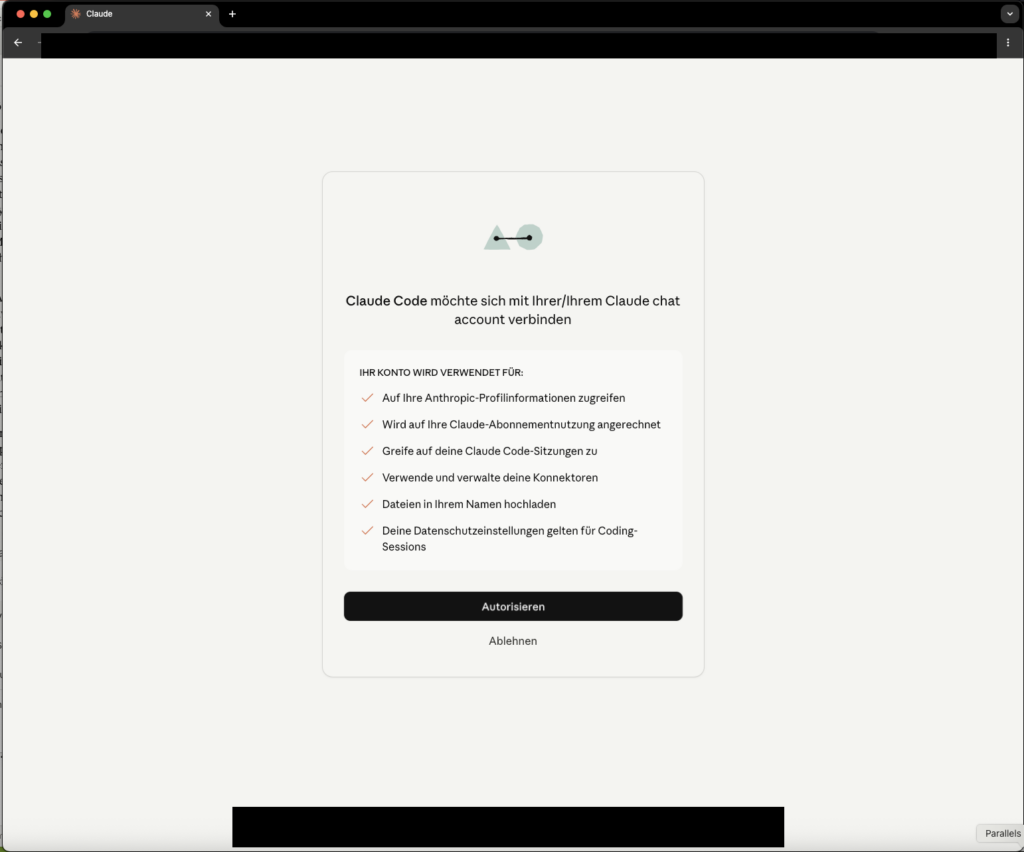
Claude opens a URL – copy it and open it in the browser on your Mac. Log in with your Claude MAX account and confirm the login.
Check whether the login worked:
HOME=/volume1/docker/claude-native-home claude --print "Reply with the word PONG only"Expected result: PONG in the terminal. If that works, Anthropic recognizes the CLI as a genuine Claude Code client.
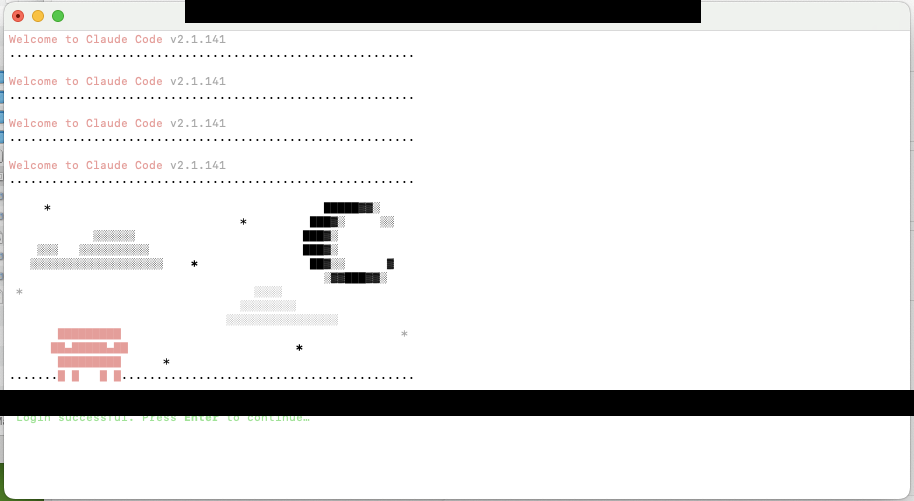
Step 3.8 – Check port and adjust in the start file if needed
First check whether port 3456 is free:
ssh <your-user>@<NAS-IP>
ss -tlnp | grep 3456
If the port is occupied (typically by a docker-proxy process on the NAS), switch to 3457. But change the port directly in the start file – start-proxy-wende.mjs may not parse command-line arguments:
grep -n "port\|PORT\|3456" /volume1/docker/wende/start-proxy-wende.mjs | head -20Look for a line like const port = 3456 or PORT=3456 and change it to 3457:
sed -i 's/const port = 3456/const port = 3457/' /volume1/docker/wende/start-proxy-wende.mjs
# Verification:
grep "port" /volume1/docker/wende/start-proxy-wende.mjs | head -5
Note the chosen port – you’ll need it for the OpenClaw configuration.
Step 3.9 – Start Wende manually and test
Now configuration becomes a living process. Start Wende manually first – not via autostart, not via hope, but visibly and verifiably:
Ulf: “Why not directly autostart?”
Tanja: “Because we don’t yet know whether it runs at all. If a car won’t start, you don’t install the immobilizer first. Start the engine first, then automate.”
ssh <your-user>@<NAS-IP>
HOME=/volume1/docker/claude-native-home \
PATH=/usr/local/bin:$PATH \
nohup /usr/local/bin/node /volume1/docker/wende/start-proxy-wende.mjs \
  > /volume1/docker/wende/wende.log 2>&1 &
echo "Wende started, PID: $!"
Wait 5 seconds, then check the logs:
tail -20 /volume1/docker/wende/wende.logExpected result in the logs – the actual output looks like this:
[Server] Claude Code CLI provider running at http://0.0.0.0:3457
[Server] OpenAI-compatible endpoint: http://0.0.0.0:3457/v1/chat/completions
Proxy ready at http://0.0.0.0:3457/v1/chat/completions
If the logs are empty or end immediately, Wende has a startup error. Check whether start-proxy-wende.mjs and the dist/ directory are present.
Robust function test via /v1/models (more reliable than /health, which isn’t always implemented):
curl -sS http://127.0.0.1:3457/v1/modelsYou should see model names like claude-sonnet-4 and claude-opus-4 in the JSON response.
If curl returns Connection refused: Wende has not started. Check wende.log for error messages, especially whether the port is already in use (EADDRINUSE).
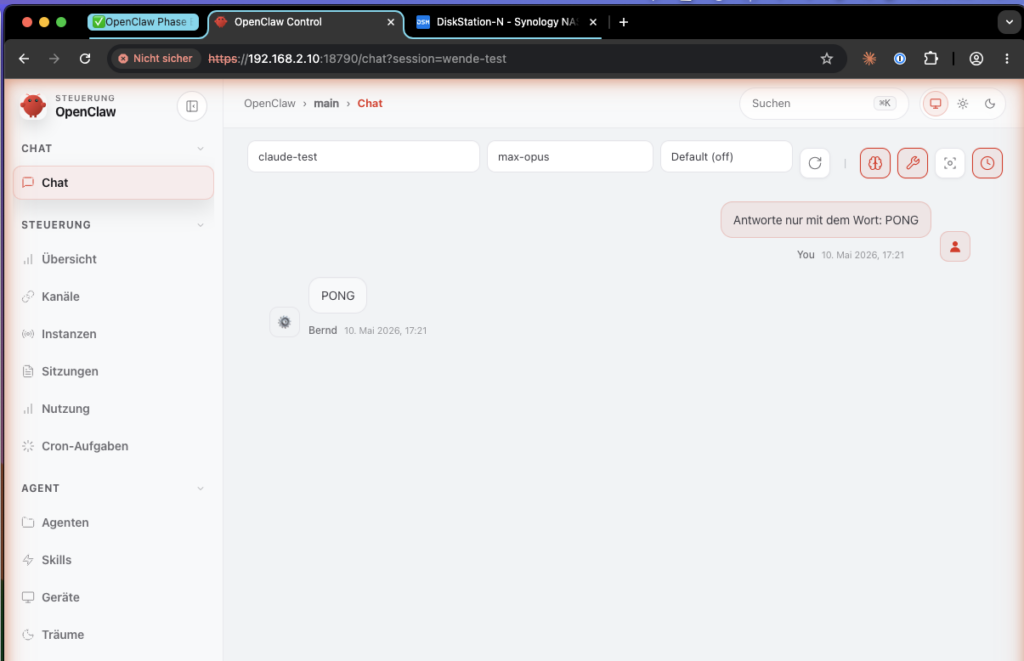
Step 3.10 – Configure OpenClaw
Now OpenClaw learns that there’s a new provider. This happens in six small sub-steps – test each one individually, don’t fire them all at once.
Bernd: “I’ll do this in one go. It’s not like I’m impatient.”
Tanja: “You’re not impatient, you’re overconfident. That’s more exhausting.”
Step 3.10-A – Create backup (always first):
sudo docker exec openclaw-bernd sh -c '
TS=$(date +%Y%m%d-%H%M%S)
cp /home/node/.openclaw/openclaw.json \
   /home/node/.openclaw/openclaw.json.bak-pre-wende-$TS
cp /home/node/.openclaw/agents/main/agent/models.json \
   /home/node/.openclaw/agents/main/agent/models.json.bak-pre-wende-$TS
cp /home/node/.openclaw/agents/main/agent/auth-profiles.json \
   /home/node/.openclaw/agents/main/agent/auth-profiles.json.bak-pre-wende-$TS
echo "Backup TS=$TS created"
'
Step 3.10-B – Determine config paths:
Depending on the OpenClaw version and volume mount configuration, the active files may not necessarily be on the host filesystem. Determine the actual paths in the container before editing anything:
sudo docker exec openclaw-bernd sh -c \
  'find /home/node/.openclaw -name "models.json" -o -name "auth-profiles.json" 2>/dev/null'
If the files are mounted via a volume, you can edit them on the host. If not, edit directly in the container with docker exec.
Step 3.10-C – Set models.json via Python script (copy-paste-safe, no manual JSON editing):
Replace <NAS-IP> with your NAS IP address:
sudo docker exec openclaw-bernd sh -c 'python3 - <<'"'"'PY'"'"'
import json
from pathlib import Path

NAS_IP = "<NAS-IP>"    # adjust here
PORT   = 3457           # adjust here if different

p = Path("/home/node/.openclaw/agents/main/agent/models.json")
d = json.load(open(p)) if p.exists() else {}
d.setdefault("providers", {})
d["providers"]["claude-max-proxy"] = {
  "baseUrl": f"http://{NAS_IP}:{PORT}/v1",
  "api": "openai-completions",
  "models": [
    {
      "id": "claude-sonnet-4",
      "name": "Claude Sonnet (DSM Wende)",
      "input": ["text"],
      "contextWindow": 200000,
      "maxTokens": 8192
    },
    {
      "id": "claude-opus-4",
      "name": "Claude Opus (DSM Wende)",
      "input": ["text"],
      "contextWindow": 200000,
      "maxTokens": 8192
    }
  ]
}
with open(p, "w") as f:
    json.dump(d, f, indent=2)
    f.write("\n")
print("Written:")
print(json.dumps(d["providers"]["claude-max-proxy"], indent=2))
PY'
Expected output: the new claude-max-proxy block is displayed. No error = success.
On the values:
"input": ["text"]– OpenClaw expects an array of modalities, not a number"maxTokens": 8192– chosen conservatively; more stable than higher values that Wende doesn’t always transport cleanly- Model IDs must be
claude-sonnet-4/claude-opus-4– notclaude-sonnet-4-6(Anthropic API ID that Wende doesn’t know)
Step 3.10-D – Set auth entry via OpenClaw CLI:
sudo docker exec -it openclaw-bernd node /app/openclaw.mjs \
  models auth paste-token \
  --provider claude-max-proxy \
  --profile-id claude-max-proxy:dummy
OpenClaw asks interactively for the token value. Enter: not-needed (or any arbitrary string – Wende ignores the value, but OpenClaw needs an entry).
sudo docker exec openclaw-bernd node /app/openclaw.mjs \
  models auth order set \
  --provider claude-max-proxy \
  claude-max-proxy:dummy
Step 3.10-E – Set model aliases (Sonnet and Opus):
sudo docker exec openclaw-bernd node /app/openclaw.mjs \
  models aliases remove max-sonnet || true
sudo docker exec openclaw-bernd node /app/openclaw.mjs \
  models aliases add max-sonnet claude-max-proxy/claude-sonnet-4

sudo docker exec openclaw-bernd node /app/openclaw.mjs \
  models aliases remove max-opus || true
sudo docker exec openclaw-bernd node /app/openclaw.mjs \
  models aliases add max-opus claude-max-proxy/claude-opus-4
Step 3.10-F – Verify configuration (mandatory check):
sudo docker exec openclaw-bernd openclaw models status
sudo docker exec openclaw-bernd openclaw models list
Expected output (models list):
openai-codex/gpt-5.4-mini          Auth: yes   default
claude-max-proxy/claude-sonnet-4   Auth: yes   alias: max-sonnet
claude-max-proxy/claude-opus-4     Auth: yes   alias: max-opus
If Auth: no appears: repeat Step 3.10-D.
If an alias is missing: run the corresponding models aliases add command from 3.10-E again.
Step 3.11 – Restart container and end-to-end test
cd /volume1/docker/openclaw
sudo docker compose restart openclaw-bernd
Open the OpenClaw web UI (via SSH tunnel: ssh -L 18789:127.0.0.1:18789 <your-user>@<NAS-IP>, then http://localhost:18789).
Important: The default model remains
openai-codex/gpt-5.4-mini. You select Claude manually for the test in the next step – this is not a permanent switch. Do not set Claude as default, otherwise every simple request will run against your Claude MAX quota.
Bernd: “But Claude is better. I’ll set it as default.”
Tanja: “And then you drive a Ferrari to the bakery every day. Works. Just expensive.”
Select Claude Sonnet (DSM Wende) in the model dropdown and send:
Reply with the word PONG onlyExpected result: PONG. If Claude responds and identifies itself as claude-sonnet-4-6 when asked, the entire data path is working.
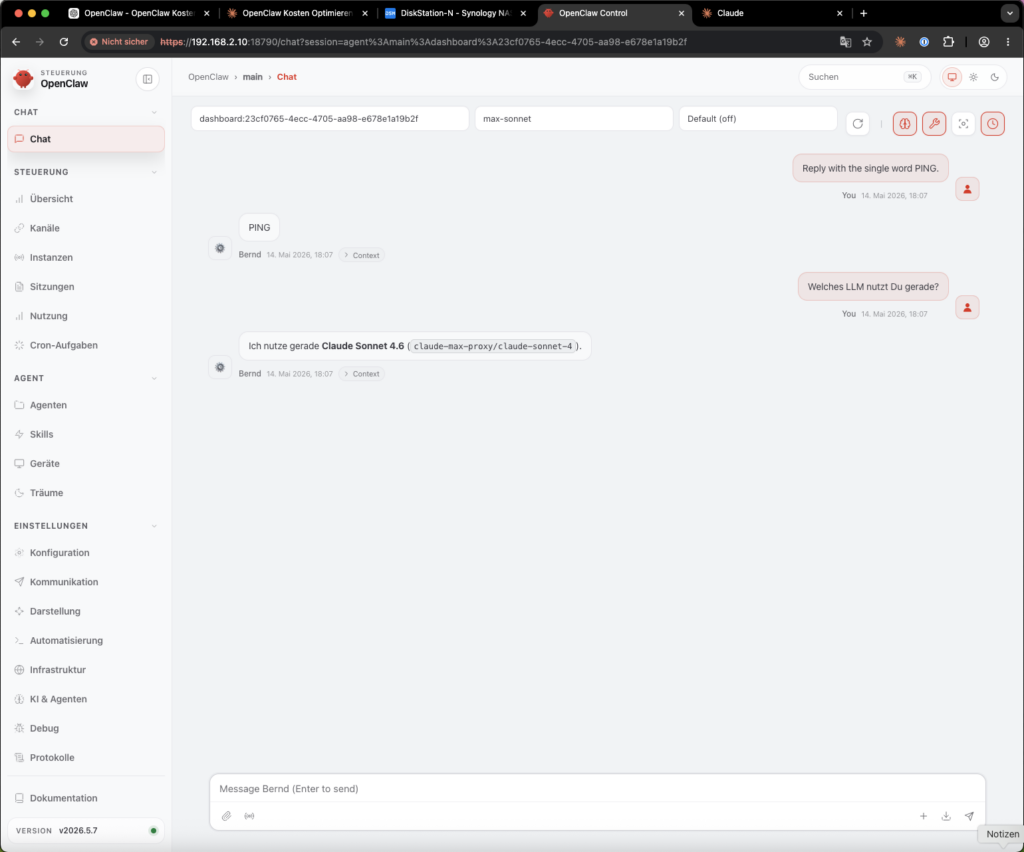
Step 3.12 – Set up autostart
A setup only truly grows up when it survives a reboot. To have Wende start back up automatically after a NAS restart:
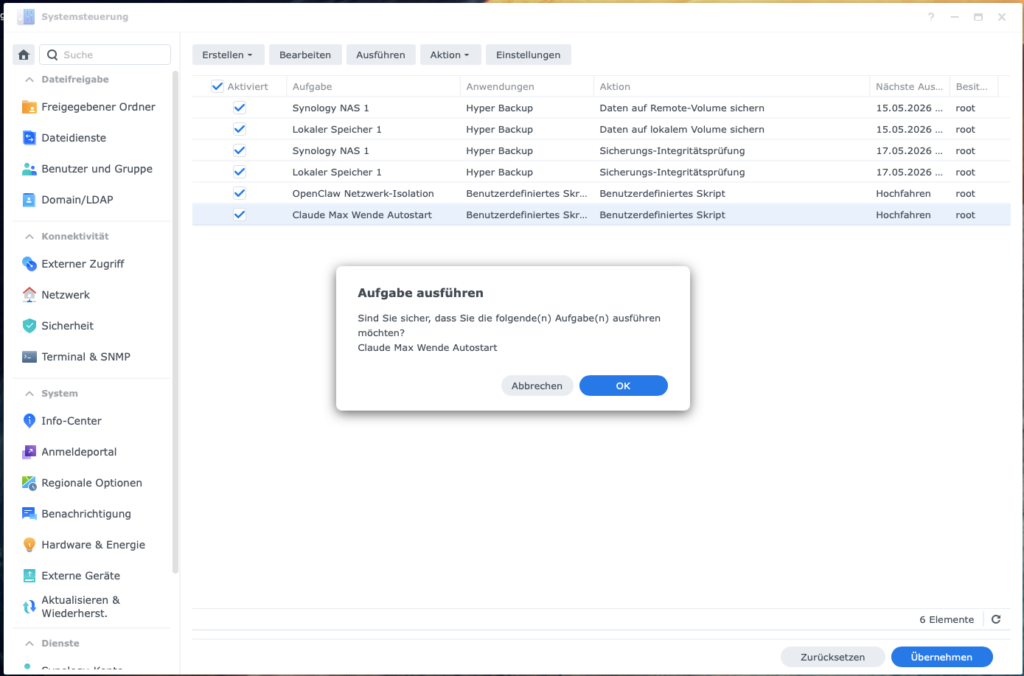
- Open DSM → Control Panel → Task Scheduler
- Click Create → Triggered Task → User-defined Script
- Settings:
- Task name:
Claude Max Wende Autostart - User:
<your-user>(NOT root – the Claude CLI credentials are in/volume1/docker/claude-native-home, which belongs to<your-user>. Root won’t find them there and will fail silently) - Event: Boot-up
- Task name:
- In the tab Task Settings → Run command:
HOME=/volume1/docker/claude-native-home \
PATH=/usr/local/bin:$PATH \
nohup /usr/local/bin/node /volume1/docker/wende/start-proxy-wende.mjs \
> /volume1/docker/wende/wende.log 2>&1 &- Save – do not click Run yet.
Stop the running Wende process first, so the task start doesn’t fail due to the port being occupied:
pkill -f "start-proxy-wende.mjs" || true
sleep 2
ps aux | grep start-proxy-wende | grep -v grep || echo "Wende stopped"- Now click Run in the Task Scheduler.
Then verify the actual process owner:
ps aux | grep start-proxy-wendeThe USER column must show <your-user> – not root. If root appears, DSM has ignored the task user (this occasionally happens).
Fix path if root appears:
- Do not use
sudoin the script - Delete the task, recreate it, set the user explicitly again in step 3
- Check first whether
<your-user>has access rights to claude-native-home at all:
ls -ld /volume1/docker/claude-native-home
ls -la /volume1/docker/claude-native-home/.claude 2>/dev/null || echo "Directory not found"
Expected result: Owner <your-user>, permissions drwx------ (700). If the owner is root, correct it:
sudo chown -R <your-user>:users /volume1/docker/claude-native-home
sudo chmod 700 /volume1/docker/claude-native-home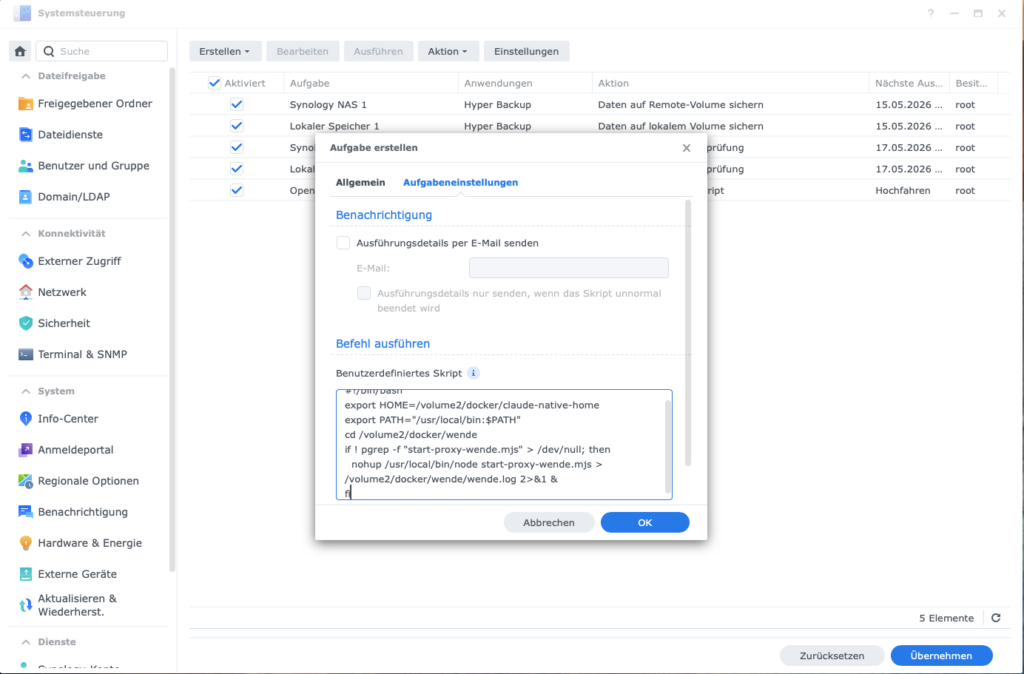
Then verify with the reliable test:
curl -sS http://127.0.0.1:3457/v1/modelsStep 3.13 – Configure fallback chain (optional)
Note: The following config paths (
routing.fallback.*) do not exist in all OpenClaw versions. Check first whether your version knows them:
sudo docker exec openclaw-bernd node /app/openclaw.mjs config schema | grep -i fallbackIf fallback entries appear in the output, you can set them:
sudo docker exec openclaw-bernd node /app/openclaw.mjs config set \
  routing.fallback.primary "openai-codex/gpt-5.4-mini"
sudo docker exec openclaw-bernd node /app/openclaw.mjs config set \
  routing.fallback.secondary "claude-max-proxy/claude-sonnet-4"
If nothing appears or the command returns an error: the fallback chain is not configurable via these paths in your version – skip this step.
Phase 3 fact check: Check Node.js → directory → build Wende → security check (port LAN only!) → install Claude CLI → create home → log in Claude → set port → start manually → configure OpenClaw (six sub-steps) → container restart + test → set up autostart → optional fallback. Sounds like a lot, but each is a mini-step. Anyone who does all of them in sequence can complete Phase 3 in 30–60 minutes.
Brain teaser: After Phase 3, make sure to manually run the end-to-end test from Step 3.11 – that is: open web UI, select Claude in the dropdown, send the “PONG” test. Anyone who skips this test is guaranteed to miss a skewed configuration. Bernd has already done this and stood baffled in front of an error message two days later that he could have seen on day one.
Phase 4 – Token-saving measures
Now comes the unspectacular but decisive work: less baggage. These measures are provider-independent. They reduce how much context gets sent with every call – because agents are remarkably good at dragging along old notes, half-finished log files, and historical misunderstandings like a moving box.
Ulf: “Like a striker who always brings the jersey from the last club onto the pitch?”
Tanja: “Exactly. Plays worse, looks odd, still costs money.”
Bernd: “Context trimming sounds like effort. I’ll skip it.”
Tanja: “You’re leaving 30–60% of your token costs on the table. Your money.”
Step 4.1 – Reduce startup context
The agent loads its rule file (SOUL.md) at the start of every conversation. The shorter it is, the fewer tokens are consumed. A good SOUL.md is not an autobiography – it’s a precise compass.
nano /volume1/docker/openclaw/workspace/SOUL.mdWhat you can safely delete:
- Duplicate formulations and repetitions
- Detailed explanations of rules (keywords suffice)
- Outdated instructions
What you must never delete: - Security and privacy rules
- Behavioral rules (what the agent should/should not do)
- Boundaries (e.g. don’t share sensitive data)
Goal: 50–80% reduction in file size is realistic.
After every change: Test the agent with a standard request to make sure it still behaves correctly.
Add session start rule
The biggest hidden token consumption doesn’t come from individual responses, but from too much context at the start of each session. When the agent loads old chat history, complete memory files, or previous tool outputs at the start of every new conversation, thousands of unnecessary input tokens can accumulate – with every single request.
Ulf: “Like when the coach reads out the last ten seasons before every match?”
Tanja: “Precisely. Nobody needs that. Especially not when you’re paying for it.”
Add an explicit session start rule to SOUL.md:
SESSION START RULE

At every session start, load only:
- SOUL.md
- USER.md
- IDENTITY.md
- memory/YYYY-MM-DD.md, if present
Do NOT automatically load:
- full old session history
- complete MEMORY.md
- old tool outputs and logs
- archived memory files
If the user asks for earlier context:
- search specifically
- load only the relevant excerpt
- never pull complete archives into the context
At the end of important sessions:
- write a brief daily note in memory/YYYY-MM-DD.md
- record decisions, open points, and next steps concisely
Split context into stable short files
Store reusable context not in chat histories, but in small, stable files. This prevents the agent from having to load growing memory blocks with every request.
Recommended structure:
workspace/
  SOUL.md          → rules, behavior, security boundaries  (stable)
  USER.md          → user info, goals, preferences         (stable)
  IDENTITY.md      → agent role and task                   (stable)
  TOOLS.md         → tool documentation                    (stable)
  memory/
    YYYY-MM-DD.md  → daily notes, current work only        (dynamic)
    archive/       → old notes, not loaded automatically
Example of a lean USER.md:
# USER.md
- Timezone: Europe/Berlin
- NAS-IP: <NAS-IP>, User: <your-user>
- OpenClaw container: openclaw-bernd
- Wende proxy: /volume1/docker/wende, port 3457
- Preferred working style: stop points before any risky action, backup first
Important: these files should remain short and stable. What is rarely needed belongs in the archive – not in the standard context.
Cache-friendly context structure
Static files should change rarely, dynamic notes go in separate daily files. This reduces cache invalidation and prevents small changes from unnecessarily inflating the entire context.
Rule:
- Don’t change
SOUL.md,USER.md,IDENTITY.mdduring an active session - Keep daily notes in
memory/YYYY-MM-DD.mdseparately - Separate project materials in
REFERENCE.md(stable) andNOTES.md(dynamic) - Only load large reference texts when they’re needed for the current task
Step 4.2 – Keep memory cleanly separated
Old memory files are one of the biggest context drivers in continuous operation. Use daily notes instead of a growing overall memory, and regularly move older entries to the archive:
workspace/memory/
  2026-05-14.md   → current daily note (will be loaded)
  2026-05-15.md   → current daily note (will be loaded)
  archive/        → everything older than 7–14 days (will NOT be loaded automatically)
When old context is needed, the agent should search specifically and load only the relevant excerpt – not the entire archive.
Just as .gitignore does for code, .clawignore prevents the agent from pulling unnecessary directories into its workspace. This is digital dieting: not everything on the drive needs to go into the model’s head:
cat > /volume1/docker/openclaw/workspace/.clawignore << 'EOF'
# Synology system directories
@eaDir/
.synology/
#recycle/

# Memory archive (older entries)
memory/archive/

# Temporary files
*.tmp
*.bak.*
EOF
Step 4.3 – Reduce heartbeat
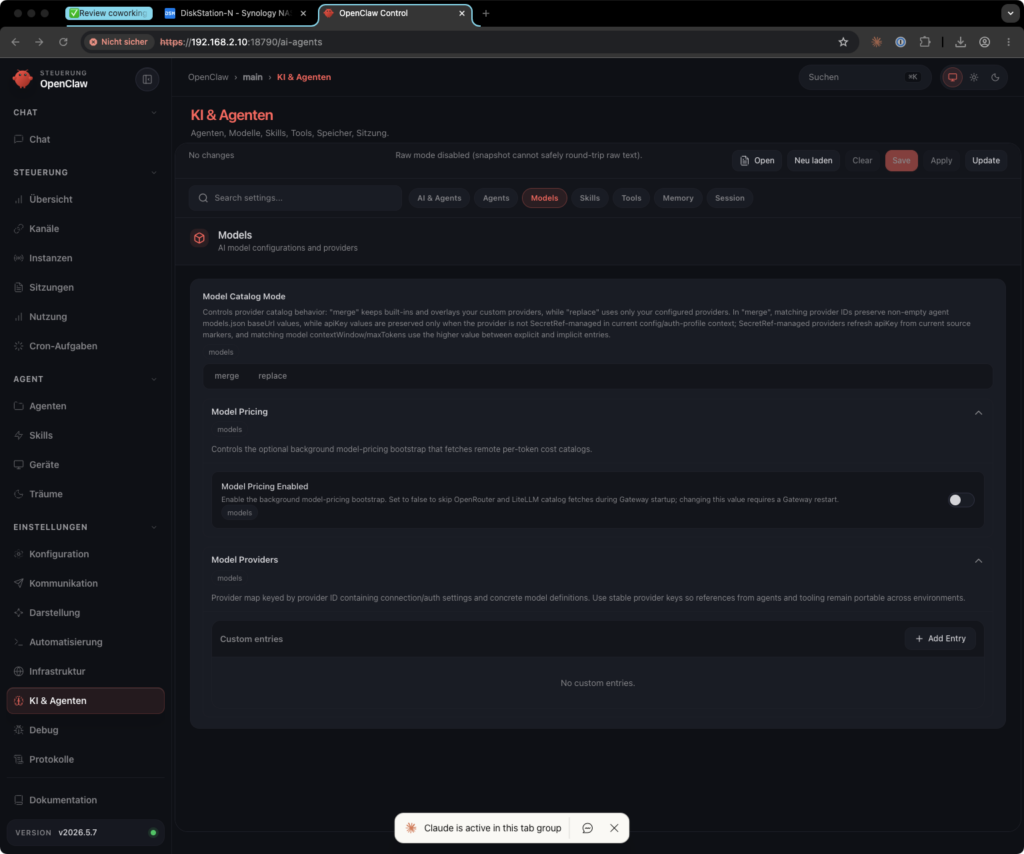
OpenClaw sends heartbeat checks too frequently by default. First check whether your version knows these configuration paths:
sudo docker exec openclaw-bernd node /app/openclaw.mjs config schema | grep -i heartbeatIf heartbeat.interval and heartbeat.skipWhenBusy appear:
sudo docker exec openclaw-bernd node /app/openclaw.mjs config set \
  heartbeat.interval "1h"
sudo docker exec openclaw-bernd node /app/openclaw.mjs config set \
  heartbeat.skipWhenBusy true
This way the agent only checks in once an hour – and only when it’s not currently working on a task. If the paths don’t exist, skip this step – the heartbeat then runs on the default interval, which is usually acceptable in practice.
Optional: Route heartbeats to a local model
If your setup generates very many heartbeats, these can run via a local model (e.g. Ollama with llama3.2:3b) instead of ChatGPT Plus – generating zero API costs. First check whether your OpenClaw version knows a separate heartbeat model:
sudo docker exec openclaw-bernd node /app/openclaw.mjs config schema | grep -i "heartbeat.*model\|model.*heartbeat"If no entry appears: this option is not available, the lean interval variant above is sufficient.
Step 4.4 – Limit loops and repetitions
Many unplanned costs don’t arise from one big response, but from loops: the agent tries the same error again and again, starts web searches like a nervous intern, or calls models in rapid succession. That’s not intelligence – it’s a hamster wheel with an API key.
Bernd: “If the agent tries twenty times, that’s diligent.”
Tanja: “It’s not diligent. It’s desperation. And desperation costs twenty times over.”
Add to SOUL.md:
RATE LIMIT RULE
- Minimum 5 seconds between model calls.
- Minimum 10 seconds between web searches.
- Maximum 5 web searches per research batch, then summarize results.
- Bundle similar tasks: one request for multiple small points,
  no individual requests per point.
- On 429, rate limit, timeout, or repeated auth error:
  stop immediately, summarize the error,
  no automatic retries without user approval.
- On three identical errors in a row:
  switch to diagnostic mode instead of continuing to try.
This rule protects against unnoticed cost runs and makes errors visible faster.
Step 4.5 – Restart the container
cd /volume1/docker/openclaw
sudo docker compose restart openclaw-bernd
Phase 4 fact check: Trim SOUL.md → session start rule → context in stable short files → separate memory →
.clawignore→ reduce heartbeat → rate limit rule → restart. Provider-independent, each step small, together the second floor beneath the flat-rate savings.
Brain teaser: Measure the size of yourSOUL.mdonce withwc -l /volume1/docker/openclaw/workspace/SOUL.md. If the file has more than 200 lines, it’s too long. Trim it to a maximum of 100 lines – every unnecessary line costs tokens with every single session. Bernd hasn’t maintained his SOUL.md in two years. Don’t be like Bernd.
Maintenance – the small rituals against large bills
A system that runs once doesn’t run forever. It runs until the next token expires, the next API endpoint changes, or the next DSM update arrives. Maintenance is not a punishment – it’s insurance.
Ulf: “Maintenance sounds like a workshop.”
Tanja: “It is. But checking the oil level briefly every three weeks is cheaper than replacing the engine once a year.”
Claude CLI token expiry (every few weeks)
The Claude CLI login expires without warning. Not dramatic, but sneaky. Symptom: Wende responds with Not logged in or Authentication error.
Fix:
ssh <your-user>@<NAS-IP>
HOME=/volume1/docker/claude-native-home claude auth login
Open the browser link again and confirm. Then restart Wende:
pkill -f "start-proxy-wende.mjs"
HOME=/volume1/docker/claude-native-home \
PATH=/usr/local/bin:$PATH \
nohup /usr/local/bin/node /volume1/docker/wende/start-proxy-wende.mjs \
  > /volume1/docker/wende/wende.log 2>&1 &
Recommendation: Set a calendar reminder every 3 weeks to check the status.
ChatGPT OAuth token expiry (every 4–8 weeks)
Symptom: Telegram bot no longer responds, or requests land at Anthropic again.
Fix: Repeat Step 2.1 (OAuth onboarding in the container). The new token automatically replaces the old one.
Check model IDs
Anthropic and OpenAI occasionally change available model IDs. When you get strange errors, check:
sudo docker exec openclaw-bernd node /app/openclaw.mjs models list
curl -sS http://127.0.0.1:3457/v1/models
Check whether the token-saving measures are working
After the changes, you should not only test whether the bot responds, but whether it’s actually working more economically.
sudo docker exec openclaw-bernd node /app/openclaw.mjs models status
sudo docker exec openclaw-bernd node /app/openclaw.mjs models list
Look for:
- Default points to the affordable standard model (
openai-codex/gpt-5.4-mini) max-sonnetpoints toclaude-max-proxy/claude-sonnet-4max-opuspoints toclaude-max-proxy/claude-opus-4- No unexpected fallbacks to Anthropic API
- Heartbeat runs infrequently
- Old memory archives are not loaded automatically
Check after 24 hours: - Anthropic API Usage → should be near zero (Claude runs via Wende/CLI, not via your Anthropic API key – Claude MAX usage is not visible there)
- OpenAI/Codex usage → should show the main share
- Wende log for persistent loops or repeated errors:
tail -50 /volume1/docker/wende/wende.log - OpenClaw logs for timeouts and fallbacks:
sudo docker logs openclaw-bernd --tail 100 | grep -i "fallback\|timeout\|error"
If costs don’t drop, it’s almost always one of these points: - Wrong default model set (check Step 2.2)
- Silent fallback to Anthropic active (repeat Step 2.5)
- Startup context too large (SOUL.md, memory archives, session start rule)
- Heartbeat or automations running too frequently
- Rate limit loops generating many requests unnoticed
Rollback – back to solid ground
If something isn’t right after Step 3.10, that’s not the end of the world. That’s exactly what the backups were for. You can completely reset the configuration to the state before the Wende setup:
Ulf: “That’s like the half-time team talk when nothing’s working – just go back to the old system.”
Tanja: “Exactly. And there’s absolutely no shame in doing it. Rolling back buys time for error analysis.”
# In the container: find the most recent backup
sudo docker exec -it openclaw-bernd sh -c '
  echo "openclaw.json backup:"
  ls -t /home/node/.openclaw/openclaw.json.bak-pre-wende-* 2>/dev/null | head -1
  echo "models.json backup:"
  ls -t /home/node/.openclaw/agents/main/agent/models.json.bak-pre-wende-* 2>/dev/null | head -1
'
Then restore the desired backups (insert paths from the output above):
sudo docker exec openclaw-bernd sh -c '
  cp /home/node/.openclaw/openclaw.json.bak-pre-wende-<TIMESTAMP> \
     /home/node/.openclaw/openclaw.json
  cp /home/node/.openclaw/agents/main/agent/models.json.bak-pre-wende-<TIMESTAMP> \
     /home/node/.openclaw/agents/main/agent/models.json
  echo "Rollback complete"
'
sudo docker restart openclaw-bernd
After the restart, OpenClaw is back in the state before the Wende configuration.
Troubleshooting – when the engine room coughs
Bernd: “With me, nothing ever goes as planned.”
Tanja: “Then this table was made for you. Find the symptom first, then apply the solution – don’t take everything apart first.”
| Symptom | Cause | Solution |
|---|---|---|
Cannot access 'ANTHROPIC_MODEL_ALIASES' in logs | Old OpenClaw version | Run Phase 1 again |
[assistant turn failed before producing content] | Wrong ChatGPT model (e.g. gpt-5.5) | Repeat Step 2.2, set gpt-5.4-mini |
Wende responds Not logged in | Claude CLI token expired | See “Maintenance” section above |
| Wende doesn’t start | Wrong user (root instead of <your-user>) | Check DSM Task Scheduler task: user = <your-user> |
| Port 3457 occupied | Process from last start still running | pkill -f start-proxy-wende.mjs, then restart |
| OpenClaw container doesn’t start after JSON change | Syntax error in openclaw.json | Check JSON at jsonlint.com, restore backup |
| Anthropic costs still high after switch | Silent fallback to Anthropic | Check Step 2.5 (24h check) and default model |
401 invalid x-api-key with Sonnet/Opus | Anthropic fingerprinting block (since March 2026) | Wende must run as CLI subprocess – check configuration |
Quick Verification – is the machine actually running?
Before you consider the setup complete, run these four commands. They check the entire stack in under a minute. Trust is good, curl is better.
Ulf: “Like the referee check before kick-off – nets, corner flags, center circle, balls?”
Tanja: “Exactly. Sounds boring, but it’s precisely what prevents problems during the match.”
# 1. Is Wende reachable and are models registered?
curl -sS http://127.0.0.1:3457/v1/models | python3 -m json.tool | grep '"id"'

# 2. Real request through Wende → Claude CLI → Anthropic (most important test)
curl -sS http://127.0.0.1:3457/v1/chat/completions \
  -H "Content-Type: application/json" \
  -d '{"model":"claude-sonnet-4","messages":[{"role":"user","content":"Reply PONG"}],"max_tokens":20}'
# Expected: JSON response with "PONG" in the content field

# 3. Auth status per model (models list) and provider overview (models status)
sudo docker exec openclaw-bernd openclaw models list
sudo docker exec openclaw-bernd openclaw models status

# 4. ChatGPT as default? (Claude must NOT be default)
sudo docker exec openclaw-bernd openclaw models list | grep default
Checklist – all must apply:
- [ ]
curl /v1/modelsreturnsclaude-sonnet-4andclaude-opus-4 - [ ]
curl /v1/chat/completions(PONG test) responds withPONG– Wende + Claude CLI + Auth OK - [ ]
models listshowsAuth yesforclaude-max-proxy/claude-sonnet-4with aliasmax-sonnet - [ ]
models listshowsAuth yesforclaude-max-proxy/claude-opus-4with aliasmax-opus - [ ]
models statusshows an active auth entry forclaude-max-proxy - [ ]
defaultis onopenai-codex/gpt-5.4-mini– not on a Claude model - [ ] Wende log (
tail -5 /volume1/docker/wende/wende.log) shows no error - [ ] Anthropic dashboard after 24h: token consumption near zero (Claude runs via Wende/CLI, not via your Anthropic API key)
When all eight points apply, the setup is complete and production-ready.
The finished setup at a glance: the architecture without smoke and mirrors
Telegram / OpenClaw Web-UI
  → Standard request: openai-codex/gpt-5.4-mini  (ChatGPT Plus, ~€20/month)
  → Premium text:    claude-max-proxy/claude-sonnet-4
       → HTTP POST http://<NAS-IP>:3457/v1/chat/completions
       → Wende (Node.js, /volume1/docker/wende/) on DSM
       → spawn("claude", ["--print", ...])
       → claude CLI uses /volume1/docker/claude-native-home/.claude/credentials.json
       → Process owner: <your-user> (not root)
       → Anthropic accepts (genuine Claude Code CLI, no fingerprinting block)
       → Claude Sonnet/Opus responds; depending on Claude CLI/Wende version the
         model may internally identify itself e.g. as Sonnet 4.6 or Opus 4.7
Monthly costs after setup:
| Item | Cost | Note |
|---|---|---|
| ChatGPT Plus | ~€20/month | Flat rate, billed directly in euros in the EU |
| Claude MAX (5x tier) | ~€92/month | Flat rate, in USD (~$100), exchange rate varies |
| Claude MAX (20x tier) | ~€184/month | Flat rate, in USD (~$200), exchange rate varies |
| Anthropic API (emergency fallback) | < €5/month | Pay-per-token, only in exceptional cases |
For comparison, before: Claude Sonnet 4.6 costs €3/million input tokens and €15/million output tokens via the API. Continuous agentic operation with heartbeat, memory updates, and an active Telegram bot easily consumes several million tokens per day – which explains the €150–400/month.
What “under €25 variable costs” means: Anyone who already has Claude MAX as a flat rate pays afterwards ideally only ~€20 for ChatGPT Plus plus a small Anthropic fallback share. Claude MAX remains a fixed monthly block – annoying, but predictable. The actual goal is to take the taxi meter out of everyday life: not every message, not every heartbeat, not every small status query should drop coins into the API slot again.
Bernd: “So still no zero costs.”
Tanja: “No. Predictable costs. That’s worth much more than ‘cheap’.”
Ulf: “Like a season ticket instead of individual tickets.”
Tanja: “Exactly. You know what you’re paying. And you sleep better at night.”
FOUNDIC.org is ad-free and has no paywall. If this guide helped you:  Treat us to a coffee