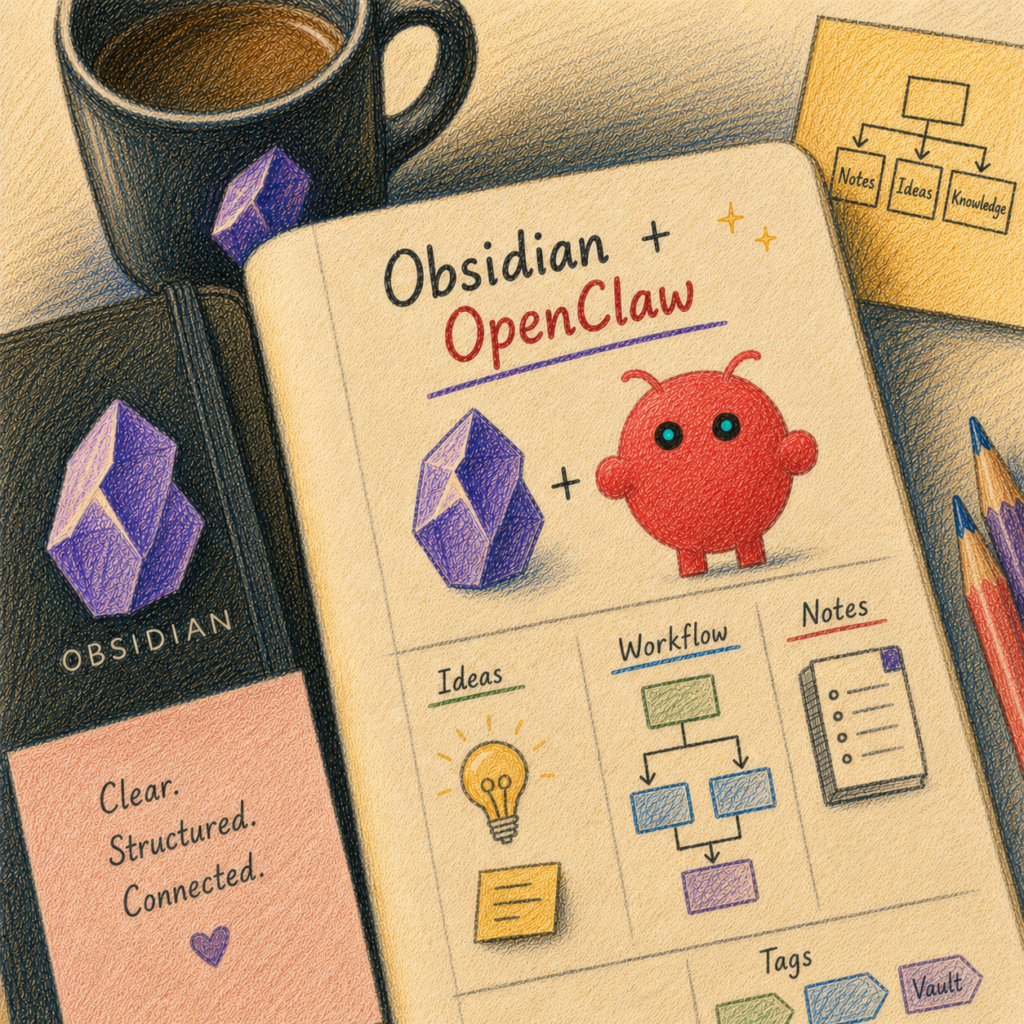
Obsidian as a Second Brain with OpenClaw or Claude
A Message from the Train
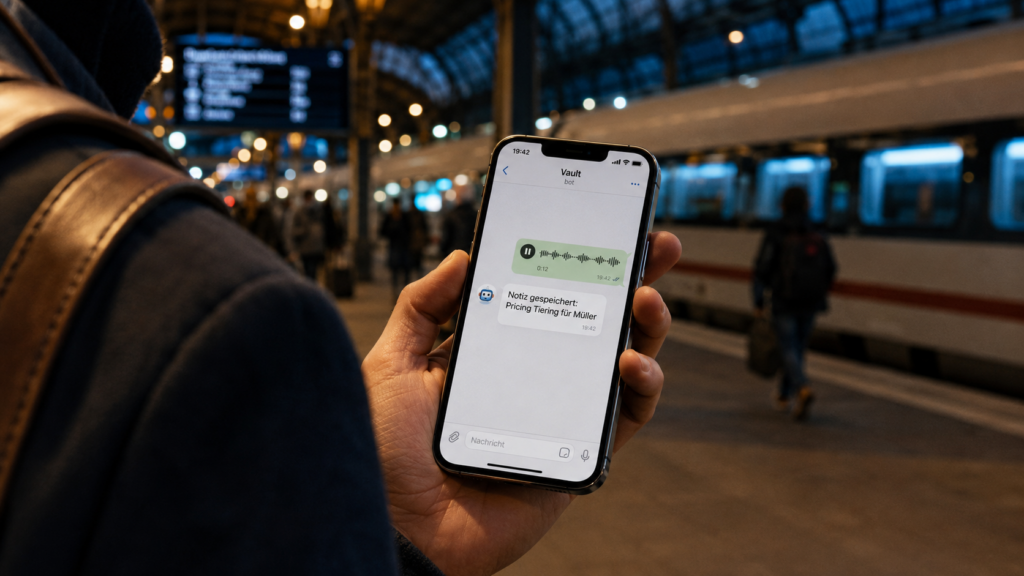
It’s 7:42 PM when Mark is waiting for his train at Mannheim Central Station. Two hours of workshop still sit heavy in his bones, his head still buzzing with slides and flip charts and right in that moment, somewhere between the bratwurst stand and the departure board, the sentence arrives. An idea that would move his client’s next project forward. An idea that he will have completely forgotten by half past seven tomorrow morning if he doesn’t capture it now.
Mark pulls out his phone. Opens Telegram. Doesn’t type he speaks. A brief voice message to a chat simply called “Vault”: “Idea for client Müller in the roadmap, chapter Q3, I should add the topic of pricing tiers, with a reference to what we discussed last week about value-based pricing.” Send. Phone into the inside pocket. Board the train.
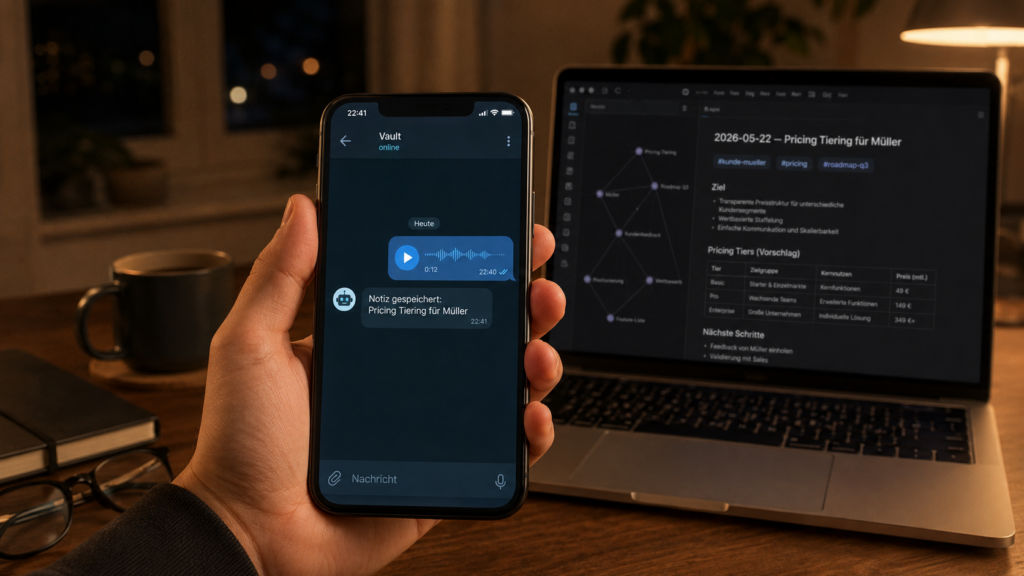
Three hours later, at home at the kitchen table. Mark opens his laptop, opens Obsidian and pauses. In his digital notebook, a folder now containing nearly eight hundred files, a new note is already waiting. It’s called 2026-05-22 – Pricing Tiers for Müller. It’s filed in the right project folder. It has the appropriate tags: #client-mueller, #pricing, #roadmap-q3. And it links and this is the truly remarkable part to another note from Wednesday in which Mark had actually been discussing value-based pricing.
Four months earlier, Mark would probably have forgotten that same voice message in Telegram, somewhere between order confirmations and wedding photos from his sister. But over the course of the spring, he built something that keeps those messages from getting lost. Not without friction. Not without a weekend or two spent cleaning up after the system did things he hadn’t intended, and in which he spent more time tidying than actually working. But it works now.
Anyone watching over Mark’s shoulder might think: cloud magic. A bit of ChatGPT, a bit of Notion, a Zapier workflow somewhere in between. What’s actually happening is something different. Not a single word of Mark’s voice message ever left his home. The bot that filed Mark’s idea is running on a small server in Mark’s basement, three meters from the dryer.
What’s Actually Happening Here
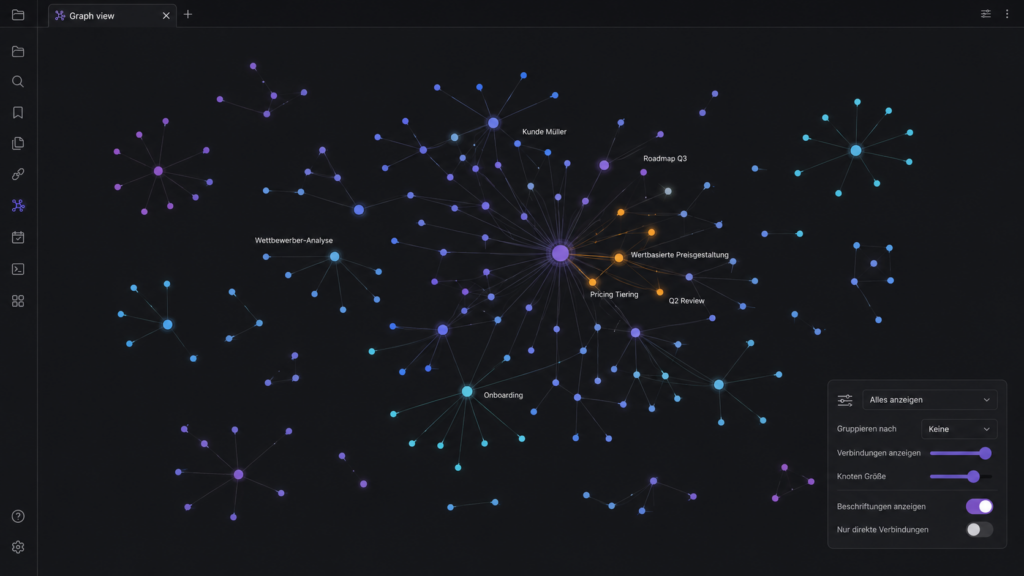
Mark is not alone. A growing, quietly expanding group of consultants, knowledge workers, researchers, and curious developers is currently building something that, until very recently, would have been filed under “enterprise solution”: their own, AI-powered knowledge system. The personal knowledge management scene likes to call this a second brain. The term is a little worn by now and describes nothing magical simply a networked, machine-readable note-taking system in which individual notes are connected to one another through links, tags, and semantic similarity. What’s new is just this: with AI on top, that note system now talks back.
The building blocks are surprisingly mundane. On one side, a vault (the name Obsidian gives the folder where all notes live) containing hundreds of small text files. On the other side, an AI agent (a program that not only answers questions but independently executes actions reads files, sorts them, writes new ones). Between them, a bridge that, depending on the setup, is a few lines of code, a local plugin, or in Mark’s case, a self-hosted bot in his basement.
What makes this combination interesting is not the technology. The technology has existed for two or three years. What’s interesting is the shift it represents: individuals can now do things that companies, until recently, would have needed a six-figure budget to accomplish. And they can do it without surrendering their notes to a provider who might change their terms of service tomorrow.
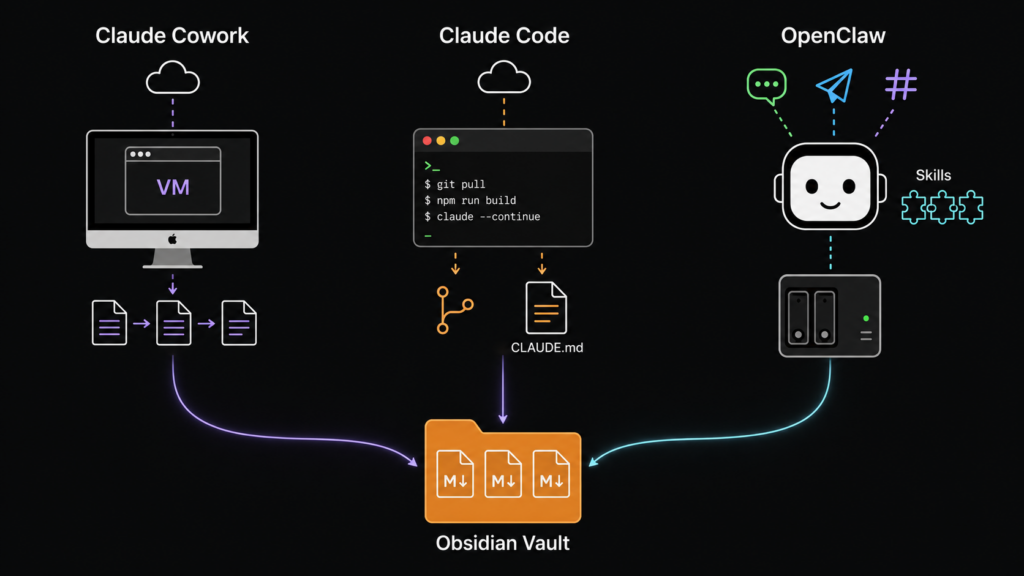
Three approaches have crystallized. They are called Claude Cowork, Claude Code, or OpenClaw, and they differ primarily in how they balance convenience, control, and effort.
Three Approaches at a Glance
Before we examine the three tools in detail, a compact comparison. It helps identify the right fit for your particular use case the text that follows then digs into what each of the key terms actually means.
| Aspect | Claude Cowork | Claude Code | OpenClaw |
|---|---|---|---|
| Convenience | Very high desktop app with GUI | Medium terminal-based | High once set up operated via messenger |
| Privacy | Claude processing via Anthropic; local file access required | Claude processing via Anthropic; local file access required | Local or API-based depending on model; operator retains control |
| Setup effort | Minutes | Minutes | 4–8 hours initially |
| Ongoing costs | ~€20/month (Claude subscription) | ~€20/month (Claude subscription) | €5–95/month (server + API) |
| Availability | As long as the desktop is running | As long as the terminal session is running | 24/7, including on the go |
| Target audience | Knowledge workers who prefer no terminal | Developers and tinkerers | Self-hosters and tech enthusiasts |
| Biggest risk | Data exposure with sensitive notes | Accidental write actions | Complexity and runaway token costs |
For those who want a quick answer: for most knowledge workers without a programming background, Cowork is the most comfortable entry point; for developers, Claude Code; and for tech-savvy self-hosters with a Synology or similar hardware, OpenClaw. But as always, the devil is in the transitions and those are exactly what we’ll look at now.
The Vault, or Why Markdown Suddenly Becomes Strategic
Before we get to the three tools, a brief stop at the foundation. Obsidian, the program Mark uses to write his notes, has one property that, in the age of AI agents, suddenly becomes strategically important: it stores nothing in its own database. No cloud. No proprietary file format. Just plain Markdown files lean text files with simple formatting, where a hash mark at the start of a line is a heading and two square brackets create a link. In a folder. On your own hard drive.
That sounds unspectacular, but for AI integration it’s decisive. An AI agent doesn’t need to “understand” a proprietary format. It doesn’t need to call an API whose provider might raise prices tomorrow. It reads text. From a folder. Just like a person would.
Another detail becomes important: because everything lives in text files, changes can be traced line by line. With Git (a version control system, originally built for software developers, that saves every state of the files and makes it traceable who changed what and when) the vault becomes a system in which every AI action can be undone with a single click. We’ll come back to this because it’s the seatbelt for the entire setup.
What’s Behind the Three Options
Claude Cowork: The Desktop Assistant
In early 2026, Anthropic the company behind the Claude AI model released a program called Cowork. At its core, it’s a desktop application that does what previously only required the command line: Claude gets access to local files and can work in them independently.
For Mark and his Obsidian setup, Cowork would be the most comfortable starting point. You grant Claude access to a folder, describe a task, and Claude gets to work. “Look at the notes in the Inbox folder and suggest which project folders they belong in.” Or: “From the meeting notes of the last two weeks, summarize the open decisions for me, grouped by project.” Cowork walks through all of it, shows you what it plans to do beforehand, and deposits the result in the vault.
The convenience comes at a price. While Cowork runs locally on the desktop and even includes a small isolated virtual machine (VM) for code execution, the actual processing of each task runs through Claude and requires an active connection to Anthropic. Files don’t automatically stay “private” just because they sit on your own hard drive. Everything Claude needs to read in order to process a task becomes part of the AI processing at the provider’s end. For general research, blog drafts, or learning notes, that’s not a problem. For a lawyer’s client files or a therapist’s clinical records, it is.
Cowork also requires a paid Claude subscription (around twenty euros a month) and an open desktop application for the agent to run. Close the laptop, and you’ve sent your assistant home for the evening.
Claude Code: The Tinkerer’s Tool
Claude Code is Cowork’s older sibling — more technical, without a graphical interface. It was originally built for software projects: Anthropic describes the tool as an agentic assistant for the terminal (that black text window in front of which many users reflexively close their browser), one that understands codebases, edits files, runs tests, and supports Git workflows. But because an Obsidian vault is ultimately nothing more than a folder full of text files — and software repositories are nothing fundamentally different Claude Code can be repurposed remarkably well.
The appeal of Claude Code lies in reproducibility. You can teach the agent skills reusable instruction packages that define how it approaches specific tasks. You can drop a file called CLAUDE.md into the vault, spelling out the house rules: Which folders are off-limits? What tags exist? What should new notes look like? Every time Claude Code starts, it reads these rules before touching a single file.
For developers who already live in the terminal, this is a natural extension of their daily workflow. For everyone else, it’s a small hurdle but often a worthwhile one. Anyone who has once figured out how to train Claude Code with a well-crafted CLAUDE.md file has an assistant that works more precisely than any chat interface allows.
OpenClaw: The Bot in the Basement
And then there’s OpenClaw. The unconventional outsider that does exactly what makes the difference for Mark.
OpenClaw is an open-source project freely available, publicly inspectable source code developed by a global community. It started under the name Clawdbot, was briefly called Moltbot, and has been known as OpenClaw for about a year. What it does: it provides a framework for building your own personal AI agent. On your own hardware. Self-hosted. With AI models of your choice running underneath Claude, GPT-4, or a locally running open-source model, depending on your preference.
The distinctive feature is its architecture. OpenClaw consists of five components: a gateway (the traffic hub that handles all incoming requests), an LLM backend (the actual AI model that understands language), modular skills (such as a skill for reading and writing in the Obsidian vault), a long-term memory (which retains what the agent has learned across sessions), and finally the messaging channels and here’s the key point.
OpenClaw can connect to WhatsApp, Telegram, Slack, Discord, Microsoft Teams, Signal, and iMessage. In other words: Mark’s bot is reachable via the messenger app that’s already running on his phone. He doesn’t need to open a new program, install a special app, or open a browser tab. He tells Telegram, and everything else just happens.
The costs for a setup like this in 2026 run between five and ninety-five euros a month roughly five euros for the server, ten to ninety for API calls to the AI model. Anyone who already stores their notes on a home NAS (a small server device with hard drives that many people keep at home for backups anyway) can install OpenClaw directly on it, and gets an always-on assistant that costs nothing but electricity.
What AI Actually Does with the Vault
Here’s where things get concrete. An AI-powered second brain sounds like science fiction, but in everyday use it’s surprisingly matter-of-fact. The most compelling applications are rarely the ones where the AI “invents” something new. The most compelling ones are those where it removes friction.
One first category is invisible housekeeping. Standardizing tags, repairing broken links, sorting new notes from the inbox into the right project folders, finding duplicate entries. A consultant who has been working in Obsidian for four years describes this area as “the hour of tidying up that I no longer have to do myself every Sunday.” It’s nothing glamorous. It’s exactly what becomes valuable once the vault grows to several thousand notes.
A second category is synthesis tasks. Mark, the consultant from the opening, has his bot produce a brief weekly status report across all active client projects, based on notes he himself has written. What’s open, what are the next steps, where are the risks. Three paragraphs per client, ready to read on Sunday evening. What used to take two hours of his own time is now a Telegram message.
A third category particularly attractive for content creators like Mark is the wiki-to-blog pipeline. Notes that have accumulated over weeks are drawn together by the agent into a first draft. It knows which topics Mark has already covered, the style Mark writes in, the sources Mark favors. The output isn’t a finished article no one should publish unreviewed what an agent produces but it’s a meaningfully better starting point than a blank page.
A fourth category, exclusive to OpenClaw setups, is capture via messenger. A voice message in the car, a photo of a whiteboard after a meeting, a quick text input on a morning run everything lands in the vault, tagged, linked, with a timestamp and source reference. The friction between having an idea and capturing it is as low as technology can make it.
The Silent Risk: Everything the AI Can See
Up to this point, the story reads like a brochure. It isn’t. Anyone who opens up a knowledge system that has grown over years and grants an AI access to it should be clear-eyed about a few things before clicking “Connect.”
The first thing is a matter of sorting. In a well-maintained vault, three kinds of content coexist in peaceful proximity. There are the green notes: blog ideas, general research, learning material. These an AI can do with as it likes. There are the yellow notes: active projects, client context, internal strategy documents. Caution is appropriate here, and the contract with the AI provider should be solid. And there are the red notes: passwords, client data, personnel files, health records. These must never, in any setup, reach a cloud service. Full stop.
The temptation to dump everything into a single vault and give an AI “quick” access to it is strong. It’s also the most common mistake. Anyone who has red data in a vault that a cloud model crawls through has already sent that data to the provider even if they only wanted to “take a quick look.”
The second thing is accidental secrets. An Obsidian vault grows over years. Inside it accumulates the flotsam of daily life: API keys from an old project, recovery codes, a hastily written .env file with database credentials, maybe a few passwords that were “just for a minute” jotted down and then never deleted. The moment an AI agent gets read access, all these snippets can land in the context and for cloud models, on the provider’s servers. Anyone who wants to avoid this should scan their vault with a tool like gitleaks or trufflehog before granting AI access for the first time, and move whatever is found into a password manager. No secrets in the vault. That rule sounds trivial and gets broken constantly.
A third category of risk is subtler and frequently underestimated: prompt injection. Listed as LLM01:2025 in the OWASP Consortium’s (an established organization for IT security standards) Top 10 risk catalogue for AI applications, the attack principle is as follows: if an agent has even read-only access to external data web pages, emails, shared notes, documents an attacker can hide instructions in that data which the agent mistakenly interprets as commands. A seemingly harmless Markdown file emailed into an inbox folder can, under certain conditions, become a command that instructs the agent to read a password folder and exfiltrate its contents. Even the OpenClaw documentation says plainly: prompt injection is an unsolved problem. System prompts are soft guardrails. Hard security only comes from sandbox mechanisms, permission allowlists, and properly configured containers.
And there’s a fourth risk, specific to OpenClaw, that tends to get glossed over in marketing materials: the skills themselves. OpenClaw is powered by a marketplace called ClawHub, through which extensions can be installed — the Obsidian skill is just one of dozens. Each of those skills is essentially a small piece of software that is permitted to take actions on behalf of the agent. Anyone who installs a skill from an unfamiliar source is effectively granting that source full access to their bot’s workspace. A rule of thumb from the OpenClaw community: only signed skills from the official repository never third-party executables without a code review.
The Golden Rule, and Why It’s Non-Negotiable
All of this leads to a single principle, robust enough to fit on a sticker: Never start with an autonomous agent directly on your only original vault. Copy first. Then Git. Then narrow write permissions. Then controlled automation.
What this means in practice follows below as a concrete checklist. In brief: copy, version, let it read first, then let it write in a clearly defined folder, then scale. It sounds cumbersome. It’s also the difference between a system that serves you for years and a weekend experiment that corrupts your carefully built knowledge base in thirty seconds.
A Word on Costs
For cloud-based setups (Claude Cowork, Claude Code), costs are predictable. About twenty euros per month for the subscription, done.
With OpenClaw, things get more interesting and more treacherous. An always-on agent that runs continuously and responds to every request can consume tokens the way a furnace burns wood. A token is the unit of computation that AI providers charge for roughly speaking, a word fragment, sometimes a syllable. And when an agent gets stuck in a loop, a buggy repetition, or receives a very broad research task, those tokens can add up to surprisingly large sums with surprising speed.
Anyone running an always-on agent therefore needs hard limits: daily budgets per API key, rate limits, automatic alerts when thresholds are exceeded. Those who don’t set this up are building themselves a trap. There are documented cases in which runaway agents have consumed five- or six-figure dollar amounts within a single month most of which could have been prevented with three clicks.
Who Doesn’t Need This
As compelling as the possibilities sound, the caveat is just as clear: not everyone benefits. Anyone with only fifty notes, who doesn’t use Obsidian regularly, who has no interest in setting up backups or occasionally reviewing a diff, won’t find a helper in an AI-powered second brain just a second set of chores.
And anyone who deals with highly sensitive professional secrets law firms, medical practices, tax advisors, therapists and is not prepared to invest in a fully local setup (meaning an AI model running on their own hardware, where data never leaves the building) should be honest with themselves: the easy cloud-based options are not an option in that case. Period.
The reverse scenario is equally real: anyone expecting finished software that you install once and it “just works” will find that neither Claude Cowork nor Claude Code nor OpenClaw is the right tool. All three are construction kits, not finished products. They reward the person who takes time to configure them. They penalize the person who isn’t willing to set anything up.
Mark, Three Months Later
Mark, whose voice message from Mannheim Central opened this article, has now had his setup running for more than six months. He uses OpenClaw on a small Synology NAS in his basement the same device that already backs up his family photos. His bot is reachable via Telegram, and a few close colleagues also have access. The AI provider running underneath is Claude, with separate API keys for sensitive and non-sensitive requests.
What has changed? Mark says what surprised him most is the friction that has disappeared. He no longer thinks about whether to write down an idea now or later. He sends it off. He no longer has to tidy his vault every few weeks the bot does it on his behalf, with traceable suggestions that Mark clicks through in five minutes every Sunday morning. And for the first time, he has the feeling that his own knowledge is actually available to him not just as a loose pile of files, but as something he can talk to.
Two things still irritate him. First: three times in the past months, the bot has made a mess. Once it restructured a folder without Mark wanting it to Git fixed the damage in forty seconds. Once it duplicated a note instead of moving it. Once it misunderstood a wiki link and pointed it to a newly created, empty note. All fixable, all without data loss. But none of it would he have been able to take so calmly without backups and version control.
And second: he sometimes finds himself thinking about the question that should bring this article to its close.
First Steps for Readers
Anyone who wants to try this themselves can get surprisingly far with six straightforward precautions. They may look like safety measures, but in practice they are the difference between a system that serves you for years and a weekend experiment that corrupts the vault in thirty seconds.
- Copy your vault. Under no circumstances start with the AI agent directly on your original vault a copy is sufficient for the first few weeks.
- Activate Git. Run
git initonce in the vault folder and create an initial commit. This makes every subsequent AI change traceable line by line and fully reversible. - Scan for secrets. Use tools like
gitleaksortrufflehogto scan the vault once before granting any AI access. Forgotten API keys and recovery codes in notes are more common than you’d think. - Read-only first. In the first week, let the agent do analysis only. Generate suggestions, don’t execute them.
- Set up a test folder. Create a subfolder like
/AI-Suggestions. Here, and only here, may the agent actually write during the first few weeks. Everything else stays untouched. - Set budget limits. Configure a daily limit in the provider dashboard (Anthropic, OpenAI). For OpenClaw, also add rate limits in the gateway and an alert for threshold breaches. In documented cases, runaway agents have consumed five- to six-figure amounts in a single month most of which were preventable with three clicks.
Anyone who checks off these six points has sidestepped the most common pitfalls. What comes after the specific setup of Cowork, Claude Code, or OpenClaw is legwork, not wizardry.
But once the technology is in place, the more genuinely interesting question remains: what changes when your own archive doesn’t just store things, but starts answering back?
What Happens When Memory Talks Back?
A note has traditionally had one clear role. It waits. It lies there until someone opens it again. It is the passive element in a conversation that only runs in one direction from the person to the note.
What is changing right now is that asymmetry. Notes that live in an AI-powered vault are no longer passive storage. They are searchable in a sense that goes well beyond full-text search. They are linkable with meanings that appear nowhere explicitly in writing. They are combinable into answers that you yourself might never have formulated in quite that way. Your own written knowledge transforms with an AI layer on top from a library into a conversation partner.
That has a practical value that is undeniable. But it also carries a small philosophical implication. When your own note collection begins to give you answers answers that fit your way of thinking because they are synthesized from your own notes where exactly does the line run between what you know and what you look up? Between your own thought and what the AI reassembles from your earlier thinking?
Mark, in his basement, has no answer to that. But he has noticed that on some evenings, when a tricky decision is weighing on him, he no longer looks in the vault at all. He asks his bot. And the bot quotes his own earlier reflections back to him sometimes precisely the ones he had just forgotten. It feels, Mark says, a little like meeting a very attentive, very patient earlier version of himself.
Whether that is the second brain the personal knowledge management scene has been invoking for years, he doesn’t know. But he does know that he has since moved the dryer to another room. His basement, he says, is now a study.
Anyone interested in the technical details data classification, Git setup, vault conventions, and specific security measures will find a four-part deep dive on foundic.org in the follow-up articles: strategy, security, practice, and self-hosting.
The practical build, with permissions, folder structure and safety boundaries, is described in Obsidian as a Second Brain with OpenClaw: An AI Agent with Write Access and a Safety Net.
FOUNDIC.org is ad-free and has no paywall. If you got something out of this article:  Treat us to a coffee