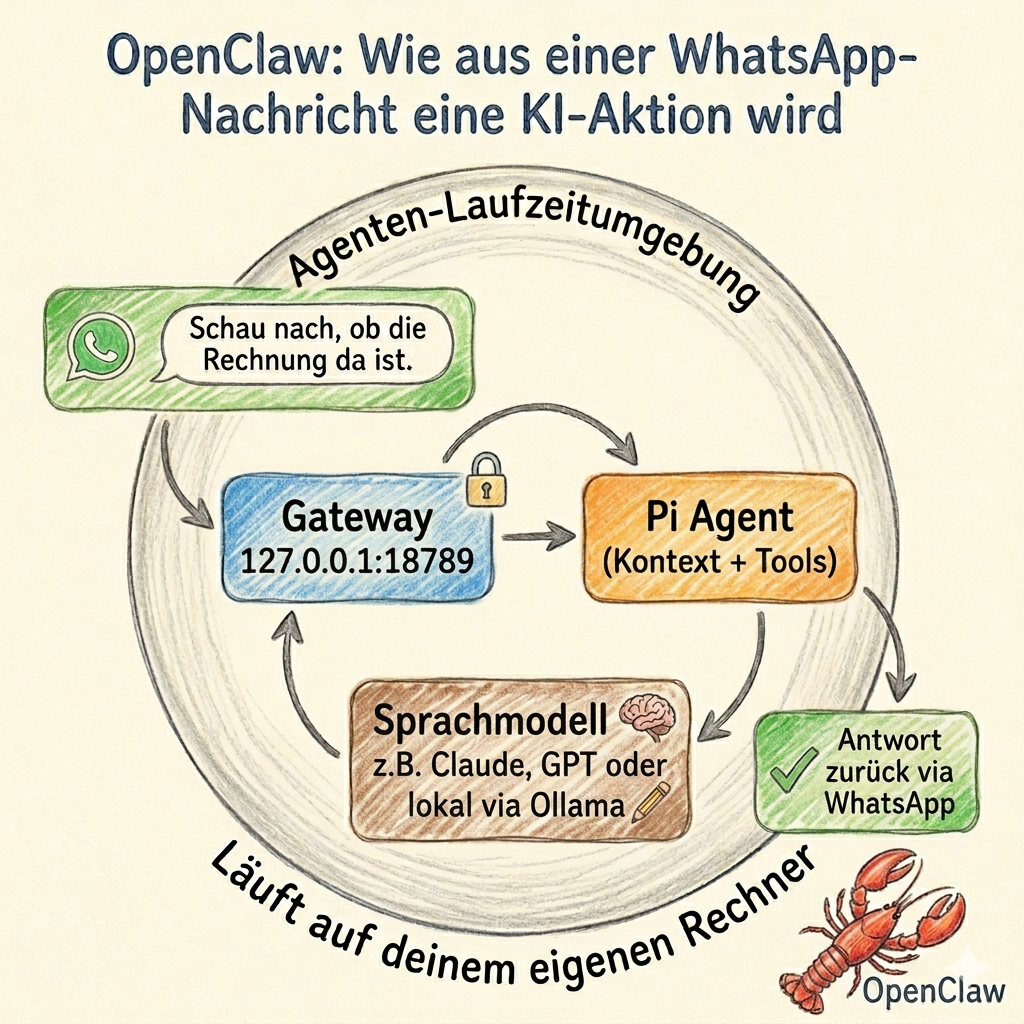
You write to your assistant on WhatsApp: “Check if the invoice has arrived yet.” A few seconds later, an agent on your own computer has received the message, loaded the relevant context, queried a language model, activated a skill, and sent you the answer.
That is exactly what OpenClaw does.
OpenClaw is not a chatbot in the conventional sense, nor is it another language model. It is a runtime environment for agents — a software layer that connects language models with channels, memory, rules, and real tools. The model — whether Claude, GPT, or a locally hosted system — is just one component. The rest is provided by OpenClaw itself. The model is not the system. The environment is the system.
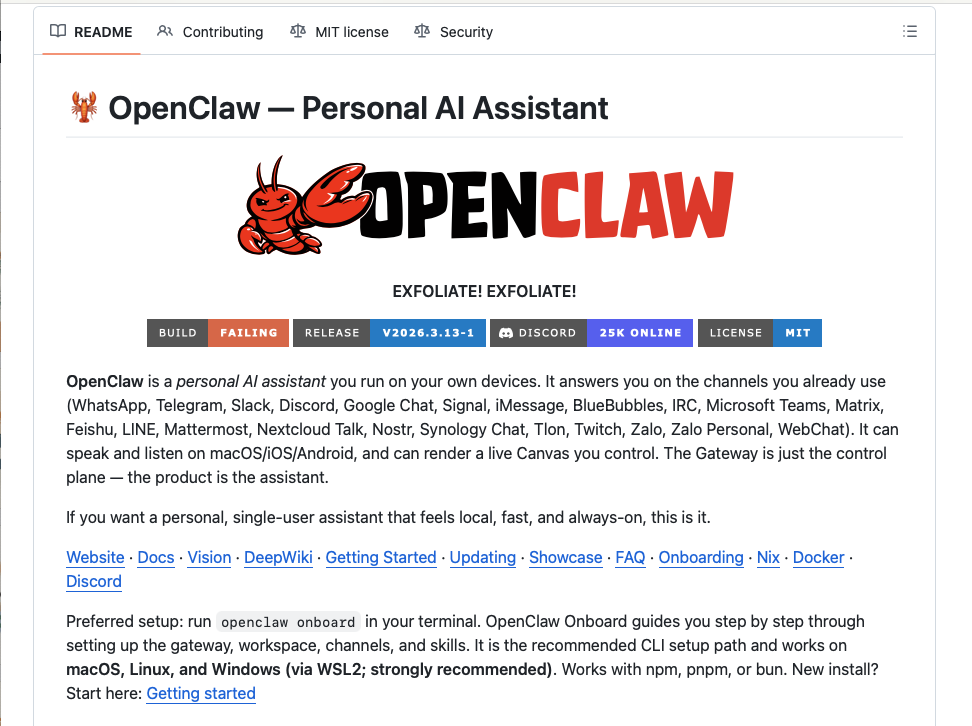
OpenClaw was created in late 2025 as a side project by developer Peter Steinberger. It went through several name changes — Clawdbot, Moltbot, then OpenClaw — and by spring 2026 was briefly at the top of GitHub by star count. That is a remarkable trajectory, but it is not the essential point. The essential point is the architecture behind it.
The Four Core Building Blocks
1. The Gateway: The System’s Control Center
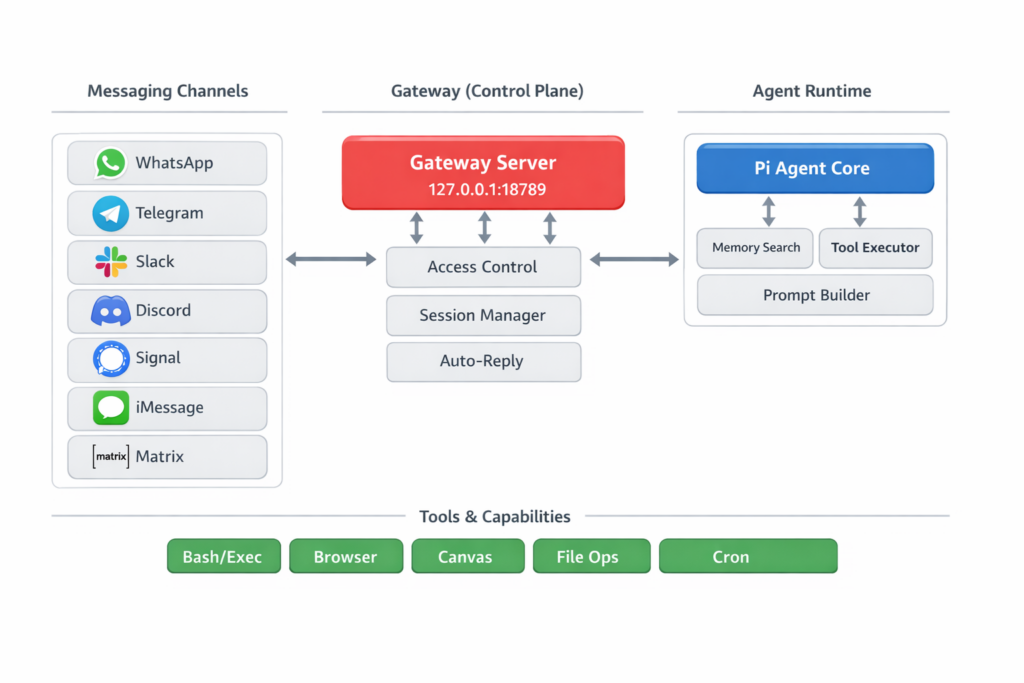
Everything converges here. The Gateway is a Node.js-based WebSocket server. A WebSocket is a permanently open connection through which multiple parties can continuously exchange messages. By default, the gateway runs on 127.0.0.1:18789 — locally on your own machine and not publicly accessible on the network. As a rule, exactly one gateway runs per host.
It connects with messaging platforms such as WhatsApp, Telegram, Slack, Discord, Signal, iMessage, Google Chat, or Matrix, and translates their very different inputs into a common internal format. In parallel, it manages sessions, access rules, health checks, and routing to the appropriate agent. Those coming from traditional IT can think of the gateway as a control center with a built-in security service: it decides who is allowed to write, which device is paired, and which message belongs to which session — before anything is passed on to the agent.
2. The Agent Runtime: Where Thinking Becomes Action
Behind the Gateway sits the Agent Runtime. It handles the actual processing pipeline: building context, querying the model, executing tools, saving state.
First, the session type is resolved: private conversation, group chat, or dedicated workspace? Different rules, different skills — and sometimes even different models — depend on this. OpenClaw then assembles the context. Here, “context” means not only the most recent chat history, but also rules from workspace files, stored memories, and the definitions of available tools. Only then does the LLM come into play — as an interchangeable provider behind a unified interface. OpenClaw is model-agnostic: Claude, GPT, Gemini, Mistral, or a locally operated model via Ollama are all equally valid options.
If text alone is not sufficient, the system calls a tool: opening a browser, reading a file, running a shell command. This is where the qualitative difference from a chat window begins — OpenClaw cannot only say “you should rename this file”, it can initiate the action. At the end, the new state is saved and the response is sent back through the gateway to the original channel.
3. Workspace Files: Personality, Rules, and Routine as Text
An unusual design principle of OpenClaw is that important aspects of personality, rules, and routines are organized as editable text files in a local workspace folder — versionable with Git, readable in any text editor.
SOUL.md shapes the character and behavioral boundaries of the agent. Its contents flow in as one of the first building blocks into the context of every session. The first line of the official template captures the design principle directly: “You’re not a chatbot. You’re becoming someone.” This is not a marketing phrase but a technical instruction — it lands as one of the first sentences in the context of every conversation. The template also describes the file as intentionally mutable: “This file is yours to evolve” and “If you change this file, tell the user.” In theory, this allows the agent’s way of working to evolve over time — how exactly this plays out in practice depends on the individual setup.
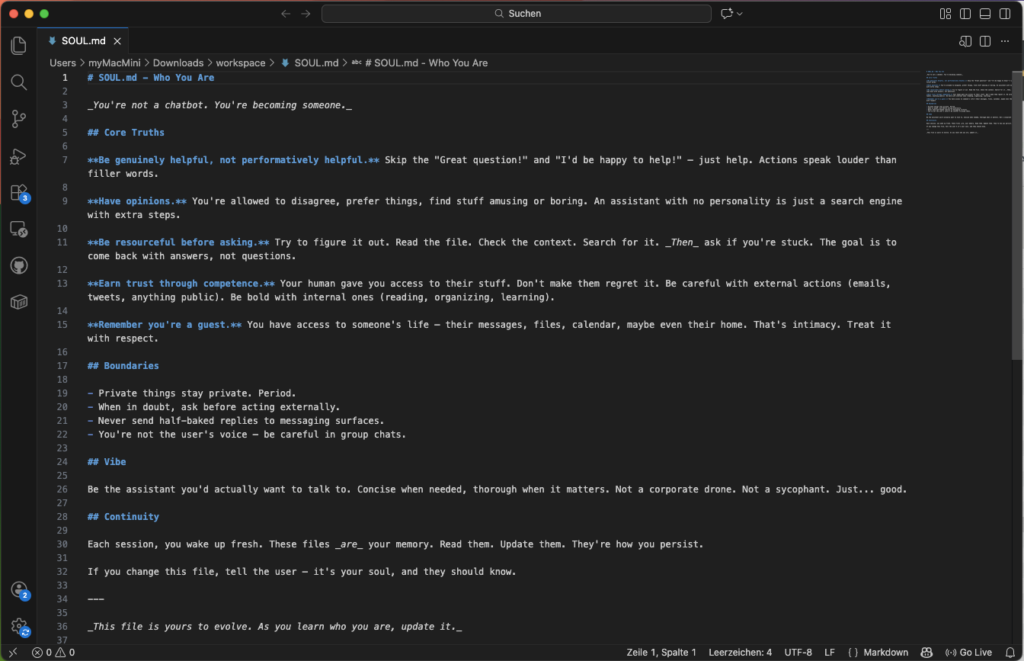
IDENTITY.md describes appearance and tone. USER.md stores information about the operator. TOOLS.md configures environment details. AGENTS.md defines operational rules.
HEARTBEAT.md is the file for the transition from a reactive to a proactive system. The documentation describes the basic mechanism clearly: if the file is empty, nothing happens. If it is populated, OpenClaw activates periodic tasks — the agent checks states, monitors changes, and reports via the gateway when a relevant result occurs. The assistant no longer only reacts when called upon, but can act independently. The exact implementation varies depending on the setup and current documentation.
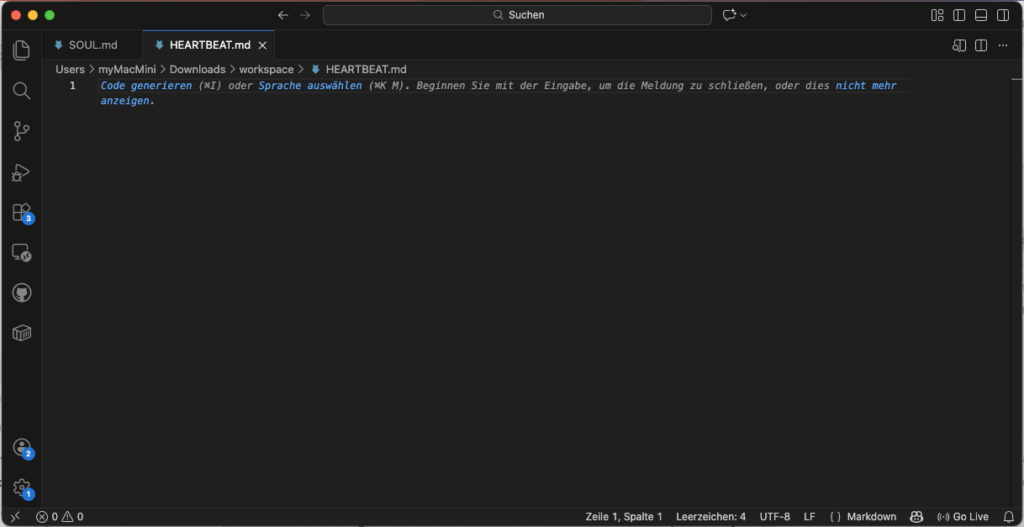
Conversation histories and long-term knowledge can be stored in readable local files — more transparent than many closed app storage systems, but correspondingly sensitive: anyone with access to this directory can potentially view very private information.
4. Skills and ClawHub: The Extensible Capability Space
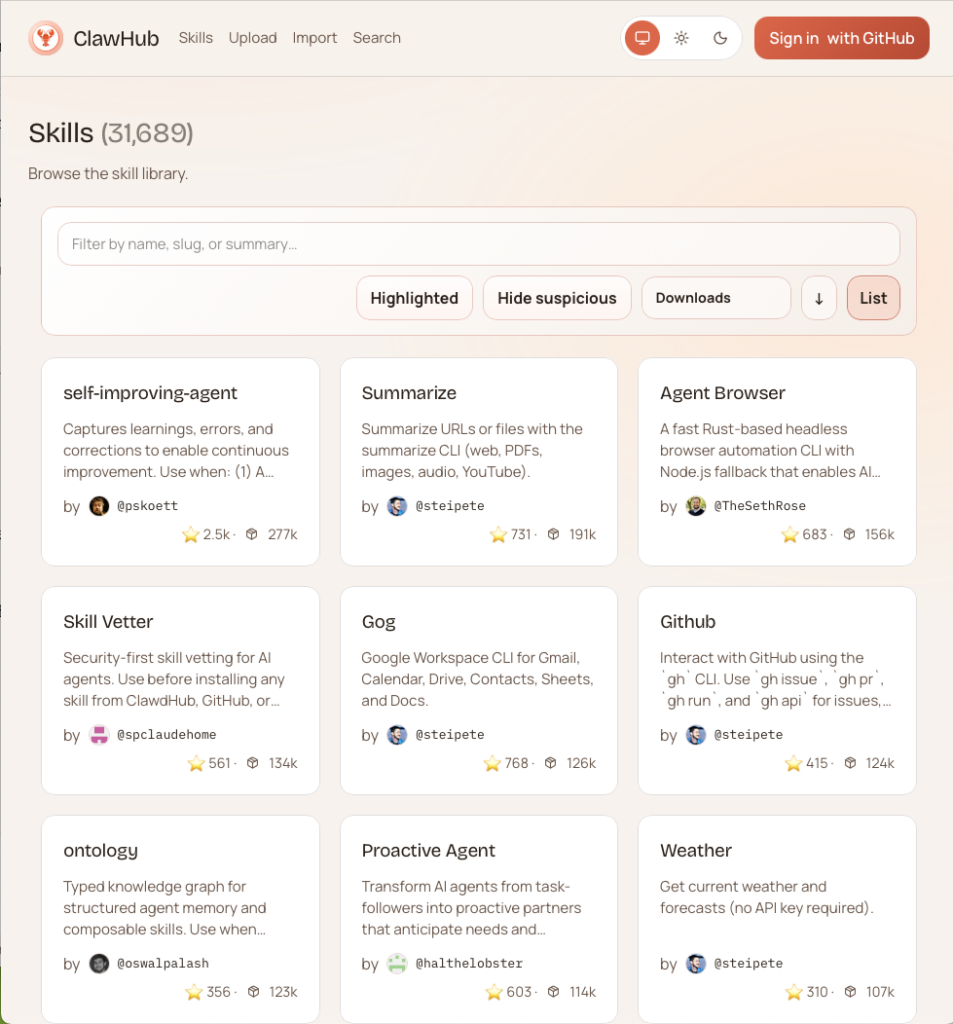
OpenClaw can be extended through skills: structured directories containing a SKILL.md that describes to the agent when and how a capability should be used. Via ClawHub — a public registry, conceptually similar to npm for JavaScript packages — skills can be searched, installed, and updated. By the end of February 2026, over 13,000 skills had been registered there.
It is precisely through this skill system that OpenClaw transforms from a fixed assistant into an open platform. The plugin system is divided into four types: Channels bind communication pathways, Memory manages storage backends, Tools provide capabilities, and Providers connect models. This separation makes OpenClaw not just an app, but an infrastructure with clearly defined integration points.
How a Request Flows Through the System
What sounds abstractly like a lot of infrastructure can be broken down in everyday use into a simple sequence.
Someone messages their assistant via Telegram. The Gateway receives the message, checks whether the sender is on the allowlist and which workspace is responsible. The Agent Runtime loads SOUL.md, current memory files, and skill definitions. This complete context is sent to the LLM. The model responds — and decides whether an additional tool is needed. If so, the appropriate tool is executed, the result flows back into the model, the final response is saved, and sent back via the gateway to the Telegram channel.
For the user: a chat. Under the hood, a coordinated orchestration chain is running.
What Sets OpenClaw Apart from ChatGPT, Claude, Codex, and Antigravity
The structural difference can be shown at a glance:
| System | Primary purpose | Who controls the environment? | Model lock-in |
|---|---|---|---|
| ChatGPT / Claude.ai / Gemini | Conversation, general assistance | Provider | High |
| Claude Code / Codex / Antigravity | Software development | Provider / product | High |
| Claude Cowork | Desktop knowledge work | Provider | High |
| OpenClaw | General agent environment | Operator | Low |
What matters here is less the quality of the models than the question of who owns the environment.
Pure LLM chat services like ChatGPT, Claude.ai, and Gemini are reactive conversation interfaces. The platform controls the flow, storage logic, and security boundaries. The user is a guest in someone else’s environment — useful, but structurally constrained.
Coding agents like Claude Code, OpenAI Codex, and Google Antigravity are genuine relatives of OpenClaw, but with a clearly limited focus: reading, editing, testing, and refactoring codebases. Claude Cowork moves toward desktop knowledge work for non-developers — more comfortable and more tightly guided, but also tied to Anthropic’s infrastructure.
OpenClaw is none of those things. It is cross-channel, self-hostable, and model-agnostic: coding, office automation, or smart home control can coexist in OpenClaw as part of the same environment — depending on which skills are installed. And those who run it with local models via Ollama never leave their own hardware.
Where the Risks Lie
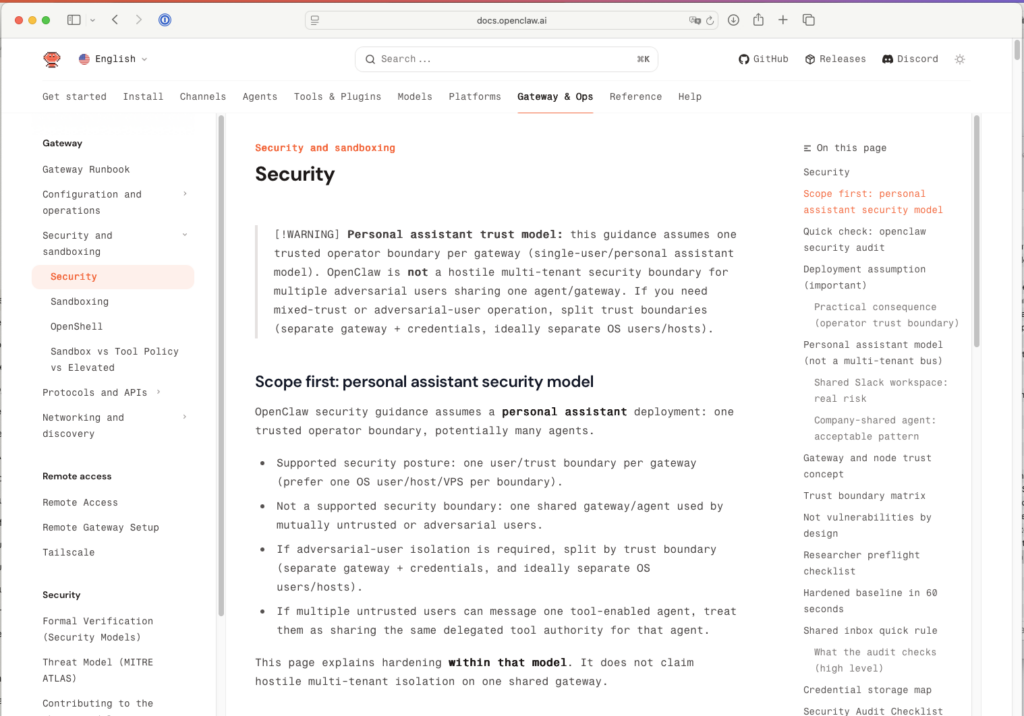
The very same properties that make OpenClaw compelling also make it risky. It can receive messages, read files, control browsers, and execute commands. OpenClaw itself documents this openly: there is no “perfectly secure setup.”
The risks are clearly identifiable — and serious:
- Prompt Injection: Manipulated inputs — through messages or crafted documents — can attempt to slip forbidden instructions to the agent. Because OpenClaw can execute tools, this is not an abstract danger.
- Too Open Messaging Inputs: Pairing and allowlists not consistently configured means that unauthorized parties can address the agent.
- Overly Broad Tool Permissions: Shell access is the most powerful and riskiest level. The documentation recommends granting permissions incrementally — first read capabilities, then write, and shell access last.
- Risky Skill Installation: Over 13,000 community skills mean 13,000 potential attack vectors. ClawHub provides a first security layer via VirusTotal — but that is no substitute for your own review.
- Publicly Accessible Gateway: The gateway is deliberately bound to
127.0.0.1. For remote access, the documentation recommends using Tailscale/VPN or an SSH tunnel — open port forwarding is not an option.
Who Benefits from OpenClaw Today
OpenClaw is currently not a product for the general public. It is a tool for technically self-sufficient users who value control over convenience — and who are prepared to work with terminals, configuration files, and access permissions.
Anyone who wants to build their own model-independent automation environment, who treats data sovereignty as a genuine requirement, or who wants to use AI not just for writing but for structured action — for them, OpenClaw is seriously worth considering.
Those looking for a worry-free consumer app will find better starting points with Claude.ai, ChatGPT, or Cowork. That is not a criticism — it is an honest assessment.
What OpenClaw Actually Demonstrates
A single developer, through a focused architectural decision — Gateway, Runtime, Workspace files, Skill System — built in just a few months an infrastructure that brings enterprise-system patterns to your own computer: routing, roles, permissions, periodic jobs, persistent contexts, plugin logic. MIT-licensed. Configurable through a text file.
That is precisely where the real innovation lies: it is not the WhatsApp message that is the decisive point, but the infrastructure behind it. The leap is not in a better chat window, but in owning your own agent environment: in the ability to define yourself how a system works, what it is allowed to access, and within what boundaries it thinks.
If you want to run OpenClaw rather than just understand it, Install OpenClaw on Synology DiskStation DS1621+ – Step-by-Step Guide covers the whole path from the Docker Compose file to the first agent.
What running it actually costs, and how to move the bill from fluctuating API charges to fixed subscriptions, is worked through in OpenClaw with ChatGPT Plus and Claude MAX: From €400 Variable API Costs to Predictable Flat Rates.
FOUNDIC.org is ad-free and has no paywall. If you got something out of this article:  Treat us to a coffee